How to Create a UPS Return Shipping Label: Printing, Costs and Drop-Off
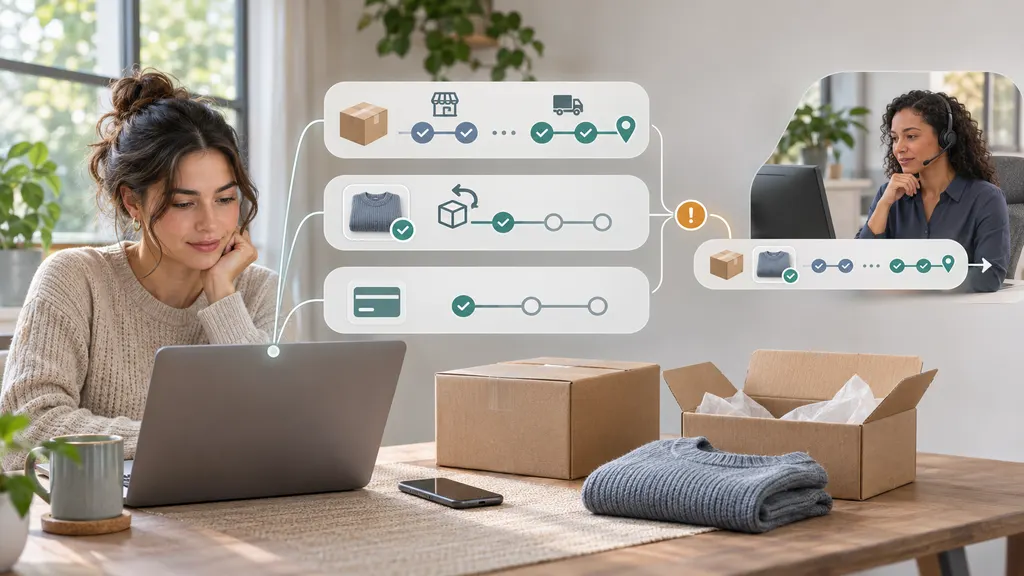
To create a UPS return shipping label, first check whether the retailer provides one through its returns portal or customer service. If the retailer requires you to arrange shipping, confirm the return address and authorization requirements, then purchase a label through UPS. Print and attach the label, or use a retailer-issued mobile return code at the location specified in its instructions. Your cost and drop-off options depend on the return arrangement—not simply on whether UPS carries the package.
This guide focuses on returns shipped from the United States. Services, mobile-code acceptance, fees, and documentation requirements can differ in other countries. Your retailer’s return instructions determine where the item should go and what you must include.
Start with the retailer, not the shipping form
A shipping label gets a parcel to an address. It does not, by itself, authorize a return or establish eligibility for a refund. Before paying for shipping, open your order history, return confirmation email, or the retailer’s returns portal.
Look for the return deadline, approved destination, required paperwork, and any return merchandise authorization number, often called an RMA. The return destination may be different from the address on the original parcel.
- You received a prepaid UPS label: Use that label and follow the retailer’s packing instructions. There is usually no reason to purchase another label for the same authorized return.
- You received a mobile return code: Read the accompanying instructions. The code may require a particular participating location and may or may not include packing assistance.
- The retailer says you must arrange shipping: Confirm the approved address and whether it requires a particular shipping service before creating your own label.
- You have no return instructions: Contact the retailer before shipping. Buying postage does not resolve a missing return authorization.
Best practical rule: Use the retailer’s approved return method when one is available. It is more likely to connect the shipment with the correct order and return record than a label you create independently.
How to create or obtain your UPS return label
Option 1: Download the retailer’s label
- Sign in to the retailer’s website or open its official return confirmation.
- Select the order and items being returned, if the return has not already been submitted.
- Choose the available UPS return method and review any shipping deduction or return fee before confirming.
- Download the label or save the email containing the label link.
- Check whether the retailer also requires a packing slip, RMA document, or other identifier inside the package.
Check that the label belongs to the correct return, particularly if you have several orders or multiple boxes. Do not assume one label can cover several separately shipped packages. Ask the retailer for additional labels or consolidation instructions when necessary.
Option 2: Purchase your own shipping label
If the retailer explicitly tells you to arrange the shipment, use the UPS shipping tool. Although you are returning merchandise, you are creating a shipment from your location to the retailer’s approved return destination.
- Confirm the destination. Enter the retailer’s authorized return address, including any department, suite, or reference information it requires.
- Enter your sender details. Use accurate contact information and an appropriate return address in case the parcel cannot be delivered.
- Pack before measuring. Weigh the sealed package and measure its outside dimensions. Use the finished parcel, not the item’s product specifications.
- Select a service. Compare the available delivery estimates and charges with the retailer’s deadline. Check whether its policy requires shipment by a date or arrival by that date.
- Review the shipment. Verify the address, package details, selected service, and payment information before purchasing.
- Save the label and tracking number. Keep the purchase confirmation as well as the label file.
Do not guess the weight or deliberately enter smaller dimensions to lower the quoted charge. Incorrect shipment information can lead to billing adjustments or handling problems.
For an international return, stop and confirm customs requirements with the retailer and UPS before purchasing. Depending on the shipment, additional documentation may be necessary. A return label alone does not settle customs declarations, duties, taxes, or eligibility for any relief.
Printing the label correctly
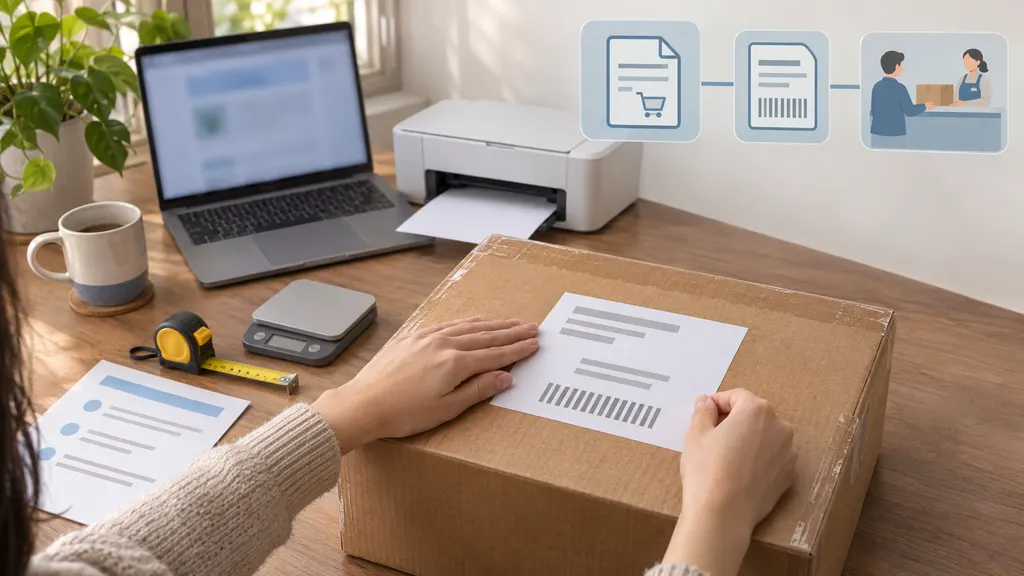
A standard paper printer is generally suitable for a printable UPS label; you do not need to buy a thermal printer for a single return. Follow any format or printing instructions supplied with the label.
- Open the original label file or official label link rather than printing a screenshot of an email.
- Check the print preview so the address, barcode, and label edges are not cropped.
- Use a clear print with strong contrast. Replace a label with missing lines, blurred text, or a damaged barcode.
- Attach the label securely to a flat exterior surface. Avoid corners, seams, and folds that can distort the barcode.
- Remove or fully cover old shipping labels and unrelated routing barcodes on a reused box.
- Keep required return paperwork inside the parcel unless the instructions specify another placement.
Do not treat the original outbound label as a return label. It describes the shipment to you, not necessarily an authorized shipment back to the retailer.
What if you do not have a printer?
First determine whether you have a printable label or a retailer-issued mobile return code. These are different formats, and their handling instructions are not interchangeable.
If you received a mobile code, bring it to the location named in the return instructions. Do not assume every UPS Access Point, UPS drop box, or shipping counter can process it. Some authorized return programs include packing; others require a packed parcel.
If you only have a PDF label, ask a nearby staffed shipping location whether it can print the file and whether a printing charge applies. A PDF displayed on your phone is not automatically equivalent to a supported mobile return code. The UPS Store’s returns information explains its return-service options, but your specific retailer’s instructions still control the process.
How much does a UPS return label cost?
There is no single price for a UPS return label. The amount you pay depends first on who arranged the return and then on the shipment details.
| Return arrangement | What to check |
|---|---|
| Retailer provides a prepaid label | Whether the retailer covers shipping or deducts a stated amount from your refund. |
| You purchase the shipment | The UPS quote for the packed parcel, destination, service, and selected options. |
| You need printing, packing, or pickup | Whether those services have separate charges and who is responsible for them. |
Prepaid does not necessarily mean free to you. It means the shipping payment has been arranged rather than requiring you to buy postage at handoff. The retailer may still charge a return fee under its policy.
For a self-purchased shipment, package weight, dimensions, origin, destination, service level, and applicable additional charges can affect the total. Obtain a quote using your actual packed parcel rather than relying on a generic price found online.
Also distinguish shipping charges from other return-related deductions. A restocking fee, where applicable under the retailer’s policy, is not the same as the carrier’s transportation charge. Review the return summary before confirming so you understand the expected refund.
Where can you drop off a UPS return?
Use the UPS location finder to identify nearby options, then verify that the location accepts your particular return format. A listing near your address is not enough to establish that it handles your code, package size, or special shipping requirements.
A sealed package with a printed UPS label
Look for a UPS location that accepts prepaid packages. Check operating hours, applicable package limits, and collection times. A store’s closing time and the day’s final UPS collection time may differ, so a late handoff can affect when the parcel enters the transportation network.
A staffed location is useful when you want to request a drop-off receipt. Keep that receipt until the return and refund are resolved.
A mobile-code or no-box return
Follow the location instructions issued with the code. A no-box or label-free arrangement is part of a specific return program, not a general feature of every UPS shipment.
Bring the items and any required accessories, and make sure the code is accessible. Do not leave an unpackaged item at an unattended drop box.
A drop box or pickup
A UPS drop box may be an option for an eligible, properly packed and labeled shipment that meets the box’s restrictions. Check the posted requirements and collection schedule. You will not receive a staffed-counter receipt when placing a parcel in an unattended box.
If you need a pickup, check the available arrangements and charges before scheduling. Do not assume that having a return label automatically includes a pickup. For restricted items, damaged batteries, unusually large parcels, or other nonstandard shipments, confirm acceptance and packaging requirements directly with UPS.
Track the return and keep evidence of handoff
Save the tracking number before handing over the package. It may appear on the label, return confirmation, or receipt. Use UPS tracking to monitor the shipment.
A status such as “Label Created” does not by itself prove that UPS has received the parcel. Shipment information can exist before physical handoff. If tracking has not progressed, compare the handoff time with the location’s collection schedule and retain your receipt.
Carrier delivery and refund approval are separate steps. Tracking can show arrival at the return destination, but the retailer may still need to identify, inspect, and process the returned items. Check its stated processing policy rather than treating the delivery scan as a refund confirmation.
If the refund does not arrive within the retailer’s stated timeframe, contact it with your order number, return authorization, tracking number, and proof of delivery or handoff. If you purchased the label yourself and there is a transportation problem, keep the shipment purchase records for any follow-up with UPS.
FAQ
Can I create a UPS return label without the retailer?
You can purchase a shipment to an address through UPS, but that does not establish the retailer’s permission to return an item. Confirm the return authorization, destination, and required identifiers first. Otherwise, the package may arrive without the information needed to connect it to your refund.
Can UPS scan a return label from my phone?
A supported mobile return code can be processed at the location specified by the return program. An ordinary PDF shipping label on your phone is different: you may need to have it printed. Check the instructions and the location’s services before traveling.
Can I use one label for two return boxes?
Do not print duplicate copies of one package label and attach them to separate boxes. Each parcel needs an appropriate shipment label. Ask the retailer for another label or permission to combine the items into one package.
What should I do if the label has the wrong address or will not open?
For a retailer-issued label, ask the retailer to correct or reissue it rather than editing the address yourself. For a label you purchased, use UPS shipping support to check the appropriate correction or replacement process. Save the original transaction details.
Does a UPS return label expire?
Do not assume all labels or return codes follow the same validity rules. Check the retailer’s return deadline and the instructions associated with the label or code. If the return is delayed, ask whether the existing label remains usable and whether the retailer will still accept the item.
Sources
- UPS shipping tool — shipment creation, package details, service selection, and shipment quotes.
- UPS shipping support — official shipping guidance and assistance with labels and shipment preparation.
- UPS location finder — finding drop-off locations and checking available location services.
- The UPS Store: Returns — return handling and participating return-service options.
- UPS tracking — checking return shipment progress.