Shippit Tracking
Please enter the Shippit tracking number to check the latest shipping status.
About Shippit
Shippit is an Australian commerce delivery platform, not a physical parcel carrier. Shippit connects ecommerce retailers with more than 100 carriers, automates fulfilment and carrier selection, and provides delivery tracking, notifications, returns and delivery-management tools across Australia, New Zealand and Southeast Asia.
Carrier Overview
| Field | Confirmed information |
|---|---|
| Official name | Shippit |
| Official website | https://www.shippit.com/ |
| Carrier type | Multi-carrier shipping, delivery-management and logistics software platform. |
| Primary region | Australia, New Zealand and Southeast Asia, with international shipping capabilities. |
| Tracking page | A Shippit-branded tracking experience is configured by the retailer; tracking data comes from the selected carrier. |
Carrier Entity Relationships
| Entity | Relationship to Shippit |
|---|---|
| Shippit | Shippit operates the software layer that creates, manages and tracks ecommerce shipments; it does not itself perform the physical delivery. |
| Carrier network | Shippit connects retailers to more than 100 carriers and manages carrier integrations through one platform. |
| Tracking and notifications | Shippit normalises carrier data into branded tracking pages, location and scan events, dynamic ETAs, email and SMS notifications. |
| 17TRACK | 17TRACK is an independent multi-carrier tracking platform; it is not Shippit’s official customer-support or delivery channel. |
Quick Answer
Use the tracking number from the retailer’s dispatch email, shipping label or order-tracking page. Enter it in the retailer’s Shippit tracking page or in 17TRACK. If no result appears, check the number, remove spaces, allow time for the first carrier scan, and confirm which physical carrier is handling the shipment. 17TRACK does not transport parcels, change addresses, approve refunds or process claims.
How to Track Shippit Packages
A Shippit shipment is tracked through the carrier assigned to the order. The retailer’s branded tracking page is usually the best place to see the order context; 17TRACK can provide an independent view of available carrier events.
- Find the parcel tracking number in the dispatch email, retailer account, label or carrier receipt.
- Open the tracking link supplied by the retailer, or enter the number into 17TRACK.
- Check the named carrier, latest scan, estimated delivery information and any delivery instructions.
- If the number is an order number or reference rather than a parcel identifier, ask the retailer for the carrier tracking number.
Tracking Number Formats
Shippit does not issue one universal tracking-number format. The physical carrier or origin postal operator normally issues the parcel identifier, while Shippit stores and displays the carrier relationship. A number that Shippit can display is therefore not necessarily issued by Shippit.
Tracking Number Format
| Identifier family | Normalized pattern and use | ||||||
|---|---|---|---|---|---|---|---|
| Carrier-issued parcel ID | Carrier-specific numeric or alphanumeric identifier shown on the label and retailer dispatch message. | ||||||
View all details for carrier-issued parcel IDs
| |||||||
| UPU S10 postal number | Two letters, nine digits including a check digit, and a two-letter origin country code, for example AB#########AU. | ||||||
View all details for UPU S10 postal numbers
| |||||||
| Merchant order or reference ID | A store order number or internal reference; it is not necessarily a carrier tracking number. | ||||||
Tracking Statuses and Meanings
| Status | Meaning and next action |
|---|---|
| Label created / awaiting item | Shipment data exists but physical acceptance may not have occurred. The retailer or sender should confirm handoff. |
| In transit | The assigned carrier has recorded movement between facilities. Wait for the next scan unless the retailer’s promise has passed. |
| Customs or handover | The shipment is undergoing import/export processing or transfer to another carrier; arrival at an exchange facility is not the same as customs release. |
| Out for delivery | The last-mile carrier has assigned the parcel to a delivery route. Keep the address accessible and follow local instructions. |
| Delivered / exception / returned | Delivery was scanned, an obstacle was recorded, or the parcel is moving back. Check proof of delivery first, then contact the retailer or physical carrier. |
Services and Delivery Times
Shippit provides access to carrier services rather than publishing one Shippit delivery standard. Retailers can configure standard, express, same-day, next-day, scheduled, after-hours, weekend, click-and-collect and international options where the selected carrier supports them.
Service Comparison
| Service | Best for |
|---|---|
| Standard or economy | Cost-sensitive domestic or international orders. |
| Express, same-day or next-day | Time-sensitive deliveries where a connected carrier offers the service. |
| Scheduled, on-demand or click and collect | Customer-selected windows, local delivery or collection workflows. |
Delivery Time
| Time measure | How to interpret it |
|---|---|
| Estimated delivery date or window | A retailer or Shippit delivery promise generated from origin, destination, parcel and carrier data. |
| Service standard | The selected carrier’s published or operational target, subject to service conditions. |
| Guarantee | Do not treat an estimate as a money-back guarantee; any guarantee belongs to the applicable carrier service terms. |
Destination Country Delivery Times
| Destination region | Delivery-time guidance |
|---|---|
| Australia and New Zealand | Use the carrier-specific ETA shown at checkout or in Shippit tracking; same-day, next-day and scheduled services depend on postcode, cutoff and carrier availability. |
| Southeast Asia | Use the selected international carrier’s ETA; customs, duties, documents and destination handoff affect the delivery window. |
| North America, Europe and other destinations | Shippit does not operate a single universal transit schedule. The selected carrier and destination service determine the estimate. |
Common Tracking Problems and Solutions
| Problem/status shown | Immediate action |
|---|---|
| Invalid number or no result | Remove spaces, distinguish order ID from tracking number, verify the named carrier and ask the retailer to confirm the identifier. |
| No update or label created | Allow the first physical scan, then ask the sender to confirm that the parcel was handed to the carrier. |
| Customs, exception or return | Read the carrier event, check duties or address requirements, and contact the retailer or physical carrier identified in the result. |
| Delivered but not received | Check the delivery location, household members, concierge, neighbours and safe-place instructions; then request proof of delivery and contact the retailer promptly. |
| Lost or damaged parcel | The sender should open the carrier inquiry or claim where carrier terms permit, retaining packaging, photographs, invoice and value evidence. |
International Shipping and Carrier Handoffs
Shippit coordinates international shipping through connected carriers such as FedEx, Seko and Asendia. The physical custodian can change at export, import or last mile. Customs arrival does not prove customs release, and a destination carrier may continue using the origin tracking number or create a linked local identifier.
| Stage | What the customer should understand |
|---|---|
| Order and label | Shippit and the retailer create shipment data; physical carrier acceptance may happen later. |
| Export and line haul | The origin carrier moves the parcel through export processing and international transport. |
| Import customs | Authorities assess declarations, duties, taxes and restricted goods; the customer may need to provide information or pay charges. |
| Partner handoff and last mile | A destination or local carrier receives the parcel and performs final delivery; scans can pause between electronic advice, physical handoff and first receipt scan. |
Delivery Management
| Option | Who uses it and how |
|---|---|
| Tracking notifications | Retailers can send automated email and SMS updates; customers should use the retailer’s tracking page for order-specific changes. |
| Returns | Shippit supports self-serve returns workflows where enabled by the retailer, including return requests and labels. |
| Apple Wallet order tracking | Participating retailers can provide order updates in Apple Wallet; this is an order-tracking feature, not a carrier delivery guarantee. |
Claims and Restrictions
A tracking inquiry, carrier investigation, insurance claim and retailer refund are different processes. The physical carrier’s terms determine eligibility and filing deadlines. Shippit can help a retailer manage the shipment workflow, but 17TRACK cannot approve a claim or refund.
Claims and Refunds
| Process | Use when |
|---|---|
| Carrier inquiry or claim | Use for loss, damage or missing contents through the sender, retailer or applicable carrier terms; prepare the tracking number, invoice, value evidence, photographs and packaging. |
| Retailer refund or replacement | Contact the seller for the purchase remedy; the seller may separately pursue the carrier process. |
Shipping Restrictions
| Category | Practical impact |
|---|---|
| Dangerous goods, batteries and liquids | Carrier and destination rules may prohibit or require special packaging and declarations; non-compliance can cause refusal, delay or return. |
| Customs-controlled goods | Accurate descriptions, values, permits and duties may be required; consult the selected carrier’s current rules before dispatch. |
Customer Service
| Channel | Best use |
|---|---|
| Retailer or merchant support | Best for delivery promises, order changes, refunds, replacements and carrier-claim initiation. |
| Selected physical carrier | Best for route-level delivery events, local delivery instructions and carrier-specific investigations. |
| Shippit website | Official Shippit website for business platform information and demo enquiries. |
Before escalating, prepare the tracking number, order number, shipment date, delivery address, selected service, latest scan, item description, value evidence and photographs. Start with the retailer because the retailer owns the Shippit shipment relationship; contact the physical carrier when the tracking result identifies that carrier and a carrier action is required.
Ecommerce and Business Tracking
Shippit’s business platform combines multi-carrier shipping, standardised tracking data, branded tracking pages, dynamic estimated delivery dates, automated email and SMS notifications, returns workflows and carrier allocation. Its official shipping API documentation describes Quote, Order, Track, Book, Label, Returns, Estimated Delivery Date and order-modification capabilities.
Developer/API Comparison
| Option | Provider | ||||||
|---|---|---|---|---|---|---|---|
| Shippit APIs | Shippit | ||||||
View all details for Shippit APIs
| |||||||
| 17TRACK API | 17TRACK | ||||||
View all details for 17TRACK API
| |||||||
FAQ
Basic FAQs
Use the retailer’s Shippit tracking link or enter the carrier tracking number in 17TRACK.
Check the dispatch email, retailer account, shipping label or carrier receipt.
There is no single Shippit format because the physical carrier issues the identifier.
The first scan normally depends on physical carrier acceptance, so label creation alone may not show movement.
The parcel may be between scans, awaiting handoff or affected by an operational or customs delay; ask the retailer to verify the carrier and handoff.
Timing depends on the selected carrier, service, postcode, cutoff, destination and customs; use the displayed delivery estimate.
Read the carrier event, follow its redelivery or collection instructions, and contact the retailer if no action is offered.
Check safe places, household members, reception and neighbours, then request proof of delivery and contact the retailer.
Contact the retailer first with photographs, packaging, invoice and tracking details so the appropriate carrier process can be started.
For a consumer order, contact the retailer shown on the order; Shippit is the delivery platform rather than the physical carrier.
Expert FAQs
No. Shippit provides software and connected carrier access while the selected carrier performs collection, transport and delivery.
Shippit describes its EDD capability as using origin, destination postcodes, carrier mix, shipping history and delivery patterns to provide predictive dates.
It means shipment responsibility is moving between connected logistics parties; electronic data can appear before the receiving carrier records a physical scan.
Yes. Shippit’s tracking product states that split orders can be viewed on one tracking page with carrier location and scan data.
Yes. Shippit’s Track API documentation description says businesses can request tracking information or subscribe to its webhook.
Tracking API
// 1. Shippit official API
// Current endpoint details and authentication should be taken from Shippit's developer documentation.
// Shippit provides Quote, Order, Track, Book, Label, Returns, EDD and order-modification APIs.

// 2. 17TRACK API
// carrier is intentionally left as a placeholder; do not infer a carrier code from the Shippit brand.
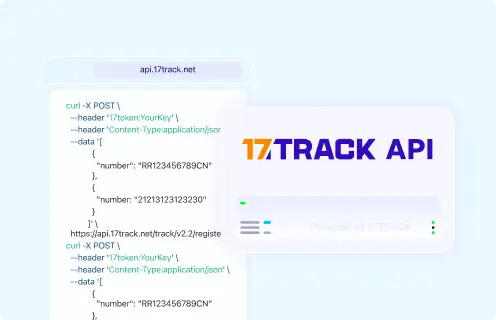
POST https://api.17track.net/track/v2.4/register
17token: YourKey
Content-Type: application/json

[
  {
    "number": "TRACKING_NUMBER",
    "carrier": "CARRIER_CODE"
  }
]
Sources & References
- Shippit — Official commerce delivery platform website. Shippit
- Tracking and Notifications. Shippit
- Enterprise Shipping API. Shippit
- Delivery Control. Shippit
- Fast and Scheduled Delivery. Shippit
- International Shipping Options. Shippit
- Apple Wallet Order Tracking. Shippit
- 17TRACK API Documentation. 17TRACK
17TRACK is an independent tracking platform and is not affiliated with Shippit.
Track your package
Global express parcel tracking service