Sendex Tracking
Please enter the Sendex tracking number to check the latest shipping status.
About Sendex
Sendex is the carrier name supplied for this tracking guide. Shipment-specific service coverage, legal entity details, service catalog and network ownership should be determined from the shipment label and the current official Sendex website rather than inferred from a tracking-number prefix.
| Field | Verified reference |
|---|---|
| Official website | Sendex official website |
| Tracking identity | Use the carrier named on the shipping label, receipt or merchant dispatch notice. |
Carrier Entity Relationships
| Entity | Relationship summary |
|---|---|
| Sendex | The carrier identity selected for this page must be matched to the label and the shipment events before responsibility is assigned. |
| Origin merchant or shipping partner | A merchant or partner may create shipment data before Sendex physically receives the parcel. |
| 17TRACK | 17TRACK is an independent platform that can aggregate available events; it does not transport parcels or decide claims. |
Quick Answer
Enter the shipment tracking number shown on the merchant dispatch email, shipping label or receipt into the official Sendex tracking area or 17TRACK. If no result appears, first remove spaces and punctuation, verify every character, confirm that you are using a tracking number rather than an order number, and allow time for the first physical acceptance scan.
How to Track Sendex Packages
The most reliable workflow is to compare the official carrier result with the merchant’s dispatch information and, when useful, the independent 17TRACK result.
| Step | Action |
|---|---|
| 1. Identify the number | Copy the tracking number from the dispatch notice, label, receipt or merchant order page; do not substitute the order number. |
| 2. Check Sendex | Open the official Sendex website and use its current tracking entry point. |
| 3. Cross-check | Submit the same number to 17TRACK and compare timestamps, handoffs and exception wording. |
| 4. Escalate correctly | The recipient contacts the merchant for order and replacement support; the shipper contacts Sendex for carrier investigations where required. |
Tracking Number Formats and Examples
A Sendex tracking number should be copied exactly as issued. The available evidence does not establish a single public universal pattern, so a prefix alone should not be used to identify a service or prove that Sendex issued the number.
Tracking Number Format
| Identifier family | Normalized pattern | ||||||||||
|---|---|---|---|---|---|---|---|---|---|---|---|
| Carrier tracking identifier | Use the exact alphanumeric string printed on the label or receipt; preserve leading zeroes. | ||||||||||
View all details for carrier tracking identifiers
| |||||||||||
Tracking Statuses and Meanings
A tracking status describes the latest electronic event, not necessarily the parcel’s exact physical location at the moment of viewing.
Status Quick Lookup
| Status | What it means |
|---|---|
| Label created / pre-shipment | Shipment data exists, but a physical acceptance scan may not have occurred. |
| Accepted | A carrier or authorised intake point recorded receipt; sorting or line-haul follows. |
| In transit | The parcel is moving between processing points; scans may be intermittent. |
| Customs or handoff | A border agency, destination operator or partner may be processing or receiving the shipment. |
| Out for delivery | The delivery network has assigned the parcel to a delivery route. |
| Delivered | A delivery event was recorded; check the delivery location and proof details if the parcel is missing. |
| Exception or return | An address, access, damage, customs or delivery issue requires review by the shipper or carrier. |
Services and Delivery Times
Delivery timing depends on the service selected, origin, destination, acceptance time, address quality, operational conditions, customs and any partner handoff. A tracking estimate is not automatically a delivery guarantee.
Service Comparison
| Service | Best use |
|---|---|
| Service shown on the shipment record | Match the displayed service to the carrier’s current terms before relying on coverage, protection or timing. |
Delivery Time
| Timing item | How to interpret it |
|---|---|
| Carrier or merchant estimate | Use the origin, destination and selected service shown in the shipment record; customs and weekends may alter the window. |
| Guarantee | Treat delivery as guaranteed only when the applicable current service terms expressly provide that remedy. |
Destination Country Delivery Times
| Destination | Planning guidance |
|---|---|
| Any destination | Use the service-specific estimate supplied by Sendex or the merchant; a universal country-by-country timetable should not be inferred without the selected service and origin. |
Common Tracking Problems and Solutions
Start with the latest event, compare it with the shipment date and contact the party that controls the relevant stage.
Problem & Solution
| Problem/status shown | Immediate action |
|---|---|
| Invalid number or no result | Check characters, remove formatting, distinguish the tracking number from the order number, then ask the merchant to confirm the identifier. |
| No update after label creation | Ask the shipper whether the parcel was physically handed over; label creation is not proof of acceptance. |
| Long transit gap | Check for weekends, customs, route changes and partner handoff; the shipper should open a carrier inquiry when the applicable service terms allow it. |
| Delivery exception or address issue | Contact the merchant and carrier promptly with the complete address and latest event; do not assume a redirect is possible. |
| Delivered but not received | Check the entrance, mailbox, reception desk, household members and neighbours, then request proof of delivery and ask the merchant to investigate. |
| Lost or damaged parcel | Photograph packaging and contents, retain all materials and have the eligible claimant use the carrier’s investigation or claims process. |
| Return to sender | Ask the merchant why the return was triggered and confirm whether a replacement or new dispatch is available. |
International Shipping, Customs and Carrier Handoffs
For an international shipment, an electronic pre-advice event, physical handoff, first receiving scan and customs release are separate milestones. Arrival in a destination country does not by itself mean that customs has released the parcel.
International Flow
| Stage | Typical event |
|---|---|
| Origin acceptance | The origin operator records receipt and prepares sorting or export movement. |
| Export processing | Security, export documentation and transport preparation may create a visibility gap. |
| Line-haul | The parcel moves toward the destination; scans may be limited between facilities. |
| Destination customs | Authorities assess declarations, duties or restrictions; the recipient may need to provide information or pay charges. |
| Partner handoff and last mile | A destination operator may receive the parcel and provide later delivery scans under the existing or a linked identifier. |
Delivery Management and Post-shipment Options
Redirects, holds, delivery instructions and redelivery depend on the service, destination and shipment stage. The shipper or named recipient should use the current official channel before the parcel reaches final delivery.
| Option | Action boundary |
|---|---|
| Redelivery or delivery instruction | Request it only through an official carrier channel or the merchant; eligibility and success depend on the shipment record. |
| Proof of delivery | Use the carrier result or merchant support to request available delivery details when a delivery event is disputed. |
Lost, Damaged, Claims, Insurance and Refunds
A tracking inquiry, carrier investigation, insurance claim, postage refund and merchant refund are different processes. Keep the label, receipt, packaging, photographs, invoice and value evidence.
| Process | Use when |
|---|---|
| Carrier inquiry | The latest event does not explain a delay, loss or delivery dispute. |
| Damage or loss claim | The eligible claimant needs a carrier decision and has shipment and value evidence. |
| Merchant refund or replacement | The buyer needs order resolution; the merchant may separately pursue the carrier. |
Shipping Restrictions and Special Handling
Before dispatch, check the current Sendex rules and destination-country requirements for dangerous goods, batteries, liquids, medicines, perishables, valuables and restricted imports. Incorrect declarations can cause refusal, customs delay or return.
| Category | Practical consequence |
|---|---|
| Batteries, liquids and hazardous goods | Packaging, declaration and transport-mode rules may apply; non-compliance can stop movement. |
| Perishables and fragile contents | Protection and acceptance conditions should be confirmed before handing over the parcel. |
| Prohibited or restricted imports | Destination customs can detain, seize or return contents despite a valid tracking number. |
Customer Service
Use the official Sendex website for the current tracking and contact routes. The fastest escalation normally starts with the merchant for order issues and the shipper for carrier investigations.
Customer Service
| Channel | Best preparation |
|---|---|
| Official website | Have the tracking number, shipment date, sender and recipient details, service name and latest scan ready. |
| Merchant support | Provide the order number, dispatch notice, promised delivery window and any delivery photographs or messages. |
Ecommerce and Business Tracking
Merchants can reduce WISMO requests by storing the carrier-issued identifier, normalising event names, monitoring exceptions and separating pre-shipment data from physical acceptance. API capabilities must be checked against current documentation.
Developer/API Comparison
| Option | Provider | ||||||||||||
|---|---|---|---|---|---|---|---|---|---|---|---|---|---|
| Carrier integration | Sendex | ||||||||||||
View all details for the Sendex carrier integration
| |||||||||||||
| 17TRACK API | 17TRACK | ||||||||||||
View all details for the 17TRACK API
| |||||||||||||
FAQ
Basic FAQs
Enter the tracking number on the official Sendex website or 17TRACK to view available shipment events.
Look in the merchant dispatch email, shipping label, receipt or order-tracking page.
The format depends on the shipment record; copy the complete identifier and do not infer the service from a prefix alone.
The first event generally appears after shipment data is received or a physical acceptance scan is recorded.
A scan gap, handoff, weekend, customs process or label-only status can delay visible movement; ask the shipper to confirm acceptance.
Use the estimate for the selected service and route; customs, address issues and operational conditions can change the delivery window.
Read the exception, check access and address details, and contact the merchant or official carrier channel promptly.
Check the delivery location, household members, reception desk and neighbours, then request proof of delivery and merchant assistance.
Preserve packaging and evidence, then have the eligible shipper or claimant start the applicable carrier inquiry or claim.
Use the current contact route published on the official Sendex website and include the tracking number and latest event.
Expert FAQs
No; a destination or partner system may display an identifier issued by another operator, so verify the issuing carrier in the shipment record.
No; label creation is an electronic preparation event, while acceptance requires a carrier or authorised intake scan.
No; arrival, inspection, duty assessment and release are separate events and may involve a destination authority or partner.
It may remain unchanged or be linked to a destination identifier; compare the merchant record with both carrier systems before assuming a new parcel.
No; 17TRACK aggregates available events, while Sendex or the responsible merchant and delivery operator handle transport decisions and after-sales actions.
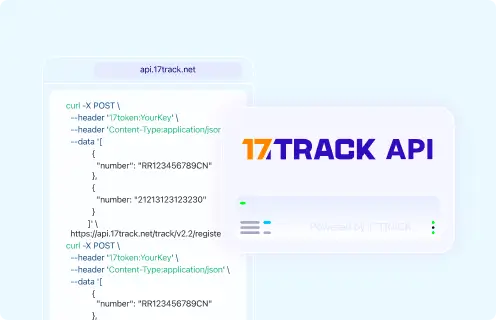
Tracking API
// 1. Current public official Sendex tracking API: documentation not established here.
// 2. 17TRACK API
POST https://api.17track.net/track/v2.4/register
Headers:
  17token: YourKey
  Content-Type: application/json
Body:
[
  {
    "number": "TRACKING_NUMBER",
    "carrier": "CARRIER_CODE"
  }
]
// Confirm the current Sendex carrier code in 17TRACK documentation before production use.
Sources & References
- Sendex official website. Sendex
- 17TRACK API documentation. 17TRACK
17TRACK is an independent tracking platform and is not affiliated with Sendex.
Track your package
Global express parcel tracking service