LHE Tracking
Please enter the LHE tracking number to check the latest shipping status.
About LHE
LHE is the carrier identity associated with the supplied website, LHE official website. Use the carrier’s own tracking channel or 17TRACK to test a shipment identifier. Carrier-specific service names, delivery standards, contact channels, and public developer capabilities should be taken from the current official pages before operational decisions are made.
| Field | Verified page information |
|---|---|
| Display name | LHE |
| Official website | https://www.lh-express.cn/ |
| Tracking role | Enter a shipment identifier in an official or aggregated tracking tool and compare the returned events with the merchant’s shipping record. |
Carrier Entity Relationships
| Entity | Relationship to LHE |
|---|---|
| LHE | LHE is the carrier name that should be selected when the shipment record identifies LHE as the transporting or tracking entity. |
| Merchant or marketplace | The merchant may create the order or shipping label; an order number is not necessarily a LHE tracking number. |
| 17TRACK | 17TRACK is an independent tracking platform that aggregates available carrier events and does not transport parcels or decide claims. |
Quick Answer
Enter the shipment tracking number, rather than the purchase order number, on the official LHE website or in 17TRACK. If no event appears, first check every character, remove spaces or hyphens only when the tracking form requires it, confirm that the seller has handed over the parcel, and ask the seller to verify the carrier assignment.
How to Track LHE Packages
Use two paths: the official LHE tracking page for carrier-owned events, and 17TRACK for a consolidated view when a shipment may involve more than one carrier.
| Step | Action |
|---|---|
| 1. Find the identifier | Check the dispatch email, seller account, label, receipt, or shipping confirmation. Do not substitute an order number unless the carrier explicitly accepts it. |
| 2. Try official tracking | Open the official LHE website and use its tracking function if provided. |
| 3. Try 17TRACK | Submit the same identifier to 17TRACK and allow automatic carrier detection where available. |
| 4. Resolve no result | Confirm the identifier with the seller, allow time for the first physical acceptance scan, and ask whether another carrier currently holds the parcel. |
Tracking Number Formats and Examples
A LHE tracking identifier should be copied exactly from the shipping record. The supplied evidence does not establish a public fixed prefix, length, checksum, or universal pattern for LHE identifiers, so a prefix alone should not be used to infer service, destination, or carrier ownership.
Tracking Number Format
| Identifier family | Normalized pattern |
|---|---|
| LHE carrier identifier | Use the exact value issued in the dispatch record; a public normalized pattern has not been established from the supplied evidence. |
| Merchant order or reference ID | Merchant-defined text or numbers; it identifies the purchase and may not be searchable by LHE. |
| Partner or last-mile identifier | A separate identifier may appear after handoff; use the event record or seller to connect it with the original shipment. |
Tracking Statuses and Meanings
| Status | What it means |
|---|---|
| Label created or pre-advice | Shipping data may exist, but this event does not by itself prove that LHE physically received the parcel. |
| Accepted or received | A carrier or authorized intake point has recorded a receipt scan; the next step is sorting or transport. |
| In transit | The shipment is moving through the recorded network; scans can be separated by transport or processing gaps. |
| Customs or handoff | The shipment may be under customs review or being transferred between carriers; arrival at a gateway is not proof of release. |
| Out for delivery | The current delivery operator has assigned the parcel to a delivery route. |
| Delivered or returned | The system records delivery or a return movement; inspect proof of delivery and contact the seller if the physical outcome differs. |
Common Tracking Problems and Solutions
| Problem or status | First action |
|---|---|
| Invalid number | Copy the identifier again, remove accidental punctuation, and ask the seller to confirm the carrier and number. |
| No tracking events | Check whether the label was created before physical acceptance and request a handover confirmation from the seller. |
| No update for several days | Compare the last scan with the promised delivery window, then contact the seller or the current physical carrier. |
| Customs delay | Check for duty, tax, identity, invoice, or content information requests and follow the destination authority’s instructions. |
| Delivered but missing | Check the delivery address, entrance, mailbox, household members, reception desk, neighbors, and proof of delivery before escalating to the seller. |
| Damaged or lost | Photograph the parcel and packaging, preserve all materials, and ask the sender to open the applicable carrier inquiry or claim. |
International Shipping, Customs and Carrier Handoffs
For an international shipment, the party shown in the latest event may change during export processing, line-haul, customs, and last-mile delivery. A destination-country scan does not by itself prove customs release or final delivery.
| Stage | Customer interpretation |
|---|---|
| Origin acceptance | The originating operator records the shipment; label creation alone is earlier than physical acceptance. |
| Export processing | Sorting, security, export documentation, and dispatch preparation may occur before departure. |
| Line-haul | Long periods without scans can occur while the parcel is moving between gateways. |
| Import customs | Authorities or their appointed agents assess the shipment; taxes or documents may be required. |
| Partner handoff and last mile | A destination carrier may deliver the parcel under the original or a linked identifier; the seller can provide the most reliable handoff reference. |
Services and Delivery Times
A service-specific LHE catalogue and published delivery standards require current carrier documentation. Do not treat a marketplace estimate, a 17TRACK estimate, or a seller promise as a guaranteed carrier commitment.
Service Comparison
| Service record | Operational use |
|---|---|
| Service selected by the shipper | Use the exact service name on the label or shipping confirmation; coverage, tracking depth, size limits, protection, and delivery standard depend on that service. |
Delivery Time
| Estimate type | How to use it |
|---|---|
| Seller or carrier estimate | Treat it as a planning window affected by origin, destination, weekends, holidays, customs, address quality, handoffs, and service interruptions. |
Destination Country Delivery Times
| Destination | Practical guidance |
|---|---|
| Any destination | Use the service-specific estimate supplied for the actual origin, destination, parcel type, and handoff route; a universal country-by-country LHE schedule is not established by the supplied evidence. |
Customer Service
| Channel | Best use |
|---|---|
| Official website | Open the LHE website and use the current tracking or contact path shown there. |
| Seller or shipper | Best first contact for an unaccepted label, incorrect address, missing handoff reference, refund, or claim initiation. |
| 17TRACK | Useful for viewing aggregated events; it cannot authorize carrier remedies or replace the sender’s contractual claim rights. |
Prepare the tracking number, order number, dispatch date, sender and recipient details, latest event, parcel description, value evidence, and photographs before requesting assistance.
FAQ
Basic FAQs
Enter the shipment identifier on the official LHE website or use 17TRACK to view available events.
Check the dispatch email, seller account, shipping label, receipt, or order shipment page.
Use the exact identifier supplied by the seller because a universal public LHE format should not be inferred from a prefix alone.
The label may precede physical acceptance, the number may contain an error, or another operator may hold the parcel.
Transport, sorting, customs, and carrier handoffs can create gaps; compare the last scan with the seller’s delivery window.
Use the service-specific estimate supplied for the shipment, not a generic promise based only on the carrier name.
Read the latest event, check for an address or access issue, and contact the seller or current delivery operator.
Check the delivery location, household members, reception desk, neighbors, and proof of delivery before escalating.
Preserve the packaging and evidence, then ask the sender to start the applicable carrier inquiry or claim.
Use the current contact route published on the official LHE website and include the shipment identifier and latest event.
Expert FAQs
No. Label creation or electronic pre-advice can occur before a physical acceptance scan.
Yes. International or marketplace shipments can involve origin, line-haul, customs, and last-mile operators with separate event ownership.
No. Arrival at a gateway and customs release are separate events unless the tracking record explicitly states release.
No. Address changes and delivery instructions must be handled by the responsible carrier, sender, or merchant.
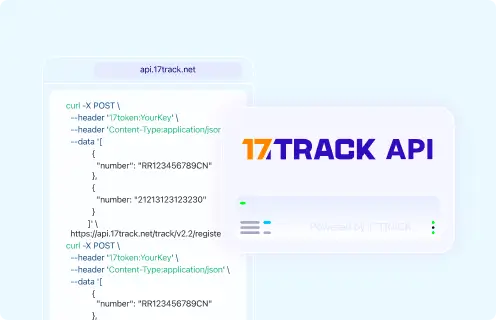
Businesses should verify a current public LHE developer offering directly with LHE; 17TRACK provides separate multi-carrier API documentation.
Tracking API
# Carrier official tracking API:
# Current public official tracking API documentation should be verified with LHE.

POST https://api.17track.net/track/v2.4/register
Headers:
  17token: YourKey
  Content-Type: application/json

Body:
[
  {
    "number": "TRACKING_NUMBER",
    "carrier": "CARRIER_CODE"
  }
]

# Use the current 17TRACK carrier code shown in the 17TRACK documentation
# or account environment. Do not infer a carrier code from the brand name.
Sources & References
- LHE official website. LHE
- 17TRACK API documentation. 17TRACK
17TRACK is an independent tracking platform and is not affiliated with LHE.
Track your package
Global express parcel tracking service