MORELINK Tracking
Please enter the MORELINK tracking number to check the latest shipping status.
About MoreLink
MoreLink is the carrier identity supplied for this tracking page. Shipment-specific service scope, operating entity, network role, and current service catalogue should be read from the official MoreLink website and the shipping record associated with the parcel.
| Verified item | Reference |
|---|---|
| Displayed carrier name | MoreLink |
| Official website | http://www.morelink56.cn |
| Tracking identity | Use the carrier name printed on the label, shipping notice, or booking record. |
Carrier Entity Relationships
| Entity | Relationship |
|---|---|
| MoreLink | MoreLink is the carrier label that should be matched against the shipment record before interpreting tracking events. |
| 17TRACK | 17TRACK is an independent platform that aggregates available events and does not operate the shipment. |
| Origin or destination partner | A partner scan identifies a network event; it does not by itself prove that MoreLink physically accepted the parcel. |
Quick Answer
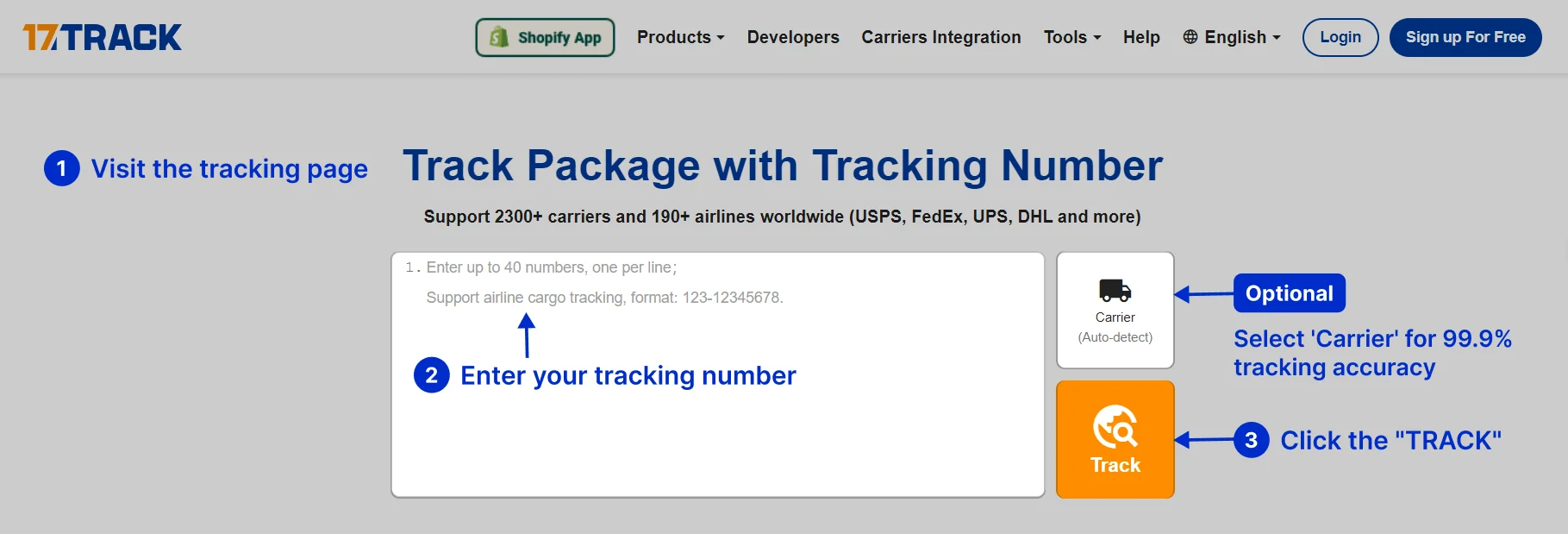
Enter the shipment tracking number from the seller, label, receipt, or dispatch email into the official MoreLink tracking page or 17TRACK. If no result appears, first remove spaces and punctuation, check every character, and confirm that the seller supplied a tracking number rather than an order or reference number.
How to Track MoreLink Packages
A tracking workflow starts with the identifier supplied by the shipper. The official MoreLink website is the first carrier-specific route; 17TRACK is useful when a shipment crosses carriers or when the correct carrier is difficult to identify.
| Step | Action |
|---|---|
| 1 | Copy the tracking number from the dispatch email, marketplace shipment page, label, receipt, or seller message. |
| 2 | Try the official MoreLink website, then compare the result with 17TRACK when another carrier may be involved. |
| 3 | If the identifier is rejected, ask the seller to distinguish the tracking number from the order number, reference number, label number, or delivery notice number. |
| 4 | If the label was recently created, allow the first physical acceptance scan to appear before treating the shipment as moving. |
Tracking Number Formats and Examples
A MoreLink tracking identifier should be copied exactly as supplied by the shipper. A recognizable prefix or length alone is not enough to prove who issued the number or which service is carrying the parcel.
Tracking Number Format
| Identifier family | Normalized pattern | ||||||||
|---|---|---|---|---|---|---|---|---|---|
| Carrier or logistics identifier | Use the exact alphanumeric string printed on the shipment record; a safe redacted example is ML###########. | ||||||||
View all details for MoreLink tracking identifiers
| |||||||||
Tracking Statuses and Meanings
| Status | Lifecycle stage |
|---|---|
| Label created / pre-shipment | Electronic data exists, but physical acceptance may not have occurred. |
| Accepted / picked up | A carrier or authorized network point has recorded receipt. |
| In transit | The shipment is moving between processing points; scans may be intermittent. |
| Customs or handover | A border agency or another network operator is processing or receiving the shipment. |
| Out for delivery / delivered | The destination delivery operation is active or a delivery scan has been recorded. |
| Exception / return | An address, access, documentation, damage, refusal, or routing issue requires review. |
Services and Delivery Times
A reliable delivery estimate requires the MoreLink service name, origin, destination, booking date, and handoff arrangement. Do not treat a marketplace estimate or a 17TRACK prediction as a carrier guarantee.
Service Comparison
| Service | Best use |
|---|---|
| Service shown on the booking | Use the exact service selected by the seller or shipper. |
Delivery Time
| Estimate basis | What it means |
|---|---|
| Origin, destination, service, and current scan history | Delivery can be affected by acceptance timing, weekends, holidays, routing, customs, weather, address quality, and partner handoff. |
Destination Country Delivery Times
| Destination | Planning guidance |
|---|---|
| Destination shown on the shipment record | Use the service-specific estimate supplied for that lane; country averages should not be substituted for a carrier quotation. |
Common Tracking Problems and Solutions
| Problem/status shown | Check first |
|---|---|
| Invalid number or no result | Remove spaces, compare characters, and ask the seller whether the number is an order ID or reference ID. |
| No update after label creation | Electronic pre-advice may exist before physical acceptance; ask the shipper to verify handover. |
| Long transit or customs pause | Check the latest event, destination authority instructions, taxes, documents, and the local delivery operator. |
| Delivered but not received | Check the delivery location, household members, reception desk, neighbours, proof of delivery, and the local depot; then ask the seller to open a delivery inquiry. |
| Damaged, failed delivery, or return | Preserve packaging and photographs, review the event wording, and contact the shipper or the party that purchased the transport service. |
International Shipping, Customs and Carrier Handoffs
For an international shipment, an electronic partner event, arrival in the destination country, customs presentation, customs release, and final delivery are separate events. The tracking number may continue across the network or be supplemented by a local identifier.
| Stage | Customer interpretation |
|---|---|
| Origin processing and export | The origin network prepares, sorts, and may present the shipment for export controls. |
| Line-haul and destination arrival | The parcel is transported and presented to a destination facility; arrival does not equal customs release. |
| Customs and last mile | The destination authority may request information or payment before a local delivery operator completes delivery. |
Delivery Management and Post-shipment Options
Address changes, interception, redelivery, pickup, signature handling, and proof of delivery depend on the service contract and the current physical custodian. The shipper should request changes when the carrier limits recipient authority.
Lost, Damaged, Claims, Insurance and Refunds
A tracking inquiry, transport investigation, insurance claim, postage refund, and marketplace refund are different processes. Keep the tracking number, invoice, dispatch evidence, contents description, value proof, packaging, and photographs. The shipper should normally begin the carrier claim because the shipper purchased the transport service.
Shipping Restrictions and Special Handling
Before dispatch, check the applicable MoreLink rules and destination-country requirements for dangerous goods, batteries, liquids, perishables, medicines, restricted articles, accurate declarations, and protective packaging. A prohibited or incorrectly declared item can be refused, held, returned, or delayed.
Customer Service
| Channel | Best use |
|---|---|
| Official MoreLink website | Open the official website and use the current tracking or contact route displayed there. |
| Seller or shipper | Use this route for missing dispatch information, claims, refunds, address corrections, and transport-service escalation. |
| Destination delivery operator | Use the local operator when the latest event identifies destination-country possession or a delivery attempt. |
Prepare the tracking number, ship date, sender and recipient locations, service name, latest scan, delivery address, contents description, value evidence, and photographs before contacting support.
Ecommerce and Business Tracking
Merchants should store the carrier-supplied tracking identifier separately from the marketplace order ID and customer reference. A multi-carrier platform can normalize available events, monitor exceptions, and reduce WISMO requests, but it cannot replace the carrier or seller’s claims process.
Developer/API Comparison
| Option | Provider | ||||||||
|---|---|---|---|---|---|---|---|---|---|
| Official carrier integration | MoreLink | ||||||||
View all details for MoreLink developer integration
| |||||||||
| Multi-carrier tracking | 17TRACK | ||||||||
View all details for 17TRACK integration
| |||||||||
FAQ
Basic FAQs
Enter the shipment tracking number on the official MoreLink website or use 17TRACK to view available events.
Look in the dispatch email, marketplace shipment page, label, receipt, or message from the seller.
Use the exact identifier supplied for the shipment; a redacted example is ML###########.
The first event appears after the relevant network records a physical acceptance or processing scan.
The parcel may be between scans, awaiting handoff, or still at the electronic label stage; ask the seller to verify dispatch.
Timing depends on the selected service, origin, destination, processing, customs, and local delivery conditions.
Read the latest exception, follow the local delivery instruction, and ask the seller or delivery operator about redelivery or pickup.
Check the delivery location, household members, reception desk, neighbours, and proof of delivery, then contact the seller for an inquiry.
Preserve the packaging and evidence, then ask the shipper to start the applicable transport inquiry or claim.
Open the official MoreLink website and use the current contact or tracking route shown there.
Expert FAQs
No; 17TRACK presents available tracking data and cannot control transport, delivery changes, claims, or refunds.
No; an electronic pre-advice or partner event can occur before physical handover and the first acceptance scan.
A shipment may retain its original identifier or receive an additional local identifier; compare the label, seller record, and destination event.
No; arrival or presentation is different from customs clearance, which may require documents, declarations, or payment.
Businesses can use the 17TRACK API for supported multi-carrier tracking and should use a current MoreLink integration only when documented by MoreLink.
Tracking API
// Carrier official API:
// A current public official MoreLink tracking API endpoint and authentication
// method require confirmation from MoreLink's current developer materials.
// 17TRACK API
// POST https://api.17track.net/track/v2.4/register
// Headers:
// 17token: YourKey
// Content-Type: application/json
[
{
"number": "TRACKING_NUMBER",
"carrier": "CARRIER_CODE"
}
]
Sources & References
- MoreLink official website. MoreLink
- 17TRACK API documentation. 17TRACK
- 17TRACK tracking platform. 17TRACK
17TRACK is an independent tracking platform and is not affiliated with MoreLink.
Track your package
Global express parcel tracking service