DELIVER-IT Tracking
Please enter the DELIVER-IT tracking number to check the latest shipping status.
About Deliver IT
Deliver IT is the carrier name supplied for this tracking guide. The supplied official website is the primary destination for carrier-specific service information and shipment assistance.
| Field | Verified information |
|---|---|
| Official website | https://www.deliver-it.com/ |
| Tracking identity | Use the tracking number supplied by the sender, merchant, shipping label or carrier documentation. |
| Independent tracking | 17TRACK provides an independent tracking interface and does not transport parcels or decide carrier claims. |
Carrier Entity Relationships
| Entity | Relationship and tracking significance |
|---|---|
| Deliver IT | Deliver IT is the carrier identity that should be selected when the shipment documentation identifies Deliver IT as the responsible tracking entity. |
| Official website | The Deliver IT website is the appropriate first-party destination for carrier-specific instructions and contact options. |
| 17TRACK | 17TRACK can present available tracking events as an independent tracking platform; 17TRACK is not the transport operator. |
Quick Answer
To track a Deliver IT shipment, enter the tracking number exactly as shown by the sender or merchant on the official Deliver IT website, or submit it to 17TRACK. If no result appears, first check for spaces, missing characters, an order number used instead of a tracking number, and whether the label has entered the carrier’s tracking system.
How to Track Deliver IT Packages
| Step | Action |
|---|---|
| 1. Locate the identifier | Check the shipping confirmation, order dispatch message, shipping label, receipt or delivery notice. An order number is not necessarily a tracking number. |
| 2. Use the official route | Open the Deliver IT official website and follow its current shipment-tracking route. |
| 3. Use independent tracking | Submit the same identifier to 17TRACK when you need a consolidated tracking view. |
| 4. Resolve no-result cases | Re-enter the identifier without accidental punctuation, compare it with the sender’s original message, and ask the sender to confirm the carrier and number. |
A tracking number may be created before the parcel receives its first physical scan. The sender or merchant is the best party to contact when the number is missing, incorrect, or associated with the wrong shipment.
Common Tracking Problems and Solutions
| Problem | First action |
|---|---|
| Invalid tracking number | Compare every character with the sender’s record and confirm that the number is a tracking identifier rather than an order or reference number. |
| No tracking events | Allow for the possibility that the label was created before the first carrier scan, then ask the sender to confirm handover. |
| No update for an extended period | Review the latest event, destination and service information; the sender should request carrier assistance when the shipment is outside the applicable delivery expectation. |
| Delivered but not received | Check the delivery location, household members, reception desk, neighbours and any delivery evidence before contacting the sender or carrier. |
| Address or delivery exception | Contact the party named in the official event. Address changes, redelivery and collection options depend on the shipment and destination rules. |
| Loss or damage | Keep the packaging, photographs, invoice and shipment records. The sender or eligible claimant should use the carrier’s current claims process. |
Keep the tracking number, shipment date, sender and recipient details, latest scan, item description, value evidence and photographs ready for escalation. 17TRACK can display tracking information but cannot approve a claim or refund.
Tracking API
// Carrier official tracking API
// Current public official Deliver IT tracking API: consult the carrier's current documentation.

// 17TRACK API
// Documentation: https://api.17track.net/en/doc
// Replace TRACKING_NUMBER and CARRIER_CODE with values supported by your account and the current 17TRACK carrier directory.

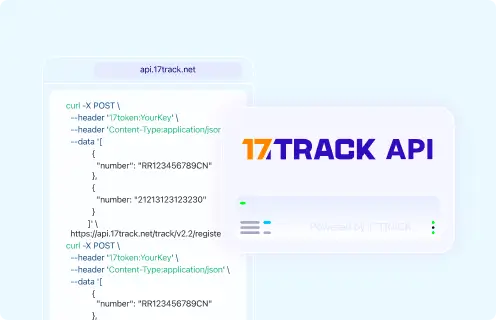
POST https://api.17track.net/track/v2.4/register
17token: YourKey
Content-Type: application/json

[
  {
    "number": "TRACKING_NUMBER",
    "carrier": "CARRIER_CODE"
  }
]
Sources & References
- Deliver IT — Official website. Deliver IT
- 17TRACK — Online package tracking platform. 17TRACK
- 17TRACK API Documentation. 17TRACK
17TRACK is an independent tracking platform and is not affiliated with Deliver IT.
Track your package
Global express parcel tracking service