ZTT Tracking
Please enter the ZTT tracking number to check the latest shipping status.
About ZTT
ZTT is the carrier label supplied for this tracking page. Shipment-specific operating details should be taken from the tracking record, shipping confirmation, or the official ZTT website rather than inferred from a tracking number alone.
| Field | Verified page reference |
|---|---|
| Official website | http://zhiteng.biz/ |
| Carrier display name | ZTT |
| Tracking responsibility | The party shown in the latest scan is the best available indicator of current shipment custody. |
Quick Answer
Enter the ZTT tracking number supplied by the seller into the 17TRACK tracking page or the official ZTT website. If no result appears, check the characters, remove spaces or punctuation, and allow time for the first physical acceptance scan. 17TRACK is an independent tracking platform; it does not transport parcels, change addresses, approve refunds, or decide claims.
How to Track ZTT Packages
Use the same shipment identifier on both tracking paths. The seller is usually the correct contact when the order number is available but the carrier number has not yet been issued.
| Step | Action |
|---|---|
| 1. Identify | Copy the tracking number from the dispatch email, order page, label, receipt, or seller message. |
| 2. Submit | Enter the number on the official ZTT website or in 17TRACK without adding an order number. |
| 3. Interpret | Read the latest event, event location, timestamp, and any stated next action together. |
| 4. Escalate | Ask the seller to validate the shipment identifier when the number is absent, duplicated, or unrelated to the order. |
Tracking Number Format
| Identifier family | Normalized pattern | ||||||||
|---|---|---|---|---|---|---|---|---|---|
| ZTT shipment identifier | Use the exact identifier supplied by the seller; a public universal pattern is not stated here. | ||||||||
View all details for ZTT shipment identifiers
| |||||||||
Common Tracking Problems and Solutions
A tracking page reports scans; it cannot correct shipment data or establish liability. Match the response to the latest event and involve the seller when the shipment was purchased through an online marketplace.
Problem & Solution
| Problem or status | First action |
|---|---|
| Number invalid | Copy it again, remove spaces, and ask the seller to confirm the identifier. |
| No tracking events | Check whether the label was created recently; request proof of handover from the sender. |
| No update for several days | Review the last location and expected route, then ask the seller to open a carrier inquiry where eligible. |
| Delivery exception | Read the event instruction, verify the address, and contact the seller or the party named in the event. |
| Delivered but missing | Check the delivery location, household members, reception desk, neighbours, and any proof-of-delivery record before escalating. |
| Lost or damaged parcel | Preserve packaging and photographs, notify the seller promptly, and ask the eligible claim filer to start the applicable inquiry. |
FAQ
Enter the shipment tracking number on the official ZTT website or in 17TRACK.
Look in the dispatch message, seller order page, shipping label, receipt, or marketplace shipment details.
Use the exact identifier supplied for the shipment because a single public format should not be assumed.
The number may contain an error or the shipment may not have received its first carrier scan; ask the seller to validate it.
A shipment can have a visibility gap between scans; use the latest event and contact the seller if the gap affects the order promise.
Any displayed date is an estimate unless the applicable shipping agreement expressly states a delivery guarantee.
Follow the event instruction, confirm the address, and ask the seller or named delivery party about the next attempt.
Check safe locations, household members, reception staff, and neighbours, then request delivery evidence and seller assistance.
Notify the seller promptly, retain the packaging and contents, and ask who is eligible to submit the applicable carrier inquiry or claim.
Use the contact route published on the official ZTT website and prepare the tracking number, shipment date, address, and latest scan.
No; 17TRACK is an independent tracking platform that aggregates available shipment events.
No; address changes and delivery instructions must be handled by the eligible shipping party through the applicable official channel.
Not always; electronic pre-advice or partner events can appear before a physical acceptance scan.
A handoff can create an additional local identifier; retain both numbers and follow the latest event for the responsible delivery party.
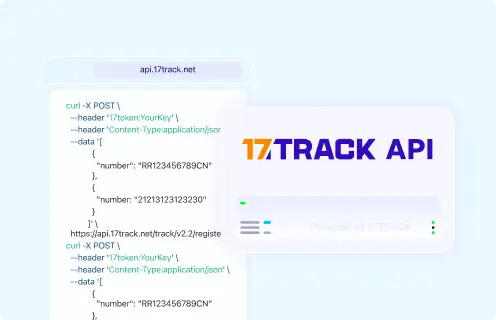
Businesses can use the 17TRACK API for supported carrier recognition and tracking workflows; review current documentation for authentication and account requirements.
Tracking API
// 17TRACK API
// Current endpoint documented by 17TRACK:
POST https://api.17track.net/track/v2.4/register
Headers:
  17token: YourKey
  Content-Type: application/json
Body:
[
  {
    "number": "TRACKING_NUMBER",
    "carrier": "CARRIER_CODE"
  }
]

// Replace CARRIER_CODE with the value supplied by current 17TRACK
// carrier documentation for the ZTT integration.
Sources & References
- ZTT official website. ZTT
- 17TRACK tracking platform. 17TRACK
- 17TRACK API documentation. 17TRACK
17TRACK is an independent tracking platform and is not affiliated with ZTT.
Track your package
Global express parcel tracking service