About PAXI
PAXI is a South African store-to-store parcel delivery service associated with PEP and the Pepkor retail network. PAXI mainly moves domestic parcels between participating PAXI points, with recipients collecting parcels at a selected store after they receive collection information.
PAXI Overview
| Field | Verified information |
|---|
| Official name | PAXI |
| Official website | https://www.paxi.co.za/ |
| Carrier type | Domestic retail parcel network and pickup-point delivery service |
| Primary region | South Africa |
| Tracking page | PAXI Track a Parcel |
| Parent organization | PAXI operates through the PEP/Pepkor retail ecosystem; detailed legal contracting entities should be checked in the current PAXI terms. |
| Founded | Not publicly confirmed on the official tracking and help pages used for this guide. |
| Headquarters | Not publicly confirmed on the official tracking and help pages used for this guide. |
Carrier Entity Relationships
| Entity | Entity type |
|---|
| PAXI | Canonical carrier brand |
View all details for PAXI| Relationship to PAXI | PAXI is the carrier brand used for domestic parcels booked and collected through participating South African retail points. |
|---|
| Why it matters to tracking | A parcel can show PAXI events only after the PAXI booking or parcel number is created and the parcel enters the PAXI network. |
|---|
| Official evidence | The PAXI website provides parcel tracking, store finding and service information under the PAXI brand. |
|---|
|
| PAXI 3-5 and PAXI 7-9 options | Operated services |
View all details for PAXI service options| Relationship to PAXI | PAXI publishes delivery-speed options for parcels sent between PAXI points. |
|---|
| Why it matters to tracking | The selected speed affects the expected delivery standard but does not make every scan appear immediately. |
|---|
| Official evidence | PAXI service and FAQ pages describe delivery options and tracking after booking. |
|---|
|
| PAXI Track a Parcel | Official tracking product |
View all details for PAXI tracking| Relationship to PAXI | The official tracking page is operated by PAXI for parcel-status lookup. |
|---|
| Why it matters to tracking | It is the authoritative place to check whether the parcel number is recognized by PAXI. |
|---|
| Official evidence | The PAXI website links to the Track a Parcel function. |
|---|
|
| Participating PAXI points | Network and facility entities |
View all details for PAXI points| Relationship to PAXI | Participating retail stores act as parcel drop-off and collection points for PAXI shipments. |
|---|
| Why it matters to tracking | Acceptance and collection scans normally depend on store processing as well as line-haul movement. |
|---|
| Official evidence | PAXI provides a store-finder function for choosing PAXI points. |
|---|
|
| 17TRACK | Independent tracking platform |
View all details for 17TRACK and PAXI| Relationship to PAXI | 17TRACK can aggregate available PAXI tracking events when the shipment number and carrier recognition are supported. |
|---|
| Why it matters to tracking | 17TRACK helps users monitor shipments across multiple carriers, but 17TRACK does not transport PAXI parcels. |
|---|
| Official evidence | 17TRACK publishes tracking and API documentation for multi-carrier tracking workflows. |
|---|
|
Quick Answer
To track a PAXI parcel, enter the PAXI parcel or tracking number on the official PAXI tracking page or on 17TRACK. If no result appears, first check that you are using the parcel number rather than a shop order number, remove spaces, and confirm that the parcel has actually been accepted at a PAXI point.
Pro Tip: 17TRACK is an independent tracking platform. 17TRACK can help display available PAXI tracking events, but only PAXI, the sender, or the store involved in the shipment can handle address issues, collection problems, refunds or claims.
How to Track PAXI Packages
Use the official PAXI website for carrier-authoritative status and use 17TRACK when you want one page for multiple shipments or mixed carriers.
- Find the PAXI parcel number on the sender’s receipt, shipment message, waybill, label or merchant shipping email.
- Open PAXI Track a Parcel and enter the number exactly as provided.
- If you use 17TRACK, paste the same number and select PAXI if automatic carrier detection does not identify it.
- If the parcel is not found, wait for the first acceptance scan, check for mistyped digits or letters, and ask the sender to confirm the number.
Identifier Lookup Guide
| Identifier | Use it for PAXI tracking? |
|---|
| PAXI parcel or tracking number | Yes. This is the number intended for parcel-status lookup. |
| Merchant order number | Usually no. Ask the seller for the PAXI parcel number. |
| Reference number | Only if the sender explicitly says it is the PAXI tracking number. |
| Collection PIN or notification code | Use it for collection instructions, not as the main public tracking number unless PAXI instructs otherwise. |
Tracking Statuses and Meanings
PAXI tracking follows a domestic pickup-point lifecycle: booking, store acceptance, movement through the PAXI network, arrival at the selected collection point, collection, exception or return.
Status Quick Lookup
| Status | Lifecycle stage |
|---|
| Parcel booked or label created | Pre-shipment |
View all details for parcel booked| What it means | A booking may exist, but the parcel may not yet have been handed in at a PAXI point. |
|---|
| Current responsible party | Sender until store acceptance is scanned. |
|---|
| What happens next | The sender should drop the parcel at the selected PAXI point. |
|---|
| What you should do | Ask the sender for drop-off confirmation if the status does not progress. |
|---|
|
| Accepted at PAXI point | Accepted |
View all details for accepted at PAXI point| What it means | The parcel has been physically received into the PAXI store process. |
|---|
| Current responsible party | PAXI and the accepting store. |
|---|
| What happens next | The parcel is consolidated and moved to the next processing stage. |
|---|
| What you should do | Keep the receipt and tracking number until collection is complete. |
|---|
|
| In transit | In transit |
View all details for in transit| What it means | The parcel is moving between PAXI points or through intermediate handling. |
|---|
| Current responsible party | PAXI transport and handling network. |
|---|
| What happens next | A new scan should appear when the parcel reaches another handling or destination point. |
|---|
| What you should do | Monitor the selected service standard and check for service alerts before escalating. |
|---|
|
| Arrived at destination PAXI point | Pickup |
View all details for arrived at destination point| What it means | The parcel has reached the selected collection store and may be prepared for recipient collection. |
|---|
| Current responsible party | Destination PAXI point and recipient. |
|---|
| What happens next | The recipient should receive or use collection information required by the store. |
|---|
| What you should do | Bring required identification and any collection code or message specified by PAXI. |
|---|
|
| Collected or delivered | Delivered |
View all details for collected or delivered| What it means | The parcel has been released to the recipient or an authorized collector. |
|---|
| Current responsible party | Recipient after collection; PAXI for proof or investigation questions. |
|---|
| What happens next | The shipment normally closes unless a dispute is raised. |
|---|
| What you should do | If you did not collect it, contact PAXI and the sender quickly with the tracking number. |
|---|
|
| Exception, delayed or unable to process | Exception |
View all details for PAXI exception| What it means | PAXI has encountered an operational, address, store, routing or compliance issue. |
|---|
| Current responsible party | Depends on cause: sender for incorrect details, PAXI for network handling, recipient for collection issues. |
|---|
| What happens next | PAXI may reroute, hold, request information or start a return process. |
|---|
| What you should do | Contact the sender and PAXI with the parcel number, selected store and latest scan. |
|---|
|
| Returned to sender | Return |
View all details for returned to sender| What it means | The parcel is being sent back because it could not be completed, was not collected, or failed service conditions. |
|---|
| Current responsible party | PAXI during the return movement and sender after return collection. |
|---|
| What happens next | The sender should collect or receive the returned parcel according to PAXI instructions. |
|---|
| What you should do | Recipients should resolve refund or reshipment with the sender; senders should contact PAXI if the return stalls. |
|---|
|
Services and Delivery Times
PAXI service information is focused on domestic South African parcels sent between participating PAXI points. Delivery standards are estimates from acceptance and can be affected by store processing, weekends, holidays, remote routing and operational delays.
Service Comparison
| Service | Service type |
|---|
| PAXI 3-5 | Faster domestic store-to-store parcel option |
View all details for PAXI 3-5| Best for | Domestic parcels where the sender wants a shorter published delivery standard. |
|---|
| Coverage | Participating PAXI points in South Africa. |
|---|
| Tracking level | Parcel tracking through PAXI events. |
|---|
| Key size/weight condition | Must meet current PAXI bag, weight and prohibited-goods rules. |
|---|
| Included protection/extra service | Check current PAXI terms for declared value, liability and included cover. |
|---|
| Main limitation | Collection depends on the recipient going to the selected PAXI point with required information. |
|---|
|
| PAXI 7-9 | Economy domestic store-to-store parcel option |
View all details for PAXI 7-9| Best for | Lower-urgency domestic parcels where price and pickup-point access matter more than speed. |
|---|
| Coverage | Participating PAXI points in South Africa. |
|---|
| Tracking level | Parcel tracking through PAXI events. |
|---|
| Key size/weight condition | Must meet current PAXI bag, weight and prohibited-goods rules. |
|---|
| Included protection/extra service | Check current PAXI terms for declared value, liability and included cover. |
|---|
| Main limitation | The longer delivery standard is not the same as a money-back guaranteed delivery date. |
|---|
|
Delivery Time
| Service | Published delivery standard |
|---|
| PAXI 3-5 | 3 to 5 business days where the option is available. |
View all delivery-time details for PAXI 3-5| Business or calendar days | Business days. |
|---|
| Guarantee status | Published delivery standard; a separate money-back guarantee is not confirmed here. |
|---|
| Starts counting from | Physical acceptance and processing by PAXI, not merely merchant order creation. |
|---|
| Main delay factors | Late drop-off, weekends, public holidays, store processing, routing gaps, destination-store capacity, address or recipient-detail errors. |
|---|
| Official source date/validity | Use the current PAXI website service page and terms for live validity. |
|---|
|
| PAXI 7-9 | 7 to 9 business days where the option is available. |
View all delivery-time details for PAXI 7-9| Business or calendar days | Business days. |
|---|
| Guarantee status | Published delivery standard; not a confirmed guaranteed delivery date. |
|---|
| Starts counting from | Physical acceptance and processing by PAXI. |
|---|
| Main delay factors | Economy routing, non-working days, remote routes, missed scans, store events and parcel exceptions. |
|---|
| Official source date/validity | Use the current PAXI website service page and terms for live validity. |
|---|
|
Common Tracking Problems and Solutions
Most PAXI tracking problems are caused by using the wrong identifier, checking before the first store scan, missed intermediate scans, recipient-detail issues, or collection at the destination point.
Problem & Solution
| Problem/status shown | Likely cause |
|---|
| Invalid number | The number may be mistyped or may be a merchant order reference. |
View all solutions for invalid number| Check first | Remove spaces, check letters versus digits, and confirm the parcel number with the sender. |
|---|
| Immediate action | Try official PAXI tracking and 17TRACK carrier selection. |
|---|
| When to escalate | If the sender confirms hand-in but PAXI still cannot find the parcel. |
|---|
| Who to contact | Sender first, then PAXI support with proof of hand-in. |
|---|
|
| No tracking yet | Booking exists but the parcel may not have been accepted or scanned. |
View all solutions for no tracking yet| Check first | Ask whether the parcel has been physically dropped at a PAXI point. |
|---|
| Immediate action | Wait for the first acceptance scan after store processing. |
|---|
| When to escalate | After the selected delivery standard is at risk or the sender cannot prove hand-in. |
|---|
| Who to contact | Sender or merchant, because PAXI may not yet have custody. |
|---|
|
| Long time without update | Intermediate transport may not scan at every movement point. |
View all solutions for no update| Check first | Compare the latest scan with the selected PAXI 3-5 or PAXI 7-9 service standard. |
|---|
| Immediate action | Continue monitoring unless the published standard has passed or an exception appears. |
|---|
| When to escalate | When the parcel exceeds the applicable service standard or the destination store has no parcel. |
|---|
| Who to contact | PAXI support and the sender with receipt details. |
|---|
|
| Delivery exception | Incorrect recipient details, store issue, parcel rules issue or operational delay. |
View all solutions for delivery exception| Check first | Confirm recipient cellphone, selected PAXI point, parcel contents and latest tracking event. |
|---|
| Immediate action | Contact the sender if details are wrong; contact PAXI if the exception is operational. |
|---|
| When to escalate | Immediately if prohibited contents, damage or store refusal is suspected. |
|---|
| Who to contact | Sender, merchant and PAXI support depending on who can correct the data. |
|---|
|
| Ready for collection but not received | The parcel is held at the destination point and requires recipient collection. |
View all solutions for ready for collection| Check first | Check collection message, ID requirements and the exact store chosen by the sender. |
|---|
| Immediate action | Visit the destination PAXI point with required collection information. |
|---|
| When to escalate | If the store cannot locate the parcel despite a ready-for-collection status. |
|---|
| Who to contact | Destination store and PAXI support. |
|---|
|
| Collected but recipient says not received | Authorized collection, wrong collector, mistaken store lookup or status dispute. |
View all solutions for collected but not received| Check first | Ask household members, confirm the destination store, and request proof of collection where available. |
|---|
| Immediate action | Contact PAXI quickly with the parcel number and collection dispute details. |
|---|
| When to escalate | Immediately, because collection disputes are time-sensitive. |
|---|
| Who to contact | PAXI support, destination store and sender or merchant. |
|---|
|
| Lost or damaged parcel | Handling loss, damage, packaging failure or contents not accepted under rules. |
View all solutions for lost or damaged parcel| Check first | Keep packaging, photos, receipt, parcel number, value proof and contents description. |
|---|
| Immediate action | Report the issue through official PAXI support and notify the sender or seller. |
|---|
| When to escalate | As soon as damage is seen or when tracking exceeds the applicable service standard without resolution. |
|---|
| Who to contact | PAXI for carrier investigation; seller for ecommerce refunds or replacement. |
|---|
|
International Shipping, Customs and Carrier Handoffs
PAXI is primarily a domestic South African pickup-point parcel service. PAXI tracking should not be treated as customs tracking for international postal or courier parcels unless PAXI or the merchant explicitly assigns a PAXI parcel number for the South African domestic leg.
International Flow
| Stage | Physical custodian/responsible entity |
|---|
| Origin international shipment | Origin postal operator, courier or merchant logistics provider |
View all details for origin international shipment| Typical tracking event | Accepted, exported, departed origin or handed to airline. |
|---|
| What is happening | The parcel is outside the normal PAXI domestic network. |
|---|
| Can the tracking number change? | Yes, marketplaces or last-mile partners may map the shipment to a local identifier. |
|---|
| Normal visibility gap | Gaps may occur during export, airline movement and import processing. |
|---|
| What the customer should do | Track the origin carrier number with the origin carrier or 17TRACK. |
|---|
|
| South African import and customs | Customs authority, postal/courier operator or appointed broker |
View all details for South African import and customs| Typical tracking event | Arrived in destination country, customs inspection, clearance pending or released. |
|---|
| What is happening | Authorities or brokers may review documents, duties, taxes and import restrictions. |
|---|
| Can the tracking number change? | It can, especially if a domestic partner receives a new local reference. |
|---|
| Normal visibility gap | Customs visibility is not guaranteed and should not be assumed to equal delivery readiness. |
|---|
| What the customer should do | Follow requests from the importing carrier or broker; do not contact PAXI unless a PAXI number is issued. |
|---|
|
| Possible domestic pickup-point leg | PAXI only if PAXI is explicitly assigned for domestic movement or collection |
View all details for possible PAXI domestic leg| Typical tracking event | PAXI parcel booked, accepted, in transit or ready for collection. |
|---|
| What is happening | The shipment has entered a local PAXI-style store-to-store or collection process. |
|---|
| Can the tracking number change? | Yes, the PAXI number may differ from the origin postal or courier number. |
|---|
| Normal visibility gap | A gap can occur between import release and first local PAXI scan. |
|---|
| What the customer should do | Use the PAXI parcel number for the domestic leg and keep the original international number for customs or seller support. |
|---|
|
Delivery Management and Post-shipment Options
PAXI delivery management is mainly about the chosen PAXI point, recipient details, collection readiness and post-shipment support. Broad courier-style home redelivery or in-flight address interception is not publicly confirmed for all PAXI parcels.
Delivery Management
| Option | Who can request |
|---|
| Choose destination PAXI point | Sender during booking |
View all details for choosing a PAXI point| Eligibility | Available where the selected retail point participates in PAXI. |
|---|
| Deadline/available stage | Before or during booking; changes after acceptance may be limited. |
|---|
| Fee | Check current PAXI pricing. |
|---|
| Guaranteed? | Selection is subject to network and store availability. |
|---|
| Official action link | PAXI website |
|---|
|
| Collect at destination point | Recipient or authorized collector |
View all details for PAXI collection| Eligibility | Parcel must show as ready or available for collection and the collector must satisfy store requirements. |
|---|
| Deadline/available stage | After arrival at the selected PAXI point; retention rules should be checked in current PAXI terms. |
|---|
| Fee | No extra collection fee is confirmed here; check current PAXI terms. |
|---|
| Guaranteed? | Collection depends on correct identification, message details and store parcel availability. |
|---|
| Official action link | PAXI tracking |
|---|
|
Lost, Damaged, Claims, Insurance and Refunds
A PAXI tracking inquiry, a carrier investigation, a damage claim and a seller refund are separate processes. 17TRACK cannot approve compensation, open a PAXI claim or refund a marketplace order.
Claims and Refunds
| Process | Use when |
|---|
| PAXI tracking inquiry | The parcel is delayed, has no update, or the store cannot locate it. |
View all details for PAXI tracking inquiry| Who files | Sender or recipient with enough parcel information. |
|---|
| Earliest/latest filing time | After the issue appears or the delivery standard is exceeded; exact deadlines should be checked in current PAXI terms. |
|---|
| Required evidence | Parcel number, receipt, sender and recipient details, selected store and latest scan. |
|---|
| Possible outcome | Status clarification, location search, store follow-up or escalation. |
|---|
| Official link | PAXI contact page |
|---|
|
| Damage or loss claim | The parcel is confirmed damaged, missing contents, or appears lost. |
View all details for damage or loss claim| Who files | Usually the sender or contracting party; recipients should also notify the seller. |
|---|
| Earliest/latest filing time | Report promptly; exact liability and filing limits must be verified in current PAXI terms. |
|---|
| Required evidence | Photos, packaging, contents description, value proof, receipt, tracking history and collection or damage notes. |
|---|
| Possible outcome | Investigation, request for more evidence, compensation under terms, denial or seller resolution. |
|---|
| Official link | PAXI terms and conditions |
|---|
|
| Ecommerce seller refund | The order was bought from a merchant and the buyer wants refund, replacement or reshipment. |
View all details for ecommerce seller refund| Who files | Buyer with the seller or marketplace; seller may separately contact PAXI. |
|---|
| Earliest/latest filing time | Depends on the merchant return and refund policy. |
|---|
| Required evidence | Order number, PAXI parcel number, screenshots, payment proof and communication history. |
|---|
| Possible outcome | Refund, replacement, store credit or seller investigation. |
|---|
| Official link | Use the seller or marketplace support channel for payment-related refunds. |
|---|
|
Shipping Restrictions and Special Handling
PAXI parcels must follow the current PAXI size, weight, packaging and prohibited-goods rules. Restricted contents can cause refusal, delay, return, claim denial or disposal according to applicable terms.
Shipping Restrictions
| Category | Prohibited or restricted |
|---|
| Dangerous goods | Restricted or prohibited depending on substance. |
View all details for dangerous goods| Typical examples | Flammable liquids, corrosives, explosives, gases and other regulated hazardous materials. |
|---|
| Key condition/packaging | Do not send unless current PAXI rules explicitly allow the item. |
|---|
| Transport limitation | Retail parcel networks are not designed for undeclared dangerous goods. |
|---|
| Possible tracking/delivery impact | Refusal, delay, return, investigation or disposal. |
|---|
| Official rules | PAXI terms and conditions |
|---|
|
| Perishable, fragile or high-value items | May be restricted and may affect liability. |
View all details for perishable, fragile or high-value items| Typical examples | Food requiring temperature control, glass, electronics, jewellery, cash or irreplaceable documents. |
|---|
| Key condition/packaging | Use adequate packaging and check whether the item is allowed before sending. |
|---|
| Transport limitation | PAXI is a parcel service, not a specialist cold-chain, cash-in-transit or fragile-art carrier. |
|---|
| Possible tracking/delivery impact | Damage disputes, claim limitations or refusal. |
|---|
| Official rules | PAXI terms and conditions |
|---|
|
| Oversize or overweight parcels | Restricted by current PAXI bag and weight conditions. |
View all details for oversize or overweight parcels| Typical examples | Items that do not fit safely in the required PAXI bag or exceed allowed weight. |
|---|
| Key condition/packaging | Check current bag size and weight rules before drop-off. |
|---|
| Transport limitation | Stores may refuse parcels that do not meet service conditions. |
|---|
| Possible tracking/delivery impact | No acceptance scan, return to sender or delay. |
|---|
| Official rules | PAXI service information |
|---|
|
Customer Service
Before contacting PAXI, prepare the parcel number, sender and recipient names, cellphone number used for the parcel, selected PAXI point, drop-off date, latest scan, contents description, value proof and photos if damage is involved.
Customer Service
| Channel | Verified contact/link |
|---|
| Official tracking | https://www.paxi.co.za/track |
View all details for PAXI official tracking| Best for | Checking whether PAXI recognizes the parcel and seeing latest available events. |
|---|
| Region/language | South Africa; website language availability may vary. |
|---|
| Hours and time zone | Online page; tracking data depends on scans and system availability. |
|---|
| Information to prepare | PAXI parcel number. |
|---|
| Important limitation | Tracking cannot change address, approve refunds or resolve collection disputes by itself. |
|---|
|
| Contact page | PAXI Contact Us |
View all details for PAXI contact page| Best for | Support requests, delayed parcels, store issues, collection disputes and claim questions. |
|---|
| Region/language | South Africa; check the page for current contact options. |
|---|
| Hours and time zone | Use the current contact page for live operating hours. |
|---|
| Information to prepare | Parcel number, receipt, selected PAXI point, sender details and latest scan. |
|---|
| Important limitation | Phone numbers and hours can change, so verify them on the official PAXI page before calling. |
|---|
|
| Store or PAXI point | PAXI store finder on official website |
View all details for PAXI points| Best for | Collection readiness, store location and practical pickup questions. |
|---|
| Region/language | Participating South African retail points. |
|---|
| Hours and time zone | Store hours vary by location and should be checked with the specific store. |
|---|
| Information to prepare | Collection code or message, identification if required, and parcel number. |
|---|
| Important limitation | A store may not be able to investigate network movement before the parcel reaches that store. |
|---|
|
Ecommerce and Business Tracking
Merchants using PAXI should store the PAXI parcel number separately from the order number, send the buyer the correct collection instructions, and monitor exceptions until the parcel is collected.
Developer/API Comparison
| Option | Provider |
|---|
| Official consumer tracking | PAXI |
View all details for PAXI official consumer tracking| Carrier coverage | PAXI shipments. |
|---|
| Primary use | Manual tracking lookup by consumers and support teams. |
|---|
| Authentication | No public developer authentication is required for manual website lookup. |
|---|
| Tracking/batch/webhook capability | Manual parcel lookup; public batch or webhook capability is not confirmed. |
|---|
| Current developer documentation | No current public PAXI tracking API documentation confirmed in the official pages used here. |
|---|
| Migration/deprecation note | No official public API migration notice confirmed. |
|---|
|
| Multi-carrier tracking API | 17TRACK |
View all details for 17TRACK API| Carrier coverage | Multiple carriers supported by 17TRACK, subject to carrier code availability and account configuration. |
|---|
| Primary use | Batch tracking registration, standardized statuses, exception monitoring and customer visibility. |
|---|
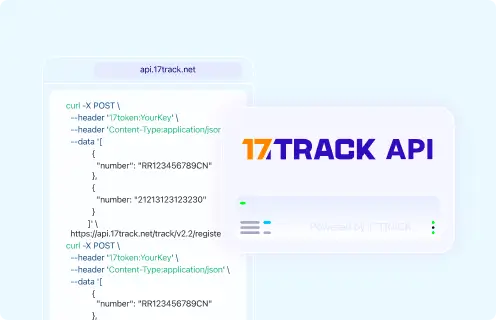
| Authentication | 17token header with a 17TRACK API key. |
|---|
| Tracking/batch/webhook capability | Register shipments through the tracking API; webhook and event workflows depend on 17TRACK API setup. |
|---|
| Current developer documentation | 17TRACK API documentation |
|---|
| Migration/deprecation note | Use the current 17TRACK v2.4 documentation shown in the API example below. |
|---|
|
FAQ
1. How do I track my PAXI package?Enter the PAXI parcel number on the official PAXI tracking page or track it with 17TRACK to view available shipment events.
2. Where can I find my PAXI tracking number?The sender may receive the PAXI parcel number on the booking receipt, label or shipment message, and the recipient may receive it from the sender or merchant.
3. What does a PAXI tracking number look like?PAXI has not publicly confirmed a complete universal number specification, so use the exact parcel number supplied by the sender and verify it on PAXI tracking or 17TRACK.
4. When will the first PAXI tracking update appear?The first meaningful update normally appears after the parcel is accepted and processed at a PAXI point, not merely when an online order is placed.
5. Why is my PAXI tracking not updating?PAXI tracking can pause between store acceptance, transport and destination arrival because not every physical movement creates a public scan.
6. How long does PAXI delivery take?PAXI publishes 3-5 business day and 7-9 business day domestic options where available, counted from PAXI acceptance rather than from order creation.
7. What should I do if my PAXI parcel is ready for collection?Go to the selected destination PAXI point with the required collection message, code and identification requested by the store.
8. What if PAXI says collected but I did not receive the parcel?Contact PAXI and the sender quickly, confirm the destination store, and ask for collection verification because a collected status means the parcel may have been released.
9. How do I report a lost or damaged PAXI parcel?Report the issue to PAXI support with the parcel number, receipt, photos, packaging, contents description and value proof; buyers should also contact the seller for order resolution.
10. How do I contact PAXI customer service?Use the official PAXI contact page and prepare the parcel number, selected PAXI point, sender details, recipient details and latest tracking event.
11. Is PAXI the same as a door-to-door courier?PAXI is mainly a store-to-store parcel service, so the recipient normally collects at a selected PAXI point rather than waiting for home delivery.
12. Can a marketplace buyer track PAXI with an order number?A marketplace order number usually cannot be tracked by PAXI unless the seller has mapped it to a PAXI parcel number, so buyers should request the carrier parcel number.
13. Does PAXI handle customs clearance?PAXI is primarily domestic and should not be treated as the customs-clearance carrier unless a merchant explicitly assigns PAXI for a local leg after import.
14. Can the PAXI number differ from an international tracking number?Yes, an international shipment may have an origin postal or courier number and a separate local reference if it later enters a domestic pickup-point process.
15. Who can change the PAXI destination point after shipment?Post-acceptance changes are not universally confirmed, so the sender should contact PAXI support as early as possible with the parcel number and requested correction.
16. Can businesses track PAXI shipments through an API?A current public PAXI tracking API is not confirmed here; businesses can use 17TRACK’s multi-carrier API where PAXI carrier support is available for the account and carrier code.
Tracking API
/*
  1. PAXI official tracking API
  Current public official tracking API not confirmed from the official PAXI pages used for this guide.
  Use the official PAXI tracking page for consumer lookup:
  https://www.paxi.co.za/track

  2. 17TRACK API
  Register a shipment with 17TRACK Track API v2.4.
  PAXI carrier code could not be confirmed in the current public 17TRACK material used here,
  so keep CARRIER_CODE as a placeholder unless your 17TRACK account documentation confirms it.
*/

curl -X POST "https://api.17track.net/track/v2.4/register" \
  -H "17token: YourKey" \
  -H "Content-Type: application/json" \
  -d '[
    {
      "number": "TRACKING_NUMBER",
      "carrier": "CARRIER_CODE"
    }
  ]'
Sources & References
17TRACK is an independent tracking platform and is not affiliated with PAXI.