Neighbour Express Tracking
Please enter the Neighbour Express tracking number to check the latest shipping status.
About Neighbour Express
Neighbour Express is the carrier name supplied for this tracking guide. The official starting point is Neighbour Express. Carrier-specific services, operating regions, tracking-number rules, and delivery commitments should be confirmed from the shipment label, merchant, or the carrier’s current support channels.
Carrier Overview
| Field | Confirmed reference |
|---|---|
| Display name | Neighbour Express |
| Official website | https://neighbourexpress.com/ |
| Tracking role | Use the shipment’s actual tracking identifier to determine the responsible carrier and current scan source. |
Carrier Entity Relationships
| Entity | Relationship to Neighbour Express |
|---|---|
| Neighbour Express | Neighbour Express is the canonical carrier entity used on this page; the shipment record determines which service and network stage apply. |
| 17TRACK | 17TRACK is an independent tracking platform that may aggregate available events from Neighbour Express or another carrier identified from the shipment number. |
Quick Answer
Enter the shipment’s tracking number on the official Neighbour Express website or use the 17TRACK tracking page. If no result appears, first check that you entered a tracking number rather than an order number, remove accidental spaces, and ask the merchant whether the label has been physically handed to a carrier.
How to Track Neighbour Express Packages
Use the official carrier route when you need carrier-controlled information, and use 17TRACK when you need a consolidated view across possible handoffs.
Tracking Steps
| Route | Action |
|---|---|
| Official route | Open the official Neighbour Express website, locate its tracking function if provided, enter the shipment tracking number, and save the latest event and timestamp. |
| 17TRACK route | Open 17TRACK, enter the tracking number, allow carrier identification, and compare the event history with the merchant’s shipping notice. |
| No result | Confirm the number with the seller, distinguish it from an order or reference number, and allow time for the first acceptance scan after handover. |
The tracking number may appear on a parcel label, carrier receipt, dispatch email, marketplace order page, or merchant notification. An order number, reference number, label number, and delivery-notice number may identify a transaction or internal workflow without being the carrier’s public tracking identifier.
Tracking Number Formats and Examples
A tracking identifier is issued by the carrier, origin postal operator, logistics partner, merchant, or destination delivery provider. A number that can be recognized by a tracking platform is not necessarily issued by Neighbour Express.
Tracking Number Format
| Identifier family | Normalized pattern | ||||||
|---|---|---|---|---|---|---|---|
| Carrier-issued identifier | Use the exact alphanumeric identifier printed on the label or dispatch notice. | ||||||
View all details for carrier-issued identifiers
| |||||||
| Postal S10 identifier | Two letters, eight-digit serial, check digit, and two-letter country code, such as XX#########YY. | ||||||
View all details for postal S10 identifiers
| |||||||
| Merchant reference | Seller-defined order or reference text. | ||||||
View all details for merchant references
| |||||||
Tracking Statuses and Meanings
Tracking language describes the latest electronic event, not necessarily the parcel’s exact physical position at every moment.
Status Quick Lookup
| Status | Meaning |
|---|---|
| Label created | Shipment data or a label exists; physical acceptance may not have occurred. |
| Accepted or received | A carrier or authorized intake point recorded possession. |
| In transit | The shipment is moving through the recorded transport network. |
| Customs or handover | The shipment is undergoing border processing or transfer between operators. |
| Out for delivery | The latest scan indicates a delivery route or attempt. |
| Delivered | A delivery event was recorded; check the delivery location and proof details if the parcel is missing. |
| Exception or return | An operational problem, failed attempt, address issue, or return process requires review. |
Services and Delivery Times
A carrier-specific service catalogue and published delivery standards require confirmation from the shipment’s origin, destination, product name, and current official documentation. Do not treat a marketplace estimate as a guaranteed delivery date.
Service Comparison
| Service | Best use |
|---|---|
| Shipment service shown on the label | Use the exact product name supplied by the merchant or Neighbour Express. |
| International or partner service | Use the origin and destination tracking records to identify the active transport operator. |
Delivery Time
| Timing source | How to interpret it |
|---|---|
| Official service standard | Apply only when the current Neighbour Express service terms specify the route and counting method. |
| Merchant estimate | An order estimate can include handling, transport, customs, and last-mile time. |
| 17TRACK estimate | A tracking-based estimate is informational and is not a carrier guarantee. |
Destination Country Delivery Times
| Destination country or region | Verified timing guidance |
|---|---|
| All destinations | A carrier-specific country table cannot be responsibly generated without a verified Neighbour Express service schedule; use the shipment record and current official terms. |
Common Tracking Problems and Solutions
Start with the latest event, the party that currently has the parcel, and the sender’s ability to open a formal inquiry.
Problem & Solution
| Problem or status | Check first |
|---|---|
| Invalid number | Recheck every character and confirm that the number is a tracking ID, not an order ID. |
| No movement | Ask the merchant whether the parcel has been handed over and whether another operator holds the first scan. |
| Long transit gap | Review the last location, weekends, customs, handoff gaps, and service disruption notices before escalating. |
| Delivered but missing | Check the delivery location, household, reception desk, neighbors, local depot, and proof of delivery; then contact the seller and responsible delivery operator. |
| Damage or loss | Preserve packaging and contents, photograph the condition, and ask the sender to start the carrier inquiry or claim where permitted. |
International Shipping, Customs and Carrier Handoffs
The shipment’s tracking history should identify whether Neighbour Express is the origin carrier, a transport partner, or a last-mile operator. Arrival at a destination exchange facility does not by itself prove customs release.
International Flow
| Stage | Customer interpretation |
|---|---|
| Origin acceptance | The origin operator records the parcel; label creation alone is not physical acceptance. |
| Export and line-haul | Security, export processing, transport, and airport or exchange handling may create scan gaps. |
| Destination customs | Authorities may request documents, duties, taxes, or additional information. |
| Partner handoff | Electronic pre-advice, physical transfer, and first acceptance scan are separate events. |
| Last mile | The destination delivery operator controls route attempts, delivery, pickup, or return decisions. |
Delivery Management and Post-shipment Options
Address changes, interception, redelivery, pickup, signature services, and proof-of-delivery access depend on the operating carrier, shipment stage, destination, and sender’s contract.
Lost, Damaged, Claims, Insurance and Refunds
A tracking inquiry, missing-mail search, insurance claim, postage refund, and marketplace refund are different processes. The sender should retain the receipt, commercial invoice, value evidence, packaging, photographs, and correspondence.
Claims and Refunds
| Process | Use when |
|---|---|
| Carrier inquiry | Tracking stops, delivery is disputed, or the shipment needs an operational investigation. |
| Insurance claim | Use only when the purchased or included service protection permits a claim; filing rules come from the responsible carrier or contract. |
| Merchant refund | Ask the seller or marketplace about refund or replacement rights; 17TRACK cannot approve them. |
Shipping Restrictions and Special Handling
Before shipping, verify the current Neighbour Express rules and all origin, transit, destination, customs, and airline restrictions. Batteries, liquids, aerosols, dangerous goods, perishables, medicines, valuables, and goods subject to import controls may require special handling or may be prohibited.
Shipping Restrictions
| Category | Practical check |
|---|---|
| Dangerous goods | Confirm classification, packaging, marking, documentation, and route acceptance before tender. |
| Batteries and liquids | Check transport mode and destination restrictions; non-compliance can cause rejection or delay. |
| Customs-controlled goods | Prepare an accurate description, value, invoice, and required import permits. |
Customer Service
Use the official Neighbour Express website as the primary contact starting point. Prepare the tracking number, sender and recipient details, shipping date, service shown on the label, latest scan, contents description, value evidence, and photographs when relevant.
Customer Service
| Channel | Verified contact |
|---|---|
| Official website | Neighbour Express official website; use the current contact or support route shown there. |
| 17TRACK support | Use 17TRACK for platform-related tracking display questions, not for transport claims, address changes, or refunds. |
Ecommerce and Business Tracking
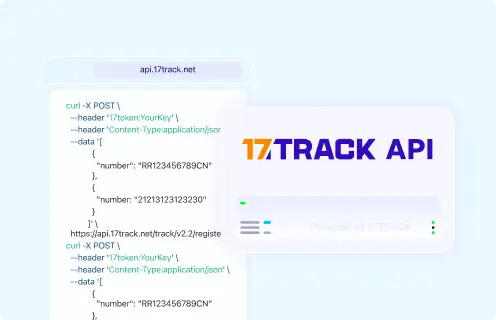
Merchants should distinguish the consumer tracking page, any current Neighbour Express business interface, and the 17TRACK multi-carrier API. Batch tracking, webhooks, notification rules, and automated exception monitoring should be enabled only where the relevant provider’s current documentation confirms them.
Developer/API Comparison
| Option | Provider | ||||||
|---|---|---|---|---|---|---|---|
| Carrier integration | Neighbour Express | ||||||
View all details for the carrier integration
| |||||||
| Multi-carrier tracking | 17TRACK | ||||||
View all details for 17TRACK multi-carrier tracking
| |||||||
FAQ
Basic FAQs
Enter the shipment tracking number on the official Neighbour Express website or 17TRACK.
Look on the parcel label, carrier receipt, dispatch email, or merchant order page.
The format depends on the service and issuing operator, so use the exact identifier supplied with the shipment rather than guessing from a prefix.
The first event normally appears after shipment data is accepted and the parcel receives an operational scan; label creation alone may not show possession.
A scan gap can result from processing, transport, customs, or a partner handoff; confirm the latest event with the merchant before escalating.
Delivery time depends on the selected service, route, handling, customs, and destination delivery network; use the shipment-specific estimate.
Read the latest exception, check for a pickup or redelivery instruction, and contact the responsible delivery operator or sender.
Check the stated delivery location, household members, reception staff, neighbors, and proof of delivery, then contact the seller and delivery operator.
Preserve the packaging and evidence and ask the sender to begin the applicable carrier inquiry or claim.
Start at the official Neighbour Express website and use the current support or contact route displayed there.
Expert FAQs
No; label creation records shipment data, while acceptance requires a carrier or authorized intake scan.
Yes, a shipment may carry an origin, partner, merchant, or last-mile identifier; the event history should be used to identify the issuing and current operators.
No; arrival, inspection, assessment, and release are separate customs events.
A partner may assign an additional last-mile identifier, although some international postal shipments continue under the origin identifier.
Businesses should verify whether Neighbour Express provides a current public API and can use the documented 17TRACK API for multi-carrier workflows.
Tracking API
// Carrier official tracking API:
// Current public official tracking API not confirmed.

// 17TRACK API
// Replace CARRIER_CODE only with the current 17TRACK carrier code.
POST https://api.17track.net/track/v2.4/register
Headers:
  17token: YourKey
  Content-Type: application/json

Body:
[
  {
    "number": "TRACKING_NUMBER",
    "carrier": "CARRIER_CODE"
  }
]
Sources & References
- Neighbour Express — Official website. Neighbour Express
- 17TRACK — Global package tracking. 17TRACK
- 17TRACK API Documentation. 17TRACK
17TRACK is an independent tracking platform and is not affiliated with Neighbour Express.
Track your package
Global express parcel tracking service