About Aquiline
Aquiline is a shipment-tracking service and mobile application. Aquiline displays shipment information sourced from third-party carriers and logistics providers; the supplied official terms do not describe Aquiline as the physical carrier, postal operator, customs authority, or delivery company for the tracked shipment.
| Field | Confirmed information |
|---|
| Official name | Aquiline Tracking |
| Brand display name | Aquiline |
| Official website | https://aquiline-tracking.com/ |
| Carrier type | Shipment-tracking platform using third-party carrier and logistics-provider data. |
| Tracking page | Aquiline Tracking homepage |
| Registered operator | JDG Yauheni Stsiapbelau, sole proprietorship registered in Poland, as stated on the official website. |
Carrier Entity Relationships
| Entity | Entity type |
|---|
| Aquiline | Aquiline is the tracking-service brand that presents shipment events to users. |
View all relationship details for Aquiline
| Third-party carriers | Third-party carriers and logistics providers supply the tracking information displayed through Aquiline. |
|---|
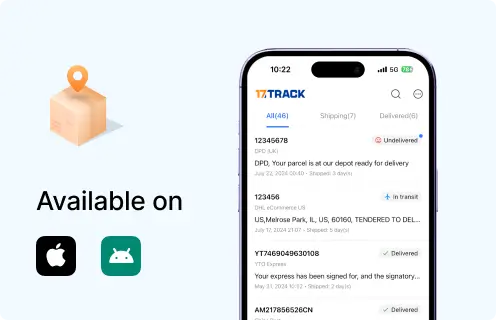
| Aquiline app | The Android application can save tracking numbers and send shipment-status push notifications. |
|---|
| Tracking data | Aquiline’s terms state that tracking data is not guaranteed to be accurate, complete, or timely. |
|---|
| 17TRACK relationship | 17TRACK is an independent tracking platform; 17TRACK does not operate Aquiline shipments or decide Aquiline support outcomes. |
|---|
|
Quick Answer
Enter the shipment tracking number—not the marketplace order number—on the official Aquiline tracking page. You can also try 17TRACK for multi-carrier event aggregation. If no result appears, check the characters, ask the seller which carrier issued the number, and allow time for the first carrier scan. Aquiline and 17TRACK provide tracking information; neither platform transports parcels, changes delivery addresses, approves refunds, or decides carrier claims.
How to Track Aquiline Packages
Aquiline tracking starts with the identifier supplied by the seller or shipping provider. Aquiline’s official site accepts a tracking number and its app supports saved numbers, shipment sharing, email notifications, and push notifications.
Tracking paths
| Path | Action |
|---|
| Official Aquiline website | Open the official site, enter the tracking number, and select Track. |
| Aquiline Android app | Sign in with Google or email if needed, save the tracking number, and enable notifications if desired. |
| 17TRACK | Submit the number to 17TRACK when you need an independent multi-carrier view or carrier identification. |
Find the tracking number in the seller’s dispatch email, shipping-label record, carrier receipt, or marketplace shipment page. An order number identifies a purchase; a reference number identifies a merchant record; a tracking number identifies a shipment record. If the number is not active, confirm that the seller has handed over the parcel and that the correct carrier was selected.
Tracking Statuses and Meanings
Aquiline presents events received from third-party carriers. The responsible party changes during the shipment lifecycle, and an event can be delayed relative to the physical movement of the parcel.
Status Quick Lookup
| Status | Lifecycle stage |
|---|
| Label created / pre-shipment | Before physical acceptance; the sender or logistics provider has created shipment data. |
View all details for pre-shipment status
| What it means | The label or electronic record exists, but the official terms distinguish tracking data from proof of physical handling. |
|---|
| Responsible party | The sender or initial logistics provider must tender the parcel for the first acceptance scan. |
|---|
| What happens next | A carrier acceptance, collection, or origin-processing event should appear when data is received. |
|---|
| Action | Contact the seller first if the status remains unchanged after the seller’s stated dispatch date. |
|---|
|
| In transit | The source carrier reports movement through processing or transport facilities. |
View all details for in-transit status
| What happens next | Further sorting, line-haul, destination processing, or last-mile events may follow. |
|---|
| Visibility gap | Events can be absent while a parcel is between scans or while third-party data is being transmitted. |
|---|
| Action | Compare the latest event with the seller’s promised window and escalate through the source carrier or seller when appropriate. |
|---|
|
| Customs or handoff event | The shipment is undergoing border, exchange, or partner processing; arrival at customs is not proof of release. |
| Out for delivery | A local delivery operation reports that the parcel is scheduled for delivery. |
| Delivered | A delivery scan was reported; check the location and proof-of-delivery information supplied by the source carrier. |
| Exception or return | A delivery or transport problem requires review, or the parcel is moving back toward the sender. |
Services and Delivery Times
Aquiline’s official material describes shipment tracking rather than a proprietary transport catalogue. Delivery time, service level, protection, and destination coverage therefore come from the carrier or logistics provider associated with the tracking number.
Service Comparison
| Service | Service type |
|---|
| Aquiline shipment tracking | Tracking and notification service for shipments reported by third-party carriers. |
View all details for Aquiline shipment tracking
| Best for | Consumers and businesses that want to monitor shipment events in one dashboard. |
|---|
| Coverage | Coverage depends on the third-party carrier and the tracking data available to Aquiline. |
|---|
| Tracking level | Aquiline displays available status and location information and supports saved shipments. |
|---|
| Main limitation | Aquiline does not control transportation, customs, delivery promises, or carrier claims. |
|---|
|
Delivery Time
| Service | Published delivery standard |
|---|
| Aquiline tracking service | Aquiline does not transport the shipment; delivery timing depends on the source carrier, origin, destination, customs, and service selected. |
Destination Country Delivery Times
| Destination Country / Region | Primary service type |
|---|
| Any destination | Source-carrier dependent tracking |
View all destination timing details for Aquiline
| Estimated delivery time range | Aquiline’s official material does not publish a country-by-country delivery range. |
|---|
| Average delivery days | No Aquiline delivery average should be inferred from an aggregated tracking display. |
|---|
| Last-mile handoff carrier | The last-mile carrier must be identified from the shipment’s source-carrier events or seller records. |
|---|
| Customs and clearance tips | For international parcels, consult the source carrier and destination customs authority for applicable import documents, taxes, and restrictions. |
|---|
|
An ETA shown by a carrier or tracking platform is an estimate unless the shipping contract expressly provides a delivery guarantee. Customs, weekends, holidays, remote addresses, weather, peak volume, address quality, partner handoffs, and missing scans can change visibility and delivery timing.
Common Tracking Problems and Solutions
The correct escalation path depends on the latest event and the party that physically controls the parcel. Start with the seller when the shipment has not been accepted, and use the source carrier for delivery or transport events.
Problem & Solution
| Problem/status shown | Likely cause |
|---|
| Invalid number | Typo, order ID used instead of tracking number, or unsupported source identifier. |
View all actions for an invalid Aquiline number
| Check first | Copy the identifier again, remove accidental spaces only where appropriate, and compare it with the seller’s dispatch record. |
|---|
| Immediate action | Ask the seller for the carrier-issued tracking number and carrier name. |
|---|
| Escalate when | Escalate to Aquiline support for an application issue or to the seller/carrier for an identifier issue. |
|---|
| Who to contact | Seller for shipment data; Aquiline support for website or app problems. |
|---|
|
| No updates or label created | Electronic data exists but the first physical scan may not have been transmitted. |
View all actions for no Aquiline updates
| Check first | Confirm the seller’s dispatch date and whether the parcel was actually tendered. |
|---|
| Immediate action | Allow the source carrier’s normal first-scan period, then ask the seller to investigate. |
|---|
| Escalate when | Use the seller’s stated delivery or dispatch window; Aquiline does not set a universal waiting threshold. |
|---|
| Who to contact | Seller or source carrier for physical movement; Aquiline for displayed-data or account issues. |
|---|
|
| Delivered but not received | The source carrier recorded delivery, but the parcel may be at another safe location or with another recipient. |
View all actions for delivered but missing shipments
| Check first | Check the entrance, mailbox, parcel room, building reception, household members, neighbors, and any proof-of-delivery details. |
|---|
| Immediate action | Contact the local delivery carrier and seller promptly with the tracking number and address. |
|---|
| Escalate when | Escalate under the source carrier’s delivery inquiry or claim process; Aquiline cannot reverse a delivery scan. |
|---|
| Who to contact | Source carrier and seller; contact Aquiline only if the displayed event appears technically incorrect. |
|---|
|
| Customs hold, exception, failed delivery, return, loss, or damage | The responsible source carrier or customs authority requires action or has reported a transport problem. |
View all actions for Aquiline shipment exceptions
| Check first | Read the latest event, confirm address and customs-document requirements, and identify the physical carrier. |
|---|
| Immediate action | The recipient supplies requested information or collects the parcel; the sender opens transport inquiries or claims where required. |
|---|
| Escalate when | Follow the source carrier’s published process and the seller’s marketplace deadlines. |
|---|
| Who to contact | Customs for customs decisions, source carrier for delivery, and seller for commercial remedy. |
|---|
|
International Shipping, Customs and Carrier Handoffs
Aquiline’s release notes say that the service tracks international shipments, but Aquiline’s terms identify third-party carriers and logistics providers as the source of tracking information. Aquiline should therefore be treated as the visibility layer, not as the origin carrier, customs broker, destination postal operator, or last-mile carrier.
International Flow
| Stage | Physical custodian/responsible entity |
|---|
| Origin acceptance and export processing | Origin carrier or logistics provider; a label or electronic pre-advice is not the same as physical acceptance. |
View all tracking details for the origin stage
| Typical event | Acceptance, pickup, export sorting, or departure processing. |
|---|
| Number change | A partner may add or associate another identifier; Aquiline cannot guarantee that a number will remain unchanged. |
|---|
| Visibility gap | Data may pause between origin scans, line-haul movement, and the next provider’s first scan. |
|---|
| Customer action | Use the seller or origin carrier when the parcel has not received a physical acceptance event. |
|---|
|
| International transport and destination handoff | Line-haul and destination logistics providers control movement; an electronic handoff message does not prove physical receipt. |
| Import customs | The destination customs authority decides clearance, documentation, duties, and taxes. |
| Destination delivery | The destination carrier or postal operator controls final delivery, pickup, delivery attempt, or return. |
Arrival at a destination exchange or customs facility does not equal customs release. Recipients should monitor the source carrier’s instructions, provide accurate import information, and retain invoices or payment records if a customs or tax request is issued.
Delivery Management and Post-shipment Options
Aquiline’s confirmed functions are tracking, saved shipments, sharing, email notifications, and push notifications. Delivery changes must be requested from the physical carrier or seller because Aquiline does not control transportation.
| Option | Who can request |
|---|
| Save shipment and receive notifications | Aquiline account holder or app user. |
View all details for Aquiline notifications
| Eligibility | Users can save tracking numbers in the personal dashboard; push notifications require device permission. |
|---|
| Available stage | Notifications operate when Aquiline receives a shipment-status change from its data sources. |
|---|
| Guarantee | Aquiline’s terms do not guarantee uninterrupted, error-free, or timely tracking data. |
|---|
| Action link | Open Aquiline Tracking |
|---|
|
| Address change, intercept, redelivery, or pickup | Sender, recipient, or authorized account holder where the physical carrier permits it. |
View all details for carrier-controlled delivery changes
| Eligibility | Depends on the source carrier, service, destination, shipment stage, and identity verification. |
|---|
| Available stage | Request before final delivery or return when the source carrier offers the function. |
|---|
| Fee and guarantee | Fees and success are carrier-specific and are not established by Aquiline. |
|---|
| Action link | Use the source carrier’s official delivery-management page or ask the seller to submit the request. |
|---|
|
Lost, Damaged, Claims, Insurance and Refunds
Aquiline’s terms state that Aquiline is not responsible for shipment delays, losses, or damages. A tracking inquiry, carrier investigation, insurance claim, postage refund, and marketplace refund are separate processes.
Claims and Refunds
| Process | Use when |
|---|
| Tracking inquiry | An event is missing, delayed, or technically inconsistent. |
View all claims details for tracking inquiries
| Who files | The user can contact Aquiline about an application or displayed-data issue; the sender or recipient contacts the source carrier about physical movement. |
|---|
| Evidence | Tracking number, latest event, shipment date, seller details, and a clear description of the issue. |
|---|
| Outcome | Technical support or carrier investigation; Aquiline cannot approve compensation. |
|---|
|
| Carrier loss or damage claim | The physical parcel is lost, damaged, or missing contents. |
View all claims details for carrier loss or damage
| Who files | Usually the sender, account holder, or other party permitted by the source carrier. |
|---|
| Filing time | Deadlines depend on the physical carrier, service, insurance, and destination. |
|---|
| Evidence | Tracking number, proof of value, shipment documents, photographs, packaging, and contents records may be requested. |
|---|
| Outcome | Investigation, compensation decision, request for evidence, or denial under the carrier’s terms. |
|---|
|
| Marketplace or seller refund | The buyer seeks a commercial remedy for non-delivery, cancellation, or an eligible order problem. |
View all claims details for marketplace refunds
| Who files | The buyer normally opens the marketplace or seller dispute. |
|---|
| Filing time | The marketplace’s order-protection deadline applies. |
|---|
| Evidence | Order number, tracking history, seller communications, delivery address, and photographs where relevant. |
|---|
| Outcome | Seller or marketplace decides the refund or replacement under its own policy. |
|---|
|
Shipping Restrictions and Special Handling
Aquiline does not publish transport restrictions because Aquiline is a tracking service rather than the physical shipping operator. Restrictions are determined by the source carrier, airline, customs authority, and destination country.
Shipping Restrictions
| Category | Responsible ruleset |
|---|
| Dangerous goods, batteries, liquids, perishables | The source carrier, transport mode, airline rules, and destination customs requirements control acceptance and packaging. |
View all restriction details for special handling
| Typical impact | Restricted contents can cause refusal, inspection, seizure, return, or additional processing. |
|---|
| Customer action | Check the origin carrier’s current prohibited-items rules and the destination customs authority before shipping. |
|---|
| Tracking impact | Inspection or return can create exception events or longer gaps between scans. |
|---|
| Important limitation | Aquiline tracking information is not a transport authorization or customs ruling. |
|---|
|
Customer Service
For an Aquiline website, app, account, or displayed-tracking issue, use Aquiline support. For pickup, delivery, customs, loss, damage, address correction, or compensation, contact the physical carrier or seller.
Customer Service
| Channel | Verified contact/link |
|---|
| Tracking or delivery issue | Aquiline contact page |
View all details for Aquiline support
| Best for | Website, app, account, or displayed tracking problems. |
|---|
| Email | support@aquiline-tracking.com |
|---|
| WhatsApp | +1 (555) 865-0716 |
|---|
| Information to prepare | Tracking number or Aquiline/marketplace order number, shipment date, latest event, and a concise description of the issue. |
|---|
| Limitation | The official contact page does not establish a public service-hour schedule or guarantee a transport remedy. |
|---|
|
| Partnership inquiry | Aquiline partnership contact page |
View all details for Aquiline partnership contact
| Email | partners@aquiline-tracking.com |
|---|
| Best for | Collaboration and partnership opportunities. |
|---|
| What to include | Organization name, business context, contact details, and a clear description of the proposed collaboration. |
|---|
|
Ecommerce and Business Tracking
Aquiline’s pricing page lists monthly tracking allowances, seller profiles, browser-extension access, and API access by plan. The supplied official material does not describe the API endpoint, authentication scheme, batch contract, webhook format, or carrier-coverage list.
Developer/API Comparison
| Option | Provider |
|---|
| Aquiline plan API access | Aquiline |
View all details for Aquiline plan API access
| Carrier coverage | The pricing page lists Aquiline shipment allowances but does not publish a carrier-coverage list. |
|---|
| Primary use | Business shipment monitoring and seller-profile workflows. |
|---|
| Authentication | Current public authentication details are not included in the supplied official pages. |
|---|
| Tracking, batch, webhook capability | API access is listed; batch and webhook capabilities require confirmation from Aquiline. |
|---|
| Developer documentation | Use Aquiline’s contact channel to request current technical documentation. |
|---|
| Migration note | No migration or deprecation notice is included in the supplied official material. |
|---|
|
| 17TRACK API | 17TRACK |
View all details for the 17TRACK API option
| Carrier coverage | Multi-carrier tracking coverage depends on 17TRACK’s current carrier directory and available events. |
|---|
| Primary use | Multi-carrier ecommerce tracking, standardized event retrieval, and shipment monitoring. |
|---|
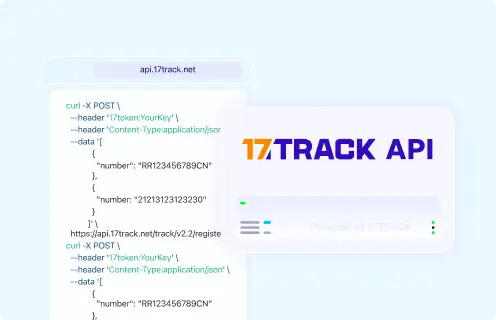
| Authentication | The documented registration request uses a 17token header. |
|---|
| Tracking and batch capability | The documented endpoint registers tracking numbers; consult the current documentation for response, quota, and notification capabilities. |
|---|
| Current documentation | 17TRACK API documentation |
|---|
| Migration note | Use the current documentation rather than legacy examples or retired endpoints. |
|---|
|
FAQ
Basic FAQs
1. How do I track an Aquiline shipment?Enter the tracking number on the official Aquiline website or use the Aquiline app to save and monitor the shipment.
2. Where can I find my Aquiline tracking number?Look in the seller’s dispatch email, marketplace shipment page, carrier receipt, or shipping-label record.
3. What does an Aquiline tracking number look like?Aquiline does not publish one proprietary format because its tracking information comes from third-party carriers and logistics providers.
4. When will the first Aquiline tracking event appear?The first event appears when the source carrier or logistics provider transmits an acceptance or processing scan; label creation alone does not prove physical acceptance.
5. Why is my Aquiline tracking not updating?A scan may be missing, delayed, or unavailable while the parcel is between facilities; check with the seller and source carrier if the promised window is exceeded.
6. How long does Aquiline delivery take?Aquiline does not set the delivery time because Aquiline tracks third-party shipments; timing depends on the selected carrier, route, customs, and destination.
7. What should I do after an Aquiline delivery failure?Read the latest carrier event, verify the address and delivery instructions, and contact the physical carrier or seller about redelivery or pickup.
8. What should I do if Aquiline says delivered but I have not received the parcel?Check safe locations, household members, neighbors, reception areas, and proof-of-delivery information, then contact the source carrier and seller promptly.
9. How do I report an Aquiline shipment as lost or damaged?Ask the sender or authorized account holder to open the source carrier’s inquiry or claim; contact Aquiline for a tracking-display problem rather than compensation.
10. How do I contact Aquiline?Use the official contact page, email support@aquiline-tracking.com, or use WhatsApp at +1 (555) 865-0716 for Aquiline service issues.
Expert FAQs
11. Is Aquiline the carrier that physically transports my package?No; Aquiline’s terms say that tracking information is sourced from third-party carriers and logistics providers, so the physical custodian must be identified from the shipment events.
12. Does Aquiline guarantee that tracking data is real-time?No; Aquiline promotes status notifications, but its terms do not guarantee the accuracy, completeness, or timeliness of tracking data.
13. Can Aquiline change my delivery address?Aquiline cannot be treated as the address-change authority; request an address correction from the physical carrier or seller if that carrier permits it.
14. Can an Aquiline result prove that Aquiline issued the tracking number?No; Aquiline can display third-party tracking data without being the issuer of the identifier.
15. Does Aquiline provide an Android application?Yes; Aquiline’s official release notes state that the Android app is available on Google Play and supports saved shipments and status notifications.
16. What notification options does Aquiline provide?Aquiline documents email notifications, push notifications, saved tracking numbers, and shipment sharing; push messages depend on device and app permissions.
17. Does Aquiline publish a country-by-country delivery table?The supplied official pages do not publish a country-by-country delivery schedule; use the associated carrier’s service standard and destination information.
18. Can businesses use Aquiline API access?Aquiline’s pricing page lists API access in its plans, but businesses should request current endpoint, authentication, quota, and integration documentation from Aquiline before implementation.
Tracking API
// Aquiline official API:
// Current public official tracking API endpoint and authentication
// are not confirmed by the supplied Aquiline pages.

// 17TRACK API: current documented registration pattern.
// Confirm the carrier code in the current 17TRACK carrier directory.
POST https://api.17track.net/track/v2.4/register
Headers:
  17token: YourKey
  Content-Type: application/json

Body:
[
  {
    "number": "TRACKING_NUMBER",
    "carrier": "CARRIER_CODE"
  }
]
Sources & References
17TRACK is an independent tracking platform and is not affiliated with Aquiline.