Bring Tracking
Please enter the Bring tracking number to check the latest shipping status.
About Bring
Bring is a Nordic logistics provider serving consumers and businesses through parcel distribution, mail services, freight transport and e-commerce logistics. Bring operates services across the Nordic region and provides road, rail, air, sea and intermodal freight solutions. The exact service and customer-service route depend on the country where the shipment is sent or delivered.
| Field | Verified information |
|---|---|
| Official name | Bring |
| Official website | https://www.bring.com/ |
| Carrier type | Nordic parcel, mail, freight and e-commerce logistics provider. |
| Primary region | Norway, Sweden, Denmark, Finland, Poland, the Netherlands and the United Kingdom, with Nordic and international logistics services. |
| Tracking page | The tracking entry is available through the Trace function on the official Bring website. |
Carrier Entity Relationships
| Entity | Entity type | ||||||||||
|---|---|---|---|---|---|---|---|---|---|---|---|
| Bring | Bring is the carrier and logistics brand described by the official website. | ||||||||||
View all details for Bring relationships
| |||||||||||
Quick Answer
Enter the shipment tracking number—not an order number—on Bring’s official Trace page or in the 17TRACK tracking field. If no result appears, check the digits, remove spaces or punctuation, confirm that the parcel has actually been handed to Bring, and ask the seller or sender which carrier issued the number. 17TRACK is an independent tracking platform; it cannot change an address, release customs, approve a refund or file a claim for you.
How to Track Bring Packages
Use the carrier’s country-specific customer-service route for official assistance, or use 17TRACK when you need an independent multi-carrier view.
| Route | Action |
|---|---|
| Bring Trace | Open Bring.com, choose Trace, and enter the shipment identifier supplied by the sender or shown on the receipt. |
| 17TRACK | Open 17TRACK, enter the number, and allow carrier auto-detection or select Bring when available. |
| Business account | Mybring users can access Bring APIs when their account, API key, customer number and rights meet the relevant API requirements. |
A tracking number is different from an order number, merchant reference, invoice number or pickup notice. The sender normally controls the first investigation because the sender purchased the transport service. A label-created event is not proof that Bring has physically received the parcel.
Tracking Number Formats and Examples
Bring’s public pages do not establish one universal public pattern covering every parcel, freight, mail and partner shipment. Do not infer the service from a prefix alone. Use the complete identifier from the receipt or shipping notice and let the official Trace tool or 17TRACK identify the applicable carrier.
Tracking Number Format
| Identifier family | Normalized pattern | ||||||||||
|---|---|---|---|---|---|---|---|---|---|---|---|
| Bring parcel identifier | Use the exact number shown by the sender or on the transport receipt; a single universal length is not established on the reviewed public pages. | ||||||||||
View all details for Bring parcel identifiers
| |||||||||||
| International postal identifier | An origin postal operator may issue an S10-style identifier such as AA#########CC; Bring may appear later in the delivery chain without having issued that number. | ||||||||||
| Freight or pallet reference | Use the shipment or consignment reference supplied in the freight documentation; freight references should not be assumed to be parcel numbers. | ||||||||||
| Merchant order/reference ID | This identifies the purchase in a shop and is not necessarily searchable in Bring’s tracking system. | ||||||||||
Tracking Statuses and Meanings
| Status | Lifecycle stage | ||||||||
|---|---|---|---|---|---|---|---|---|---|
| Label created / pre-advice | Pre-shipment; electronic data may exist before physical acceptance. | ||||||||
View all details for label-created status
| |||||||||
| Accepted / received | Bring or an authorised receiving point has recorded the item. | ||||||||
| In transit | The shipment is moving through transport or sorting stages; scans can be intermittent. | ||||||||
| Customs or handover | The shipment is undergoing import/export processing or being transferred between responsible operators. | ||||||||
| Out for delivery | The local delivery stage has begun; address and access problems can still prevent delivery. | ||||||||
| Delivered / pickup | A delivery or collection event has been recorded. Check the delivery location, recipient information and proof of delivery where offered. | ||||||||
| Exception / return | A delivery, address, customs or transport issue requires attention; the item may be held, redelivered or returned. | ||||||||
Services and Delivery Times
Bring publishes service categories rather than one universal delivery promise on the reviewed pages. Delivery depends on the selected country product, origin, destination, cutoff, transport mode, customs and local delivery conditions.
Service Comparison
| Service | Service type and best use |
|---|---|
| Distribution within the Nordics | Parcel and pallet distribution for Nordic business and consumer flows. |
| Mail services | Mailbox-compatible solutions up to 2 kg, subject to the applicable country product. |
| International freight forwarding | Flexible road or rail freight transport for cross-border cargo. |
| Air freight | Time-critical long-distance freight solutions. |
| Sea freight | Economic long-distance freight transport. |
Delivery Time
| Service | Published delivery position |
|---|---|
| Nordic parcel or pallet | The applicable standard depends on origin, destination, product and quote; the reviewed overview does not state one universal number of days. |
| Air freight | Time-critical transport, but a universal public delivery guarantee is not stated on the reviewed overview. |
| Sea freight | Economic long-distance transport; schedule depends on route and sailing. |
| Mail services | Service-specific delivery information must be checked on the relevant national Bring site. |
Destination Country Delivery Times
| Destination country or region | How to obtain a reliable delivery estimate |
|---|---|
| Norway | Check the Norwegian product and quote for the actual origin, destination postcode and service. |
| Sweden | Check the Swedish product and quote for the actual origin, destination postcode and service. |
| Denmark | Check the Danish product and quote for the actual origin, destination postcode and service. |
| Finland | Bring states that its own terminal operations and domestic services in Finland are discontinued from May 27; contact Bring for current shipment arrangements. |
| Poland | Use the Poland country route and shipment quote; a universal public range is not stated. |
| The Netherlands | Use the Netherlands country route and shipment quote; a universal public range is not stated. |
| United Kingdom | Use the UK country route and shipment quote; a universal public range is not stated. |
| Other destinations | Request a destination-specific offer. Do not replace a carrier quote with an industry-average delivery claim. |
A quoted or displayed estimate is not automatically a money-back guarantee. Customs, weather, peak volume, weekends, holidays, remote areas, address quality, handovers and missing scans can affect the delivery date.
Common Tracking Problems and Solutions
| Problem or status | First action |
|---|---|
| Invalid number | Copy the complete identifier, remove accidental punctuation, and ask the sender whether it is an order reference. |
| No event or label created | Allow the sender or partner to hand over the physical item; the seller should confirm dispatch. |
| No update for several days | Check both the official route and 17TRACK, then consider weekends, line-haul movement and scan gaps before escalating. |
| Customs or handover hold | Check whether duties, documents or recipient information are requested; the sender or destination authority may need to act. |
| Address error or failed delivery | Use the country-specific Bring customer-service route and notify the seller immediately; do not assume an address change is available. |
| Delivered but missing | Check the doorstep, safe place, household members, neighbours, reception and pickup point, then request proof of delivery and ask the sender to open the appropriate inquiry. |
| Returned to sender | Ask the seller why the return occurred and whether a new shipment or refund will be arranged. |
| Lost or damaged | Preserve packaging and photographs and have the sender use the applicable contractual claim or inquiry process. |
International Shipping, Customs and Carrier Handoffs
Bring’s international movement can use road, rail, air or sea freight and may involve destination operators. An arrival scan at a gateway is not the same as customs release, and an electronic pre-advice is not the same as physical handover.
| Stage | Typical responsibility |
|---|---|
| Origin booking and pickup | The sender and origin operator create the shipment data and tender the physical goods. |
| Export processing | The applicable carrier and authorities process the consignment for departure. |
| Line-haul | Road, rail, air or sea transport moves the shipment between network points. |
| Import customs | Destination authorities assess declarations, duties, taxes and restricted goods. |
| Partner handoff | A destination carrier or local delivery operator may receive the physical shipment; the first acceptance scan is stronger evidence than pre-advice. |
| Last mile | The responsible local operator delivers, redirects, holds or returns the shipment under the applicable country rules. |
Lost, Damaged, Claims, Insurance and Refunds
A tracking inquiry, transport investigation, insurance claim, postage refund and marketplace refund are different processes. The sender should normally begin the carrier process because the sender holds the shipping contract. Keep the tracking number, receipt, invoice, value evidence, packaging and damage photographs.
| Process | Use when |
|---|---|
| Tracking inquiry | The event history needs clarification or a delivery scan appears inconsistent. |
| Loss or damage investigation | The shipment is missing, damaged or missing contents; filing conditions depend on the country service and contract. |
| Insurance or compensation claim | Use only where the purchased service or terms include applicable cover; evidence and filing limits are service-specific. |
| Merchant refund | The buyer seeks a commercial remedy from the seller; 17TRACK cannot approve it. |
Shipping Restrictions and Special Handling
Restrictions differ by product, transport mode and destination. Review the current Bring terms, prices and country rules before shipping batteries, liquids, dangerous goods, perishables or regulated items.
| Category | Operational implication |
|---|---|
| Dangerous goods | May be prohibited or require a separately authorised transport process and documentation. |
| Batteries and liquids | Packaging, mode and destination requirements can limit acceptance or cause delay. |
| Perishables | Temperature, transit and acceptance conditions require product-specific confirmation. |
| Size and weight | Limits depend on the selected parcel, pallet, mail or freight service. |
Customer Service
| Channel | Verified contact or purpose |
|---|---|
| Country customer service | Bring customer service routes private and business customers to the applicable national site. |
| Official website | Bring.com provides Trace, service information and contact pathways. |
| Business support | Businesses should use the country route or their Bring contact person and prepare the customer number, shipment reference and recent event. |
| Language and region | Language and opening arrangements vary by national site; the reviewed central page directs customers to country-specific channels. |
Prepare the tracking number, sender and recipient address, dispatch date, service type, latest scan, contents description, value evidence and photographs. Contact the seller first for marketplace orders, then use the applicable national Bring channel when carrier action is required.
Ecommerce and Business Tracking
Bring’s official APIs are intended for authenticated Mybring users and customer organisations. The official developer page says that API access requires a user account, an API key and, for most APIs, a Bring customer number with appropriate rights.
Developer/API Comparison
| Option | Provider | ||||||||||||
|---|---|---|---|---|---|---|---|---|---|---|---|---|---|
| Bring APIs | Bring Developer / Mybring | ||||||||||||
View all details for Bring APIs
| |||||||||||||
| 17TRACK API | 17TRACK | ||||||||||||
View all details for the 17TRACK API
| |||||||||||||
FAQ
Basic FAQs
Enter the shipment number on Bring’s Trace function or use 17TRACK to view available events.
Look in the dispatch email, seller account, transport receipt or pickup notice; an order number may be different.
Bring uses different identifiers across parcels, mail and freight, and the reviewed public pages do not establish one universal format.
The first physical scan appears after the sender or transport partner tenders the item; label creation alone is not acceptance.
The parcel may be between scans, in line-haul, awaiting handover or affected by customs; check the official route and ask the sender to investigate.
Timing depends on country, service, route, cutoff, customs and local delivery conditions, so use the product-specific quote or country site.
Check the event for instructions, verify the address and contact the applicable national Bring channel or seller.
Check safe places, household members, neighbours, reception and pickup points, then request proof of delivery and ask the sender to open an inquiry.
Preserve the packaging and evidence and have the sender use the applicable country and service claim process.
Use Bring’s country-specific customer-service page because private-consumer and business routes differ by country.
Expert FAQs
No single rule applies: Bring lists multiple transport modes and international logistics services, while destination operators and authorities may handle later stages.
No; arrival indicates a processing location, while release requires the applicable customs decision and any required payment or documentation.
Yes; searchable visibility does not establish who issued the identifier, and an international number can remain associated through a handoff.
Bring Trace is the carrier’s own entry point, while 17TRACK independently aggregates available events and cannot perform carrier-side actions.
Bring states that integrations require a Mybring user account, an API key and, for most APIs, a customer number with appropriate rights.
The developer documentation identifies X-Mybring-API-Uid, X-Mybring-API-Key and X-Bring-Client-URL as required authentication headers.
No; the applicable standard depends on the country product, route, service and shipment details.
Bring’s homepage states that its own terminal operations and domestic services in Finland, including courier and express services, are being discontinued from May 27; affected customers should contact their Bring contact person.
Tracking API
// 1. Bring official API:
// Current public tracking endpoint details are service-specific.
// Review https://developer.bring.com/api/.
// Authentication requires Mybring account credentials, API key,
// customer number and rights where required.
//
// 2. 17TRACK API:
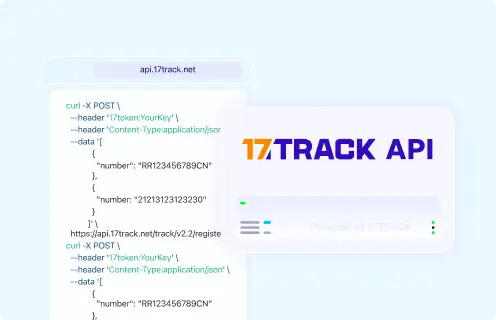
POST https://api.17track.net/track/v2.4/register
Headers:
  17token: YourKey
  Content-Type: application/json
Body:
[
  {
    "number": "TRACKING_NUMBER",
    "carrier": "CARRIER_CODE"
  }
]
// Confirm the current Bring carrier code in 17TRACK documentation
// before production use; this page does not guess a carrier code.
Sources & References
- Bring.com — Official website. Bring
- Customer service — country-specific support routes. Bring
- Services from Bring. Bring
- Prices and conditions. Bring
- E-commerce logistics. Bring
- Getting started with Bring APIs. Bring Developer
- 17TRACK API documentation. 17TRACK
17TRACK is an independent tracking platform and is not affiliated with Bring.
Track your package
Global express parcel tracking service