CPEX Tracking
Please enter the CPEX tracking number to check the latest shipping status.
About Cpex
Cpex is the carrier name associated with the shipment identifier supplied by the sender or marketplace. Use the official Cpex website and the 17TRACK tracking page to identify available shipment events, the current handling stage, and any destination-side handoff shown for a particular parcel.
| Field | Verified page information |
|---|---|
| Official display name | Cpex |
| Official website | Cpex official website |
| Tracking approach | Enter the shipment identifier in the official tracking route provided by Cpex or in 17TRACK. |
Quick Answer
Copy the shipment tracking number from the dispatch email, seller order page, shipping label, or receipt. Enter it on the official Cpex website or 17TRACK. If no result appears, check for spaces, punctuation, an order number used in place of a tracking number, and whether the sender has handed the parcel to the carrier. 17TRACK is an independent tracking platform; it does not transport parcels, change addresses, issue refunds, or approve claims.
How to Track Cpex Packages
The most reliable workflow is to compare the seller-provided identifier with the event history on the official Cpex website and then use 17TRACK for a second view when a destination or partner scan is available.
| Route | Steps |
|---|---|
| Official Cpex tracking | Open the official website, locate its tracking route, enter the shipment identifier exactly as supplied, and save the displayed event history. |
| 17TRACK tracking | Open 17TRACK, enter the identifier, allow carrier recognition, and compare the latest event with the seller’s dispatch information. |
| No identifier | Ask the seller or sender for the tracking number; an order number or payment reference may not query the carrier system. |
| No first scan | Confirm that the label was created and that the parcel was physically handed over. A label record is not the same as an acceptance scan. |
Tracking Number Formats and Examples
Cpex-specific number rules should be verified from the identifier supplied for the shipment. Do not infer a service solely from a prefix. Remove accidental spaces only when the tracking page treats the identifier as a continuous value, and preserve letters, hyphens, and leading zeroes until the official result confirms the accepted format.
Tracking Number Format
| Identifier family | Normalized pattern | ||||||||||
|---|---|---|---|---|---|---|---|---|---|---|---|
| Cpex shipment identifier | Use the exact sender-provided value, shown here only as XXXX XXXX XXXX. | ||||||||||
View all details for the Cpex shipment identifier
| |||||||||||
| Order or reference number | Seller-defined value such as ORDER-XXXX; not automatically a carrier tracking number. | ||||||||||
View all details for order or reference numbers
| |||||||||||
Tracking Statuses and Meanings
Tracking language describes the latest reported event, not necessarily the parcel’s exact live location. The responsible party can change during a partner or destination-country handoff.
Status Quick Lookup
| Status | Lifecycle stage | ||||||
|---|---|---|---|---|---|---|---|
| Label created / pre-shipment | A shipment record exists; physical acceptance may not have occurred. | ||||||
View all details for label created / pre-shipment
| |||||||
| Accepted / in transit | The carrier network has reported receipt or movement. | ||||||
View all details for accepted / in transit
| |||||||
| Customs / handoff | The shipment is undergoing border processing or transfer between network participants. | ||||||
View all details for customs / handoff
| |||||||
| Out for delivery / delivered | The destination delivery operation has reported delivery activity. | ||||||
View all details for out for delivery / delivered
| |||||||
| Exception / return | A delivery or transport issue requires review, or the parcel is moving back toward the sender. | ||||||
View all details for exception / return
| |||||||
Services and Delivery Times
A shipment’s delivery estimate depends on the service selected by the sender, origin, destination, handoffs, address quality, operating days, customs, and disruption notices. A tracking estimate is not automatically a guaranteed delivery commitment.
Service Comparison
| Service record | Best use | ||||||
|---|---|---|---|---|---|---|---|
| Shipment service shown by the seller | Use the exact service name displayed in the order or dispatch record. | ||||||
View all details for the shipment service record
| |||||||
Delivery Time
| Timing input | How to interpret it |
|---|---|
| Seller estimate | A planning window supplied by the merchant or marketplace. |
| Carrier event estimate | A forecast based on available scans and the selected route. |
| Guaranteed date | Use only when the applicable service terms expressly provide a delivery guarantee. |
Destination Country Delivery Times
| Destination | Practical guidance |
|---|---|
| Any destination | Use the seller’s stated delivery window and the latest official tracking event; customs and last-mile handoff can change the forecast. |
Common Tracking Problems and Solutions
Start with the latest event and the party named in that event. The sender usually controls marketplace refunds and can request shipment assistance; the recipient can provide delivery details, respond to customs requests, and report non-receipt.
Problem & Solution
| Problem/status shown | Immediate action | ||||||||
|---|---|---|---|---|---|---|---|---|---|
| Invalid number | Compare the identifier with the dispatch record, remove accidental punctuation, and ask the sender to verify the number. | ||||||||
View all details for an invalid number
| |||||||||
| No update / stuck in transit | Compare the last scan date with the promised delivery window and ask the seller to investigate if the window has passed. | ||||||||
View all details for no update or stuck in transit
| |||||||||
| Delivered but not received | Check the delivery location, household members, reception desk, neighbors, safe place, and proof-of-delivery details. | ||||||||
View all details for delivered but not received
| |||||||||
| Customs or return exception | Read the event carefully, respond to document or duty requests, and ask the seller what remedy is available. | ||||||||
International Shipping and Handoffs
For an international parcel, the original shipment identifier may continue across the route or a destination operator may add a local identifier. Arrival at an exchange facility is not the same as customs release, and a partner pre-advice event is not proof of physical acceptance.
| Stage | What to expect |
|---|---|
| Origin preparation | The sender creates shipping data and prepares the parcel for acceptance. |
| Origin transport and export | The parcel moves through sorting, security, export processing, and line-haul. |
| Destination processing | The shipment may pass through import customs or a destination exchange facility. |
| Partner handoff and last mile | A destination operator may receive the parcel, add scans, and complete delivery. |
Customer Service
Use the official Cpex website for the current contact route associated with the shipment. For marketplace purchases, contact the seller first because the sender may control investigations, address corrections, claims, and refunds.
Customer Service
| Channel | Best use |
|---|---|
| Official website | Open the Cpex website for the current tracking and contact routes. |
| Seller or sender | Use for missing parcels, delivery disputes, order refunds, address questions, and shipment investigations. |
| Destination operator | Use the operator named in the latest destination event for local delivery or collection questions. |
Prepare the tracking number, order number, sender and recipient details, dispatch date, latest scan, delivery address, service name, contents description, value evidence, and photographs where relevant.
FAQ
Basic FAQs
Enter the shipment identifier on the official Cpex website or 17TRACK and compare the latest event with the seller’s dispatch record.
Look in the seller’s dispatch email, marketplace order page, shipping label, receipt, or shipment confirmation.
Use the exact value supplied by the sender; an order number or payment reference is not automatically a carrier tracking number.
The first event appears after the shipment data is accepted and a carrier or partner scan is received; label creation alone may not show physical acceptance.
Possible causes include transport between scan points, facility processing, customs, or a handoff gap; ask the seller to investigate when the delivery window has passed.
The delivery window depends on the selected service, origin, destination, customs, handoffs, address, and operating conditions shown in the shipment record.
Read the exception event, check for a collection or re-delivery instruction, and contact the seller or destination operator identified in the latest scan.
Check the delivery location, household, reception desk, neighbors, safe place, and proof-of-delivery information, then notify the seller promptly.
Contact the seller or sender first and preserve packaging, contents, photographs, value evidence, and the full tracking history for the applicable investigation or claim.
Use the current contact route on the official Cpex website and include the shipment identifier, latest event, sender details, and delivery address.
Expert FAQs
No; label creation records shipment data, while physical acceptance requires a carrier or partner event showing receipt or movement.
Yes, a destination or handoff operator can contribute events when the shipment identifier or a linked local identifier is recognized by that operator.
No; arrival or presentation at customs is different from an official release event and may be followed by document, duty, or inspection activity.
A partner may add or associate a destination identifier, so retain the original number and ask the seller for any linked local reference.
The sender or merchant should begin the investigation when the shipment record or purchase terms assign that role; the recipient should provide delivery evidence.
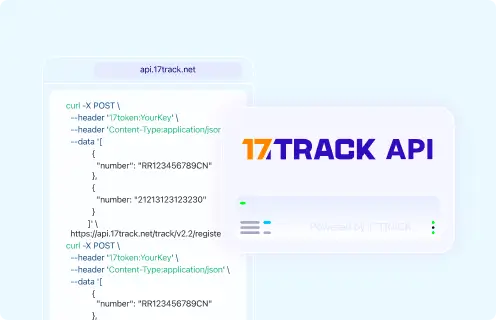
Tracking API
// Cpex official tracking API:
// Current public official tracking API not confirmed.
//
// 17TRACK API
// POST https://api.17track.net/track/v2.4/register
// Headers: 17token: YourKey
//          Content-Type: application/json
//
// Replace CARRIER_CODE only with the current 17TRACK carrier code.
// The carrier code should be verified in current 17TRACK documentation.
fetch("https://api.17track.net/track/v2.4/register", {
  method: "POST",
  headers: {
    "17token": "YourKey",
    "Content-Type": "application/json"
  },
  body: JSON.stringify([
    {
      "number": "TRACKING_NUMBER",
      "carrier": "CARRIER_CODE"
    }
  ])
});
Sources & References
- Cpex official website. Cpex
- 17TRACK API Documentation. 17TRACK
17TRACK is an independent tracking platform and is not affiliated with Cpex.
Can I track international CPEX packages?
Yes, 17TRACK supports international tracking for CPEX packages. Enter your tracking number on our tracking page for real-time updates.
What does "At Customs" mean?
This status indicates your package is being inspected by customs authorities, a standard step for international shipments. It typically takes 1-3 days but may vary.
Why hasn’t my package status updated?
Delays in updates can occur due to logistics or system synchronization issues. Wait a few hours and check again. If the issue persists, contact CPEX customer service.
How do I contact CPEX customer service?
Reach CPEX via:
- Phone: +34 910 900 999
- Email: support@cpex.ltd
- Online Form: Use the contact form or live chat on the CPEX website.
Track your package
Global express parcel tracking service