Instabox Tracking
Please enter the Instabox tracking number to check the latest shipping status.
About Instabox
Instabox is a parcel-delivery brand associated with automated parcel-locker delivery. Instabox is used by merchants to route eligible shipments to a selected or assigned locker, where the recipient can collect the parcel. The final delivery experience depends on the merchant, origin carrier, destination market, locker availability and the shipment information supplied to Instabox.
| Field | Confirmed description |
|---|---|
| Official website | Instabox.io |
| Carrier type | Parcel last-mile delivery and automated locker collection service. |
| Tracking responsibility | Instabox tracking can reflect locker allocation, delivery progress and collection-related events; an origin merchant or partner may control earlier transport stages. |
Carrier Entity Relationships
| Entity | Relationship |
|---|---|
| Instabox | Instabox provides a parcel-delivery and locker-collection layer for eligible shipments. |
| Merchant or origin carrier | The merchant or origin carrier may create the label and perform transport before a parcel reaches the Instabox delivery network. |
| Parcel locker | The assigned locker is the physical collection point; a locker-ready event does not mean the parcel was delivered to the recipient’s home. |
| 17TRACK | 17TRACK is an independent platform that aggregates available events and does not operate Instabox lockers or decide claims. |
Quick Answer
Use the parcel or tracking identifier supplied by the merchant, delivery message or shipping receipt. Enter it on the official Instabox website when a tracking option is provided, or submit it to 17TRACK for multi-carrier event detection. If no result appears, check the number character by character, confirm that the merchant has handed over the parcel, and allow time for the first physical scan. 17TRACK does not transport parcels, change locker destinations, issue refunds or approve claims.
How to Track Instabox Packages
A tracking workflow normally has two paths: the merchant or official carrier page for the most service-specific instructions, and 17TRACK for automatic carrier recognition and consolidated events.
| Step | Action |
|---|---|
| 1. Find the identifier | Check the dispatch email, order page, receipt or delivery notification. An order number is not necessarily a tracking number. |
| 2. Try the official route | Open the official Instabox website and use the available shipment-tracking route supplied for the relevant market. |
| 3. Try 17TRACK | Submit the same identifier to 17TRACK and select Instabox only when automatic detection does not identify the carrier. |
| 4. Escalate correctly | For a missing or incorrect address, contact the merchant first; for a locker or delivery event, use the official carrier support route shown in the shipment notification. |
Tracking Number Formats and Examples
Instabox identifiers can be supplied by a merchant, an origin carrier or the delivery network. A universal public pattern should not be inferred from a prefix alone. Use the complete identifier exactly as supplied, while removing accidental spaces only when the tracking form instructs you to do so.
Tracking Number Format
| Identifier family | Normalized pattern | ||||||||
|---|---|---|---|---|---|---|---|---|---|
| Merchant or partner shipment identifier | Use the exact alphanumeric string supplied by the seller. | ||||||||
View all details for merchant or partner identifiers
| |||||||||
| International postal or partner identifier | The origin carrier’s format, including a possible postal S10-style identifier. | ||||||||
View all details for international postal identifiers
| |||||||||
Tracking Statuses and Meanings
| Status | Lifecycle meaning | ||||||
|---|---|---|---|---|---|---|---|
| Label created or pre-advice | Shipment data exists, but a physical acceptance scan may not have occurred. | ||||||
View responsibility and next action for label-created status
| |||||||
| In transit or handoff | The parcel is moving through transport or between the origin network and the last-mile delivery network. | ||||||
| Locker ready | The parcel has been placed in the assigned locker or collection point; follow the notification instructions. | ||||||
| Collected or delivered | The system records a completed collection or delivery event. If the parcel is missing, check the locker, access message and merchant record. | ||||||
| Exception or return | An address, access, capacity, damage or delivery issue requires action or may send the parcel back to the merchant. | ||||||
Services and Delivery Times
Instabox delivery timing is shipment-specific. The merchant’s selected service, origin handoff, destination postcode, locker capacity, weekends, public holidays and address data can affect the delivery window. A displayed estimate is not automatically a guaranteed delivery commitment.
Service Comparison
| Service type | Best use | ||||||
|---|---|---|---|---|---|---|---|
| Locker delivery | Online purchases where the recipient can collect from an assigned parcel locker. | ||||||
View all details for locker delivery
| |||||||
Delivery Time
| Timing reference | How to interpret it |
|---|---|
| Merchant or tracking estimate | Use the shipment-specific window shown after the parcel is accepted; it can change with handoffs, capacity and operational disruption. |
| Destination-country delivery times | A universal country-by-country Instabox schedule is not used here because locker availability and merchant routing determine the applicable service. |
Common Tracking Problems and Solutions
| Problem or status | First action | ||||||
|---|---|---|---|---|---|---|---|
| No result or invalid number | Check the identifier, remove accidental spaces, confirm it is a shipment number and ask the merchant whether dispatch has occurred. | ||||||
View all details for an invalid or missing tracking result
| |||||||
| No update for several days | Compare the last event with the promised window, then ask the merchant to investigate the transport or handoff. | ||||||
| Locker-ready but not collected | Check the notification, access code, assigned locker and collection deadline shown in the official message. | ||||||
| Delivered or collected but missing | Check the locker and access record, household or building staff, then contact the merchant and official delivery support with the event details. | ||||||
| Returned or damaged | Photograph the packaging, preserve the parcel and contact the merchant promptly; the seller generally manages the purchase refund or replacement. | ||||||
International Shipping, Customs and Carrier Handoffs
Instabox may appear at the last-mile stage of a cross-border order rather than as the export carrier. Arrival in a destination country or a partner scan does not by itself prove that customs has released the parcel.
International Flow
| Stage | What it means | ||||||
|---|---|---|---|---|---|---|---|
| Origin transport | The merchant or origin carrier receives and moves the parcel before the last-mile handoff. | ||||||
View all details for origin transport
| |||||||
| Customs and destination processing | Authorities or destination logistics partners review and process the import where required. | ||||||
| Partner handoff | Electronic pre-advice, physical handoff and first acceptance scan are separate events; a partner message is not proof that Instabox has the parcel. | ||||||
| Locker last mile | Instabox routes the parcel to an eligible locker and issues the relevant delivery or collection notification. | ||||||
Delivery Management and Post-shipment Options
| Option | Practical guidance |
|---|---|
| Locker collection | Use the official notification and access instructions; eligibility depends on the assigned locker and shipment state. |
| Delivery change or redirection | Do not assume that a change is possible after locker assignment; check the official message or ask the merchant. |
| Address correction | Contact the merchant immediately because the sender may control shipment data before handoff. |
Claims, Restrictions and Customer Service
A tracking enquiry, a transport investigation, a carrier claim and a merchant refund are separate processes. The recipient should normally contact the seller for a missing, damaged or incorrect order, while the sender or merchant may have the contractual right to open a transport claim.
Claims and Refunds
| Process | Who should start it |
|---|---|
| Missing or delayed order | The buyer should contact the merchant with the tracking number, order details and last event. |
| Damage or missing contents | The buyer should preserve packaging and photographs; the merchant or sender should pursue the carrier process where required. |
| Refund or replacement | The merchant decides the commercial remedy under the applicable sale terms; 17TRACK cannot approve it. |
Shipping Restrictions
| Category | Tracking impact |
|---|---|
| Dangerous, prohibited or restricted goods | A parcel may be refused, delayed, removed from transport or returned. Follow the current merchant and carrier rules for the destination. |
| Batteries, liquids or perishables | Packaging and transport eligibility can vary by service and route; a tracking delay does not prove customs clearance or acceptance. |
Customer Service
| Channel | Best use |
|---|---|
| Official website | Instabox.io for current service information and available support routes. |
| Merchant support | Use the seller for order changes, refunds, incorrect address details and claims connected to the purchase. |
| Information to prepare | Tracking number, order number, dispatch date, recipient details, last event, locker information and photographs where relevant. |
Ecommerce and Business Tracking
Merchants should distinguish the Instabox consumer tracking experience from a carrier-owned developer interface and from 17TRACK’s multi-carrier API. A business integration should normalize carrier events, retain the original identifier and show customers which party currently controls the parcel.
Developer/API Comparison
| Option | Provider | ||||||
|---|---|---|---|---|---|---|---|
| Official carrier integration | Instabox | ||||||
View all details for the official carrier integration
| |||||||
| Multi-carrier tracking API | 17TRACK | ||||||
View all details for the 17TRACK integration
| |||||||
Basic FAQs
Use the shipment identifier from the merchant or delivery message on the official Instabox website or 17TRACK.
Look in the dispatch email, marketplace order page, shipping receipt or delivery notification.
Instabox shipments may use merchant or partner identifiers, so there is no single safe public pattern to infer from a prefix alone.
The label may have been created before the parcel reached the carrier or locker network; ask the merchant to confirm physical handoff.
The applicable window depends on the merchant, route, destination, locker capacity and the shipment estimate shown after acceptance.
Read the latest notification, verify the recipient details and contact the merchant if a correction or redirection is required.
Check the assigned locker, access message, household or building staff, then contact the merchant with the delivery event.
Preserve the packaging and photographs and ask the merchant to open the appropriate carrier investigation or claim.
Contact the merchant for order, refund and address matters, and use the official Instabox support route for confirmed delivery or locker issues.
No. 17TRACK displays tracking data but cannot change the locker, redirect the parcel or approve a refund.
Expert FAQs
No. A merchant or origin carrier can issue the identifier, while Instabox may add last-mile events after handoff.
Pre-advice is electronic shipment information; acceptance is a physical carrier scan connecting the information to the parcel.
No. It normally means the parcel is ready at the assigned locker or collection point.
It can, but the result depends on the origin carrier, destination partner and data exchange; a new last-mile identifier may also be supplied.
No. Arrival, customs processing and release are separate stages and should not be treated as equivalent.
Businesses can review the current 17TRACK API documentation for supported registration and tracking capabilities, while retaining the original merchant and carrier identifiers.
Tracking API
// 1. Instabox official tracking API
// Current public official tracking API endpoint and authentication were not confirmed.

// 2. 17TRACK API
// Review the current documentation before production use.
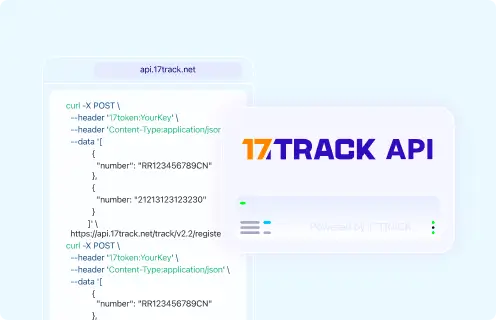
POST https://api.17track.net/track/v2.4/register
Headers:
  17token: YourKey
  Content-Type: application/json

Body:
[
  {
    "number": "TRACKING_NUMBER",
    "carrier": "CARRIER_CODE"
  }
]

// The current Instabox carrier code must be confirmed from 17TRACK documentation.
// Do not substitute a guessed carrier code.
Sources & References
- Instabox.io — Official Instabox website. Instabox
- 17TRACK API Documentation. 17TRACK
- 17TRACK — Multi-carrier tracking platform. 17TRACK
17TRACK is an independent tracking platform and is not affiliated with Instabox.
Track your package
Global express parcel tracking service