S

Shopify Order Tracking

www.shopify.com

Enter a tracking number that can be used for shipment tracking to check the logistics history of your Shopify order.

About Shopify

Shopify is a commerce platform used by independent merchants to create online stores, manage checkout, process orders, and connect fulfillment or shipping tools. For most purchases, the store that sold the item owns the customer order; Shopify provides the commerce infrastructure and the Shop app experience, but Shopify is not usually the seller, carrier, or refund decision maker for that order.

Profile fieldVerified information
Official nameShopify
Official websitehttps://www.shopify.com
Brand typeCommerce platform, merchant software provider, Shop app operator, and developer platform.
Primary shopping regionGlobal; actual delivery availability depends on the individual Shopify merchant, item, shipping method, and carrier.
Order tracking pageThe buyer normally uses the merchant’s order status page, shipping confirmation email, carrier tracking page, or the Shop app when the order is connected.
App / account systemShop app can track eligible orders from connected stores, email receipts, or tracking numbers; the merchant store may also have its own customer account.
Marketplace or seller modelShopify is not a single centralized marketplace order owner for most purchases; each merchant store controls its own orders, fulfillment rules, returns, and customer support.
Parent organizationShopify Inc.

Brand Entity & Order Ownership

Entity / order partyRole in the order
ShopifyProvides commerce software, checkout infrastructure, merchant tools, Shop app features, and developer APIs.
View all details for Shopify
What it controlsPlatform features available to merchants, Shop app functions, and developer documentation.
What it cannot controlIt usually cannot change a merchant’s shipment, address, carrier selection, refund decision, return approval, or inventory availability for a buyer’s order.
Why it matters to trackingA Shopify-powered checkout does not mean Shopify is the shipper; tracking facts usually come from the merchant and the carrier.
Buyer accountStores order confirmation, contact information, and possibly access to a merchant account or Shop app order view.
View all details for buyer account
What it controlsThe buyer can check email, open the order status link, provide evidence, and contact the merchant or carrier.
What it cannot controlThe buyer cannot create carrier scans or approve a refund without the merchant’s process.
Why it matters to trackingThe email used at checkout is often the key to finding the order status page and tracking number.
Seller or merchantThe independent store that sold the product and normally owns order support.
View all details for seller or merchant
What it controlsInventory, processing, fulfillment timing, shipment creation, customer messages, return authorization, and refund review.
What it cannot controlCarrier network delays after handoff, customs decisions, or final delivery scans made by the carrier.
Why it matters to trackingIf no tracking exists or the item has not shipped, the merchant is normally the first party that can explain why.
Fulfillment partyMay be the merchant, a warehouse, dropshipper, print-on-demand vendor, third-party logistics provider, or fulfillment app.
View all details for fulfillment party
What it controlsPicking, packing, label purchase, parcel handoff, and sometimes return receiving.
What it cannot controlPayment approval, refund policy, and carrier delivery scans after custody transfer.
Why it matters to trackingA label can be created before the carrier has physically received the parcel.
Carrier or last-mile carrierTransports the parcel and publishes shipment scans when a usable tracking number is assigned.
View all details for carrier or last-mile carrier
What it controlsAcceptance scans, transit events, delivery attempts, proof of delivery when available, and last-mile exceptions.
What it cannot controlMerchant refunds, item correctness, and order cancellation rules.
Why it matters to tracking17TRACK and carrier pages depend on the carrier tracking number and available scan events.
Payment/refund channelThe store’s payment processor and merchant refund process handle payment reversal after the merchant approves it.
View all details for payment and refund channel
What it controlsPayment capture, refund routing, and payment method settlement once a refund is issued.
What it cannot controlCarrier delivery events or whether a return package is moving.
Why it matters to trackingReturn tracking shows parcel movement, while refund status depends on merchant approval and payment processing.
17TRACK relationshipIndependent package tracking platform for carrier tracking numbers.
View all details for 17TRACK relationship
What it controlsDisplaying available carrier tracking events and helping identify possible carriers from a tracking number.
What it cannot controlPrivate Shopify order data, merchant support, address changes, delivery instructions, refunds, returns, or seller contact.
Why it matters to trackingUse 17TRACK after you have a carrier tracking number, not just a store order number.

Quick Answer

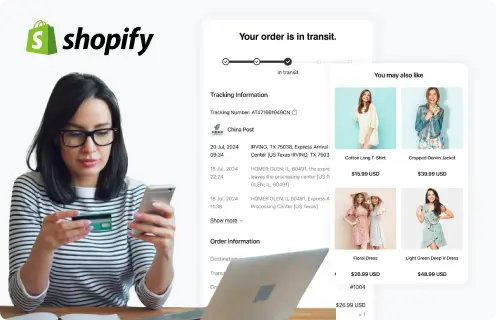
To track a Shopify order, open the shipping confirmation email from the store, the merchant’s order status page, the Shop app, or the carrier tracking page. If the email includes a carrier tracking number, you can also paste that number into 17TRACK.

If there is no tracking number, the order may still be processing, the merchant may not have fulfilled it, the item may be digital or pickup-only, or the seller may use a shipping method that does not expose carrier tracking. Contact the store that sold the item; Shopify and 17TRACK cannot create tracking for an unshipped order.

Pro Tip: 17TRACK can help track available carrier tracking numbers and may detect the carrier, but it cannot view private Shopify order details, modify an order, issue a refund, change a delivery address, or contact a merchant for you.

How to Track Shopify Orders

Start with the store that sold the item. Sign in to the merchant account if you created one, open the order list, select the order, check the order status or shipment section, and look for a carrier name plus tracking number. If the order was split into multiple shipments, track each shipment separately.

Tracking Path Comparison

Tracking pathUse when
Merchant account / order status pageYou bought from a Shopify-powered store and have the confirmation email or login.
View all details for merchant account tracking
Identifier neededEmail used at checkout, store account login, order status link, or order number for store support.
What you can seeOrder status, fulfillment status, shipment information, and tracking link when the merchant has added tracking.
Best next stepOpen the order, check whether it is fulfilled, then copy each carrier tracking number.
Important limitationShopify does not provide one universal buyer portal for every independent merchant order.
Official order email or SMSYou need the fastest route to the store’s order status page or shipment email.
View all details for order email or SMS
Identifier neededThe message sent to the email address or phone number used at checkout.
What you can seeOrder confirmation, shipment confirmation, order status link, and sometimes carrier tracking.
Best next stepSearch your inbox for the store name, “order confirmed,” “your order has shipped,” or “tracking.”
Important limitationA confirmation email proves the store received an order, not that the carrier received the parcel.
17TRACKYou already have a carrier tracking number from the store, Shop app, or carrier link.
View all details for 17TRACK
Identifier neededCarrier tracking number, not the store order number or payment receipt number.
What you can seeAvailable carrier scan history, current shipment status, and possible carrier detection.
Best next stepPaste the tracking number and compare the latest event with the merchant’s promised handling information.
Important limitation17TRACK cannot access private store records or update the merchant’s order status.
Carrier websiteYou know the carrier or need delivery options, proof of delivery, pickup details, or attempted delivery information.
View all details for carrier website
Identifier neededCarrier tracking number and, for some services, destination ZIP/postal code or account verification.
What you can seeCarrier scans, delivery attempts, pickup location, and sometimes proof of delivery.
Best next stepUse the carrier page when you need delivery instructions or local depot information.
Important limitationThe carrier cannot approve a refund for an item sold by a Shopify merchant.
Seller message or contact pageTracking is missing, incorrect, not moving, or the item received is wrong.
View all details for seller contact tracking
Identifier neededOrder number, checkout email, shipping address, item name, and any tracking number shown.
What you can seeMerchant-specific explanation, replacement options, return authorization, or refund review status.
Best next stepAsk whether the order is fulfilled, which carrier was used, and whether the number belongs to your package.
Important limitationResponse process and policies vary by independent merchant.
Guest or gift order routeYou checked out without an account or received a gift shipped from a Shopify-powered store.
View all details for guest or gift tracking
Identifier neededOrder status link, gift tracking link, recipient email or phone if provided, or sender help.
What you can seeOnly information the merchant exposes to the guest or recipient.
Best next stepAsk the purchaser for the order status link or contact the merchant with the recipient details.
Important limitationPrivacy rules may prevent the merchant from sharing purchaser billing details with a recipient.
Shop app notificationsYou use the Shop app and the order is eligible to appear in the app.
View all details for Shop app notifications
Identifier neededShop app account, connected email, order confirmation, or manually added tracking number when supported.
What you can seeOrder tracking updates for eligible orders and package progress displayed in the app.
Best next stepConfirm the app is connected to the same email address used at checkout.
Important limitationNot every Shopify merchant order, carrier event, or private store detail is guaranteed to appear in Shop.

Order Numbers, Tracking Numbers and Where to Find Them

A Shopify store order number identifies the purchase inside that merchant’s store. A tracking number identifies a parcel in a carrier network. 17TRACK needs the carrier tracking number when carrier tracking is available.

Identifier & Tracking Number Guide

Identifier typeWhere users find it
Shopify store order numberOrder confirmation email, merchant account order page, or receipt from the store.
View all details for Shopify store order number
Looks like / exampleOften a short store sequence such as #1001 or another merchant-defined order name; format varies by store.
Who issues itThe Shopify-powered merchant store.
Can 17TRACK use it?Usually no.
What it can and cannot proveIt helps the merchant locate your purchase, but it does not prove the parcel was accepted by a carrier.
Shipment or fulfillment tracking numberShipping confirmation email, order status page, Shop app, or merchant support reply.
View all details for shipment tracking number
Looks like / exampleCarrier-specific letters and numbers, shown here as TRACKING123456789 for illustration only.
Who issues itThe carrier, shipping label provider, fulfillment service, or merchant shipping system.
Can 17TRACK use it?Yes, when the number is a supported carrier tracking number and carrier events are available.
What it can and cannot proveCarrier scans can show parcel movement; they do not prove refund approval or item correctness.
Carrier tracking numberCarrier link on the merchant’s order status page or carrier website.
View all details for carrier tracking number
Looks like / exampleFormat depends on the carrier and country; do not assume one Shopify-wide format.
Who issues itThe shipping carrier or shipping label platform.
Can 17TRACK use it?Yes, if the carrier and number are trackable through available data.
What it can and cannot proveIt can show carrier custody events; it cannot identify every internal merchant action.
Return tracking numberReturn label, return portal, carrier receipt, or merchant return instructions.
View all details for return tracking number
Looks like / exampleCarrier-specific return shipment number, shown as RETURNTRACK123456 for illustration only.
Who issues itCarrier, merchant return portal, or return label provider.
Can 17TRACK use it?Yes, when it is a carrier return tracking number.
What it can and cannot proveIt may show that the return parcel moved or arrived; it does not mean the merchant has inspected it or issued a refund.
Return authorization or RMAMerchant return approval email, return portal, or customer support case.
View all details for return authorization or RMA
Looks like / exampleMerchant-defined return case such as RMA-#### or another non-public format.
Who issues itThe merchant or return management app.
Can 17TRACK use it?No, unless it is also a carrier tracking number, which is uncommon.
What it can and cannot proveIt proves a return process exists with the merchant, not that the carrier has the package.
Gift or order status linkForwarded email, sender message, Shop app, or merchant notification.
View all details for gift or order status link
Looks like / exampleA store-specific HTTPS order status URL, not a universal Shopify tracking number.
Who issues itThe merchant store through Shopify order notifications.
Can 17TRACK use it?No; copy the carrier tracking number from the page if one is visible.
What it can and cannot proveIt can identify an order status view but may not expose private billing details or full support rights.
Seller reference or marketplace order IDExternal marketplace receipt, merchant invoice, or customer support case when a Shopify merchant also sells elsewhere.
View all details for seller reference or marketplace order ID
Looks like / exampleVaries by the selling channel and is not a Shopify-wide standard.
Who issues itThe selling marketplace, merchant ERP, or support system.
Can 17TRACK use it?No, unless a carrier tracking number is attached separately.
What it can and cannot proveIt helps reconcile sales-channel records but does not show carrier transit events by itself.
Internal delivery IDNot confirmed as a single public Shopify buyer identifier across all stores.
View all details for internal delivery ID
Looks like / exampleMerchant, app, or carrier-specific if it exists; no universal buyer-facing Shopify format should be assumed.
Who issues itMay be issued by an internal app, fulfillment provider, or merchant system.
Can 17TRACK use it?Usually no.
What it can and cannot proveIt may help a merchant investigate internally, but it is not a public carrier scan history.

Fulfillment, Sellers and Carriers

Carrier choice is not controlled by one Shopify-wide delivery network. It varies by merchant, region, item type, fulfillment app, shipping option, warehouse, and whether the order is shipped domestically, cross-border, by pickup, or as a digital product.

Fulfillment & Carrier Relationship

Fulfillment modelWho ships it
Merchant warehouse shippingThe Shopify merchant or its warehouse team packs and ships the item.
View all details for merchant warehouse shipping
Typical carriers or delivery networkCarrier varies by order, region, item type, and merchant shipping settings.
Who updates trackingThe merchant adds tracking; the carrier publishes scans after receiving the parcel.
Who handles delivery issuesCarrier for transport events; merchant for order support, replacements, and refunds.
What the customer should check firstShipping confirmation email and carrier acceptance scan.
Third-party logistics or fulfillment appA warehouse or fulfillment service connected to the merchant’s Shopify admin.
View all details for third-party logistics shipping
Typical carriers or delivery networkCarrier varies by fulfillment provider and destination.
Who updates trackingThe fulfillment provider may send tracking back to the Shopify order; carrier scans follow.
Who handles delivery issuesThe merchant remains the buyer’s support contact, even if a partner shipped the parcel.
What the customer should check firstWhether tracking is only label-created or has a carrier acceptance scan.
Dropshipping or supplier shippingA supplier ships on behalf of the merchant.
View all details for supplier shipping
Typical carriers or delivery networkCarrier varies by supplier, country, and cross-border route.
Who updates trackingThe supplier or app provides the number; carriers scan through export, import, and last-mile handoff.
Who handles delivery issuesThe merchant should coordinate with the supplier; the buyer should not need to chase an unknown supplier.
What the customer should check firstWhether the shipment is cross-border and whether the last-mile carrier has a separate event trail.
Split shipmentMultiple shipments may be created for one order when items ship separately.
View all details for split shipment
Typical carriers or delivery networkEach shipment can have a different carrier or tracking number.
Who updates trackingThe merchant or fulfillment app updates each fulfillment separately.
Who handles delivery issuesMerchant for missing item allocation; carrier for the parcel tied to a specific tracking number.
What the customer should check firstOrder status page for multiple tracking links and item-level fulfillment.
Pickup, local delivery, or store deliveryThe merchant, local courier, or pickup location handles fulfillment.
View all details for pickup or local delivery
Typical carriers or delivery networkMay have no public carrier tracking; details depend on the store’s pickup or delivery setup.
Who updates trackingThe merchant updates pickup readiness or local delivery status.
Who handles delivery issuesThe merchant or local delivery provider.
What the customer should check firstPickup confirmation, location instructions, and store contact instructions.
Digital goods or servicesNo parcel is shipped; access is delivered by email, account, download, or service scheduling.
View all details for digital goods or services
Typical carriers or delivery networkNot applicable because there is no carrier shipment.
Who updates trackingThe merchant or digital delivery app updates access or fulfillment status.
Who handles delivery issuesThe merchant or digital service provider.
What the customer should check firstSpam folder, download email, account access, or service confirmation.

Tracking Statuses and Meanings

Separate order status from shipment status. A Shopify merchant order can be paid, processing, fulfilled, partially fulfilled, returned, or refunded while the carrier tracking number separately shows label creation, transit, delivery attempt, delivery, or exception events.

Status Quick Lookup

Status shownWhat it usually means
Pending or payment pendingThe store may be waiting for payment confirmation or manual review.
View all details for pending status
Lifecycle stagePayment and order confirmation.
Who is responsible nowMerchant and payment channel.
What happens nextOrder moves to processing or is cancelled if payment is not completed.
What the customer should doCheck payment confirmation and contact the merchant if the status does not change.
ProcessingThe merchant has the order and is preparing inventory, verification, or fulfillment.
View all details for processing status
Lifecycle stageMerchant handling before shipment.
Who is responsible nowMerchant or fulfillment partner.
What happens nextShipment is created, item is backordered, or the merchant contacts you.
What the customer should doReview the merchant’s handling estimate and support policy.
Preparing shipment or label createdA shipping label or tracking number may exist before the carrier scans the parcel.
View all details for preparing shipment status
Lifecycle stageFulfillment handoff.
Who is responsible nowMerchant or warehouse until carrier acceptance.
What happens nextCarrier pickup or drop-off creates the first scan.
What the customer should doWait for the first carrier scan, then ask the merchant if no scan appears after the expected handling window.
ShippedThe merchant marked the order fulfilled or sent shipment information.
View all details for shipped status
Lifecycle stageShipment created or handed to carrier.
Who is responsible nowCarrier after acceptance scan; merchant before acceptance scan.
What happens nextCarrier scans begin or transit events appear.
What the customer should doTrack the carrier number on 17TRACK or the carrier site.
In transitThe package is moving through carrier facilities, line-haul, customs, or last-mile handoff.
View all details for in transit status
Lifecycle stageCarrier transportation.
Who is responsible nowCarrier and, for cross-border shipments, customs authorities where applicable.
What happens nextArrival, sorting, customs clearance, or out-for-delivery event.
What the customer should doMonitor events and compare with the merchant’s delivery estimate.
Out for deliveryThe last-mile carrier plans to attempt delivery soon.
View all details for out for delivery status
Lifecycle stageFinal delivery route.
Who is responsible nowLast-mile carrier.
What happens nextDelivered, attempted delivery, pickup notice, or exception.
What the customer should doCheck delivery instructions, secure drop-off area, and carrier alerts.
DeliveredThe carrier recorded delivery, but the merchant has not necessarily closed refund or support issues.
View all details for delivered status
Lifecycle stageDelivery completion or scan dispute.
Who is responsible nowCarrier for proof of delivery; merchant for item or refund support.
What happens nextKeep item, report not received, start return, or contact merchant.
What the customer should doCheck all delivery locations, household members, front desk, neighbors, and carrier proof before escalating.
Pickup readyThe order is ready at a store, pickup point, locker, or carrier facility.
View all details for pickup ready status
Lifecycle stageCollection by customer or recipient.
Who is responsible nowMerchant, pickup location, or carrier facility.
What happens nextCustomer collects, pickup expires, or package is returned according to the provider’s rules.
What the customer should doBring required ID, pickup code, or order confirmation if requested.
Exception or delivery attemptedThe carrier could not complete normal delivery due to address, access, weather, customs, or recipient issue.
View all details for exception status
Lifecycle stageDelivery interruption.
Who is responsible nowCarrier first for operational instructions; merchant if address correction or replacement is needed.
What happens nextRedelivery, pickup, return to sender, customs resolution, or merchant support case.
What the customer should doRead the carrier event and contact the carrier or merchant based on the reason shown.
Return or refundThe item is being sent back or the merchant is processing a payment reversal.
View all details for return or refund status
Lifecycle stagePost-delivery support.
Who is responsible nowCarrier for return shipping; merchant and payment channel for refund decision and settlement.
What happens nextReturn received, inspection, exchange, store credit, partial refund, full refund, or denial under merchant policy.
What the customer should doKeep the return tracking number and merchant return authorization until the case is closed.

Delivery Time and Delay Factors

There is no single Shopify delivery time. Delivery timing comes from the merchant’s shipping policy, selected shipping method, fulfillment time, carrier service, destination, and any cross-border or local delivery requirements.

Delivery Time & Delay Factors

Scenario/serviceTypical timing source
Domestic parcel shippingMerchant shipping policy, checkout delivery estimate, and carrier tracking page.
View all details for domestic parcel shipping
What can delay itHandling backlog, carrier volume, weather, incorrect address, or missed pickup.
When tracking may updateAfter label creation, carrier acceptance, sorting, departure, arrival, and delivery attempt scans.
Who to contact firstCarrier if scans show an active delivery issue; merchant if no first scan or handling is overdue.
Important caveatCheckout estimates are not automatically delivery guarantees unless the merchant states conditions clearly.
Cross-border shippingMerchant policy, carrier route, customs process, and destination last-mile carrier.
View all details for cross-border shipping
What can delay itExport handling, customs inspection, duties or tax collection, airline capacity, and last-mile handoff.
When tracking may updateUpdates can pause between export departure and import arrival, then resume with the destination carrier.
Who to contact firstMerchant for commercial documents or order support; carrier for customs instructions shown in tracking.
Important caveatCustoms timing is not controlled by Shopify, 17TRACK, or usually by the merchant.
Preorder, backorder, or made-to-orderProduct page, confirmation email, and merchant support updates.
View all details for preorder or backorder
What can delay itProduction, inventory arrival, customization, quality control, or supplier delay.
When tracking may updateOnly after the merchant creates a shipment or sends fulfillment information.
Who to contact firstMerchant.
Important caveatNo carrier tracking can exist before an actual shipment is created.
Split shipmentOrder status page and separate shipment emails for each package.
View all details for split shipment timing
What can delay itDifferent warehouses, partial stock, supplier timing, or carrier route differences.
When tracking may updateEach tracking number updates independently.
Who to contact firstMerchant if an item is missing from all shipment records.
Important caveatOne delivered package does not prove the entire order was delivered.
Pickup or local deliveryMerchant pickup instructions, local delivery notice, or order status page.
View all details for pickup or local delivery timing
What can delay itStore preparation, local route availability, pickup location hours, or customer verification.
When tracking may updateMay update as ready for pickup or delivered without public carrier scans.
Who to contact firstMerchant or pickup location named in the order instructions.
Important caveat17TRACK cannot track pickup-only orders without a carrier tracking number.
Large, high-value, or signature itemMerchant delivery instructions and carrier service rules for that shipment.
View all details for special delivery timing
What can delay itAppointment scheduling, signature requirement, oversized handling, or identity verification.
When tracking may updateAt appointment scheduling, facility arrival, delivery attempt, and proof of delivery events.
Who to contact firstCarrier for appointment or attempt instructions; merchant for order-specific restrictions.
Important caveatDelivery release options depend on the carrier and merchant settings.

Common Problems and Next Steps

Most Shopify tracking problems are solved by identifying which layer is failing: merchant processing, shipment creation, carrier acceptance, transit, last-mile delivery, return shipping, or refund review.

Problem & Next Step

Problem shownCheck first
No tracking numberOrder status page, shipping confirmation email, Shop app, and merchant handling estimate.
View all details for no tracking number
Likely causeOrder not fulfilled, digital or pickup order, manual shipping, or merchant has not added tracking.
Immediate actionAsk the merchant whether the order has shipped and whether a carrier tracking number exists.
When to escalateAfter the merchant’s stated handling window passes without an update.
Who to contactMerchant first.
Tracking number not workingConfirm the number is a carrier tracking number and not an order number.
View all details for tracking number not working
Likely causeNew label not scanned, wrong carrier selected, typo, unsupported service, or merchant provided an incorrect number.
Immediate actionTry carrier auto-detection in 17TRACK and compare with the carrier link from the merchant.
When to escalateIf the number remains invalid after carrier acceptance should have occurred.
Who to contactMerchant for verification; carrier if the number is valid but has an operational exception.
Shipped but no scansWhether tracking says label created or carrier accepted.
View all details for shipped but no scans
Likely causeLabel was created before pickup, carrier missed first scan, or merchant has not handed over the parcel.
Immediate actionWait for carrier intake and save the merchant’s shipment email.
When to escalateWhen the merchant’s processing and carrier pickup expectations are exceeded.
Who to contactMerchant before first carrier scan; carrier after acceptance.
Package stuckLatest carrier event location, date, and whether the route is cross-border.
View all details for package stuck
Likely causeSorting backlog, line-haul gap, customs, local carrier handoff, or service disruption.
Immediate actionCheck both 17TRACK and the carrier page for the most recent event.
When to escalateWhen the carrier’s investigation threshold or the merchant’s support policy says to report delay.
Who to contactCarrier for transit investigation; merchant for replacement or refund options.
Delivery attemptedCarrier notice, pickup location, access requirement, and redelivery options.
View all details for delivery attempted
Likely causeNo recipient, access problem, signature required, address issue, or parcel moved to pickup.
Immediate actionFollow the carrier’s redelivery or pickup instructions.
When to escalateIf the carrier cannot deliver or is returning the package to sender.
Who to contactCarrier first; merchant if return to sender or address correction is needed.
Address problemOrder confirmation address and carrier exception text.
View all details for address problem
Likely causeIncomplete address, wrong postal code, access code missing, or address change requested too late.
Immediate actionContact the merchant before shipment or the carrier after acceptance if the carrier allows correction.
When to escalateIf the parcel is being returned or cannot be corrected.
Who to contactMerchant and carrier based on custody stage.
Customs holdCarrier import event, tax or duty notice, and merchant invoice information.
View all details for customs hold
Likely causeImport review, missing documentation, duties or taxes, restricted goods, or recipient information request.
Immediate actionFollow the carrier or customs broker instructions and keep purchase documents.
When to escalateIf the carrier requests documents the merchant must provide.
Who to contactCarrier or broker first for instructions; merchant for invoice or product information.
Delivered but not receivedDelivery location, mailbox, porch, reception, parcel locker, neighbors, and carrier proof of delivery.
View all details for delivered but not received
Likely causeAlternate drop-off, premature scan, neighbor delivery, building front desk, theft, or wrong address.
Immediate actionCheck all delivery points, ask household or front desk, review photo or proof of delivery, and contact the carrier.
When to escalateIf the carrier cannot resolve the scan conflict or proof does not match your address.
Who to contactCarrier for delivery evidence; merchant for claim, replacement, or refund review. Refund is not automatic.
Split shipment missing itemItem-level fulfillment, packing slip, and all tracking links.
View all details for split shipment missing item
Likely causePartial fulfillment, separate warehouse, packing error, or backordered item.
Immediate actionCheck whether another shipment exists before reporting a missing item.
When to escalateIf all shipments are delivered and the item is still absent.
Who to contactMerchant.
Seller did not shipMerchant handling promise, order confirmation date, and support messages.
View all details for seller did not ship
Likely causeInventory issue, preorder, fraud review, payment problem, or merchant operational delay.
Immediate actionContact the merchant with order number and checkout email.
When to escalateIf the merchant does not respond under its own policy or applicable consumer protection route.
Who to contactMerchant, then payment provider or relevant consumer channel if needed.
Wrong, lost, or damaged itemPhotos, packaging, order invoice, tracking event, and delivered condition.
View all details for wrong lost or damaged item
Likely causePacking error, carrier damage, misdelivery, or warehouse mistake.
Immediate actionSave photos and packaging, then contact the merchant before returning anything.
When to escalateIf the merchant requests carrier claim evidence or rejects a valid support request.
Who to contactMerchant first; carrier may be involved for damage or loss investigation.
Return not updating or refund pendingReturn tracking number, return authorization, merchant return portal, and payment method.
View all details for return not updating or refund pending
Likely causeReturn label not scanned, return in transit, warehouse not inspected, refund not approved, or payment settlement delay.
Immediate actionTrack the return parcel and ask the merchant about refund review after delivery to the return address.
When to escalateWhen return delivery is confirmed but the merchant’s refund process has not advanced.
Who to contactCarrier for return movement; merchant for refund status.

Returns, Exchanges and Refunds

Returns and refunds are set by the independent Shopify merchant. Return tracking shows the return parcel’s movement; refund status depends on merchant approval, inspection, and payment processing.

Returns & Refunds

ScenarioWhere to start
Return requestMerchant return portal, order status page, account page, or customer support contact.
View all details for return request
Who can start itBuyer or eligible gift recipient, depending on merchant policy.
Identifier neededOrder number, checkout email, item details, and reason for return.
Return shipping/trackingMerchant may provide a label or instructions; use the return tracking number if supplied.
Refund timing dependencyDepends on return approval, item arrival, inspection, and payment processing.
Important limitation17TRACK cannot approve a return or decide eligibility.
ExchangeMerchant support or return portal if the store offers exchanges.
View all details for exchange
Who can start itBuyer under the merchant’s policy.
Identifier neededOrder number, item SKU or variant, requested replacement, and photos if relevant.
Return shipping/trackingReturn and replacement may have separate tracking numbers.
Refund timing dependencyExchange timing depends on stock, inspection, and replacement fulfillment.
Important limitationNot every merchant offers exchanges; some require return and repurchase.
Cancel orderMerchant customer service as soon as possible after ordering.
View all details for cancel order
Who can start itBuyer or merchant staff.
Identifier neededOrder number and checkout email.
Return shipping/trackingNot applicable before shipment; if already shipped, return may be required.
Refund timing dependencyDepends on whether the merchant can cancel before fulfillment and whether payment was captured.
Important limitation17TRACK cannot cancel Shopify merchant orders.
Return label trackingReturn label, carrier receipt, merchant return portal, or return email.
View all details for return label tracking
Who can start itBuyer after merchant approval or under self-service return rules.
Identifier neededReturn tracking number and return authorization if supplied.
Return shipping/trackingTrack on 17TRACK or the carrier page when the return tracking number is carrier-visible.
Refund timing dependencyMerchant may wait for delivery and inspection before issuing a refund.
Important limitationA delivered return scan does not equal refund approval.
Gift returnMerchant support, gift receipt, or order status link if the merchant allows recipient returns.
View all details for gift return
Who can start itGift recipient or purchaser depending on merchant policy and privacy rules.
Identifier neededGift receipt, order link, recipient information, or purchaser assistance.
Return shipping/trackingMerchant may issue a return label or instructions.
Refund timing dependencyRefund or store credit recipient depends on the merchant’s gift return policy.
Important limitationMerchants may not disclose purchaser billing details to the recipient.
Cross-border returnMerchant instructions before sending anything back internationally.
View all details for cross-border return
Who can start itBuyer with merchant approval.
Identifier neededOrder number, return authorization, customs documents if required, and return tracking number.
Return shipping/trackingTrack export, import, and destination delivery events if the carrier supports them.
Refund timing dependencyDepends on international transit, customs, return receipt, inspection, and payment processing.
Important limitationDo not assume duties, taxes, or return postage are refundable unless the merchant policy states it.

Customer Service and Escalation

For buyer order issues, contact the store that sold the item first. Shopify Support is mainly for Shopify merchants and platform/account issues; it generally cannot replace a merchant’s customer service for an independent store purchase.

Customer Service

ChannelBest for
Merchant contact page or support emailMissing tracking, unshipped orders, wrong item, damaged item, cancellation, return authorization, and refund review.
View all details for merchant contact page
Where to accessThe store website, order confirmation email, order status page, or help/contact page.
Information to prepareOrder number, checkout email or phone, shipping address, item names, tracking number, photos, and latest event.
Who should use itBuyers and gift recipients with enough order information.
Important limitationPolicies and response times vary by independent merchant; verify the store’s own policy.
Order status pageChecking current order, fulfillment, shipment, and contact instructions.
View all details for order status page
Where to accessOrder confirmation email, shipping confirmation email, Shop app, or merchant account.
Information to prepareOrder link, order number, and checkout contact information.
Who should use itBuyers who need the official store view before contacting support.
Important limitationIt may not include carrier scans until tracking is added and scanned.
Shop app support resourcesQuestions about Shop app order visibility, account connection, and app tracking display.
View all details for Shop app support resources
Where to accessShop app Help Center or the Shop app.
Information to prepareShop account email, store name, order email, and tracking number.
Who should use itShop app users whose eligible orders do not appear or update in the app.
Important limitationShop app support does not replace the merchant’s responsibility for shipping and refunds.
Carrier supportDelivery attempt, pickup, proof of delivery, damaged parcel in transit, address exception, and local depot questions.
View all details for carrier support
Where to accessOfficial carrier website listed in the tracking link or carrier notification.
Information to prepareCarrier tracking number, destination address, delivery notice, proof photos, and recipient contact details.
Who should use itBuyer or recipient when carrier scans show a delivery exception or proof issue.
Important limitationCarrier support cannot decide merchant refunds or item replacement.
Shopify Help CenterUnderstanding Shopify platform features, order status pages, merchant tools, and Shop app documentation.
View all details for Shopify Help Center
Where to accesshttps://help.shopify.com
Information to prepareTopic, store URL if relevant, Shopify account context if you are a merchant, and screenshots.
Who should use itMerchants, developers, and buyers researching Shopify or Shop app features.
Important limitationShopify Help Center is not a universal order desk for every merchant purchase.
17TRACKTracking a carrier tracking number from a Shopify-powered store.
View all details for 17TRACK support scope
Where to access17TRACK tracking page or 17TRACK API for developers.
Information to prepareCarrier tracking number and suspected carrier if known.
Who should use itBuyers, recipients, merchants, and support teams who need carrier event visibility.
Important limitation17TRACK cannot modify Shopify merchant orders, return labels, delivery addresses, or refunds.

Seller, Marketplace and Buyer Responsibility

Shopify enables independent sellers, but it is not usually the marketplace dispute owner for an individual store order. If the Shopify merchant also sold through a separate marketplace, use that marketplace’s order and dispute channel for that marketplace purchase.

Marketplace Responsibility

IssueBuyer action
Seller has not shippedContact the merchant with the order number and checkout email.
View all details for seller has not shipped
Platform roleShopify provides merchant tools but does not normally ship the order.
Seller roleExplain handling, stock, cancellation, or shipment plan.
Carrier roleNo role until a parcel is handed over.
Evidence to keepOrder confirmation, product page timing, and support messages.
Wrong tracking providedAsk the merchant to confirm carrier, number, destination, and package assignment.
View all details for wrong tracking provided
Platform roleMay store fulfillment tracking data if the merchant entered it.
Seller roleCorrect tracking or explain split shipment.
Carrier roleValidate scans for the tracking number.
Evidence to keepTracking screenshot, order items, destination mismatch evidence, and merchant response.
Item not receivedCheck delivery evidence, then contact carrier and merchant based on tracking stage.
View all details for item not received
Platform roleShopify does not usually adjudicate independent merchant delivery disputes for buyers.
Seller roleReview claim, replacement, refund, or carrier claim process.
Carrier roleProvide proof of delivery or investigation outcome.
Evidence to keepTracking events, proof of delivery, address evidence, photos, and messages.
Item not as describedContact the merchant with photos and order details before returning the item.
View all details for item not as described
Platform roleShopify hosts tools but does not inspect the item for the buyer.
Seller roleDecide return, exchange, refund, or replacement under store policy and law.
Carrier roleOnly relevant if damage occurred in transit.
Evidence to keepProduct page, invoice, photos, packaging, and support thread.
Return dispute or refund after delivery failureKeep return tracking, delivery proof, return authorization, and merchant messages.
View all details for return dispute or refund after delivery failure
Platform roleShopify platform records may support merchant processing, but buyer escalation usually remains with merchant or payment channel.
Seller roleConfirm receipt, inspect item, and issue or deny refund under policy.
Carrier roleConfirm return movement or delivery scan.
Evidence to keepReturn label, drop-off receipt, tracking, photos, case ID, and refund receipt.

Brand App, Notifications and Delivery Options

Shopify-related buyer tracking can appear through merchant email/SMS notifications, the merchant order status page, and the Shop app. Delivery instructions, pickup, lockers, redelivery, or signature release depend on the merchant and carrier, not a universal Shopify setting.

App, Notifications and Delivery Options

FeatureUse case
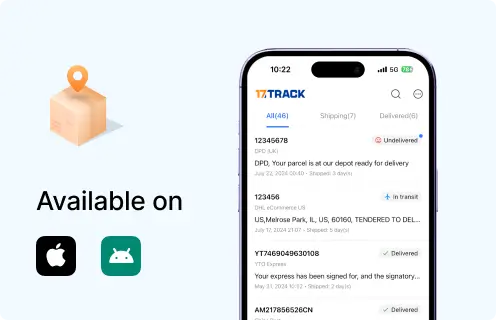
Shop app order trackingTrack eligible orders connected to the Shop app or manually added tracking numbers where supported.
View all details for Shop app order tracking
Where to enableShop app account and connected email settings.
When it appearsWhen the order is eligible, linked to your account, or tracking has been added.
What it can changeIt can display and notify order progress; it cannot force a merchant to ship.
LimitationsOrder visibility depends on app eligibility, email connection, carrier data, and merchant configuration.
Email and SMS notificationsReceive order confirmation, shipment confirmation, and order status links from the merchant.
View all details for email and SMS notifications
Where to enableContact information entered at checkout and merchant notification settings.
When it appearsAfter order creation, fulfillment, shipping update, or merchant-triggered notification.
What it can changeIt helps you access the order status page and tracking links.
LimitationsMessages can be filtered, sent to the purchaser only, or delayed by merchant workflow.
Order status pageView the merchant’s official order status and tracking links.
View all details for order status page feature
Where to enableNo separate enablement by buyer; access comes from the merchant notification or account.
When it appearsAfter checkout and when the merchant makes order information available.
What it can changeIt can show order, fulfillment, and tracking information.
LimitationsIt cannot show carrier data before a tracking number or scan exists.
Pickup or local delivery optionCollect from a store or receive local delivery if the merchant offers it.
View all details for pickup or local delivery option
Where to enableCheckout delivery options if offered by that merchant.
When it appearsOnly for eligible addresses, items, store locations, and merchant settings.
What it can changeIt can replace parcel carrier tracking with pickup or local delivery status.
Limitations17TRACK may not have data if no public carrier tracking number is issued.
Carrier delivery optionsRedelivery, pickup, proof of delivery, or delivery instructions when the carrier provides them.
View all details for carrier delivery options
Where to enableOfficial carrier tracking page or carrier account.
When it appearsAfter a valid carrier tracking number exists and the service supports options.
What it can changeMay allow pickup, redelivery, delivery instruction, or proof review depending on carrier rules.
LimitationsSome restrictions are set by the merchant, shipper account, carrier, or shipment type.

Business, Seller or Developer API

Shopify provides official developer APIs for merchants and apps to manage orders, fulfillments, fulfillment orders, webhooks, and shipping-related workflows. These APIs are for authorized store data. 17TRACK API is separate and uses carrier tracking numbers for shipment tracking visibility.

Developer/API Comparison

OptionPrimary use
Shopify Admin APIAuthorized merchant and app access to store resources such as orders, fulfillment, inventory, and customer workflows.
View all details for Shopify Admin API
ProviderShopify
Order/tracking coverageStore-authorized order and fulfillment data according to app scopes and API version.
Authentication/accessRequires Shopify app authorization and appropriate access scopes.
Webhook/batch capabilityShopify supports webhooks for selected store events and API calls subject to platform rules.
Current documentationShopify Admin API documentation
Important limitationNot a public buyer tracking lookup for arbitrary Shopify orders.
Shopify webhooksNotify merchant apps about order, fulfillment, and other store events when subscribed and authorized.
View all details for Shopify webhooks
ProviderShopify
Order/tracking coverageEvent notifications for authorized store data and subscribed topics.
Authentication/accessRequires app setup, subscriptions, and verification according to Shopify developer documentation.
Webhook/batch capabilityWebhook delivery is native; batch export depends on app design and API usage.
Current documentationShopify webhooks documentation
Important limitationWebhook events do not replace carrier scan feeds unless tracking data is also integrated.
Shopify Fulfillment Orders APICoordinate fulfillment work for merchants, fulfillment services, and apps.
View all details for Shopify Fulfillment Orders API
ProviderShopify
Order/tracking coverageFulfillment work, assignment, status, and tracking fields where available to the authorized app.
Authentication/accessRequires app scopes and store authorization.
Webhook/batch capabilityCan be combined with Shopify webhooks and merchant fulfillment workflows.
Current documentationShopify FulfillmentOrder documentation
Important limitationIt is operational store data, not universal public package tracking.
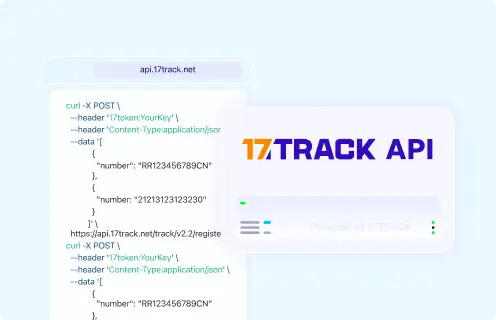
17TRACK Tracking APIRegister and retrieve tracking for carrier tracking numbers from multiple carriers.
View all details for 17TRACK Tracking API
Provider17TRACK
Order/tracking coverageCarrier tracking numbers, not Shopify order numbers, payment IDs, or invoices.
Authentication/accessRequires a 17TRACK API token.
Webhook/batch capabilitySupports tracking API workflows documented by 17TRACK.
Current documentation17TRACK API documentation
Important limitationUse after your store or carrier has issued a carrier tracking number.

FAQ

Basic FAQs

1. How do I track my Shopify order?

Open the store’s order status page, shipping confirmation email, Shop app, carrier page, or use 17TRACK with the carrier tracking number. Start with the merchant because Shopify-powered stores are independent order owners.

2. Where is my Shopify tracking number?

Your tracking number is usually in the shipping confirmation email, order status page, Shop app, or merchant account. If only an order number is shown, the merchant may not have added carrier tracking yet.

3. Can I track a Shopify order number on 17TRACK?

Usually no, because a Shopify store order number identifies the purchase inside the merchant’s store. 17TRACK needs a carrier tracking number when carrier tracking is available.

4. What should I do if my Shopify order has no tracking number?

Check the order status page and the merchant’s handling time, then contact the store that sold the item. No public carrier tracking can exist before the merchant or fulfillment partner creates a shipment.

5. Why is my Shopify tracking number not updating?

The number may be newly created, not yet scanned, assigned to the wrong carrier, or delayed in a carrier network. Verify the carrier and latest event, then contact the merchant if there is no first scan after the expected handling period.

6. How long does Shopify delivery take?

There is no single Shopify delivery time because delivery depends on the individual merchant, selected shipping method, item availability, destination, and carrier. Use the merchant’s checkout estimate and shipping policy as the timing source.

7. What if my Shopify package says delivered but I did not receive it?

Check all delivery locations, mailbox, parcel locker, household members, front desk, neighbors, and any proof of delivery first. Then contact the carrier for delivery evidence and the merchant for claim, replacement, or refund review.

8. How do I track a Shopify return?

Use the return tracking number from the return label, carrier receipt, or merchant return portal. 17TRACK can help with the return parcel movement, but refund approval remains with the merchant.

9. Can 17TRACK show my Shopify refund status?

No, 17TRACK can show carrier tracking events when a tracking number exists, not private refund approval or payment settlement. Check the merchant return portal, refund email, or payment method for refund status.

10. Who do I contact about a Shopify order problem?

Contact the merchant store first for order, item, return, and refund issues. Contact the carrier for delivery attempts or proof of delivery, and use Shopify Help Center mainly for Shopify platform or Shop app questions.

Expert FAQs

11. Is Shopify the seller of my order?

Usually no, Shopify provides the commerce platform while the independent merchant sells and supports the order. This matters because shipment creation, returns, and refunds normally come from the merchant, not Shopify corporate support.

12. Why does one Shopify order have multiple tracking numbers?

One order can be split into multiple fulfillments when items ship from different warehouses, become available at different times, or use different carriers. Track each number separately and match delivered packages to item-level fulfillment.

13. Can Shopify provide an Amazon-style internal delivery ID?

No universal public Shopify internal delivery ID is confirmed for buyers across all stores. Use the merchant order number for store support and the carrier tracking number for 17TRACK or carrier tracking.

14. Why does my Shopify cross-border tracking stop for several days?

Cross-border tracking can pause during export transport, customs, broker processing, or last-mile handoff. Check whether a destination carrier event appears later and contact the merchant if documents or order support are needed.

15. Can a gift recipient track a Shopify order?

A gift recipient can track only if they have an order status link, gift tracking link, carrier tracking number, or enough information for the merchant to help. Privacy rules may limit billing or purchaser details.

16. Can merchants integrate Shopify with 17TRACK?

Merchants can use Shopify APIs for authorized store order and fulfillment data and 17TRACK API for carrier tracking numbers. The two systems serve different layers: Shopify manages store records, while 17TRACK tracks carrier-visible shipment events.

Tracking API

POST https://api.17track.net/track/v2.4/register
Headers:
  17token: YourKey
  Content-Type: application/json

Body:
[
  {
    "number": "TRACKING_NUMBER"
  }
]

Important:
Use the carrier tracking number from the Shopify merchant order status page,
shipping email, Shop app, or carrier page. Do not send the Shopify store order
number, invoice number, payment ID, return authorization, or internal merchant
reference unless it is also a real carrier tracking number.

Sources & References

17TRACK is an independent tracking platform and is not affiliated with Shopify.
Loading