XQE Tracking
Please enter the XQE tracking number to check the latest shipping status.
About XQE
XQE is the carrier identity supplied for this tracking guide. The designated website is the primary place to look for XQE shipment services, tracking instructions, and contact options.
| Field | Verified information |
|---|---|
| Carrier display name | XQE |
| Official website | XQE official website |
| Tracking relationship | 17TRACK is an independent tracking platform that may display shipment events associated with XQE when matching data is available. |
Quick Answer
To track an XQE shipment, enter the shipment identifier supplied by the sender or seller in the official XQE tracking area when available, or enter it in 17TRACK. If there is no result, check the characters carefully, remove accidental spaces or punctuation, confirm that the parcel has been handed to the carrier, and ask the seller which carrier and identifier were used.
17TRACK aggregates available tracking events; it does not transport parcels, change delivery addresses, approve refunds, or decide claims.
How to Track XQE Packages
The most reliable starting point is the shipment identifier from the sender, seller, shipping label, dispatch notice, or receipt. Follow the same identifier through the official XQE website and 17TRACK when both services recognize it.
| Step | Action |
|---|---|
| 1. Find the identifier | Check the dispatch email, seller account, shipping label, receipt, or delivery notice. |
| 2. Check XQE | Open the official XQE website and use its tracking route if one is provided. |
| 3. Check 17TRACK | Use 17TRACK for carrier recognition and available events from participating data sources. |
| 4. Resolve a blank result | Recheck the identifier, allow time for the first acceptance scan, and ask the sender to confirm the carrier. |
Tracking Number Format
| Identifier family | Normalized pattern | ||||||||
|---|---|---|---|---|---|---|---|---|---|
| Shipment tracking identifier | Use the exact alphanumeric or numeric identifier shown by the sender. | ||||||||
View all details for XQE shipment identifiers
| |||||||||
| Order or reference number | Use the order or reference number only in the seller’s order system unless the carrier explicitly accepts it. | ||||||||
Common Tracking Problems and Solutions
A tracking message describes the latest electronic event, not necessarily the parcel’s exact physical position. The sender is usually the best escalation contact when the carrier, service, or identifier is unclear.
Problem & Solution
| Problem/status shown | Immediate action |
|---|---|
| Invalid number | Compare every character with the original notice and ask the sender to confirm the carrier. |
| No tracking result | Check whether the label was created before physical acceptance and try the official XQE route. |
| No update for several days | Consider weekends, handoffs, customs processing, and missed scans; ask the seller to investigate if the promised delivery window has passed. |
| Delivery exception | Read the latest event, verify the address, and follow the carrier or seller’s instructions for redelivery. |
| Delivered but not received | Check the entrance, safe place, household members, reception desk, neighbors, and local delivery office before contacting the sender. |
| Lost or damaged parcel | Keep the packaging and photographs, record the shipment details, and ask the sender which inquiry or claim process applies. |
Frequently Asked Questions About XQE
Basic FAQs
Enter the shipment identifier on the official XQE website when the tracking route is provided, or use 17TRACK to view available events.
Look in the seller’s dispatch email, order account, shipping label, receipt, or delivery notice.
The exact structure depends on the shipment record; use the complete identifier supplied by the sender rather than guessing from a prefix.
The identifier may contain an input error, the label may precede the first acceptance scan, or the sender may have selected another carrier.
Electronic scans can be separated by sorting, transport, customs, weekends, or a carrier handoff; compare the gap with the seller’s delivery expectation.
Delivery depends on the origin, destination, service selected, customs, and last-mile arrangements; consult the seller or the official XQE shipment information for the applicable expectation.
Read the latest event, check the address and delivery instructions, and follow the redelivery or collection direction shown by the responsible delivery party.
Check safe locations, household members, reception areas, and nearby addresses first, then request delivery evidence or seller assistance.
The sender should confirm the available carrier inquiry or claim route because filing rights and evidence requirements depend on the shipment contract.
Start with the contact or tracking route on the official XQE website and prepare the shipment identifier, sender details, destination, and latest event.
Expert FAQs
No. An order number identifies a purchase in the seller’s system, while a tracking number identifies a shipment record used for transport events.
No. Label creation can precede physical acceptance, so look for an acceptance or handling event before treating the parcel as in the carrier’s possession.
A partner or last-mile operation can use a linked identifier in some networks; ask the sender to provide any associated number rather than inferring a conversion.
No. Arrival and customs release are separate events, and the shipment may still require assessment, documentation, or payment before delivery.
No. 17TRACK displays available tracking information; address changes, redelivery, claims, and refunds must be handled by the responsible carrier, seller, or sender.
Tracking API
// Carrier-specific official API:
// Current public official XQE tracking API not confirmed.

// 17TRACK API
// Confirm the carrier code in current 17TRACK carrier documentation
// before sending a production request.
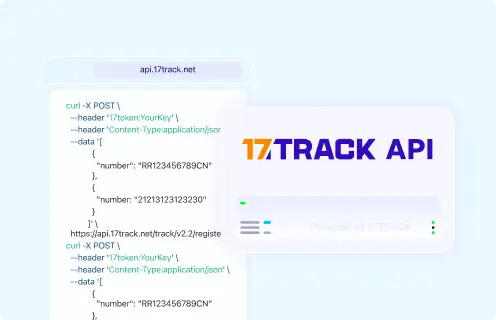
POST https://api.17track.net/track/v2.4/register
Headers:
  17token: YourKey
  Content-Type: application/json

Body:
[
  {
    "number": "TRACKING_NUMBER",
    "carrier": "CARRIER_CODE"
  }
]
Sources & References
- XQE official website. XQE
- 17TRACK tracking platform. 17TRACK
- 17TRACK API documentation. 17TRACK
17TRACK is an independent tracking platform and is not affiliated with XQE.
Track your package
Global express parcel tracking service