About Mercado Libre
Mercado Libre is a Latin American marketplace and commerce ecosystem where buyers purchase from many sellers, and orders may be delivered through Mercado Envíos, seller-managed shipping, pickup options, or local delivery networks depending on country, item, seller, and checkout option. The official website is mercadolibre.com; shoppers normally track purchases from their Mercado Libre account, app, order email, or shipment details.
Brand Entity & Order Ownership
| Entity / order party | Role in the order |
|---|
| Mercado Libre platform | Marketplace, account, checkout, order page, buyer protection and help flow. |
View all details for Mercado Libre platform| What it controls | Order display, payment flow through the platform, messaging tools, return or claim entry points, and shipment information available to the buyer account. |
|---|
| What it cannot control | Every physical scan made by an external carrier, every seller handoff time, customs decisions, building access, or third-party carrier delivery attempt. |
|---|
| Why it matters to tracking | The Mercado Libre order page is the first source for the order status, seller identity, shipment split, estimated delivery information, and any available tracking number. |
|---|
|
| Buyer account | The account that placed the purchase and can open the private order details. |
View all details for buyer account| What it controls | Access to purchase history, saved contact data, claim initiation when eligible, messages, cancellation or return options shown by Mercado Libre. |
|---|
| What it cannot control | Carrier scans, seller stock availability, or refund approval beyond the options available in the order help flow. |
|---|
| Why it matters to tracking | Private order information is usually visible only to the logged-in buyer, not to 17TRACK or a gift recipient without the shared order information. |
|---|
|
| Seller or merchant | The listing owner that supplies the item and may prepare or ship the order. |
View all details for seller or merchant| What it controls | Product availability, preparation, packaging, invoice or proof documents where applicable, and shipment handoff when the seller ships directly. |
|---|
| What it cannot control | Platform payment rules, carrier network delays after acceptance, or decisions made in Mercado Libre's official claim process. |
|---|
| Why it matters to tracking | If the seller has not handed the parcel to the shipping party, carrier tracking may not show movement even if the order exists. |
|---|
|
| Fulfillment party | Warehouse, drop-off point, logistics partner, seller location, or Mercado Envíos flow used for the shipment. |
View all details for fulfillment party| What it controls | Label creation, parcel consolidation, dispatch to the carrier or delivery network, and sometimes pickup-point routing. |
|---|
| What it cannot control | Buyer account permissions, refund approval, or all downstream last-mile scans. |
|---|
| Why it matters to tracking | A shipment may be created before physical pickup; the first carrier event can appear later than the order's preparation status. |
|---|
|
| Carrier or last-mile carrier | The postal, courier, or local delivery network that transports the parcel. |
View all details for carrier or last-mile carrier| What it controls | Carrier acceptance scans, transit events, delivery attempts, proof of delivery when available, pickup availability, and return-to-sender scans. |
|---|
| What it cannot control | Marketplace refunds, seller response, item correctness, or the private order page. |
|---|
| Why it matters to tracking | 17TRACK can only show events that can be matched to a supported carrier tracking number or public carrier tracking feed. |
|---|
|
| Payment/refund channel | The Mercado Libre or Mercado Pago-related checkout and refund route shown in the order flow. |
View all details for payment and refund channel| What it controls | Payment confirmation, refund method, and payment-status visibility within the buyer account or official payment flow. |
|---|
| What it cannot control | Whether a return parcel has physically arrived unless the logistics status confirms it and the platform processes the case. |
|---|
| Why it matters to tracking | A delivered return scan is not the same as refund approval; check both return tracking and refund status separately. |
|---|
|
| 17TRACK relationship | Independent tracking platform for carrier tracking numbers. |
View all details for 17TRACK relationship| What it controls | Tracking-number registration, carrier detection where supported, and display of available logistics events from integrated sources. |
|---|
| What it cannot control | Mercado Libre account access, seller communication, address edits, cancellations, returns, claims, refunds, or delivery instructions. |
|---|
| Why it matters to tracking | Use 17TRACK after you have a carrier tracking number; use Mercado Libre for private order and after-sales actions. |
|---|
|
Quick Answer
To track a Mercado Libre order, sign in to your Mercado Libre account or app, open your purchases, choose the order, and review the shipment or delivery section. If a carrier tracking number is shown, you can also track it on the carrier website or with 17TRACK.
The order number identifies the purchase inside Mercado Libre. A carrier tracking number identifies the parcel in a shipping network. 17TRACK can help track available carrier tracking numbers and may auto-detect the carrier, but it cannot view private order details, change an address, contact the seller, start a return, or issue a refund.
| Question | Direct answer |
|---|
| Where do I track first? | Start in Mercado Libre purchases or the app because it links the buyer, seller, shipment, return, and claim options. |
| Where is the tracking number? | Check the order shipment section, the shipping email, app notification, or seller message if seller-managed shipping is used. |
| What if there is no tracking? | Wait for shipment creation or seller handoff, then use the order help flow if the promised delivery window is missed. |
| Who should I contact? | Use Mercado Libre help for order, payment, return, and claim issues; contact the carrier for local delivery instructions when a carrier tracking number exists. |
How to Track Mercado Libre Orders
The official route is: sign in, open your purchases, select the order, review the shipment or order status, find the carrier and tracking number when available, and check whether the purchase was split into more than one shipment.
Tracking Path Comparison
| Tracking path | Use when |
|---|
| Official account / Purchases | You are the buyer and can sign in to the account used for the purchase. |
View all details for official account tracking| Identifier needed | Buyer login and the purchase in the account. |
|---|
| What you can see | Order status, seller, shipment status, estimated delivery information, return or help options, and tracking number when exposed. |
|---|
| Best next step | Open the shipment details and compare each package if the order was split. |
|---|
| Important limitation | Private order details are not visible to someone without account access. |
|---|
|
| Official order email or SMS | You cannot open the app immediately but have the purchase notification. |
View all details for order email or SMS| Identifier needed | Email address or phone number that received the official notification. |
|---|
| What you can see | Order confirmation, shipment notifications, delivery alerts, and sometimes a link to the order page. |
|---|
| Best next step | Use the link to sign in through the official Mercado Libre domain or app. |
|---|
| Important limitation | A message may omit the full tracking number for privacy or security reasons. |
|---|
|
| 17TRACK | You have a carrier tracking number and want multi-carrier shipment visibility. |
View all details for 17TRACK| Identifier needed | Carrier tracking number, not only the Mercado Libre order number. |
|---|
| What you can see | Available carrier events, carrier detection where supported, transit movement, delivery attempts, and return movement when a return tracking number is used. |
|---|
| Best next step | If no data appears, verify the number in the Mercado Libre order page and try the named carrier site. |
|---|
| Important limitation | 17TRACK cannot open a Mercado Libre claim or verify refund approval. |
|---|
|
| Carrier website | The order page names a postal operator, courier, or last-mile carrier. |
View all details for carrier website| Identifier needed | The carrier tracking number and sometimes destination postcode or recipient identity for proof details. |
|---|
| What you can see | Carrier scans, delivery attempt notes, pickup instructions, and proof of delivery if the carrier provides it. |
|---|
| Best next step | Use Mercado Libre help if the carrier scan conflicts with what you received. |
|---|
| Important limitation | The carrier usually cannot refund the marketplace purchase. |
|---|
|
| Seller or marketplace message center | The seller manages shipping or the listing requires seller coordination. |
View all details for seller message center tracking| Identifier needed | Order page and seller conversation inside Mercado Libre. |
|---|
| What you can see | Seller updates, shipping confirmation, missing tracking explanation, pickup coordination, or documents. |
|---|
| Best next step | Keep the conversation inside the platform and escalate through the order help flow if needed. |
|---|
| Important limitation | External messages may be harder to use as evidence in a platform claim. |
|---|
|
| Guest, gift, or bought-by-someone-else route | You are the recipient but not the buyer account owner. |
View all details for guest or gift route| Identifier needed | Shared tracking number, order link, carrier notice, or help from the buyer who placed the order. |
|---|
| What you can see | Public carrier tracking if a carrier number is shared; private order and refund details usually remain with the buyer account. |
|---|
| Best next step | Ask the buyer for the tracking number or have the buyer contact Mercado Libre support. |
|---|
| Important limitation | A recipient normally cannot manage payment, cancellation, claim, or refund without the buyer account. |
|---|
|
Order Numbers, Tracking Numbers and Where to Find Them
A Mercado Libre order or purchase number proves a marketplace purchase exists in the account; it is not necessarily a carrier tracking number. Use the carrier number when you want 17TRACK or a courier site to show logistics scans.
Identifier & Tracking Number Guide
| Identifier type | Where users find it |
|---|
| Marketplace order or purchase number | Order confirmation, purchases page, invoice area where available, or account history. |
View all details for marketplace order number| Looks like / example | Example only: ML-ORDER-####### or a country-specific numeric purchase reference shown in the account. |
|---|
| Who issues it | Mercado Libre order system. |
|---|
| Can 17TRACK use it? | Usually no; use it with Mercado Libre support or to locate the purchase. |
|---|
| What it can and cannot prove | It identifies the purchase, but does not prove carrier custody or delivery. |
|---|
|
| Shipment or package tracking number | Shipment details inside the order, shipping notification, or seller message when available. |
View all details for shipment tracking number| Looks like / example | Example only: ML-SHIP-######## or carrier-specific letters and numbers. |
|---|
| Who issues it | Mercado Envíos, the seller's shipping system, or the carrier depending on the shipment model. |
|---|
| Can 17TRACK use it? | Yes when it is a carrier-recognized tracking number supported by tracking sources. |
|---|
| What it can and cannot prove | It can show logistics events; it does not prove item correctness or refund approval. |
|---|
|
| Carrier tracking number | Named carrier link, label, delivery notice, or carrier website after the shipment is accepted. |
View all details for carrier tracking number| Looks like / example | Example only: AB123456789XX, 123456789012, or a carrier-specific format. |
|---|
| Who issues it | The postal operator, courier, or last-mile delivery network. |
|---|
| Can 17TRACK use it? | Yes, if the carrier and number are supported and the number is active. |
|---|
| What it can and cannot prove | It proves logistics events reported by the carrier; it does not identify every Mercado Libre order detail. |
|---|
|
| Internal delivery ID | May appear only in some shipment or label contexts; public availability varies by country and logistics flow. |
View all details for internal delivery ID| Looks like / example | Example only: internal shipment reference ending in masked digits, not a confirmed universal public format. |
|---|
| Who issues it | Mercado Libre or a connected logistics workflow. |
|---|
| Can 17TRACK use it? | Only if it is also recognized as a carrier tracking number; many internal IDs are not trackable outside the platform. |
|---|
| What it can and cannot prove | It may identify a shipment in the marketplace system but may not work on public carrier tracking pages. |
|---|
|
| Return tracking number | Return instructions, return label, or return shipment page after a return is created. |
View all details for return tracking number| Looks like / example | Example only: RETURN-TRACK-######## or carrier-specific return label number. |
|---|
| Who issues it | Return label provider, carrier, seller, or Mercado Libre return flow. |
|---|
| Can 17TRACK use it? | Yes when it is a carrier tracking number. |
|---|
| What it can and cannot prove | It can show the return parcel movement; it does not confirm that the refund has been approved. |
|---|
|
| Return authorization or case ID | Return, cancellation, or claim page inside the account. |
View all details for return authorization or case ID| Looks like / example | Example only: CASE-####### or DEVOLUCION-#######. |
|---|
| Who issues it | Mercado Libre after-sales or dispute workflow. |
|---|
| Can 17TRACK use it? | No; it is for customer service and case management. |
|---|
| What it can and cannot prove | It proves a case exists, but not parcel location. |
|---|
|
| Seller reference | Seller invoice, seller message, packing slip, or merchant system communication. |
View all details for seller reference| Looks like / example | Example only: SELLER-REF-####. |
|---|
| Who issues it | Third-party seller or merchant. |
|---|
| Can 17TRACK use it? | No unless it is also the carrier tracking number. |
|---|
| What it can and cannot prove | It helps the seller identify the transaction; it is not independent proof of shipment. |
|---|
|
Fulfillment, Sellers and Carriers
Mercado Libre orders do not all move through one carrier. Carrier and delivery network vary by country, seller, item category, delivery option, pickup option, and whether the shipment uses Mercado Envíos or seller-managed logistics.
Fulfillment & Carrier Relationship
| Fulfillment model | Who ships it |
|---|
| Mercado Envíos marketplace shipment | A Mercado Libre-connected shipping flow with logistics partners varying by country and order. |
View all details for Mercado Envíos shipment| Typical carriers or delivery network | Carrier varies by order, region, seller, item type and delivery option. |
|---|
| Who updates tracking | Mercado Libre and logistics partners receive shipment milestones; carriers update physical scans. |
|---|
| Who handles delivery issues | Start with the order help flow; use carrier contact for local delivery instructions if the carrier is identified. |
|---|
| What the customer should check first | Shipment details, estimated delivery date, package split, and latest carrier event. |
|---|
|
| Third-party seller self-ship | The seller arranges dispatch and may provide a carrier number or delivery instructions. |
View all details for seller self-ship| Typical carriers or delivery network | Carrier varies by seller and location; do not assume a universal carrier list. |
|---|
| Who updates tracking | The seller supplies shipment information; the carrier updates scans after pickup. |
|---|
| Who handles delivery issues | Message the seller through Mercado Libre first, then use the platform help flow if the seller does not resolve the issue. |
|---|
| What the customer should check first | Seller messages, promised dispatch window, and whether the tracking number is actually a carrier number. |
|---|
|
| Cross-border order | A seller or marketplace logistics route may use export, import, customs, and last-mile handoff. |
View all details for cross-border order| Typical carriers or delivery network | International and domestic partners vary; tracking may change after last-mile handoff. |
|---|
| Who updates tracking | Export carrier, customs-related events, consolidator, and local carrier may each contribute events. |
|---|
| Who handles delivery issues | Use Mercado Libre for purchase and claim issues; use the named carrier for local customs or delivery notices when instructed. |
|---|
| What the customer should check first | Whether the latest event is export, customs, import, or local delivery. |
|---|
|
| Pickup point or collection option | The parcel is routed to an approved pickup location if the option is offered and selected. |
View all details for pickup point or collection option| Typical carriers or delivery network | Carrier or pickup network varies by marketplace country and available checkout option. |
|---|
| Who updates tracking | Carrier or pickup network updates arrival and collection events. |
|---|
| Who handles delivery issues | Follow the order pickup instructions; use Mercado Libre help if the pickup location cannot release the order. |
|---|
| What the customer should check first | Pickup-ready notification, ID requirements, pickup code, location, and deadline shown in the official order flow. |
|---|
|
| Digital item or service | No physical carrier shipment is expected. |
View all details for digital item or service| Typical carriers or delivery network | Not applicable for non-physical delivery. |
|---|
| Who updates tracking | The order or seller status updates inside Mercado Libre, not a parcel carrier. |
|---|
| Who handles delivery issues | Seller and Mercado Libre help flow. |
|---|
| What the customer should check first | Order details, seller instructions, account access, and purchase eligibility. |
|---|
|
Tracking Statuses and Meanings
Separate order status from shipment status: the order may be paid or preparing before a carrier has the parcel, while carrier scans begin only after a logistics handoff.
Status Quick Lookup
| Status shown | Lifecycle stage |
|---|
| Payment pending or order created | Checkout and payment confirmation. |
View all details for payment pending| What it usually means | The purchase exists, but the payment or confirmation step may not be complete. |
|---|
| Who is responsible now | Buyer, platform payment flow, and payment provider. |
|---|
| What happens next | The order may move to preparation after confirmation. |
|---|
| What the customer should do | Check the payment status in the official account and avoid using an order number as tracking. |
|---|
|
| Preparing shipment | Seller processing or warehouse preparation. |
View all details for preparing shipment| What it usually means | The item is being packed, labeled, or waiting for carrier pickup. |
|---|
| Who is responsible now | Seller, warehouse, or logistics handoff point. |
|---|
| What happens next | A tracking number or carrier scan may appear after dispatch. |
|---|
| What the customer should do | Check the promised dispatch or delivery information before escalating. |
|---|
|
| Shipped | Label created, handed off, or dispatched depending on the order flow. |
View all details for shipped status| What it usually means | The shipment process has started, but first carrier scans may lag. |
|---|
| Who is responsible now | Fulfillment party until carrier acceptance; then the carrier. |
|---|
| What happens next | In-transit scan or delivery estimate update. |
|---|
| What the customer should do | Use the carrier tracking number if shown and monitor for first movement. |
|---|
|
| In transit | Carrier movement, sorting, line haul, cross-border, or last-mile handoff. |
View all details for in transit| What it usually means | The parcel is moving through the logistics network or waiting for the next scan. |
|---|
| Who is responsible now | Carrier, consolidator, customs authority, or last-mile network depending on the event. |
|---|
| What happens next | Arrival at a hub, customs release, local delivery, or pickup-ready event. |
|---|
| What the customer should do | Compare the latest carrier event with the Mercado Libre delivery estimate. |
|---|
|
| Out for delivery | Last-mile delivery attempt. |
View all details for out for delivery| What it usually means | The parcel is with the local delivery route or courier. |
|---|
| Who is responsible now | Last-mile carrier or delivery network. |
|---|
| What happens next | Delivered, attempted delivery, pickup notice, or exception. |
|---|
| What the customer should do | Watch official notifications and ensure someone can receive the package if required. |
|---|
|
| Delivered | Carrier reports delivery, reception, pickup, or handoff completion. |
View all details for delivered status| What it usually means | The carrier has marked the parcel delivered, but the recipient should verify the actual location. |
|---|
| Who is responsible now | Carrier for delivery proof; Mercado Libre or seller for item-not-received help flow. |
|---|
| What happens next | Acceptance, problem report, return request, or claim depending on what was received. |
|---|
| What the customer should do | Check doors, reception, neighbors, proof of delivery, and then report through the official order page if missing. |
|---|
|
| Exception or delivery problem | Address issue, failed attempt, carrier hold, damage, customs hold, or operational delay. |
View all details for exception status| What it usually means | The parcel needs action, another attempt, corrected information, pickup, or investigation. |
|---|
| Who is responsible now | Carrier for operational event; buyer or platform may need to provide evidence or instructions. |
|---|
| What happens next | Redelivery, pickup, return to sender, or claim review. |
|---|
| What the customer should do | Read the exact event and follow the official order or carrier instruction. |
|---|
|
| Return or refund status | After-sales logistics and payment processing. |
View all details for return or refund status| What it usually means | A return case, return parcel, cancellation, or refund workflow is active. |
|---|
| Who is responsible now | Buyer, seller, carrier, Mercado Libre, and payment channel each handle different steps. |
|---|
| What happens next | Return acceptance, item inspection where applicable, refund approval, or dispute resolution. |
|---|
| What the customer should do | Track the return parcel separately and check refund status in the Mercado Libre account. |
|---|
|
Delivery Time and Delay Factors
Mercado Libre delivery timing is not a single universal number. Use the estimate shown at checkout and in the order details because timing varies by country, seller, shipping method, item handling time, destination, and carrier conditions.
Delivery Time & Delay Factors
| Scenario/service | Typical timing source |
|---|
| Domestic marketplace delivery | Checkout estimate and order delivery page. |
View all details for domestic delivery timing| What can delay it | Seller preparation, carrier pickup, local holidays, route capacity, weather, address access, or failed delivery attempt. |
|---|
| When tracking may update | After dispatch, hub scans, last-mile assignment, or delivery attempt. |
|---|
| Who to contact first | Mercado Libre order help if the order estimate is missed; carrier if a local delivery action is requested. |
|---|
| Important caveat | The estimate is order-specific and should not be replaced with a generic country average. |
|---|
|
| Third-party seller handling | Seller dispatch information and marketplace order page. |
View all details for third-party seller timing| What can delay it | Stock confirmation, packaging, seller drop-off, incorrect tracking, or seller response time. |
|---|
| When tracking may update | After the seller creates a label or the carrier accepts the parcel. |
|---|
| Who to contact first | Seller through the marketplace message center before escalating through Mercado Libre. |
|---|
| Important caveat | A seller message saying shipped is not the same as a carrier acceptance scan. |
|---|
|
| Cross-border shipment | Order page, carrier events, customs or import-related notices when shown. |
View all details for cross-border timing| What can delay it | Export processing, customs review, missing recipient data, tax or duty processes, carrier handoff, and last-mile transfer. |
|---|
| When tracking may update | At export, import, customs release, local carrier receipt, and final delivery. |
|---|
| Who to contact first | Mercado Libre for order issues; carrier or customs contact only if the official notice instructs the recipient to act. |
|---|
| Important caveat | Tracking can pause between international handoffs without meaning the parcel is lost. |
|---|
|
| Split shipment | Each package line in the order page. |
View all details for split shipment timing| What can delay it | Different seller locations, stock separation, carrier routing, or separate fulfillment centers. |
|---|
| When tracking may update | Each package updates independently. |
|---|
| Who to contact first | Order help for the missing package line, not the package that already arrived. |
|---|
| Important caveat | One delivered package does not mean every item in the order was delivered. |
|---|
|
| Pickup point or store-style collection | Pickup-ready notification and order instructions. |
View all details for pickup timing| What can delay it | Carrier arrival, location processing, collection code issue, or local opening limitations. |
|---|
| When tracking may update | When the parcel arrives and is ready for pickup or collected. |
|---|
| Who to contact first | Follow pickup instructions; use Mercado Libre help if the location cannot find or release the parcel. |
|---|
| Important caveat | Bring the documents, code, or identification requested by the official order instructions. |
|---|
|
Common Problems and Next Steps
When tracking looks wrong, identify whether the problem is before shipment, during carrier transit, after delivery, or during return/refund processing. That determines whether to contact the seller, carrier, or Mercado Libre help flow.
Problem & Next Step
| Problem shown | Check first |
|---|
| No tracking number | Whether the order is still preparing or seller-managed shipping is used. |
View all details for no tracking number| Likely cause | Label not created, seller not shipped, pickup pending, or no public carrier number. |
|---|
| Immediate action | Refresh the order shipment page and check messages or email notifications. |
|---|
| When to escalate | When the order passes the date or action window shown in the official order page. |
|---|
| Who to contact | Seller if seller-managed; otherwise Mercado Libre order help. |
|---|
|
| Tracking number not working | Number copied exactly, carrier selected correctly, and first scan exists. |
View all details for tracking number not working| Likely cause | New label, incorrect number type, carrier mismatch, internal ID, or delayed scan upload. |
|---|
| Immediate action | Try the named carrier site and 17TRACK with the carrier tracking number only. |
|---|
| When to escalate | If the seller or order page shows shipped but no valid number appears after the expected update window in the official flow. |
|---|
| Who to contact | Seller for wrong number; Mercado Libre if the seller does not resolve it. |
|---|
|
| Order says shipped but no scans | Whether carrier acceptance has happened, not only label creation. |
View all details for shipped but no scans| Likely cause | Carrier pickup pending, batch scan delay, seller drop-off delay, or marketplace handoff in progress. |
|---|
| Immediate action | Monitor the first carrier event and keep the order estimate visible. |
|---|
| When to escalate | If no movement appears and the official delivery window is at risk or missed. |
|---|
| Who to contact | Mercado Libre help or seller depending on fulfillment model. |
|---|
|
| Package stuck | Latest scan location, handoff type, and whether it is cross-border or local. |
View all details for package stuck| Likely cause | Hub backlog, long line-haul movement, customs, missed scan, or last-mile transfer. |
|---|
| Immediate action | Compare Mercado Libre estimate with carrier scans and check for required recipient action. |
|---|
| When to escalate | When the marketplace order page says the order is delayed or delivery window is missed. |
|---|
| Who to contact | Carrier for operational holds; Mercado Libre for purchase protection or claim route. |
|---|
|
| Delivery attempted | Carrier note, redelivery instruction, pickup address, or access problem. |
View all details for delivery attempted| Likely cause | No recipient, restricted access, missing address detail, or pickup conversion. |
|---|
| Immediate action | Follow carrier or order-page instruction promptly. |
|---|
| When to escalate | If the carrier cannot redeliver or the package starts returning without a valid attempt. |
|---|
| Who to contact | Carrier for redelivery details; Mercado Libre if the order becomes undeliverable. |
|---|
|
| Delivered but not received | Door, mailbox, reception, neighbors, proof of delivery, and exact delivery scan. |
View all details for delivered but not received| Likely cause | Safe-place delivery, front desk receipt, neighbor receipt, wrong address, premature scan, or delivery error. |
|---|
| Immediate action | Check delivery locations, household members, building staff, neighbors, photo or proof of delivery, and carrier event details. |
|---|
| When to escalate | If the parcel cannot be found after checking local delivery evidence and the order page allows a problem report. |
|---|
| Who to contact | Mercado Libre order help or seller for item-not-received; carrier for proof or route details when available. |
|---|
|
| Split shipment missing item | Each package line and which items were assigned to each shipment. |
View all details for split shipment missing item| Likely cause | Multiple packages, separate sellers, partial fulfillment, or packing error. |
|---|
| Immediate action | Match delivered tracking numbers to the item list before reporting a missing item. |
|---|
| When to escalate | When all related packages show delivered but an item is still missing. |
|---|
| Who to contact | Mercado Libre order help and the relevant seller. |
|---|
|
| Wrong, lost, or damaged item | Photos, packaging, item condition, order listing, and delivery evidence. |
View all details for wrong lost or damaged item| Likely cause | Seller error, transit damage, misdelivery, or package tampering. |
|---|
| Immediate action | Keep packaging, take clear photos, and open the official problem or return flow. |
|---|
| When to escalate | If seller response is insufficient or the platform asks for evidence. |
|---|
| Who to contact | Mercado Libre help flow and seller; carrier only for delivery-event documentation. |
|---|
|
| Return not updating or refund pending | Return tracking number, return label status, refund case, and official refund page. |
View all details for return not updating or refund pending| Likely cause | Return parcel not scanned, seller inspection pending, case review, or payment processing stage. |
|---|
| Immediate action | Track the return parcel separately and check the refund status in Mercado Libre. |
|---|
| When to escalate | If the return is delivered but the refund workflow has not advanced according to the official case page. |
|---|
| Who to contact | Mercado Libre support through the return or refund case; 17TRACK cannot approve refunds. |
|---|
|
Returns, Exchanges and Refunds
Start returns, cancellations, and refunds from the Mercado Libre order page or help center because eligibility, available reason codes, shipping label, seller response, and refund route are tied to the specific transaction.
Returns & Refunds
| Scenario | Where to start |
|---|
| Return request | Order details, return option, or Mercado Libre help flow. |
View all details for return request| Who can start it | The buyer account that placed the order. |
|---|
| Identifier needed | Order number, item, reason, photos if requested. |
|---|
| Return shipping/tracking | Use the return label or instructions shown by Mercado Libre; track a carrier return number if provided. |
|---|
| Refund timing dependency | Depends on return shipment, seller/platform review, and payment method. |
|---|
| Important limitation | 17TRACK can track return movement only, not eligibility or approval. |
|---|
|
| Cancellation before shipment | Order page if cancellation is available for the current order stage. |
View all details for cancellation before shipment| Who can start it | The buyer account, subject to options shown by Mercado Libre. |
|---|
| Identifier needed | Order number and account verification. |
|---|
| Return shipping/tracking | No return tracking if the parcel was not shipped. |
|---|
| Refund timing dependency | Depends on payment status and official cancellation approval. |
|---|
| Important limitation | Once shipped, cancellation may no longer be the correct route; use return or claim options shown. |
|---|
|
| Exchange or replacement | Order help flow or seller conversation when the option is available. |
View all details for exchange or replacement| Who can start it | Buyer account and sometimes seller, depending on marketplace rules and item. |
|---|
| Identifier needed | Order number, item details, issue description, photos if relevant. |
|---|
| Return shipping/tracking | May involve a return label and a separate replacement shipment. |
|---|
| Refund timing dependency | Replacement and refund are separate workflows; check the official case page. |
|---|
| Important limitation | Not every product or seller flow supports direct exchange. |
|---|
|
| Gift or recipient return | Buyer account or shared instructions from the buyer. |
View all details for gift or recipient return| Who can start it | Usually the buyer account that owns the order. |
|---|
| Identifier needed | Order access, tracking number, recipient information if requested. |
|---|
| Return shipping/tracking | Use the official return label issued to the account or recipient route if provided. |
|---|
| Refund timing dependency | Refund usually follows the original payment or platform-defined route. |
|---|
| Important limitation | A recipient may not be able to see payment or refund information. |
|---|
|
| Cross-border return | Official return instructions for the specific order. |
View all details for cross-border return| Who can start it | Buyer account through the order help flow. |
|---|
| Identifier needed | Order number, return case, customs or invoice documents if requested. |
|---|
| Return shipping/tracking | Use the exact label and instructions shown; do not send to an address guessed from the seller profile. |
|---|
| Refund timing dependency | Depends on international return movement, receipt, inspection, and payment processing. |
|---|
| Important limitation | Customs and carrier handoffs can make return tracking update less frequently. |
|---|
|
Customer Service and Escalation
Use official Mercado Libre support from the help center, order details, app, return page, or seller messaging tools. Do not rely on unverified phone numbers found on search results.
Customer Service
| Channel | Best for |
|---|
| Order details help flow | Late delivery, missing package, wrong item, return, cancellation, or refund case. |
View all details for order details help flow| Where to access | Logged-in Mercado Libre purchases page or app order details. |
|---|
| Information to prepare | Order number, item, seller name, tracking number, latest event, photos, packaging, and issue description. |
|---|
| Who should use it | The buyer account owner. |
|---|
| Important limitation | Available options depend on order stage, country, item, and marketplace rules. |
|---|
|
| Mercado Libre Help Center | General help, account access, buying support, shipping, returns, and policy navigation. |
View all details for Mercado Libre Help Center| Where to access | Official Mercado Libre help pages for the buyer's country site. |
|---|
| Information to prepare | Account email or phone, order number, shipment number, screenshots, and issue category. |
|---|
| Who should use it | Buyers, recipients with limited information, and sellers seeking navigation to the right flow. |
|---|
| Important limitation | Country-specific help pages may differ; use the marketplace site where the order was placed. |
|---|
|
| Seller message center | Seller-managed shipping, product issue, invoice question, preparation delay, or wrong tracking. |
View all details for seller message center| Where to access | Conversation area linked to the Mercado Libre order. |
|---|
| Information to prepare | Order number, seller name, product listing, tracking number, and clear question. |
|---|
| Who should use it | Buyer account owner or authorized account user. |
|---|
| Important limitation | Keep communication inside the platform when it may become evidence for a claim. |
|---|
|
| Carrier support | Delivery attempt, pickup code, local branch, proof of delivery, or address access issue. |
View all details for carrier support| Where to access | Official website or notice of the carrier named in the order tracking details. |
|---|
| Information to prepare | Carrier tracking number, recipient name, destination address, latest event, and proof request. |
|---|
| Who should use it | Recipient or buyer when a carrier action is needed. |
|---|
| Important limitation | The carrier generally cannot approve marketplace refunds or resolve item-not-as-described disputes. |
|---|
|
| 17TRACK support or API docs | Tracking-number registration, API integration, carrier detection, or tracking display questions. |
View all details for 17TRACK support or API docs| Where to access | 17TRACK website and API documentation. |
|---|
| Information to prepare | Carrier tracking number, carrier name if known, and latest scan shown. |
|---|
| Who should use it | Shoppers with tracking numbers, ecommerce teams, and developers. |
|---|
| Important limitation | 17TRACK is independent and cannot access private Mercado Libre orders or issue refunds. |
|---|
|
Seller, Marketplace and Buyer Responsibility
Because Mercado Libre is a marketplace, responsibility can shift between seller, platform, carrier, and buyer as the order moves from payment to delivery, return, and refund.
Marketplace Responsibility
| Issue | Buyer action |
|---|
| Seller has not shipped | Check the order date, promised shipping status, and message the seller inside Mercado Libre. |
View all details for seller has not shipped| Platform role | Shows order status and may provide cancellation or claim options. |
|---|
| Seller role | Prepare and hand off the item when seller-managed or required. |
|---|
| Carrier role | No role until the parcel is accepted. |
|---|
| Evidence to keep | Order page, seller messages, promised delivery information. |
|---|
|
| Wrong tracking provided | Verify carrier, copy the number exactly, and ask the seller to correct it if it is not recognized. |
View all details for wrong tracking provided| Platform role | Provides message and escalation flow. |
|---|
| Seller role | Provide accurate shipment details. |
|---|
| Carrier role | Can confirm whether the number exists in its network. |
|---|
| Evidence to keep | Tracking screenshots, seller messages, carrier no-result page. |
|---|
|
| Item not received | Check local delivery evidence, then report through the order help flow if unresolved. |
View all details for item not received| Platform role | Manages the official problem-report or claim route. |
|---|
| Seller role | May respond with shipment or fulfillment evidence. |
|---|
| Carrier role | Provides delivery scans and proof if available. |
|---|
| Evidence to keep | Tracking events, delivery photo, building reception response, order screenshots. |
|---|
|
| Item not as described | Photograph the item and packaging, then open the return or claim flow. |
View all details for item not as described| Platform role | Provides case workflow and may mediate according to applicable rules. |
|---|
| Seller role | Responds to product issue and may receive return. |
|---|
| Carrier role | Usually limited unless shipping damage is involved. |
|---|
| Evidence to keep | Listing, photos, invoice, packaging, serial number if relevant. |
|---|
|
| Return dispute or refund after delivery failure | Track return or failed-delivery events and keep the official case active in Mercado Libre. |
View all details for return dispute or refund after delivery failure| Platform role | Reviews return, refund, or delivery-failure case through official workflows. |
|---|
| Seller role | May inspect returned item or provide transaction evidence. |
|---|
| Carrier role | Provides return, failed-attempt, or return-to-sender scans. |
|---|
| Evidence to keep | Return label, return tracking, delivery exception, photos, case ID. |
|---|
|
Brand App, Notifications and Delivery Options
Mercado Libre provides account and app-based order visibility in supported countries. Delivery options are shown during checkout and in the order page; availability depends on local marketplace capabilities and the selected item.
App, Notifications and Delivery Options
| Feature | Use case |
|---|
| Mercado Libre app notifications | Receive purchase, shipping, delivery, return, or seller-message alerts. |
View all details for app notifications| Where to enable | Mercado Libre app and device notification settings. |
|---|
| When it appears | When the order or shipment has a status update. |
|---|
| What it can change | It can help you react faster to pickup, delivery attempt, or seller questions. |
|---|
| Limitations | Notification delivery can be affected by device settings and account access. |
|---|
|
| Email or SMS notifications | Follow order confirmation or shipment alerts without opening the app first. |
View all details for email or SMS notifications| Where to enable | Account contact settings and official order communications. |
|---|
| When it appears | After purchase, shipment, delivery update, or support-case update. |
|---|
| What it can change | It can provide a direct route back to the official order page. |
|---|
| Limitations | Messages may be abbreviated and should be verified on the official site. |
|---|
|
| Pickup point or collection | Collect a parcel from a supported location instead of home delivery when offered. |
View all details for pickup point or collection| Where to enable | Checkout or order instructions where available. |
|---|
| When it appears | For eligible items, locations, and delivery routes. |
|---|
| What it can change | It changes where the parcel is delivered and may add pickup requirements. |
|---|
| Limitations | Availability and pickup rules are country and order specific. |
|---|
|
| Delivery instructions or rescheduling | Handle access issues, attempted delivery, or pickup conversion if the carrier supports it. |
View all details for delivery instructions or rescheduling| Where to enable | Carrier page or official order flow when the option appears. |
|---|
| When it appears | Usually after a carrier has the parcel or after a delivery attempt. |
|---|
| What it can change | It may allow redelivery, pickup, or updated access details. |
|---|
| Limitations | 17TRACK cannot submit delivery instructions or reschedule a courier. |
|---|
|
Business, Seller or Developer API
Mercado Libre has official developer resources for marketplace integrations, while 17TRACK provides tracking APIs for carrier tracking numbers. Do not use the 17TRACK API with a Mercado Libre purchase number unless it is also a carrier-recognized tracking number.
Developer/API Comparison
| Option | Primary use |
|---|
| Mercado Libre Developers | Marketplace applications for sellers, listings, orders, shipping-related resources, and account integrations where officially documented. |
View all details for Mercado Libre Developers| Provider | Mercado Libre. |
|---|
| Order/tracking coverage | Coverage depends on app permissions, seller authorization, site, and current documentation. |
|---|
| Authentication/access | Use the official developer authentication and authorization process documented by Mercado Libre. |
|---|
| Webhook/batch capability | Refer to current Mercado Libre developer documentation for supported notification and resource patterns. |
|---|
| Current documentation | Official Mercado Libre Developers documentation. |
|---|
| Important limitation | Access is for authorized integrations; it is not a public buyer tracking lookup for private orders. |
|---|
|
| Mercado Libre seller tools | Manage orders, labels, dispatch, buyer messages, returns, and seller performance inside the marketplace. |
View all details for Mercado Libre seller tools| Provider | Mercado Libre. |
|---|
| Order/tracking coverage | Seller's own orders and shipments according to account permissions. |
|---|
| Authentication/access | Seller account login and applicable seller permissions. |
|---|
| Webhook/batch capability | Use official seller or developer resources where available. |
|---|
| Current documentation | Mercado Libre help and developer resources. |
|---|
| Important limitation | Seller tools cannot be used by ordinary buyers to track someone else's order. |
|---|
|
| 17TRACK Tracking API | Register and track carrier tracking numbers from Mercado Libre or other ecommerce shipments. |
View all details for 17TRACK Tracking API| Provider | 17TRACK. |
|---|
| Order/tracking coverage | Carrier tracking numbers supported by 17TRACK data sources. |
|---|
| Authentication/access | 17token header with a valid 17TRACK API key. |
|---|
| Webhook/batch capability | Refer to current 17TRACK API documentation for available API functions. |
|---|
| Current documentation | 17TRACK API documentation. |
|---|
| Important limitation | It does not query Mercado Libre purchase numbers, payment IDs, invoices, or private account data. |
|---|
|
FAQ
Basic FAQs
1. How do I track my Mercado Libre order?Sign in to your Mercado Libre account or app, open your purchases, select the order, and review the shipment or delivery section; use 17TRACK only when you have a carrier tracking number.
2. Where do I find my Mercado Libre tracking number?Look in the order shipment details, shipping email, app notification, or seller message; if only an order number is shown, it may not be usable on carrier tracking tools.
3. Can I track a Mercado Libre order number on 17TRACK?Usually no, because a Mercado Libre order number identifies the purchase, while 17TRACK needs a carrier tracking number that belongs to a parcel network.
4. What should I do if my Mercado Libre order has no tracking number?Check whether the order is still preparing, whether the seller manages shipping, and whether the official delivery estimate has been missed before using the order help flow.
5. Why is my Mercado Libre tracking not updating?Tracking may pause because the label was created before pickup, the parcel is between hubs, a carrier scan is delayed, or a cross-border handoff is in progress.
6. How long does Mercado Libre delivery take?Use the delivery estimate shown at checkout and in your order details because delivery time varies by country, seller, item, destination, shipping method, and carrier conditions.
7. What if Mercado Libre says delivered but I did not receive the package?Check the delivery location, building reception, neighbors, household members, proof of delivery, and carrier event first, then report the problem from the official order page if the parcel is still missing.
8. How do I track a Mercado Libre return?Open the return case or return label in your Mercado Libre account and use the return tracking number on the carrier site or 17TRACK if it is a carrier-recognized number.
9. Can 17TRACK show my Mercado Libre refund status?No, 17TRACK can show return parcel movement when a carrier number exists, but refund approval and payment processing must be checked in Mercado Libre or the official payment flow.
10. How do I contact Mercado Libre about a missing or delayed order?Use the help option inside the specific order, the Mercado Libre help center for your country, or the seller message center when the seller controls shipping.
Expert FAQs
11. Who delivers Mercado Libre packages?The delivery network varies by order, country, seller, item, and shipping option; check the order shipment details for the carrier or delivery route assigned to your package.
12. Why can one Mercado Libre order have multiple tracking numbers?A marketplace order can be split by seller, warehouse, item availability, or package size, so each shipment may have its own tracking number and delivery date.
13. What is the difference between Mercado Envíos and seller-managed shipping?Mercado Envíos is a marketplace-connected shipping flow, while seller-managed shipping relies more directly on the seller's dispatch and carrier information; the order page tells you which route applies.
14. Can a gift recipient track a Mercado Libre order?A recipient can track a shared carrier number, but private order details, claims, cancellations, and refunds usually require the buyer account that placed the order.
15. What should sellers do when buyers ask for tracking?Sellers should keep shipment data accurate in Mercado Libre, communicate inside the platform, provide the correct carrier number when seller-managed shipping is used, and retain dispatch evidence.
16. Can Mercado Libre developer APIs replace carrier tracking?No, developer APIs may help authorized marketplace integrations manage resources, but public carrier movement still depends on logistics tracking numbers and carrier events.
17. Why does a return show delivered but the refund is still pending?A return delivery scan only shows the parcel reached a destination; the refund may still depend on seller receipt, inspection, case review, and payment processing in Mercado Libre.
18. Does 17TRACK contact Mercado Libre or the seller for me?No, 17TRACK is independent and displays available tracking events; you must use Mercado Libre, the seller message center, or the carrier for order actions and disputes.
Tracking API
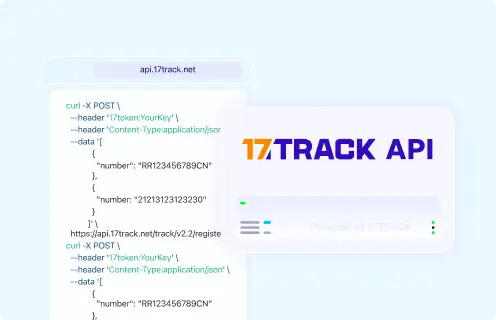
Use the 17TRACK API with a carrier tracking number from the Mercado Libre order page, seller message, carrier label, or return label. Do not send a Mercado Libre order number, payment ID, invoice number, seller reference, or internal case ID unless it is also a valid carrier tracking number.
POST https://api.17track.net/track/v2.4/register
Headers:
  17token: YourKey
  Content-Type: application/json

Body:
[
  {
    "number": "TRACKING_NUMBER"
  }
]
Sources & References
17TRACK is an independent tracking platform and is not affiliated with Mercado Libre.