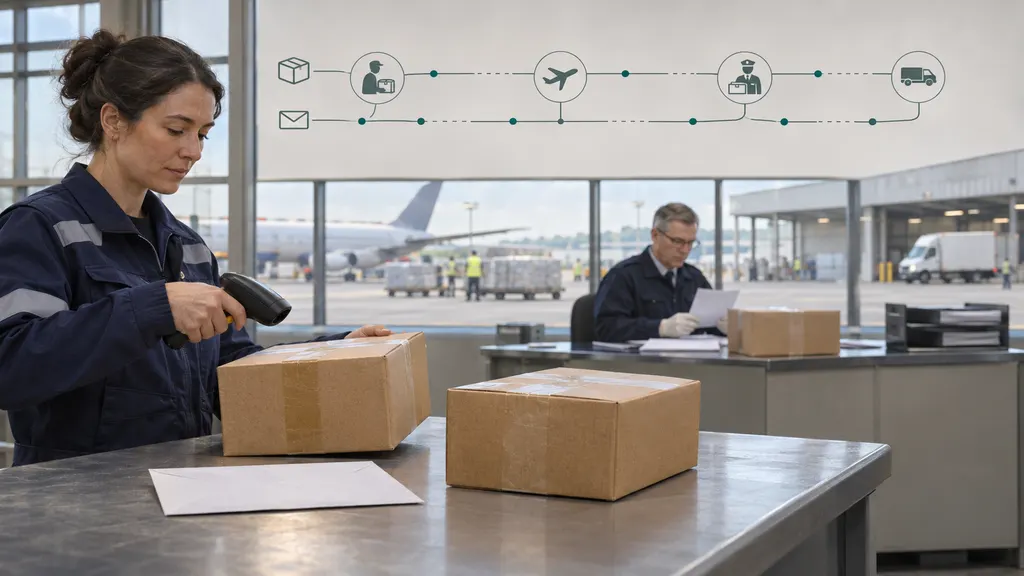
Aliexpress Tracking Statuses: What each Update Means from Seller to Doorstep
AliExpress tracking statuses describe a parcel’s progress from shipment preparation to delivery. “Shipment information received” usually means shipping data has been created, not that a carrier has collected the package. “In transit” covers movement through the delivery network, while “out for delivery” indicates the local delivery stage. To understand any update, read its wording alongside the location, timestamp, and carrier name.

The explanations below cover common wording you may encounter, rather than a single official AliExpress status dictionary. Labels vary by shipping service, destination, carrier, and translation. Not every parcel displays every stage, and an international shipment can pass through several carriers before reaching you.
Find the tracking event, not just the order status
Start in your AliExpress order details and open the shipment’s tracking information. The order summary and the tracking history answer different questions: an order marked as shipped may have shipping information attached, while a carrier acceptance event is stronger evidence that the parcel has entered the physical delivery network.
Look for these details before deciding whether something is wrong:
- Tracking number: Use the shipment tracking number, not the AliExpress order number.
- Latest detailed event: A specific scan often explains more than a broad label such as “in transit.”
- Event location and time: Check whether the update refers to the origin, an intermediate country, or your destination.
- Delivery carrier: The company handling the final delivery may differ from the company handling the international journey.
- Order-specific deadlines: Check the delivery estimate and any refund or dispute instructions shown for that purchase.
You can also enter the tracking number on 17TRACK to check shipment tracking information. For a delivery exception, pickup arrangement, or disputed delivery scan, consult the responsible carrier’s own tracking page as well. A tracking service cannot release a parcel from customs or decide an AliExpress refund.
Before departure: shipping data, collection, and sorting
“Shipment information received,” “pre-advised,” or “label created”
These messages generally mean that electronic shipment details have reached a logistics provider. They do not, by themselves, confirm physical collection. The seller may still be preparing the parcel, or a collected parcel may be awaiting its first visible acceptance scan.
What to do: Look for a later event such as “accepted,” “picked up,” or “received at sorting center.” If the record remains at the information-only stage and the order’s delivery window is becoming a concern, ask the seller to confirm physical handover. A tracking number alone is not proof of collection.
“Accepted by carrier,” “picked up,” or “received by logistics company”
This normally indicates that a logistics operator has received or collected the shipment. It is a more meaningful milestone than label creation, but it does not mean that the package has left the origin country.
What to do: Continue monitoring. Unless the event contains an exception or requests information, there is usually no action for the buyer at this point.
“Received at sorting center” or “departed sorting center”
The parcel has entered or left a processing facility. Sorting centers group shipments by route and destination. Several similar updates can occur as a package moves between facilities, and repeated sorting events do not automatically mean it is traveling in circles.
What to do: Compare the locations and timestamps. A departure scan followed by an arrival at another facility generally indicates progress. If locations look unfamiliar, remember that international routes can involve intermediate hubs.
“Consolidated shipment” or “combined delivery”
Some orders may be grouped into a shared shipment. If consolidation occurs, the shipment record may show an additional tracking number or an updated delivery reference. Do not assume that every item ordered separately will arrive separately—or that every item in your account has been combined.
What to do: Check which purchases are associated with the shipment. Keep both the original and any replacement tracking references until all expected items arrive.
The international journey: departure, transit, and arrival
“Export customs clearance started” or “export clearance completed”
These events concern customs processing on the outbound side of the journey. Export clearance is separate from import clearance in the destination country. A completed export check does not establish that destination taxes, inspections, or documentation requirements have been resolved.
What to do: Normally, monitor for the next transport event. If the seller or logistics provider requests information, verify the request through the order or an official contact channel.
“Handed over to airline,” “departed origin country,” or “line-haul departure”
These labels usually describe a transition into long-distance transportation. Their exact meaning depends on the logistics provider: a handover event may reflect transfer to a transport partner rather than confirmation that a particular flight has departed.
What to do: Expect that the next visible update may come from a later processing point. Do not interpret a flight-related label as a reliable countdown to doorstep delivery. Import processing and local distribution can still remain.
“In transit”
This is a broad category, not a precise location. It can cover transportation, movement between facilities, or a period between recorded events. It does not prove that the package is continuously moving, nor does it necessarily indicate a problem.
What to do: Open the event history. “In transit” after an origin sorting scan means something different from “in transit” after destination customs release. Judge the shipment using the latest specific event and your order’s delivery estimate.
“Arrived at transit country/region”
The shipment may have reached an intermediate country or hub. “Transit country” does not necessarily mean your country, even if the package appears closer geographically.
What to do: Read the location rather than assuming that any arrival event means local delivery is next. Intermediate routing alone is not evidence of a wrong address.
“Arrived at destination country/region” or “received by line-haul office”
An explicit destination-country arrival suggests the international movement has reached the receiving country. A “line-haul office” label is less specific and should be interpreted using the accompanying location and neighboring events. Neither label guarantees that the local delivery carrier has accepted the parcel.
What to do: Watch for import processing, local carrier acceptance, or a new delivery reference. A destination arrival scan is progress, but it is not an appointment for delivery.
Customs: distinguish routine processing from a request for action
“Import customs clearance started” or “under customs inspection”
The shipment is undergoing destination-side customs processing. The status alone does not tell you whether a physical inspection is taking place, whether payment is due, or how long processing will take.
What to do: Check for a specific notice from the carrier, broker, postal operator, or customs authority. If no action is requested, continue monitoring rather than submitting unsolicited documents or payments.
“Customs clearance completed” or “released from customs”
The relevant customs step has been completed according to that tracking event. Read the location to establish whether it concerns export or import clearance. Even after destination clearance, a parcel may still need sorting and transfer to the delivery network.
What to do: Look for a subsequent local processing or carrier acceptance event. Customs release does not mean “out for delivery.”
“Clearance exception,” “held by customs,” or “awaiting payment”
These messages need closer attention, but they do not all mean the same thing. Possible issues include missing information, a payment requirement, or a review that needs further processing. The tracking label alone may not identify the exact cause.
What to do: Obtain the specific instructions from the responsible organization. Verify payment requests independently through an official website or contact channel; do not rely solely on an unexpected text message. The seller may be able to supply purchase or shipment documents, but cannot guarantee customs release.
The final mile: local delivery and exceptions
“Received by local delivery company” or “arrived at delivery office”
The shipment is entering the destination delivery network. A delivery office is not necessarily a public pickup location, and the parcel may still require sorting before being assigned to a route.
What to do: Check the local carrier’s tracking page for more detailed delivery instructions. Do not travel to a facility unless the carrier explicitly says that collection is available.
“Out for delivery”
The carrier has placed the parcel into its delivery process for the local route. For example, USPS describes this status as a package prepared at the local Post Office for delivery that day. Other carriers’ wording and operational practices may differ, and an attempted delivery can still be unsuccessful.
What to do: Check access arrangements, your mailbox, and any carrier instructions. If delivery does not occur, look for a newer event or contact the carrier rather than assuming the parcel is lost.
“Delivery attempted,” “recipient unavailable,” or “address issue”
The carrier could not complete delivery, or its record identifies a problem preventing delivery. The detailed event may specify restricted access, an address problem, an unavailable recipient, or another exception.
What to do: Contact the local carrier using its official channel. Ask whether you need to arrange redelivery, provide permitted address details, or collect the parcel. Check any collection deadline in the actual notice; there is no universal holding period for all AliExpress shipments.
“Available for pickup” or “awaiting collection”
The carrier is holding the parcel at a designated collection point rather than delivering it directly to the address. The collection location may be a postal branch, parcel shop, locker, or another authorized point.
What to do: Confirm the location, opening hours, identification requirements, collection code, and deadline with the carrier. A general facility-arrival scan is not enough to establish that pickup is allowed.
“Delivered”
The carrier has recorded a completed delivery. Depending on the service, the delivery point might be a mailbox, reception desk, parcel locker, authorized recipient, or another permitted location—not necessarily your front door.
What to do: If you cannot find it, check the delivery details and usual receiving locations, then ask household members or building staff. Contact the carrier for clarification or available proof of delivery. If unresolved, preserve the tracking record and follow the order’s AliExpress support or dispute instructions before the applicable deadline.
“Returned to sender” or “return in progress”
The parcel is being routed back, or has been recorded as returned. Possible causes vary, so do not infer a reason unless the event history identifies one. A return scan does not itself establish that an AliExpress refund has been approved.
What to do: Save the tracking history, ask the carrier why the return occurred, and contact the seller through the order. Use the refund or dispute process available for that purchase when appropriate.
When tracking stops updating: who should you contact?
There is no single number of days that makes every AliExpress parcel late or lost. Shipping service, route, customs processing, scan availability, and the order’s delivery terms all matter. Use the following distinctions to choose the next step.
- Only shipping information exists: Ask the seller whether the parcel has physically been handed over.
- The parcel is between international checkpoints: Check the detailed history and delivery estimate. A scan gap alone does not prove loss.
- A customs notice requests action: Contact the carrier, broker, or authority identified in the verified notice.
- The local carrier has the parcel: Contact that carrier about delivery attempts, pickup, access problems, or delivery evidence.
- The order is unresolved near a displayed claim deadline: Use AliExpress support or the order’s available refund/dispute options. Do not allow an informal request to keep waiting to replace checking your deadline.
Keep screenshots showing the tracking number, event dates, delivery estimate, and relevant messages. Describe the issue precisely: “No physical acceptance event appears” or “The carrier marked it delivered, but I have not received it” is more useful than simply saying the tracking is wrong.
FAQ
Why does AliExpress say “shipped” when the carrier only shows “label created”?
The marketplace order status and the carrier’s physical handling history are different records. Shipping details may have been submitted before a visible acceptance scan appears. Ask the seller to confirm handover if the status remains unchanged and the delivery window is becoming a concern.
Does “arrived at destination” mean it will arrive today?
No. Check what destination the event describes. Even arrival in your country can be followed by customs processing, sorting, and transfer to a local carrier. “Out for delivery” is a more relevant local-delivery signal, but is still not an unconditional guarantee.
Why do two tracking pages show different updates?
They may receive events at different times, translate labels differently, or display different parts of the carrier network. Compare the underlying event time, location, and tracking number. For collection or redelivery instructions, prioritize the carrier responsible for that step.
Should I confirm receipt if tracking says “delivered” but I have not received anything?
Do not confirm receipt simply to make the tracking issue disappear. First investigate with the carrier and check the order’s support options and deadlines. Keep evidence of the delivery scan and any response explaining where the parcel was left.
Can tracking tell me exactly when a delayed parcel will arrive?
Usually not from a broad status alone. A carrier may provide an estimate, but “in transit” or “customs clearance completed” cannot establish an exact delivery date. Use explicit carrier estimates where available and keep monitoring the order’s applicable deadlines.
Sources
- AliExpress Help Center — Official support entry point for order delivery, tracking, and refund questions. Consult your signed-in order for purchase-specific options and deadlines.
- USPS: Where is my package? — Official explanations of USPS tracking statuses and delivery exceptions. USPS wording applies to USPS-handled events, not every AliExpress carrier.
- 17TRACK shipment tracking — Tracking-number lookup for checking shipment events.