About Jumppoint
Jumppoint is a logistics technology and delivery provider associated with Hong Kong ecommerce fulfilment, local distribution and merchant logistics operations. For tracking, the safest interpretation is that Jumppoint may be the carrier of record for a shipment, the merchant logistics platform that created the label, or a party that passes parcels to another delivery partner.
Core Carrier Profile
| Field | Verified information |
|---|
| Official name | Jumppoint; the precise legal company name for a specific shipment should be confirmed from the merchant contract, waybill or invoice. |
| Official website | https://www.jumppoint.io/ |
| Carrier type | Logistics platform and delivery/fulfilment operator; exact physical custodian can vary by service and handoff stage. |
| Primary region | Hong Kong-focused operations are publicly associated with the brand; any cross-border lane should be verified on the shipment record. |
| Tracking page | Use the tracking entry provided by Jumppoint or the merchant. If the official page does not return data, use 17TRACK carrier auto-detection and check whether another last-mile partner has taken over. |
| Parent organization | Not publicly confirmed for this tracking guide. |
| Founded | Not publicly confirmed for this tracking guide. |
| Headquarters | Not publicly confirmed for this tracking guide; use the official contact page or shipment contract for legal correspondence. |
Carrier Entity Relationships
| Entity | Entity type |
|---|
| Jumppoint | Canonical carrier/platform brand |
View all details for Jumppoint| Relationship to Jumppoint | Jumppoint is the brand users should select when a merchant, label or tracking email names Jumppoint as the logistics provider. |
|---|
| Why it matters to tracking | The brand name identifies the first tracking system to check, but it does not prove that Jumppoint is currently holding the parcel. |
|---|
| Official evidence | The official website at https://www.jumppoint.io/ is the primary identity source. |
|---|
|
| Merchant fulfilment and delivery services | Operated services |
View all details for Jumppoint services| Relationship to Jumppoint | Jumppoint may create delivery records for ecommerce fulfilment, local delivery or merchant logistics workflows. |
|---|
| Why it matters to tracking | A tracking record may appear before physical pickup because the merchant or platform has created electronic shipment data. |
|---|
| Official evidence | Service descriptions should be verified on the official Jumppoint website or in the merchant shipping confirmation. |
|---|
|
| Jumppoint tracking record | Tracking product |
View all details for Jumppoint tracking records| Relationship to Jumppoint | A Jumppoint tracking record is shipment visibility data associated with a Jumppoint shipment number or partner reference. |
|---|
| Why it matters to tracking | The record can show order data, acceptance, line-haul movement, delivery attempts and exceptions when scans are available. |
|---|
| Official evidence | Use the official Jumppoint tracking route or merchant-provided link when available. |
|---|
|
| Warehouse, pickup point or delivery hub | Network/facility entity |
View all details for Jumppoint network facilities| Relationship to Jumppoint | Jumppoint shipment events may refer to a fulfilment location, pickup location, delivery depot or transfer point. |
|---|
| Why it matters to tracking | A facility event shows processing or transfer; it is not the same as successful final delivery. |
|---|
| Official evidence | Facility-level names should be confirmed from the live tracking event rather than assumed from region alone. |
|---|
|
| Cross-border or last-mile partner | Partner carrier |
View all details for Jumppoint partner handoffs| Relationship to Jumppoint | A partner carrier may transport the parcel before or after the Jumppoint-managed stage. |
|---|
| Why it matters to tracking | Partner pre-advice or handoff events do not always mean the next carrier has physically received the parcel. |
|---|
| Official evidence | Partner identity should be taken from the shipment page, label or merchant notification. |
|---|
|
| 17TRACK | Independent tracking platform |
View all details for 17TRACK and Jumppoint| Relationship to Jumppoint | 17TRACK aggregates available Jumppoint and partner tracking events when the tracking number can be matched to a supported carrier route. |
|---|
| Why it matters to tracking | 17TRACK can help identify the carrier and normalize events, but it cannot move the parcel, change an address, approve refunds or settle claims. |
|---|
| Official evidence | 17TRACK API documentation describes the independent tracking API workflow. |
|---|
|
Quick Answer
To track a Jumppoint package, enter the tracking number exactly as shown in the merchant shipping email, order page or label. If the official Jumppoint page has no result, track the same number with 17TRACK to check carrier auto-detection, partner handoff events and standardized status explanations. 17TRACK is an independent tracking platform; it does not transport Jumppoint parcels, change delivery addresses, issue refunds or approve claims.
Pro Tip: If a result is empty, first remove spaces or hyphens, confirm that you did not enter an order number, and wait until the merchant has physically handed the parcel to the logistics network.
How to Track Jumppoint Packages
Use the official Jumppoint or merchant tracking link for carrier-controlled shipment details, and use 17TRACK when you need multi-carrier recognition or a consolidated view across marketplace orders.
- Find the shipment identifier in the dispatch email, marketplace order page, shipping label, delivery SMS or merchant support message.
- Enter the identifier on the official Jumppoint tracking route supplied by the merchant, or open https://www.jumppoint.io/ and follow the current tracking entry.
- Track the same number with 17TRACK if the official result is unavailable, if the shipment has a partner carrier, or if you manage orders from several stores.
- If no result appears, confirm whether you used a tracking number rather than an order number, reference number, invoice number or customer service ticket number.
A tracking number identifies a shipment record. An order number identifies a purchase. A reference number may be assigned by the merchant. A delivery notice number normally relates to an attempted delivery or pickup instruction. These identifiers can be linked in a merchant system, but they are not always accepted by a carrier tracking page.
Tracking Statuses and Meanings
Jumppoint tracking statuses should be read as lifecycle events. A pre-shipment event means data exists; an acceptance or pickup scan is the stronger signal that the parcel entered the logistics network.
Status Quick Lookup
| Status | Lifecycle stage |
|---|
| Shipment information received | Pre-shipment |
View all details for shipment information received| What it means | The merchant or system created electronic shipment data. |
|---|
| Current responsible party | Usually the seller or fulfilment site until physical pickup is scanned. |
|---|
| What happens next | The parcel should be packed, manifested and handed to Jumppoint or a pickup partner. |
|---|
| What you should do | Wait for an acceptance scan; ask the seller if the status does not progress after the promised dispatch window. |
|---|
|
| Picked up or accepted | Accepted |
View all details for pickup or acceptance| What it means | The parcel has a physical collection or network acceptance event. |
|---|
| Current responsible party | Jumppoint or the named pickup carrier. |
|---|
| What happens next | Sorting, routing and transfer to a delivery depot or partner carrier. |
|---|
| What you should do | Monitor normal movement; no action is usually needed. |
|---|
|
| In transit | In transit |
View all details for in transit| What it means | The parcel is moving through a warehouse, depot, route or partner line-haul stage. |
|---|
| Current responsible party | The carrier or facility named in the most recent scan. |
|---|
| What happens next | Another scan should appear at the next processing point or delivery station. |
|---|
| What you should do | Check whether the expected delivery window has passed before escalating. |
|---|
|
| Customs or cross-border processing | Customs/Handover |
View all details for customs or cross-border processing| What it means | International documentation, security screening, export or import clearance may be in progress. |
|---|
| Current responsible party | Customs, the broker, the origin carrier, destination carrier or a line-haul partner depending on the event text. |
|---|
| What happens next | The parcel may be released, assessed for duties, requested for documents or handed to last mile. |
|---|
| What you should do | Respond quickly if the carrier, seller or customs authority requests recipient information or payment. |
|---|
|
| Out for delivery | Out for delivery |
View all details for out for delivery| What it means | The parcel is assigned to a delivery route for the address or pickup point. |
|---|
| Current responsible party | The local delivery driver, depot or named last-mile partner. |
|---|
| What happens next | Delivery, attempted delivery, pickup instruction or exception scan. |
|---|
| What you should do | Keep the phone available and check building access or reception instructions. |
|---|
|
| Delivered | Delivered |
View all details for delivered| What it means | A final delivery scan was recorded for the shipment. |
|---|
| Current responsible party | The last-mile carrier has recorded completion; the recipient should verify receipt. |
|---|
| What happens next | Proof of delivery or delivery location information may be available from the carrier or seller. |
|---|
| What you should do | Check household members, concierge, mailroom, pickup shelf and safe place before escalating. |
|---|
|
| Delivery attempted or pickup available | Pickup |
View all details for attempted delivery or pickup available| What it means | The carrier could not complete door delivery or routed the parcel to a collection point. |
|---|
| Current responsible party | The delivery depot, pickup point or recipient depending on instructions. |
|---|
| What happens next | Redelivery, pickup or return may follow according to carrier policy. |
|---|
| What you should do | Follow the delivery notice and bring identification if pickup is required. |
|---|
|
| Exception or return to sender | Exception/Return |
View all details for exception or return to sender| What it means | Address, access, customs, damage, refusal, hold expiry or operational disruption may prevent normal delivery. |
|---|
| Current responsible party | The named carrier, recipient, seller or customs authority depending on the reason. |
|---|
| What happens next | The parcel may be corrected, reattempted, held, returned or investigated. |
|---|
| What you should do | Contact the seller and the current carrier with the tracking number, address and latest scan. |
|---|
|
Services and Delivery Times
Jumppoint service names, coverage and delivery standards can differ by merchant contract. Use the live shipment page and seller confirmation as the controlling source for a specific parcel.
Service Comparison
| Service | Service type |
|---|
| Local ecommerce delivery | Domestic or city delivery |
View all details for local ecommerce delivery| Best for | Marketplace and retail parcels moving from a seller, fulfilment site or warehouse to a buyer. |
|---|
| Coverage | Coverage is merchant- and region-dependent; verify on the shipping confirmation. |
|---|
| Tracking level | Shipment creation, pickup, transit, out for delivery, delivery and exception scans when available. |
|---|
| Key size/weight condition | Not publicly confirmed; merchants should follow contracted service limits. |
|---|
| Included protection/extra service | Not publicly confirmed; protection depends on the commercial shipping agreement. |
|---|
| Main limitation | Consumers may need seller assistance for address correction, claim initiation or refund decisions. |
|---|
|
| Fulfilment and warehouse dispatch | Business logistics |
View all details for fulfilment and warehouse dispatch| Best for | Merchants that need inventory, order processing, packing and delivery handoff visibility. |
|---|
| Coverage | Depends on the contracted fulfilment location and delivery lane. |
|---|
| Tracking level | May include order release, packing, manifesting and outbound carrier scans. |
|---|
| Key size/weight condition | Not publicly confirmed; warehouse acceptance rules and carrier limits apply. |
|---|
| Included protection/extra service | Contract-specific service-level and liability terms apply. |
|---|
| Main limitation | A warehouse event may not be a final-carrier acceptance scan. |
|---|
|
| Partner or cross-border handoff | Multi-carrier route |
View all details for partner or cross-border handoff| Best for | Shipments where Jumppoint manages one stage and another carrier completes line-haul, customs or last mile. |
|---|
| Coverage | Only confirmed when the tracking page names the partner or the merchant provides a partner number. |
|---|
| Tracking level | Visibility may switch from Jumppoint events to partner events after handoff. |
|---|
| Key size/weight condition | The stricter rules of the participating carrier usually apply. |
|---|
| Included protection/extra service | Depends on the purchased service and carrier contract. |
|---|
| Main limitation | Scanning gaps can occur during electronic pre-advice, export transport and physical transfer. |
|---|
|
Delivery Time
| Service | Published delivery standard |
|---|
| Local ecommerce delivery | Varies by origin, destination, merchant cutoff, service and delivery route. |
View all delivery-time details for local ecommerce delivery| Business or calendar days | Not publicly confirmed as a universal standard. |
|---|
| Guarantee status | No universal money-back guarantee is confirmed in this guide. |
|---|
| Starts counting from | Usually physical pickup or acceptance, not label creation. |
|---|
| Main delay factors | Merchant dispatch timing, missed cutoff, route capacity, address quality, weather, holidays and access restrictions. |
|---|
| Official source date/validity | Check the current Jumppoint website or merchant shipping terms for the shipment-specific standard. |
|---|
|
| Fulfilment dispatch | Varies by warehouse processing time and downstream delivery service. |
View all delivery-time details for fulfilment dispatch| Business or calendar days | Not publicly confirmed as a universal standard. |
|---|
| Guarantee status | Contract-specific; not confirmed for public consumer tracking. |
|---|
| Starts counting from | May start from order release for merchants, but carrier delivery normally starts after handoff. |
|---|
| Main delay factors | Inventory availability, order verification, picking, packing, manifesting and carrier pickup cutoff. |
|---|
| Official source date/validity | Use the merchant SLA and current Jumppoint contract documentation. |
|---|
|
| Partner or cross-border handoff | Varies by origin, destination, customs, flight/line-haul capacity and last-mile carrier. |
View all delivery-time details for partner or cross-border handoff| Business or calendar days | Depends on the partner carrier and destination-country calendar. |
|---|
| Guarantee status | Not confirmed unless the merchant or service contract explicitly states a guarantee. |
|---|
| Starts counting from | Usually from acceptance by the relevant carrier for the measured leg. |
|---|
| Main delay factors | Export processing, security checks, customs inspection, tax payment, partner handoff and remote delivery areas. |
|---|
| Official source date/validity | Check Jumppoint, the merchant and the named partner carrier for the current lane. |
|---|
|
Common Tracking Problems and Solutions
Most Jumppoint tracking issues come from early label creation, carrier handoff gaps, address/access problems or merchant-controlled after-sales processes.
Problem & Solution
| Problem/status shown | Likely cause |
|---|
| Invalid number | Wrong identifier, typing error, inactive shipment or unsupported carrier route. |
View solutions for invalid number| Check first | Remove spaces and hyphens; compare every character with the merchant email. |
|---|
| Immediate action | Try 17TRACK auto-detection and ask the seller whether a new tracking number was issued. |
|---|
| When to escalate | Escalate when the seller’s promised dispatch time has passed and no valid tracking number is available. |
|---|
| Who to contact | The seller first; then Jumppoint or the named carrier if the seller confirms the number. |
|---|
|
| No tracking or label created only | Electronic data exists but the parcel may not have been physically collected. |
View solutions for no tracking or label created only| Check first | Look for a pickup or acceptance scan rather than only order creation. |
|---|
| Immediate action | Wait until the merchant dispatch window has passed. |
|---|
| When to escalate | Escalate to the seller if the parcel was supposed to have shipped but no acceptance scan appears. |
|---|
| Who to contact | The seller or fulfilment provider because they control dispatch confirmation. |
|---|
|
| Long time without update or stuck in transit | Unscanned transfer, depot backlog, partner handoff, missed scan or route disruption. |
View solutions for stuck in transit| Check first | Check whether the last event is a physical scan, partner pre-advice or customs event. |
|---|
| Immediate action | Track with 17TRACK and the named partner carrier if a partner appears. |
|---|
| When to escalate | Escalate after the merchant’s stated delivery window or service promise has passed. |
|---|
| Who to contact | The current carrier if known; otherwise the seller should open a logistics inquiry. |
|---|
|
| Shipping partner handoff | One carrier has sent data or transferred the parcel to another party. |
View solutions for shipping partner handoff| Check first | Confirm whether the event says data received, awaiting item, accepted or delivered to partner. |
|---|
| Immediate action | Use both Jumppoint and partner tracking pages when the partner is named. |
|---|
| When to escalate | Escalate if neither carrier shows physical receipt after the seller’s expected handoff window. |
|---|
| Who to contact | The seller for dispatch proof; the partner carrier after a partner acceptance scan appears. |
|---|
|
| Delivery exception or address issue | Incomplete address, access restriction, phone problem, refused item or route failure. |
View solutions for delivery exceptions| Check first | Review postal code, unit number, building name, phone number and delivery notice. |
|---|
| Immediate action | Contact the seller and current delivery carrier quickly because address changes may be restricted after dispatch. |
|---|
| When to escalate | Escalate before hold time expires or before return processing starts. |
|---|
| Who to contact | The last-mile carrier for delivery instruction; the seller for address amendment approval. |
|---|
|
| Delivered but not received | Safe-place delivery, reception/mailroom receipt, wrong location, premature scan or misdelivery. |
View solutions for delivered but not received| Check first | Check door, mailbox, lobby, parcel room, concierge, household members, neighbors and any photo or proof of delivery. |
|---|
| Immediate action | Contact the local delivery carrier and seller with the tracking number and delivery time. |
|---|
| When to escalate | Escalate promptly if the address is correct and the package cannot be located. |
|---|
| Who to contact | The seller for refund or replacement decisions; the current carrier for delivery investigation. |
|---|
|
| Lost, damaged or returned | Network investigation, visible damage, hold expiry, failed delivery attempts or sender recall. |
View solutions for lost, damaged or returned parcels| Check first | Save packaging, photos, invoice, item description, tracking events and messages from the seller. |
|---|
| Immediate action | Ask the seller to open the carrier inquiry if the shipping contract is under the seller’s account. |
|---|
| When to escalate | Escalate according to seller policy or the carrier’s published claim window for the purchased service. |
|---|
| Who to contact | The seller for ecommerce resolution; Jumppoint or partner carrier for transport investigation when eligible. |
|---|
|
| Customs hold | Import checks, missing data, duty/tax assessment or restricted goods review. |
View solutions for customs hold| Check first | Look for requests for identity, invoice, customs declaration, payment or broker contact. |
|---|
| Immediate action | Respond only through the official carrier, merchant or customs payment route. |
|---|
| When to escalate | Escalate if documents were submitted but the status does not progress within the carrier’s stated process. |
|---|
| Who to contact | The seller, broker, customs authority or destination carrier named in the event. |
|---|
|
International Shipping, Customs and Carrier Handoffs
For a Jumppoint shipment with an international leg, tracking visibility can pass from merchant data to Jumppoint processing, then to a line-haul, customs, postal or last-mile partner. Arrival in a country or exchange facility is not the same as customs release.
International Flow
| Stage | Physical custodian/responsible entity |
|---|
| Shipment data created | Merchant, warehouse or Jumppoint system |
View all details for shipment data created| Typical tracking event | Shipment information received or label created. |
|---|
| What is happening | Electronic data exists before confirmed physical collection. |
|---|
| Can the tracking number change? | Yes, a partner number may be added later. |
|---|
| Normal visibility gap | Until pickup or warehouse handoff is scanned. |
|---|
| What the customer should do | Wait for acceptance or ask the seller for dispatch confirmation. |
|---|
|
| Origin pickup and processing | Jumppoint, pickup partner or fulfilment site |
View all details for origin pickup and processing| Typical tracking event | Picked up, accepted, received at facility or processed. |
|---|
| What is happening | The parcel is sorted, manifested and prepared for export or domestic transfer. |
|---|
| Can the tracking number change? | Usually the original number remains visible, but partner mapping may be added. |
|---|
| Normal visibility gap | Between facility departure and next carrier scan. |
|---|
| What the customer should do | Monitor tracking and ensure recipient contact details are correct. |
|---|
|
| Export, security and line-haul | Export carrier, airline, truck line or freight partner |
View all details for export and line-haul| Typical tracking event | Departed facility, handed to airline, export processing or in transit to destination. |
|---|
| What is happening | The parcel is consolidated, screened and moved to the destination region. |
|---|
| Can the tracking number change? | Yes, consolidated freight references may exist but consumers usually keep the parcel number. |
|---|
| Normal visibility gap | Possible during flights, trucking, consolidation or sealed-bag transport. |
|---|
| What the customer should do | Avoid duplicate support tickets unless the expected delivery window has passed. |
|---|
|
| Import customs | Customs authority, broker or destination carrier |
View all details for import customs| Typical tracking event | Arrived at destination country, customs processing, held by customs or released. |
|---|
| What is happening | Authorities may inspect shipment data, assess duties or request documents. |
|---|
| Can the tracking number change? | Sometimes a destination last-mile number is assigned after release. |
|---|
| Normal visibility gap | Customs visibility varies and no fixed clearance time should be assumed. |
|---|
| What the customer should do | Pay duties or provide documents only through official channels when requested. |
|---|
|
| Last-mile handoff | Destination delivery carrier, postal operator or Jumppoint local route |
View all details for last-mile handoff| Typical tracking event | Received by local carrier, arrived at depot or out for delivery. |
|---|
| What is happening | Delivery responsibility moves to the carrier that will attempt final delivery. |
|---|
| Can the tracking number change? | Yes, the partner may use a new last-mile number while the original remains linked. |
|---|
| Normal visibility gap | Between customs release and first destination-carrier scan. |
|---|
| What the customer should do | Track both numbers if two identifiers are shown. |
|---|
|
| Delivery, pickup or return | Last-mile delivery carrier and recipient |
View all details for delivery, pickup or return| Typical tracking event | Out for delivery, delivered, pickup available, attempted delivery or return to sender. |
|---|
| What is happening | The parcel is completing final delivery or moving into exception handling. |
|---|
| Can the tracking number change? | Usually no after final delivery, but return shipments can create separate return references. |
|---|
| Normal visibility gap | Short gaps may occur during driver routes or pickup-point intake. |
|---|
| What the customer should do | Follow delivery notice instructions and contact the seller quickly if a return begins. |
|---|
|
Delivery Management and Post-shipment Options
Publicly confirmed universal self-service options for Jumppoint shipments are limited. Delivery changes are usually controlled by the merchant, the current delivery carrier, or the delivery notice issued after an attempt.
Delivery Management
| Option | Who can request |
|---|
| Address correction | Usually the seller or shipper; recipient eligibility depends on carrier policy. |
View all details for address correction| Eligibility | Only possible before final delivery or return processing, and only if the carrier accepts changes. |
|---|
| Deadline/available stage | Best requested before out-for-delivery. |
|---|
| Fee | Not publicly confirmed. |
|---|
| Guaranteed? | No; operational routing may prevent a change. |
|---|
| Official action link | Use the seller support channel or the current carrier contact link on the tracking page. |
|---|
|
| Redelivery or pickup | Recipient, if a delivery notice or tracking page provides instructions. |
View all details for redelivery or pickup| Eligibility | Available only after an attempted delivery or routing to a pickup point. |
|---|
| Deadline/available stage | Before the parcel is returned or hold time expires. |
|---|
| Fee | Not publicly confirmed. |
|---|
| Guaranteed? | No; depends on depot rules and route capacity. |
|---|
| Official action link | Follow the delivery notice or contact the named last-mile carrier. |
|---|
|
| Proof of delivery request | Seller, shipper or recipient depending on data access and privacy rules. |
View all details for proof of delivery requests| Eligibility | Only after a delivery scan or completed delivery attempt. |
|---|
| Deadline/available stage | After delivered status; availability can depend on retention rules. |
|---|
| Fee | Not publicly confirmed. |
|---|
| Guaranteed? | No; photo, signature or location detail may not exist for every service. |
|---|
| Official action link | Ask the seller or current carrier for delivery evidence. |
|---|
|
Lost, Damaged, Claims, Insurance and Refunds
A tracking inquiry, a carrier investigation, an insurance claim and an ecommerce refund are separate processes. For many Jumppoint marketplace parcels, the seller or shipper must start the logistics inquiry because the shipping contract is under the seller’s account.
Claims and Refunds
| Process | Use when |
|---|
| Tracking inquiry | Use when scans are missing, unclear or inconsistent. |
View all details for tracking inquiry| Who files | Recipient may ask the seller; shipper may contact Jumppoint or the contracted carrier. |
|---|
| Earliest/latest filing time | No universal public threshold confirmed; follow the seller’s delivery window. |
|---|
| Required evidence | Tracking number, order number, address, dispatch date and latest scan screenshot. |
|---|
| Possible outcome | Clarified status, partner tracking number, investigation or request to wait. |
|---|
| Official link | Use the official Jumppoint website or seller support route. |
|---|
|
| Damage or missing contents report | Use when the parcel arrives damaged or contents are missing. |
View all details for damage or missing contents reports| Who files | The seller or shipper usually files with the carrier; recipient provides evidence. |
|---|
| Earliest/latest filing time | Report immediately; exact deadline is service- and contract-specific. |
|---|
| Required evidence | Outer packaging, inner packaging, item photos, invoice, weight discrepancy and tracking number. |
|---|
| Possible outcome | Carrier investigation, seller replacement, refund, partial settlement or denial. |
|---|
| Official link | Use the seller’s after-sales process and the current carrier contact route. |
|---|
|
| Lost parcel claim | Use when the parcel is not delivered and the service window has passed. |
View all details for lost parcel claims| Who files | Usually the shipper or merchant account holder. |
|---|
| Earliest/latest filing time | Not publicly confirmed for all Jumppoint services; check the merchant agreement. |
|---|
| Required evidence | Shipment record, value proof, order details, recipient statement and carrier scans. |
|---|
| Possible outcome | Search, confirmation of loss, compensation under contract, return discovery or no-liability decision. |
|---|
| Official link | Start through seller support unless Jumppoint gives a direct claim route for the shipment. |
|---|
|
| Ecommerce refund or replacement | Use when the buyer needs a commercial remedy from the seller. |
View all details for ecommerce refunds or replacements| Who files | The buyer opens a case with the seller or marketplace. |
|---|
| Earliest/latest filing time | According to the seller or marketplace buyer-protection rules. |
|---|
| Required evidence | Tracking page, order number, delivery issue description and photos if damaged. |
|---|
| Possible outcome | Refund, replacement, reshipment, store credit or case denial. |
|---|
| Official link | Use the marketplace or merchant order-resolution page. |
|---|
|
17TRACK cannot approve Jumppoint claims, issue postage refunds, reverse a delivery scan or decide an ecommerce refund.
Shipping Restrictions and Special Handling
Restriction rules depend on the purchased service, origin, destination and partner carrier. The summary below is high-level and is not a complete legal or transport acceptance guide.
Shipping Restrictions
| Category | Prohibited or restricted |
|---|
| Dangerous goods | Restricted or prohibited unless the service and documentation allow acceptance. |
View all details for dangerous goods| Typical examples | Aerosols, flammable liquids, chemicals, compressed gas and regulated materials. |
|---|
| Key condition/packaging | Requires correct classification, packaging, labels and documentation when allowed. |
|---|
| Transport limitation | Air, road, warehouse and partner-carrier rules may differ. |
|---|
| Possible tracking/delivery impact | Inspection, return, seizure, disposal or delay. |
|---|
| Official rules | Check Jumppoint, the merchant and the partner carrier before shipping. |
|---|
|
| Batteries and electronics | Restricted by battery type, watt-hour rating, packaging and destination. |
View all details for batteries and electronics| Typical examples | Power banks, lithium-ion devices, spare batteries and rechargeable electronics. |
|---|
| Key condition/packaging | Terminals may need protection; standalone lithium batteries may be more restricted. |
|---|
| Transport limitation | Air transport and cross-border lanes can impose stricter limits. |
|---|
| Possible tracking/delivery impact | Security hold, export rejection, return or disposal. |
|---|
| Official rules | Verify with the current carrier rules before dispatch. |
|---|
|
| Liquids, fragile and perishable items | Restricted by leakage risk, packaging, temperature and service availability. |
View all details for liquids, fragile and perishable items| Typical examples | Cosmetics, glass items, food, plants and temperature-sensitive goods. |
|---|
| Key condition/packaging | Leak-proof packaging, cushioning and correct declaration are essential. |
|---|
| Transport limitation | Some services may not support temperature control or fragile handling. |
|---|
| Possible tracking/delivery impact | Damage inspection, delay, refusal or claim complexity. |
|---|
| Official rules | Check the service terms and destination import rules. |
|---|
|
| Customs-controlled goods | Restricted or prohibited by origin and destination law. |
View all details for customs-controlled goods| Typical examples | Medicine, food supplements, branded goods, cultural items and items requiring permits. |
|---|
| Key condition/packaging | Accurate invoice, HS description, value and permits may be required. |
|---|
| Transport limitation | Import rules vary by country and commodity. |
|---|
| Possible tracking/delivery impact | Customs hold, duty assessment, document request, return or seizure. |
|---|
| Official rules | Use the destination customs authority and current carrier restrictions as controlling sources. |
|---|
|
Customer Service
For Jumppoint tracking help, contact the seller first when the shipment was purchased through a marketplace. Contact Jumppoint or the named last-mile carrier when you have a confirmed Jumppoint tracking number, latest scan and delivery issue.
Customer Service
| Channel | Verified contact/link |
|---|
| Official website | https://www.jumppoint.io/ |
View all details for the official Jumppoint website| Best for | Current company information, service entry points and official contact routes. |
|---|
| Region/language | Use the language and region options provided on the current site. |
|---|
| Hours and time zone | Not publicly confirmed in this guide. |
|---|
| Information to prepare | Tracking number, merchant name, order number, recipient address, phone number and latest scan. |
|---|
| Important limitation | The website may direct consumer parcel issues back to the merchant or current carrier. |
|---|
|
| Merchant or marketplace support | Use the order page or seller support channel where the purchase was made. |
View all details for merchant support| Best for | Refunds, replacements, address corrections before dispatch and opening shipper-side investigations. |
|---|
| Region/language | Depends on the merchant or marketplace. |
|---|
| Hours and time zone | Depends on the merchant or marketplace. |
|---|
| Information to prepare | Order number, tracking number, payment record, screenshots and delivery issue description. |
|---|
| Important limitation | The seller controls commercial remedies; 17TRACK and carriers cannot decide seller refunds. |
|---|
|
| Named last-mile partner | Use the carrier shown in the latest tracking event or delivery notice. |
View all details for named last-mile partners| Best for | Delivery attempt, pickup point, proof of delivery, local depot and address access questions. |
|---|
| Region/language | Depends on destination carrier. |
|---|
| Hours and time zone | Use the partner carrier’s current official hours. |
|---|
| Information to prepare | Partner tracking number, delivery notice, recipient ID where required, address and phone. |
|---|
| Important limitation | A partner may not help before it has physically received or scanned the parcel. |
|---|
|
| 17TRACK | https://api.17track.net/en/doc |
View all details for 17TRACK support role| Best for | Multi-carrier tracking, carrier recognition, standardized statuses and API integration. |
|---|
| Region/language | Global tracking platform. |
|---|
| Hours and time zone | Support availability depends on the 17TRACK product channel. |
|---|
| Information to prepare | Tracking number, carrier name, screenshots and API request details for business users. |
|---|
| Important limitation | 17TRACK cannot transport, reroute, refund or claim a Jumppoint parcel. |
|---|
|
Escalation order: check tracking details, contact the seller, contact the current carrier named in the latest scan, then ask the seller to open a shipper-side investigation if delivery has failed or the service window has passed.
Ecommerce and Business Tracking
Businesses should separate consumer tracking, carrier-managed shipment data and multi-carrier API aggregation. This avoids confusing seller order status with physical carrier movement.
Developer/API Comparison
| Option | Provider |
|---|
| Official Jumppoint tracking or merchant integration | Jumppoint |
View all details for official Jumppoint integration| Carrier coverage | Jumppoint-controlled or contracted shipment records. |
|---|
| Primary use | Merchant shipment creation, fulfilment status and direct carrier visibility where available. |
|---|
| Authentication | Current public API authentication is not confirmed in this guide. |
|---|
| Tracking/batch/webhook capability | Publicly verifiable tracking API capabilities are not confirmed; contract integrations may differ. |
|---|
| Current developer documentation | No current public endpoint is confirmed here; use Jumppoint’s official business contact route. |
|---|
| Migration/deprecation note | No public migration or deprecation notice is confirmed in this guide. |
|---|
|
| 17TRACK Tracking API | 17TRACK |
View all details for 17TRACK Tracking API| Carrier coverage | Multi-carrier tracking across supported carriers, with carrier code or automatic identification where supported. |
|---|
| Primary use | Batch visibility, WISMO reduction workflows, exception monitoring and normalized status display. |
|---|
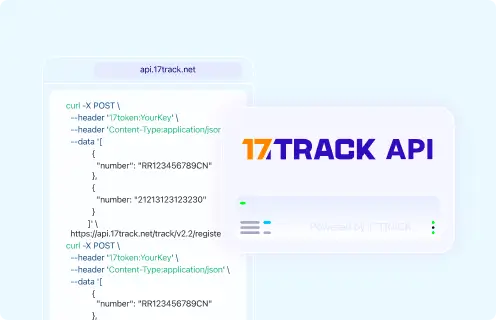
| Authentication | Uses a 17token API key in the request header. |
|---|
| Tracking/batch/webhook capability | Register tracking numbers through the tracking API; use 17TRACK documentation for current endpoint and event workflows. |
|---|
| Current developer documentation | 17TRACK API documentation. |
|---|
| Migration/deprecation note | Use the versioned API documentation because endpoints and carrier codes can change. |
|---|
|
| Marketplace order tracking | Marketplace or seller |
View all details for marketplace order tracking| Carrier coverage | Only shipments linked to that marketplace order. |
|---|
| Primary use | Buyer communication, refund eligibility, seller dispatch proof and order-resolution workflows. |
|---|
| Authentication | Marketplace account login. |
|---|
| Tracking/batch/webhook capability | Depends on marketplace seller tools and APIs. |
|---|
| Current developer documentation | Use the marketplace’s own developer portal. |
|---|
| Migration/deprecation note | Marketplace logistics APIs change independently from Jumppoint and 17TRACK. |
|---|
|
FAQ
1. How do I track my Jumppoint package?Enter the tracking number from the seller’s shipping email or order page on the official Jumppoint route or track it with 17TRACK to view available shipment events and partner-carrier scans.
2. Where can I find my Jumppoint tracking number?Your Jumppoint tracking number is usually in the marketplace order detail, dispatch email, SMS notice, shipping label or seller support message. If you only have an order number, ask the seller for the public carrier tracking number.
3. What does a Jumppoint tracking number look like?Jumppoint has not published one universal public format in this guide, so the number may be a Jumppoint shipment ID, merchant reference or partner last-mile number. Remove spaces and hyphens and verify the carrier through official tracking or 17TRACK.
4. When will the first Jumppoint tracking update appear?The first update may appear when shipment data is created, but stronger proof of movement appears after pickup or acceptance. If only label creation is shown, the seller or fulfilment site may still be preparing the parcel.
5. Why is my Jumppoint tracking not updating?Jumppoint tracking may stop updating during warehouse processing, route transfer, partner handoff, customs review or unscanned transport. Check the latest responsible carrier before contacting support.
6. How long does Jumppoint delivery take?Jumppoint delivery time varies by origin, destination, service, merchant cutoff, partner handoff and customs conditions. Use the seller’s promised delivery window rather than assuming a universal public standard.
7. What should I do after a Jumppoint delivery failed?Follow the delivery notice, check whether pickup or redelivery is available, and contact the current last-mile carrier or seller quickly. Address changes may be limited after the parcel is out for delivery.
8. What if Jumppoint says delivered but I did not receive the package?Check the delivery location, mailbox, lobby, parcel room, reception, household members and neighbors first. Then contact the seller and the current carrier with the tracking number and delivery timestamp.
9. How do I report a lost or damaged Jumppoint parcel?Save the tracking record, photos, packaging and invoice, then contact the seller because the seller usually controls the shipping contract and refund or replacement process. The carrier investigation and ecommerce refund are separate processes.
10. How do I contact Jumppoint customer service?Use the official Jumppoint website or the contact route provided by your merchant. Prepare the tracking number, order number, recipient address, phone number, latest scan and problem description.
11. Does Jumppoint always carry the parcel from pickup to final delivery?No, a Jumppoint shipment may involve a merchant, warehouse, pickup partner, line-haul operator, customs broker or last-mile carrier. The latest physical scan is the best clue to who currently has operational responsibility.
12. Why can 17TRACK show a Jumppoint package when the official page has no result?17TRACK may match the number to another supported carrier or display partner events linked to the same parcel. This does not mean 17TRACK is transporting the parcel or that Jumppoint issued every identifier shown.
13. Can a Jumppoint service be inferred from the tracking-number prefix alone?No, a prefix alone should not be used as proof of service type because merchant references, carrier-issued IDs and partner numbers can overlap. Confirm the service through the live tracking result or seller shipment details.
14. What happens during a Jumppoint partner handoff?A partner handoff can involve electronic pre-advice before physical transfer, so tracking may say the partner is awaiting the item. Responsibility normally shifts only after the partner receives or scans the parcel.
15. How should merchants track Jumppoint shipments in bulk?Merchants can use their Jumppoint or marketplace integration for shipment creation and 17TRACK for multi-carrier visibility, standardized statuses and API-based monitoring where supported.
16. Is there a public Jumppoint tracking API?A current public Jumppoint tracking API endpoint is not confirmed in this guide. Businesses should contact Jumppoint directly for contracted integration and use the 17TRACK API for supported multi-carrier tracking workflows.
Tracking API
# 1. Jumppoint official tracking API
# Current public official tracking API not confirmed.
# Do not build production integrations from guessed endpoints.
# Contact Jumppoint through https://www.jumppoint.io/ for contracted developer access.

# 2. 17TRACK API
# Endpoint: POST https://api.17track.net/track/v2.4/register
# Headers:
#   17token: YourKey
#   Content-Type: application/json
# Body:
[
  {
    "number": "TRACKING_NUMBER",
    "carrier": "CARRIER_CODE"
  }
]

# Note:
# The current 17TRACK carrier code for Jumppoint was not confirmed in this guide.
# Keep CARRIER_CODE as a placeholder or use carrier auto-detection where your 17TRACK workflow supports it.
Sources & References
Disclaimer: 17TRACK is an independent tracking platform and is not affiliated with Jumppoint.