GO! Express Tracking
Please enter the GO! Express tracking number to check the latest shipping status.
About Go! Express
Go! Express is the carrier name supplied for this tracking guide. The official website is the primary place to confirm service availability, shipment instructions, delivery options, and contact routes for the relevant operating area.
| Field | Verified page reference |
|---|---|
| Official display name | Go! Express |
| Official website | https://www.general-overnight.com/ |
| Tracking role | Use the official website or the shipment reference supplied by the sender to identify the applicable tracking route. |
Carrier Entity Relationships
| Entity | Relationship summary | ||||||
|---|---|---|---|---|---|---|---|
| Go! Express | Go! Express is the carrier identity selected for this guide; shipment responsibility depends on the service and transport stage shown in the tracking record. | ||||||
View all relationship details for Go! Express
| |||||||
Quick Answer
Enter the shipment or tracking number supplied by the sender on the official Go! Express website, or enter it in 17TRACK for an aggregated view. If no event appears, first check whether the number is an order reference rather than a tracking number, remove accidental spaces, confirm the digits and letters, and allow time for the first carrier scan.
How to Track Go! Express Packages
Use the identifier printed on the shipping receipt, label, dispatch message, or sender notification. An order number and a reference number may identify a purchase without being accepted by the carrier tracking system.
| Route | Steps and best use |
|---|---|
| Official Go! Express route | Open the official website, locate its tracking or customer-service route, enter the shipment identifier, and retain the displayed event history. |
| 17TRACK route | Open 17TRACK, enter the identifier, review the detected carrier and event timestamps, and compare the result with the sender’s records. |
| No number available | Ask the sender or merchant for the carrier tracking identifier; an order number alone may not retrieve transport events. |
Tracking Number Formats and Examples
Go! Express tracking identifiers can depend on the service, label system, sender, or transport partner. Do not infer a service solely from a prefix. Use a redacted pattern when sharing a number publicly.
Tracking Number Format
| Identifier family | Normalized pattern | ||||||||
|---|---|---|---|---|---|---|---|---|---|
| Carrier shipment identifier | Use the exact alphanumeric sequence shown by the sender or label; redact the middle characters when publishing an example. | ||||||||
View all format details for carrier shipment identifiers
| |||||||||
| Partner or last-mile identifier | A second identifier may appear after handoff; retain both numbers and test each through the relevant official route. | ||||||||
View all format details for partner identifiers
| |||||||||
Tracking Statuses and Meanings
A tracking event describes the latest recorded handling point, not necessarily the parcel’s exact live position. Responsibility changes as the shipment moves between the sender, carrier facilities, customs, and delivery operators.
Status Quick Lookup
| Status | Lifecycle meaning | ||||||
|---|---|---|---|---|---|---|---|
| Label created / pre-shipment | Shipment data exists, but the first physical acceptance scan may not have occurred. | ||||||
View actions for pre-shipment status
| |||||||
| Accepted / in transit | A recorded scan shows receipt or movement through the transport network. | ||||||
| Customs or handover | The shipment is being reviewed, transferred, or prepared for the next operator; arrival at customs does not equal release. | ||||||
| Out for delivery | A delivery route has been assigned; address access, recipient availability, and local conditions can still affect completion. | ||||||
| Delivered / exception / returned | The record indicates completion, an obstacle, or movement back toward the sender; inspect the full event text before acting. | ||||||
Services and Delivery Times
Delivery estimates depend on the selected service, origin, destination, cutoff time, address quality, weekends, holidays, weather, network conditions, customs, and any partner handoff. A displayed estimate is not automatically a guaranteed delivery commitment.
Service Comparison
| Service category | Best-use summary | ||||||
|---|---|---|---|---|---|---|---|
| Standard shipment | Use the service selected by the sender; tracking visibility and delivery conditions follow the applicable shipment agreement. | ||||||
View comparison details for standard shipments
| |||||||
| Time-sensitive shipment | Confirm the exact service commitment and cutoff terms with the sender before relying on an estimated date. | ||||||
Delivery Time
| Timing question | Practical answer |
|---|---|
| When does the estimate start? | Use the service terms; label creation and physical acceptance can be different events. |
| What can extend transit? | Cutoff timing, weekends, holidays, weather, address issues, customs, remote locations, and handoff gaps. |
| Is an estimate guaranteed? | Treat it as an estimate unless the applicable service terms expressly provide a delivery guarantee. |
Destination Country Delivery Times
| Destination | Planning guidance | ||||||||
|---|---|---|---|---|---|---|---|---|---|
| Domestic destination | Use the service-specific estimate supplied by Go! Express or the sender. | ||||||||
View destination timing factors
| |||||||||
Common Tracking Problems and Solutions
Start with the latest event, the shipment identifier, the sender’s dispatch date, and the delivery address. The sender or merchant is often the best escalation party when a shipment was purchased through an online store.
Problem & Solution
| Problem or status | First action | ||||||
|---|---|---|---|---|---|---|---|
| Invalid number | Recheck characters, remove spaces, distinguish order number from tracking number, and ask the sender to confirm the identifier. | ||||||
View escalation details for invalid numbers
| |||||||
| No update or stuck in transit | Review the last scan and allow for movement between facilities, weekends, holidays, or a handoff without an immediate new scan. | ||||||
| Address problem or failed delivery | Check the full address and delivery instructions; the sender or authorized recipient should use the official change or redelivery route if offered. | ||||||
| Delivered but not received | Check the delivery location, household members, reception desk, neighbours, safe-place instructions, and proof of delivery, then contact the sender and carrier. | ||||||
| Customs hold or return | Review required import information, duties, taxes, prohibited contents, and the latest event; do not treat arrival at customs as release. | ||||||
| Lost or damaged parcel | Preserve packaging and contents, collect photographs and value evidence, and ask the sender which party is authorized to open the investigation. | ||||||
International Shipping, Customs and Carrier Handoffs
For an international shipment, the physical custodian can change several times. Electronic pre-advice, a customs event, and a first receiving scan are separate events and should not be treated as proof of the same handoff.
International Flow
| Stage | What the event usually means | ||||||
|---|---|---|---|---|---|---|---|
| Origin acceptance | The origin operator records receipt or preparation of the shipment. | ||||||
View international flow details for origin acceptance
| |||||||
| Export and line-haul | The parcel is processed for export and transported toward the destination network. | ||||||
| Customs review | Authorities or their appointed agents may assess declarations, duties, taxes, and restrictions. | ||||||
| Partner handoff | A partner may receive electronic data before the parcel is physically transferred and scanned. | ||||||
| Destination delivery | The destination operator performs local routing, delivery attempts, pickup, or return handling. | ||||||
Delivery Management and Post-shipment Options
Delivery changes depend on the service, shipment stage, address, sender authority, and local operating rules. Requesting a change does not guarantee that the parcel can be intercepted before the next scan.
| Option | Who should start the request | ||||||
|---|---|---|---|---|---|---|---|
| Redelivery or pickup inquiry | The recipient should follow the delivery notice or official customer-service route. | ||||||
View eligibility details for redelivery or pickup
| |||||||
| Address correction or hold request | The sender or authorized account holder should use the official route because recipient permissions may be limited. | ||||||
Lost, Damaged, Claims, Insurance and Refunds
A tracking inquiry, a carrier investigation, an insurance claim, a postage refund, and a merchant refund are different processes. Keep the label, receipt, packaging, contents, photographs, invoice, and shipment value evidence.
| Process | Use when | ||||||
|---|---|---|---|---|---|---|---|
| Tracking inquiry | The event history is unclear, delayed, or inconsistent. | ||||||
View filing details for tracking inquiries
| |||||||
| Loss or damage claim | The shipment is lost, damaged, or missing contents and the applicable service terms permit a claim. | ||||||
| Merchant refund | The buyer seeks reimbursement under the purchase agreement; the merchant may need to pursue the carrier separately. | ||||||
Shipping Restrictions and Special Handling
Before shipping, check the current official rules for destination, contents, packaging, declarations, batteries, liquids, dangerous goods, perishables, and size or weight limits. A prohibited or incorrectly declared item can be delayed, refused, returned, or held for inspection.
| Category | Handling reminder | ||||||
|---|---|---|---|---|---|---|---|
| Dangerous goods and batteries | Confirm permitted chemistry, quantity, packaging, marking, and transport route before tendering. | ||||||
View restriction impacts for dangerous goods
| |||||||
| Perishable or fragile goods | Use protective packaging and confirm that the chosen service accepts the item and provides suitable handling. | ||||||
| Customs-controlled goods | Use accurate descriptions, values, invoices, and recipient information; destination authorities decide import treatment. | ||||||
Customer Service
Use the official website to select the applicable local contact route. Have the tracking number, sender and recipient details, dispatch date, latest scan, service type, address, contents description, value evidence, and photographs ready.
| Channel | Best use | ||||||
|---|---|---|---|---|---|---|---|
| Official website | Go! Express official website for current tracking, service, and contact routes. | ||||||
View preparation details for official support
| |||||||
Ecommerce and Business Tracking
Merchants should distinguish the consumer tracking page, any carrier-authorized business integration, and a multi-carrier tracking platform. Standardized events and exception monitoring can reduce “where is my order” requests, but source scans remain dependent on the responsible transport systems.
Developer/API Comparison
| Option | Provider | ||||||||
|---|---|---|---|---|---|---|---|---|---|
| Carrier-authorized integration | Go! Express | ||||||||
View integration details for Go! Express
| |||||||||
| Multi-carrier API | 17TRACK | ||||||||
View integration details for 17TRACK
| |||||||||
FAQ
Basic FAQs
Enter the tracking number on the official Go! Express website or use 17TRACK to view available shipment events.
Check the shipping label, receipt, dispatch email, merchant order page, or delivery notice; ask the sender if the number is missing.
The format depends on the service and shipping arrangement, so use the exact identifier supplied by the sender rather than guessing from a prefix.
The first event appears after the relevant system receives or publishes a scan; label creation alone does not prove physical acceptance.
A scan may be pending while the parcel moves between facilities, waits for a handoff, or passes through a period with limited visibility.
Use the service-specific estimate from the sender or official route and allow for cutoff times, weekends, holidays, customs, address issues, and network conditions.
Read the latest event or notice, verify the address, and use the official delivery or pickup route while the shipment remains eligible.
Check the delivery location, household members, reception desk, neighbours, safe-place instructions, and proof of delivery, then contact the sender and carrier.
Keep the packaging and contents, collect photographs and value evidence, and ask the sender which party can open the applicable investigation or claim.
Use the official Go! Express website to locate the contact route for the shipment’s operating area and prepare the tracking number and latest event.
Expert FAQs
No; a label or electronic pre-advice can exist before physical acceptance, so look for an acceptance or first movement event.
Yes, a partner or last-mile operator may expose another identifier after handoff; retain both and ask the sender which one is primary.
No; arrival, inspection, duty assessment, release, and transfer to delivery are separate events.
The sender or an authorized account holder may have greater authority than the recipient, and eligibility depends on the service and shipment stage.
Businesses should use a current authorized carrier integration where available or the 17TRACK API for supported multi-carrier tracking, following the applicable documentation and credentials.
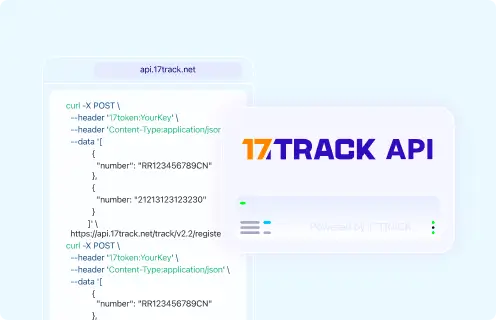
Tracking API
// Official Go! Express tracking API:
// Current public official tracking API documentation is not included in the supplied evidence.
// Check the current official Go! Express business or developer route before implementation.

// 17TRACK API
// Documentation: https://api.17track.net/en/doc
POST https://api.17track.net/track/v2.4/register
Headers:
  17token: YourKey
  Content-Type: application/json

Body:
[
  {
    "number": "TRACKING_NUMBER",
    "carrier": "CARRIER_CODE"
  }
]

// Confirm the current 17TRACK carrier code for Go! Express in the
// 17TRACK documentation or account before sending production requests.
Sources & References
- Go! Express — Official website. Go! Express
- 17TRACK API Documentation. 17TRACK
17TRACK is an independent tracking platform and is not affiliated with Go! Express.
Track your package
Global express parcel tracking service