DHL Parcel Spain Tracking
Please enter the DHL Parcel Spain tracking number to check the latest shipping status.
About DHL Parcel Spain
DHL Parcel Spain is the carrier entity identified by the supplied official website for parcel-related information in Spain. Use the official website to select the applicable service, open the carrier’s tracking journey, and confirm current delivery, contact, service, and restriction information.
| Field | Confirmed information |
|---|---|
| Official website | DHL Parcel Spain official website |
| Carrier display name | DHL Parcel Spain |
| Primary operating context | Parcel information and shipment support for the Spain-focused official site. |
| Current service details | Check the official service, tracking, destination, and contact pages before relying on a product name, delivery estimate, fee, or eligibility rule. |
Carrier Entity Relationships
| Entity | Relationship |
|---|---|
| DHL Parcel Spain | DHL Parcel Spain is the carrier identity used by this landing page and should not be confused with a marketplace order number or a merchant reference. |
| Official website | The official website provides the authoritative starting point for current service and shipment information. |
| 17TRACK | 17TRACK is an independent tracking platform that may aggregate available events; 17TRACK does not transport parcels or decide claims and refunds. |
Quick Answer
Enter the shipment tracking number—not the shop order number—on the official DHL Parcel Spain website or in the 17TRACK tracking tool. If no result appears, check each character, remove copied spaces or punctuation, confirm that the label has been handed to the carrier, and ask the seller whether a different last-mile number exists.
How to Track DHL Parcel Spain Packages
The safest workflow is to begin with the number supplied by the seller or shown on the carrier label, then compare the result on the official website and 17TRACK.
| Step | Action |
|---|---|
| 1. Locate the identifier | Check the dispatch email, shipping label, receipt, seller order page, or delivery notice for the shipment tracking number. |
| 2. Use the official route | Open the official DHL Parcel Spain website and follow its current tracking entry point. |
| 3. Cross-check on 17TRACK | Use 17TRACK when you need a consolidated view of available events from multiple transport participants. |
| 4. Escalate correctly | The seller or shipper should usually investigate label, address, service, and claim issues because contractual shipping records may belong to the sender. |
Tracking Number Formats and Examples
A DHL Parcel Spain tracking identifier should be copied exactly from the shipping record. The supplied evidence does not establish one universal public format, so a prefix or length alone should not be used to identify the service.
Tracking Number Format
| Identifier family | Normalized pattern |
|---|---|
| Carrier shipment identifier | Use the exact alphanumeric string shown on the carrier label or dispatch record; a safe redacted example is TRACK#######. |
| Merchant order or reference ID | This identifies a purchase or seller record and may not be searchable as a carrier tracking number. |
| Partner or last-mile identifier | A cross-border shipment may display another identifier after handoff; ask the seller to confirm whether a second number exists. |
Common Tracking Problems and Solutions
Most tracking problems are resolved by distinguishing electronic pre-advice from physical acceptance, checking for a partner handoff, and assigning the next action to the correct party.
Problem & Solution
| Problem or status | First action |
|---|---|
| Invalid number | Re-copy the identifier, remove accidental spaces, and ask the seller to distinguish tracking number from order number. |
| No tracking event | Allow for carrier data activation and confirm whether the parcel has been physically handed over. |
| No update during transit | Check the official tracking page, destination-country handoff information, customs messages, and the seller’s latest dispatch record. |
| Delivered but missing | Check the delivery location, household members, reception desk, neighbours, safe-place instructions, and any available proof of delivery; then contact the seller promptly. |
| Address or delivery problem | Contact the official carrier through its current regional channel and ask the shipper whether an address correction or investigation is available. |
| Loss or damage | Preserve packaging and photographs, retain invoices and shipment records, and ask the shipper to start the applicable carrier inquiry or claim. |
Tracking API
// Carrier official API:
// Current public official tracking API not confirmed from the supplied evidence.

// 17TRACK API:
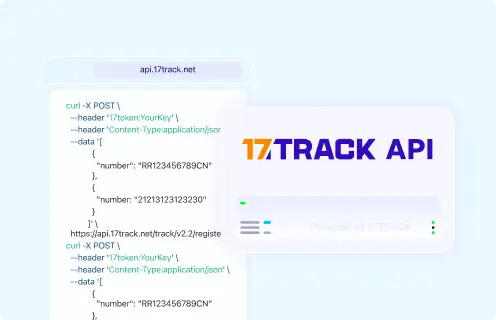
// POST https://api.17track.net/track/v2.4/register
// Headers: 17token: YourKey
//           Content-Type: application/json
// Body:
[
  {
    "number": "TRACKING_NUMBER",
    "carrier": "CARRIER_CODE"
  }
]
Use the current 17TRACK API documentation to confirm authentication, request limits, response fields, and the current carrier code before deploying an integration. Do not assume that an identifier searchable on 17TRACK was issued by DHL Parcel Spain.
Sources & References
- DHL Parcel Spain official website. DHL
- 17TRACK API documentation. 17TRACK
17TRACK is an independent tracking platform and is not affiliated with DHL Parcel Spain.
Track your package
Global express parcel tracking service