Paack Tracking
Please enter the Paack tracking number to check the latest shipping status.
About Paack
Paack is the carrier name shown in this tracking guide. The supplied official website is Paack. Use the shipment number supplied by the online retailer or sender; the available events depend on the shipment record and the services connected to that record.
| Field | Verified information |
|---|---|
| Display name | Paack |
| Official website | https://paack.co/ |
| Tracking role | A shipment-tracking record may include Paack events and connected delivery events. |
| Parent organization | The parent organization is not stated here because the supplied evidence does not establish one. |
A retailer, marketplace, origin carrier or delivery partner can create the first shipment record. A number appearing in a Paack result does not by itself prove which party physically handled every earlier transport stage.
Carrier Entity Relationships
| Entity | Relationship to Paack |
|---|---|
| Paack | Paack is the canonical carrier entity used by this page. |
| Retailer or marketplace | The retailer or marketplace may issue the order reference and provide the shipment number to the buyer. |
| 17TRACK | 17TRACK aggregates available tracking events and does not transport parcels or decide delivery outcomes. |
| Destination delivery parties | A destination delivery party can appear in a shipment record when the transport arrangement includes a handoff. |
Quick Answer
Enter the tracking number from the retailer, shipping email, order page or delivery notice into the official Paack tracking route or into 17TRACK. If no result appears, first check whether you entered a shipment number rather than an order number, remove spaces or punctuation, and ask the seller whether the label has been handed to the carrier.
How to Track Paack Packages
| Route | Steps |
|---|---|
| Official Paack route | Open the official Paack website, locate the tracking function, enter the shipment number, and compare the latest event with the delivery address and retailer order. |
| 17TRACK route | Open 17TRACK, paste the shipment number, allow carrier recognition or select Paack when offered, and review the event history. |
| No number | Contact the seller or sender. An order number, payment reference or product SKU is not necessarily a tracking number. |
| No first event | The label may exist before physical acceptance or the first scan. Ask the sender to confirm dispatch and the exact number. |
Recipients should preserve the shipping email and order page. Merchants should verify the address, shipment number and handoff status before opening a delivery investigation.
Tracking Number Formats and Examples
Paack tracking identifiers should be copied exactly from the seller or shipment notification. A universally applicable public Paack number pattern is not used here; guessing a prefix or length can send a customer to the wrong carrier. The examples below are deliberately masked.
Tracking Number Format
| Identifier family | Normalized pattern |
|---|---|
| Paack shipment identifier | Use the exact masked or unmasked identifier supplied by the merchant, such as PAACK-XXXXXX or XXXXXXXXXX; these are illustrative masks, not validated live formats. |
| Merchant order/reference ID | A retailer-created value such as ORDER-XXXXXX may identify the purchase but may not retrieve carrier events. |
| Partner or origin identifier | An upstream or downstream partner may provide a separate identifier. The seller can confirm whether it is linked to the Paack record. |
A number that can be searched by Paack or 17TRACK is not necessarily issued by Paack. Do not infer service type, country, delivery promise or physical custody from a prefix alone.
Tracking Statuses and Meanings
| Status and stage | Meaning and next action |
|---|---|
| Label created or pre-shipment | Shipment data exists, but this does not prove physical acceptance. The sender should confirm handoff. |
| Accepted or received | A receiving scan has been recorded. Wait for sorting or transit events unless the promised delivery window has passed. |
| In transit | The shipment is moving between processing points. Scan gaps can occur while it is between facilities. |
| Out for delivery | The shipment has entered a delivery route. Keep the address accessible and follow any delivery instruction supplied by the seller or carrier. |
| Delivered | A delivery event was recorded. Check the doorway, safe place, reception desk, household members and neighbors before escalating. |
| Exception or return | A problem affected delivery or the shipment is moving back. The sender normally has the strongest ability to correct commercial or address data. |
Services and Delivery Times
A reliable delivery estimate must come from the order confirmation, service selection, destination and current shipment record. The information supplied for this page does not establish a single Paack-wide delivery standard or guarantee, so customers should not treat a generic number of days as a promise.
Service Comparison
| Service or shipment type | Best use |
|---|---|
| Retailer-arranged Paack delivery | Use the delivery option and window shown by the retailer for the specific order. |
| Partner-connected shipment | Use the number supplied by the seller and check which party currently owns the next action. |
Delivery Time
| Time field | How to interpret it |
|---|---|
| Estimated delivery date | A planning estimate that can change with address quality, capacity, traffic, weather, holidays and operational events. |
| Delivery window | A time range supplied for the individual order or route, not automatically a money-back guarantee. |
| Guarantee | Do not assume a guarantee unless the purchase contract or applicable Paack terms expressly says so. |
Destination Country Delivery Times
| Destination or route | Responsible source for estimate |
|---|---|
| Domestic destination | Use the retailer's order-specific Paack delivery window and the latest tracking event. |
| International destination | Confirm the origin service, destination partner, customs process and seller-provided estimate before relying on a date. |
Customs, address corrections, remote-area routing, weekends, public holidays, peak volume, weather and partner handoffs can extend the interval. Arrival at a destination facility is not the same as final delivery.
Common Tracking Problems and Solutions
| Problem or status | Immediate action |
|---|---|
| Invalid number | Copy the number again, remove accidental spaces, and ask the seller whether the value is an order reference rather than a tracking number. |
| No tracking events | Ask the sender to confirm dispatch and allow time for the first acceptance scan. |
| No update for several days | Compare the last event with the delivery estimate; the sender should investigate when the order promise has passed. |
| Delivery exception | Check address, access instructions and any message from the retailer; request correction through the sender where required. |
| Delivered but missing | Check the delivery location, reception, household members and neighbors, then ask the seller for delivery evidence and escalation. |
| Returned to sender | Contact the seller first because reshipment, refund and address correction are normally commercial actions. |
| Damaged or missing contents | Photograph the parcel and packaging, retain all materials, and ask the sender which claim process applies. |
International Shipping, Customs and Carrier Handoffs
For an international shipment, the party shown in tracking can change by stage. An electronic pre-advice is not proof of physical handoff, and arrival in a destination country is not proof that customs has released the parcel.
International Flow
| Stage | What the customer should do |
|---|---|
| Origin preparation | Confirm the sender has supplied the correct address, contents description and shipment number. |
| Export processing | Wait for export scans; the seller handles missing commercial data where required. |
| Line-haul and destination arrival | Allow for a scan gap while the shipment moves between transport systems. |
| Customs | The importer may need to provide documents or pay assessed duties and taxes. Do not treat customs arrival as release. |
| Partner handoff and last mile | The receiving party may use the same identifier or a linked identifier. Ask the seller which party owns the next action. |
Delivery Management and Post-shipment Options
| Requested action | Correct route |
|---|---|
| Address correction | Contact the retailer or sender promptly; a recipient cannot assume that a carrier can change the address after dispatch. |
| Redelivery or delivery instruction | Use an official delivery message when one is supplied, or ask the sender to request the available option. |
| Proof of delivery | Ask the retailer or the delivery operator for the available delivery evidence when a shipment is marked delivered. |
Lost, Damaged, Claims, Insurance and Refunds
| Process | Who should start it |
|---|---|
| Tracking inquiry | The recipient can ask the retailer about an unexplained event; the sender can request operational clarification. |
| Loss or damage claim | The sender or contracting merchant normally starts the carrier claim, subject to the applicable service terms. |
| Refund or replacement | The customer requests a refund or replacement from the seller under the purchase contract. |
Keep the tracking number, order record, dispatch date, delivery address, photographs, packaging, contents description and proof of value. 17TRACK cannot approve a claim, refund postage or determine liability.
Shipping Restrictions and Special Handling
| Category | Customer precaution |
|---|---|
| Dangerous goods | Check the applicable carrier and destination rules before tendering batteries, chemicals, aerosols or other regulated items. |
| Liquids and perishables | Use only packaging and services that expressly permit the contents; leakage or spoilage can interrupt delivery. |
| Restricted or prohibited goods | Ask the seller for the current route-specific restrictions. A tracking result does not make a prohibited shipment lawful. |
Customer Service
| Channel | Best use |
|---|---|
| Official website | Open the official Paack website and use the current support or tracking route presented there. |
| Retailer or sender | Best for missing numbers, address corrections, refunds, replacements, order disputes and merchant-created labels. |
| 17TRACK | Best for consolidating available events; it is not the party that transports the parcel or decides claims. |
Prepare the tracking number, order number, sender and recipient details, dispatch date, latest scan, delivery address, contents description, value evidence and photographs. Do not publish personal address or payment information in a public tracking query.
Ecommerce and Business Tracking
Merchants should distinguish the retailer order ID from the carrier shipment number, normalize carrier names, retain the original event history and show customers when a label has been created versus when the parcel has been physically accepted.
Developer/API Comparison
| Option | Provider |
|---|---|
| Official carrier integration | Paack |
| Multi-carrier tracking API | 17TRACK |
Before deploying an integration, confirm the current provider documentation, authentication requirements, carrier identifier, event coverage, rate limits, batch behavior, webhook support and any migration notice. Do not copy an obsolete carrier endpoint into production.
FAQ
Basic FAQs
Enter the shipment number from the seller into the official Paack route or 17TRACK, then review the latest event and delivery estimate.
Look in the dispatch email, retailer order page, shipping label or delivery notification; ask the seller if the number is missing.
Use the exact identifier supplied by the seller because a single universal public pattern should not be inferred from a prefix or length.
The label may have been created before physical handoff or the first scan; ask the seller to confirm dispatch and the number.
Use the order-specific delivery window because timing depends on the route, address, operational conditions and the selected service.
Check the address and access conditions, read the latest event, and ask the retailer or sender to request the available next delivery action.
Check the entrance, safe place, reception desk, household members and neighbors, then ask the seller for delivery evidence and escalation.
Keep the packaging, photograph the damage, preserve value evidence and ask the sender which claim process applies.
Contact the seller first for order, address, refund or replacement issues, and use the current official Paack website for carrier-specific support routes.
No. 17TRACK displays available events but cannot change an address, redirect a parcel, release customs or approve a refund.
Expert FAQs
No. Label creation or electronic pre-advice records shipment data; a physical acceptance event is the stronger indication that the parcel entered transport.
Yes, a retailer, origin carrier or destination partner can use a linked reference; ask the seller which identifier is active for the current stage.
No. Arrival, customs presentation and customs release are different events, and the importer may still need to provide information or pay assessed charges.
A shipment can pass between transport or delivery parties, so an event may describe an upstream or downstream stage rather than Paack's physical custody.
The merchant should compare the last event with the contracted route and ask the party responsible for that stage, while retaining the complete event history.
A business can review the current 17TRACK API documentation for supported carrier registration, event retrieval and account requirements before implementation.
Tracking API
// 1. Current official Paack tracking API:
// Current public official tracking API not confirmed.
//
// 2. 17TRACK API.
// Confirm the current carrier code and account requirements in the documentation.
// The placeholder must not be replaced by an unverified value.

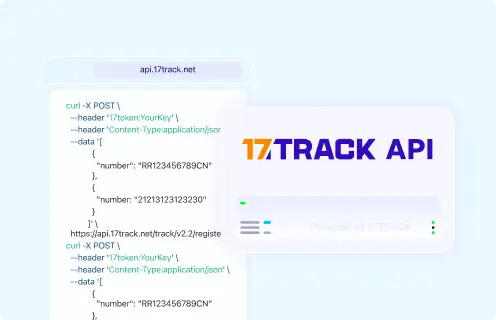
POST https://api.17track.net/track/v2.4/register
Headers:
  17token: YourKey
  Content-Type: application/json

Body:
[
  {
    "number": "TRACKING_NUMBER",
    "carrier": "CARRIER_CODE"
  }
]

Documentation:
https://api.17track.net/en/doc
Sources & References
- Paack — Official website. Paack
- 17TRACK API Documentation. 17TRACK
- 17TRACK — Multi-carrier tracking platform. 17TRACK
17TRACK is an independent tracking platform and is not affiliated with Paack.
Track your package
Global express parcel tracking service