Zalando Order Tracking
https://www.zalando.deEnter a tracking number that can be used for shipment tracking to check the logistics history of your Zalando order.
About Zalando
Zalando is an online fashion retail platform. Orders are managed through the Zalando shopping account and order communications. The official website supplied for this guide is https://www.zalando.de.
Brand Entity & Order Ownership
| Entity or order party | Role and tracking boundary |
|---|---|
| Zalando | Displays the order record and available shipment information through its shopping service; it does not control carrier scans after handover. |
| Buyer account | Provides access to order details and messages; it does not replace a carrier tracking number. |
| Fulfillment party | Prepares and hands over the parcel where applicable; its handover can precede the first carrier scan. |
| Carrier | Creates transport events and delivery scans for the shipment identifier it accepts. |
| 17TRACK | Can display available carrier events for a usable tracking number; it cannot modify a Zalando order or decide a refund. |
Quick Answer
To track a Zalando order, sign in to the Zalando account used for the purchase and open the relevant order. Use the shipment or tracking link shown there, or copy the carrier tracking number into the carrier website or 17TRACK.
The order number identifies the purchase in Zalando; it is not necessarily usable on a carrier website or 17TRACK. If no tracking number is visible, check the order email and shipment details first, then contact Zalando through the order or help channel.
How to Track Zalando Orders
Start with Zalando because it connects the order with its shipment. After a carrier tracking number becomes available, a carrier website or 17TRACK can provide transport events.
Tracking Path Comparison
| Tracking path | Use when | ||||||||
|---|---|---|---|---|---|---|---|---|---|
| Zalando account order details | You can sign in to the purchasing account. | ||||||||
View all details for Zalando account order details
| |||||||||
| Order email or notification | You have the confirmation or dispatch message. | ||||||||
View all details for Zalando order email
| |||||||||
| 17TRACK or carrier website | A carrier tracking number is available. | ||||||||
View all details for 17TRACK or carrier website
| |||||||||
For a guest, gift recipient, or person who did not place the order, the practical route is the order link or shipment information supplied by the purchaser. Do not guess a tracking number from an order reference.
Order Numbers, Tracking Numbers and Where to Find Them
Use the identifier according to the system that issued it. A Zalando order number locates the purchase in Zalando; a carrier tracking number locates a parcel in the transport network.
Identifier & Tracking Number Guide
| Identifier type | Where users find it | ||||||||
|---|---|---|---|---|---|---|---|---|---|
| Zalando order number | Order confirmation, account order history, or order correspondence. | ||||||||
View all details for Zalando order number
| |||||||||
| Shipment or carrier tracking number | Shipment details, dispatch communication, or the carrier notice. | ||||||||
View all details for Zalando shipment tracking number
| |||||||||
| Return tracking number | Return label, drop-off receipt, or return carrier record. | ||||||||
View all details for Zalando return tracking number
| |||||||||
Fulfillment, Sellers and Carriers
The carrier and shipment path can vary by order, destination, item, warehouse, delivery option, and any partner-seller arrangement shown in the order. Check the individual shipment rather than assuming one carrier for every Zalando order.
Fulfillment & Carrier Relationship
| Fulfillment model | Who ships it |
|---|---|
| Zalando-processed order | The fulfillment party shown through the Zalando order process prepares the parcel and provides shipment data when available. |
| Partner or seller order | The seller or fulfillment arrangement identified in the order may control dispatch details, while the carrier controls transport scans. |
| Multiple shipments | Different parcels may have separate tracking numbers and separate delivery events. |
| Carrier handover | The carrier updates events after acceptance; a dispatch notice may appear before the first scan. |
Tracking Statuses and Meanings
Status Quick Lookup
| Status shown | Lifecycle meaning |
|---|---|
| Processing or preparing | The order is being prepared; it is not necessarily with a carrier. |
| Shipped | Shipment information or dispatch has been recorded; check for a first carrier scan. |
| In transit | The carrier has recorded movement between transport points. |
| Out for delivery | The carrier indicates a delivery attempt is planned for the current route. |
| Delivered | A delivery event was recorded; check the event details if the parcel is not located. |
| Exception or delayed | A transport or address issue requires review of the latest event. |
| Return in transit | The return parcel is moving; refund review is a separate process. |
Delivery Time and Delay Factors
Use the delivery estimate shown for the specific Zalando order as the primary reference. A general page cannot replace the destination- and order-specific estimate.
Delivery Time & Delay Factors
| Scenario | What can affect delivery |
|---|---|
| Standard shipment | Destination, selected delivery option, warehouse preparation, and carrier capacity. |
| Split shipment | Each parcel can leave separately and receive its own estimate and tracking history. |
| Cross-border movement | Border processing, handover between networks, and local delivery capacity can change event timing. |
| Peak period or disruption | High parcel volume, weather, operational disruption, or address problems can delay scans or delivery. |
Common Problems and Next Steps
Problem & Next Step
| Problem shown | Check first |
|---|---|
| No tracking number | Open the shipment details and dispatch message; the parcel may not yet have a usable carrier number. |
| Tracking number not working | Copy the number exactly, confirm the correct shipment, and try the carrier identified by Zalando. |
| Shipped but no scans | Allow for the gap between dispatch information and carrier acceptance, then use the order support route if it remains unresolved. |
| Parcel appears stuck | Review the latest event, location, and event date before escalating to the carrier or Zalando. |
| Delivered but not received | Check the delivery location, household members, reception area, neighbors, photo, and proof of delivery before contacting Zalando. |
| Address problem or failed attempt | Follow the carrier event instructions and contact the carrier or Zalando through the order route; do not assume an address change is possible. |
| Missing item from split shipment | Compare every shipment in the order and track each parcel separately. |
| Return not updating | Keep the drop-off receipt, check the return tracking number, and contact Zalando if the return case needs review. |
| Refund pending | Check the return or refund case in Zalando; logistics tracking alone cannot show whether a refund was approved. |
Returns, Exchanges and Refunds
A return tracking number follows the parcel back to the return destination. Refund status belongs to the Zalando order or payment process and must be checked there.
Returns & Refunds
| Scenario | Where to start |
|---|---|
| Return request | Use the relevant Zalando order and follow the available return instructions. |
| Return parcel tracking | Use the return label or drop-off receipt number with the named carrier or 17TRACK. |
| Refund status | Check the Zalando order or payment information; a delivery scan for the return is not a refund decision. |
| Gift or third-party purchase | The purchaser or account holder may need to initiate or authorize the order action. |
Customer Service and Escalation
Use the order-specific help route first because it gives Zalando the purchase context. Contact the carrier for transport events and delivery attempts, but contact Zalando for order, return, refund, or seller-related decisions.
Customer Service
| Channel | Best for |
|---|---|
| Zalando order or help area | Order status, missing items, delivery disputes, returns, and refunds. |
| Carrier tracking and support | Delivery attempts, address instructions, proof of delivery, and transport events. |
| 17TRACK | Identifying a carrier and viewing available shipment events when a usable tracking number exists. |
Prepare the order number, shipment tracking number, account email, latest event, delivery address, photographs, return receipt, label, and any case reference that applies. Do not send payment credentials or unnecessary personal information to an unrelated tracking service.
Marketplace Responsibility
When an order identifies a partner seller or another fulfillment party, responsibility depends on the issue. Use the order record to identify the relevant party rather than assuming every shipment is handled identically.
| Issue | First action |
|---|---|
| Seller has not shipped | Review the order status and use the Zalando order support route or seller communication shown there. |
| Wrong or missing tracking | Ask the party shown in the order to correct the shipment information; the carrier cannot correct a seller's reference. |
| Item not received | Review carrier proof and delivery details, then escalate through the order route. |
| Item not as described or return dispute | Use the Zalando return or support process and retain photographs, messages, and shipment evidence. |
FAQ
Basic FAQs
Open the order in your Zalando account and use the shipment link or tracking number shown there. If a carrier number is available, you can also enter it in 17TRACK.
Check the shipment details in Zalando and the dispatch message connected with the order. Look for the carrier tracking number rather than only the order reference.
Usually you need the carrier tracking number instead. An order number identifies the Zalando purchase and may not be recognized by a carrier or 17TRACK.
Check the order details and dispatch message first. If no shipment number appears after the order information indicates dispatch, use the Zalando order support route.
The parcel may be between scans or the dispatch record may precede carrier acceptance. Confirm the number and latest event, then contact the carrier or Zalando according to the issue.
Use the delivery estimate shown for the specific order. Timing depends on destination, delivery option, preparation, shipment path, and carrier operations.
Check the stated delivery location, household members, reception area, neighbors, delivery photo, and proof of delivery before reporting the issue through Zalando.
Use the return tracking number from the label or drop-off receipt with the named carrier or 17TRACK. Keep the receipt until the return is resolved.
No. 17TRACK can show available parcel events, including some return movement, but refund status must be checked through Zalando or the relevant payment channel.
Use the help or support route connected to the order and provide the order number, tracking number, latest event, and delivery details.
Expert FAQs
Yes, an order may be divided into separate shipments. Open each shipment in the order record and track its number independently.
No. Dispatch information and carrier acceptance are different events. The first carrier scan is the relevant evidence of recorded transport activity.
The responsible party depends on the issue and the arrangement shown in the order. Use the seller or order-support route for dispatch and item issues, and use the carrier for transport scans.
A gift recipient needs the shipment link or tracking information supplied by the purchaser unless the recipient has authorized access to the order account.
No. Return tracking describes movement of the parcel, while refund status describes Zalando's or the payment channel's processing decision.
Review the proof-of-delivery information and contact the carrier for delivery details, then report the unresolved order issue through Zalando with the evidence.
Zalando may display order-specific information that is not a public carrier scan, while 17TRACK depends on the carrier events available for the submitted tracking number.
No. Address changes, delivery preferences, cancellations, returns, and refunds must be handled through the relevant Zalando or carrier process.
Sources & References
- Zalando — Official website. Zalando
- 17TRACK — Package tracking platform. 17TRACK
17TRACK is an independent tracking platform and is not affiliated with Zalando.
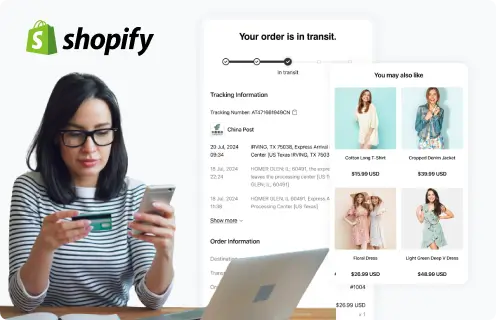
Supported by 3500+ carriers worldwide