A

Aftership Order Tracking

https://www.aftership.com/

Enter a tracking number that can be used for shipment tracking to check the logistics history of your Aftership order.

About aftership

AfterShip is a post-purchase software platform for ecommerce merchants, not a marketplace that sells and ships consumer goods under the AfterShip name. When shoppers see an AfterShip tracking page, tracking email, or returns portal, the underlying order usually belongs to the merchant or marketplace where the purchase was made.

Brand Entity & Order Ownership

Entity / order party Role in the order
AfterShipProvides post-purchase tracking, notifications, returns, shipping, and developer tools for merchants.
View all details for AfterShip
What it controlsSoftware features, tracking page configuration, merchant integrations, supported data ingestion, and business account settings.
What it cannot controlIt does not physically carry a shopper package, approve a merchant refund, or change a merchant order unless the merchant system supports that workflow.
Why it matters to trackingA tracking link powered by AfterShip is not proof that AfterShip is the seller or carrier; it is usually the technology layer.
Buyer accountThe shopper’s account with the store or marketplace that accepted the order.
View all details for buyer account
What it controlsAccess to private order details, payment record, shipping address, returns eligibility, and support case history.
What it cannot controlCarrier scan timing, customs release, seller handling time, or refund approval by another party.
Why it matters to trackingThe order number may work only inside the store account; 17TRACK needs a carrier tracking number when available.
Seller or merchantThe business that sold the product and may use AfterShip for tracking or returns.
View all details for seller or merchant
What it controlsOrder acceptance, item availability, shipment creation, return authorization, customer service, and refund decisions.
What it cannot controlIndependent carrier scans after handoff, weather disruption, customs inspection, or last-mile delivery route decisions.
Why it matters to trackingIf a tracking page says no tracking yet, the merchant may not have handed the parcel to the carrier or synced the number.
Fulfillment partyWarehouse, store, dropship supplier, marketplace fulfillment service, or 3PL preparing the shipment.
View all details for fulfillment party
What it controlsPicking, packing, label creation, split shipments, handoff scheduling, and sometimes return receiving.
What it cannot controlCarrier network events after acceptance or refund release after the returned item is inspected.
Why it matters to trackingLabel-created status can appear before a carrier has physically scanned the package.
Carrier or last-mile carrierTransport company that scans and delivers the parcel.
View all details for carrier or last-mile carrier
What it controlsAcceptance scans, in-transit scans, delivery attempts, proof of delivery where offered, pickup point routing, and delivery exception scans.
What it cannot controlMerchant refund approval, product replacement, or order cancellation.
Why it matters to trackingCarrier tracking is the evidence 17TRACK can usually read when the carrier and tracking number are supported.
Payment/refund channelStore payment system, marketplace payment flow, wallet, card issuer, or dispute channel.
View all details for payment and refund channel
What it controlsPayment authorization, capture, refund posting, chargeback or dispute procedures depending on the purchase channel.
What it cannot controlCarrier delivery scans or warehouse inspection outcomes.
Why it matters to trackingA delivered or returned tracking event does not automatically mean a refund has been approved or posted.
17TRACK relationshipIndependent package tracking platform that can show available carrier tracking events.
View all details for 17TRACK relationship
What it controlsTracking lookup, carrier detection where available, tracking API registration, and display of supported logistics events.
What it cannot control17TRACK cannot view private store order data, modify addresses, contact the seller, approve returns, or issue refunds.
Why it matters to trackingUse 17TRACK after you have a carrier tracking number, not only a store order number.
FactVerified answer
Official nameAfterShip
Official websitehttps://www.aftership.com/
Brand typePost-purchase ecommerce software platform, not a consumer marketplace or parcel carrier.
Primary shopping regionNot a shopping region-specific retailer; merchants using AfterShip may sell in different countries and ship with different carriers.
Order tracking pageAfterShip Track accepts carrier tracking numbers for package lookup.
App / account systemAfterShip provides business dashboards and product interfaces for merchants; shoppers usually manage orders in the merchant’s store account or order email.
Marketplace or seller modelAfterShip is not the marketplace seller model; the merchant or marketplace that sold the item owns the order relationship.
Founded / headquartersPublic company profile details can change; this guide uses AfterShip’s official site for current product and support facts rather than fixed corporate-history claims.

Quick Answer

To track an “aftership order,” first confirm whether you mean a package shown on an AfterShip-powered tracking page or an AfterShip business subscription. For consumer parcels, use the store order email or account to find the carrier tracking number, then track it on the merchant page, the carrier site, AfterShip Track, or 17TRACK.

If you only have a store order number, 17TRACK usually cannot retrieve private order details. 17TRACK can help with carrier tracking numbers and may identify the carrier, but it cannot change the order, update the delivery address, open a return, issue a refund, or contact the merchant for you.

QuestionDirect answer
How do I track it?Use the merchant order page or order email to get the carrier tracking number, then check the official carrier, AfterShip Track, or 17TRACK.
Where is the tracking number?Look in the shipment confirmation email, SMS, merchant account order details, tracking page, or returns portal.
What if there is no tracking?Check whether the store has only confirmed the order or created a label; ask the merchant if no carrier number appears after the order should have shipped.
Who should I contact?Contact the merchant for order, item, refund, return, or address issues; contact the carrier for delivery scans and delivery attempt problems.
Pro Tip: If a tracking page is branded with AfterShip, read the store name, order email sender, tracking number, and carrier line carefully. Those fields usually identify the party that can solve the issue.

How to Track aftership Orders

For a consumer purchase, the safest route is: sign in to the merchant account, open the order list, select the order, find the shipment or order status section, copy the carrier tracking number, and check whether the order was split into multiple packages.

Tracking Path Comparison

Tracking pathUse when
Official account / Your OrdersYou bought from a store or marketplace and can sign in to the same account used at checkout.
View all details for official account tracking
Identifier neededStore login, order number, or email address used for checkout.
What you can seePrivate order details, items, shipment split, tracking links, return eligibility, and support options when provided by the merchant.
Best next stepOpen the order, choose shipment or track package, then copy the carrier tracking number for carrier or 17TRACK lookup.
Important limitationAfterShip and 17TRACK cannot sign in to your store account or view private order data.
Official order email or SMSYou checked out as a guest, received a shipment notification, or cannot find the order in an account.
View all details for order email or SMS tracking
Identifier neededEmail address or phone number used at checkout and the message from the merchant or marketplace.
What you can seeOrder confirmation, shipping confirmation, tracking link, carrier name, tracking number, and sometimes a return link.
Best next stepSearch your inbox for the store name, AfterShip, tracking, shipped, delivered, return, or the order number.
Important limitationMessage links can expire or require account verification; do not rely on suspicious links from unknown senders.
17TRACKYou have a carrier tracking number and want independent multi-carrier tracking.
View all details for 17TRACK tracking
Identifier neededCarrier tracking number, not a store order number, invoice number, payment ID, or return authorization number.
What you can seeAvailable logistics events, carrier detection where available, and carrier status summaries supported by 17TRACK.
Best next stepPaste the tracking number exactly as shown, then compare the latest event with the merchant order status if something looks inconsistent.
Important limitation17TRACK cannot access merchant-only details, change delivery instructions, or decide refunds.
Carrier websiteThe carrier is known and you need proof of delivery, delivery attempts, pickup options, or address exception handling.
View all details for carrier website tracking
Identifier neededCarrier tracking number and sometimes destination postal code or recipient verification.
What you can seeCarrier scans, delivery attempt instructions, pickup locations, proof of delivery where offered, and service alerts.
Best next stepUse the carrier’s official tracking page for delivery-specific actions and keep screenshots for merchant support if needed.
Important limitationThe carrier usually cannot replace an item or refund the purchase price; that remains with the merchant or payment channel.
Seller or marketplace message centerA third-party seller handled the shipment or the store asks you to contact the seller inside its platform.
View all details for seller message center tracking
Identifier neededMarketplace order ID, seller name, conversation thread, and tracking number if already provided.
What you can seeSeller handling updates, corrected tracking, reshipment notes, and platform dispute or buyer protection options if available.
Best next stepAsk for the carrier name and tracking number, then escalate through the platform if seller deadlines pass.
Important limitationAfterShip is not the seller message center unless the merchant integrated a support workflow into its own page.
Guest or gift order routeYou are the recipient, did not create the original account, or someone else bought the item.
View all details for guest or gift tracking
Identifier neededGift receipt link, order email link, recipient email, order number, or tracking number shared by the purchaser.
What you can seeUsually limited tracking or return options; full payment and refund details may remain private to the purchaser.
Best next stepUse the tracking link from the gift message or ask the purchaser for the carrier tracking number.
Important limitationCustomer service may require purchaser verification before disclosing order or refund details.
App notificationsThe merchant or tracking service offers email, SMS, app, or branded tracking notifications.
View all details for app notifications
Identifier neededMerchant account, tracking link, or notification subscription depending on the store setup.
What you can seeStatus changes such as shipped, in transit, out for delivery, delivered, exception, or return updates when the merchant enables them.
Best next stepEnable notifications only through the official store, carrier, or known tracking page associated with your order.
Important limitationNotifications depend on carrier scans and merchant configuration; they may not show every operational event.

Order Numbers, Tracking Numbers and Where to Find Them

An order number identifies a purchase inside the merchant or marketplace system. A carrier tracking number identifies a parcel in a carrier network and is the number usually needed by 17TRACK.

Identifier & Tracking Number Guide

Identifier typeWhere users find it
Brand order numberOrder confirmation email, store account order page, invoice, or checkout confirmation screen.
View all details for brand order number
Looks like / exampleStore-specific format such as ORDER-#### or #A1001; examples here are fictional and not official AfterShip formats.
Who issues itThe merchant, marketplace, or ecommerce platform that took the order.
Can 17TRACK use it?Usually no. Use it with the merchant to locate the carrier tracking number.
What it can and cannot proveIt proves the store created an order record; it does not prove carrier possession.
Shipment/tracking numberShipping confirmation email, AfterShip-powered tracking page, carrier link, or shipment section inside the order.
View all details for shipment tracking number
Looks like / exampleCarrier-specific alphanumeric format such as 1Z XXX XXX XX XXXX XXXX or LX ######### CN; examples are generic placeholders.
Who issues itThe carrier, shipping label system, merchant shipping software, marketplace shipping program, or fulfillment provider.
Can 17TRACK use it?Yes, when the carrier and number are supported and events are available.
What it can and cannot proveIt can show logistics events; it cannot prove item contents or refund approval.
Carrier tracking numberCarrier tracking link, label, tracking email, merchant order detail, or proof-of-delivery page.
View all details for carrier tracking number
Looks like / exampleVaries by carrier, country, and service; do not assume a universal AfterShip tracking format.
Who issues itThe transport carrier or a shipping system acting through that carrier.
Can 17TRACK use it?Usually yes if it is a supported carrier number and not a merchant-only reference.
What it can and cannot proveIt is the best identifier for parcel movement but does not reveal private buyer payment data.
Internal delivery IDSome marketplaces or carriers use internal IDs inside their own apps or tracking pages.
View all details for internal delivery ID
Looks like / examplePlatform-specific private identifier; no universal AfterShip internal delivery ID is confirmed for shopper orders.
Who issues itThe marketplace, delivery network, or merchant system.
Can 17TRACK use it?Only if it is also a carrier-readable tracking number; otherwise no.
What it can and cannot proveIt may identify an internal shipment record but may not be searchable outside that platform.
Return tracking numberReturn label, return portal, email confirming return shipment, or carrier drop-off receipt.
View all details for return tracking number
Looks like / exampleCarrier-specific parcel number for the return leg.
Who issues itReturn carrier, merchant returns portal, return label provider, or marketplace return system.
Can 17TRACK use it?Yes when it is a carrier tracking number; no when it is only a return case number.
What it can and cannot proveIt can show return movement to the merchant; it does not prove inspection completion or refund approval.
Return authorization / RMAReturns portal, return approval email, merchant support reply, or marketplace return request.
View all details for return authorization or RMA
Looks like / exampleRMA-#### or merchant-specific return case reference; fictional placeholder only.
Who issues itThe merchant, marketplace, or returns system.
Can 17TRACK use it?No, unless the same message also includes a carrier tracking number.
What it can and cannot proveIt proves a return request or authorization record, not the movement of the return parcel.
Gift/order linkGift email, shipment notification forwarded by the purchaser, or store-provided guest tracking link.
View all details for gift or order link
Looks like / exampleSecure merchant URL rather than a standard tracking number.
Who issues itThe merchant or marketplace.
Can 17TRACK use it?No. Open the link only if it is from a trusted source, then copy the carrier tracking number if shown.
What it can and cannot proveIt may grant limited order visibility, but it does not replace carrier tracking.
Seller referenceSeller messages, packing slip, merchant support ticket, or marketplace conversation.
View all details for seller reference
Looks like / exampleMerchant-specific warehouse or seller reference, not standardized.
Who issues itThe seller, supplier, or fulfillment provider.
Can 17TRACK use it?No, unless the seller confirms it is the actual carrier tracking number.
What it can and cannot proveIt may help support locate an order internally but cannot confirm public carrier movement.
Marketplace order IDMarketplace account, confirmation email, app order page, or buyer-seller message thread.
View all details for marketplace order ID
Looks like / exampleMarketplace-specific order format; do not apply Amazon-specific TBA or order formats to AfterShip-powered merchant orders.
Who issues itThe marketplace where the item was purchased.
Can 17TRACK use it?Usually no. Use it with the marketplace to find shipment tracking or open a support case.
What it can and cannot proveIt identifies the purchase contract but not necessarily the parcel carrier event history.

Fulfillment, Sellers and Carriers

AfterShip does not determine who delivers a shopper’s package. The carrier varies by merchant, region, seller, item type, fulfillment model, and delivery option.

Fulfillment & Carrier Relationship

Fulfillment modelWho ships it
Merchant warehouse shipmentThe store’s warehouse, 3PL, or shipping station creates the parcel and label.
View all details for merchant warehouse shipment
Typical carriers or delivery networkCarrier varies by order, region, item type, and service selected by the merchant.
Who updates trackingCarrier scans feed the tracking record; merchant systems and AfterShip may display or notify those events.
Who handles delivery issuesCarrier handles delivery event questions; merchant handles item, replacement, refund, and customer-service decisions.
What the customer should check firstCheck whether the tracking number has a carrier acceptance scan rather than only a label-created event.
Third-party seller self-fulfillmentThe seller or supplier ships directly to the buyer.
View all details for third-party seller self-fulfillment
Typical carriers or delivery networkCarrier varies by seller, country, and shipping method; it may include postal, express, cross-border, or last-mile partners.
Who updates trackingThe seller supplies the number; carriers provide scans after acceptance.
Who handles delivery issuesSeller handles missing shipment or wrong tracking; carrier handles in-network delivery exceptions.
What the customer should check firstVerify seller name, promised handling status, carrier name, and whether the number belongs to the destination country leg.
Marketplace fulfillmentA marketplace or platform fulfillment service stores and ships items for the seller.
View all details for marketplace fulfillment
Typical carriers or delivery networkCarrier may be chosen by the marketplace fulfillment network and may differ by package in the same order.
Who updates trackingMarketplace systems and carriers update shipment events; AfterShip may display them only if the merchant integrates the feed.
Who handles delivery issuesMarketplace support often owns buyer protection and refund workflows; carriers own scan and delivery attempt data.
What the customer should check firstOpen the marketplace order detail before assuming the AfterShip-branded page is the official dispute channel.
Cross-border seller shipmentOrigin seller, consolidator, line-haul provider, customs broker, and last-mile carrier may all participate.
View all details for cross-border shipment
Typical carriers or delivery networkCarrier chain varies and may change from origin tracking to destination postal or courier tracking.
Who updates trackingMultiple logistics partners may scan at different milestones; data can pause during line-haul or customs processing.
Who handles delivery issuesMerchant or marketplace handles order support; destination carrier handles last-mile delivery once it has the parcel.
What the customer should check firstLook for a destination tracking number, customs event, or last-mile handoff note.
Store pickup or pickup pointThe merchant, store location, pickup network, locker provider, or carrier pickup point handles collection.
View all details for pickup model
Typical carriers or delivery networkMay be no public parcel carrier for store pickup; pickup-point shipments depend on the chosen network.
Who updates trackingMerchant store systems or pickup network events may update readiness and collection status.
Who handles delivery issuesMerchant or pickup location handles identification, release, or pickup-window questions.
What the customer should check firstCheck pickup confirmation, required ID, pickup code, and store instructions.
Digital product or service orderNo parcel carrier is involved; fulfillment is by account access, license, email, or software provisioning.
View all details for digital or service order
Typical carriers or delivery networkNot applicable for digital delivery.
Who updates trackingThe service provider or merchant updates account, invoice, or activation status.
Who handles delivery issuesMerchant or software support handles access, billing, and subscription issues.
What the customer should check firstCheck account login, billing email, spam folder, and official support portal rather than 17TRACK.

Tracking Statuses and Meanings

Order status, shipment status, carrier scans, return status, and refund status are different records. A shipment can be in transit while an order is partially fulfilled, and a returned parcel can be delivered before the refund is approved.

Status Quick Lookup

Status shownWhat it usually means
Pending / order receivedThe merchant has an order record, but shipment may not exist yet.
View all details for pending status
Lifecycle stagePayment and order confirmation.
Who is responsible nowMerchant or marketplace.
What happens nextInventory check, fraud review, picking, packing, or seller handling.
What the customer should doCheck confirmation email and estimated ship or delivery information from the merchant.
Processing / preparing shipmentThe order is being prepared; a label may or may not have been created.
View all details for processing status
Lifecycle stageWarehouse or seller handling.
Who is responsible nowMerchant, seller, warehouse, or fulfillment provider.
What happens nextPackage is handed to the carrier and first carrier scan appears.
What the customer should doWait for shipping confirmation; contact the merchant if handling exceeds the store’s stated timeline.
Shipped / label createdA tracking number exists, but the carrier may not have scanned the parcel yet.
View all details for shipped or label created status
Lifecycle stageShipment creation and carrier handoff.
Who is responsible nowMerchant until handoff; carrier after acceptance scan.
What happens nextAcceptance, origin facility scan, or pickup scan should appear when the carrier processes the parcel.
What the customer should doTrack again later and compare merchant status with carrier status.
In transitThe parcel is moving through carrier, cross-border, or partner networks.
View all details for in transit status
Lifecycle stageCarrier transport, line-haul, transfer, or customs stage.
Who is responsible nowCarrier chain, customs authority where applicable, and last-mile carrier after handoff.
What happens nextArrival, departure, customs, destination facility, or out-for-delivery scan.
What the customer should doMonitor the latest scan location and check for service alerts if movement stops.
Out for deliveryThe last-mile carrier intends to deliver or attempt delivery on that route.
View all details for out for delivery status
Lifecycle stageFinal-mile delivery.
Who is responsible nowLast-mile carrier.
What happens nextDelivered, attempted, pickup available, or exception scan.
What the customer should doWatch for access issues, delivery instructions, signature needs, or pickup notifications.
DeliveredThe carrier recorded delivery, but it does not automatically close every merchant support case.
View all details for delivered status
Lifecycle stageDelivery completion or recorded drop-off.
Who is responsible nowCarrier for proof of delivery; merchant for item or order-resolution policy.
What happens nextCustomer checks received item, reports missing or damaged goods if needed, or starts return.
What the customer should doCheck mailbox, porch, parcel locker, front desk, family, neighbors, and proof-of-delivery details.
Pickup ready / availableThe parcel or order is waiting at a store, locker, carrier outlet, or pickup point.
View all details for pickup ready status
Lifecycle stageHold for pickup or store collection.
Who is responsible nowPickup location, carrier, or merchant store.
What happens nextCustomer collects the package or it may be returned after the pickup window defined by the provider.
What the customer should doBring required ID, pickup code, and order information.
Exception / failed attemptThe carrier encountered an address, access, customs, damage, weather, or delivery attempt issue.
View all details for exception status
Lifecycle stageDelivery interruption or route exception.
Who is responsible nowCarrier for delivery handling; merchant or buyer may need to provide information.
What happens nextRedelivery, pickup, address correction, customs action, return to sender, or claim review.
What the customer should doOpen the carrier page, follow official instructions, and inform the merchant if the order may return or be lost.
Return in transit / returnedA return parcel is moving back or has been recorded at a return destination.
View all details for return status
Lifecycle stageReverse logistics.
Who is responsible nowReturn carrier until delivery; merchant after receipt and inspection.
What happens nextMerchant receives, inspects, approves, rejects, exchanges, or refunds depending on policy.
What the customer should doKeep drop-off receipt and return tracking; check refund status in the merchant return portal.
Refund pending / refundedThe merchant or payment channel is processing or has issued a refund record.
View all details for refund status
Lifecycle stageFinancial resolution after cancellation, return, dispute, or adjustment.
Who is responsible nowMerchant, marketplace, payment processor, wallet, bank, or card issuer depending on the transaction.
What happens nextApproval, posting to original payment method, store credit, exchange, or support review.
What the customer should doUse the merchant refund portal or payment channel; 17TRACK cannot verify refund approval from logistics alone.

Delivery Time and Delay Factors

AfterShip does not publish one universal delivery time for all shopper orders because it is not the merchant or carrier. Delivery estimates come from the store, marketplace, carrier, shipping service, origin and destination countries, and fulfillment conditions.

Delivery Time & Delay Factors

Scenario/serviceTypical timing source
Domestic parcelMerchant checkout promise, order confirmation, carrier service estimate, and shipment page.
View all details for domestic parcel timing
What can delay itSeller handling, missed pickup, carrier backlog, weather, address problem, access restriction, or failed delivery attempt.
When tracking may updateAfter carrier acceptance, facility processing, route dispatch, delivery attempt, or delivery completion.
Who to contact firstMerchant before carrier acceptance; carrier after clear carrier scans or delivery exception.
Important caveatEstimated dates are not guarantees unless the merchant or carrier explicitly provides a guaranteed service with stated conditions.
Cross-border shipmentMerchant delivery estimate, logistics provider milestones, customs status, and destination carrier events.
View all details for cross-border timing
What can delay itExport processing, air or line-haul handoff, customs inspection, tax or duty issues, restricted items, and last-mile transfer.
When tracking may updateAt origin scan, export departure, import arrival, customs release, destination handoff, and final delivery.
Who to contact firstMerchant or marketplace for order-level issues; destination carrier if it already has the parcel and requests action.
Important caveatTracking may appear unchanged during transport legs where intermediate scans are not published.
Third-party seller orderSeller handling policy, marketplace order page, and carrier tracking after shipment.
View all details for third-party seller timing
What can delay itSeller inventory, dropship processing, wrong tracking, delayed handoff, or marketplace verification.
When tracking may updateAfter the seller creates a label and the carrier receives the parcel.
Who to contact firstSeller through the official marketplace or store message center.
Important caveatA seller marked order as shipped is not the same as a carrier acceptance scan.
Preorder, backorder, or out-of-stock itemProduct page, order confirmation, merchant account, or seller update.
View all details for preorder or backorder timing
What can delay itInventory arrival, release date changes, supplier allocation, or partial shipment decisions.
When tracking may updateOnly after the item is ready to ship and a tracking number is created.
Who to contact firstMerchant or seller.
Important caveatNo tracking number may exist during preorder or backorder processing.
Split shipmentMerchant order detail, shipment confirmation emails, and each carrier number.
View all details for split shipment timing
What can delay itDifferent warehouse locations, item availability, carrier pickup schedules, or marketplace fulfillment rules.
When tracking may updateEach package updates independently.
Who to contact firstMerchant if an item has no shipment; carrier if a specific package has a delivery issue.
Important caveatOne delivered package does not prove every item in the order was delivered.
Pickup, locker, or store collectionMerchant pickup confirmation, carrier pickup notification, or pickup network message.
View all details for pickup timing
What can delay itStore receiving, locker capacity, ID verification, routing changes, or pickup code problems.
When tracking may updateWhen ready for pickup, collected, expired, or returned.
Who to contact firstPickup location, merchant, or carrier depending on the notice.
Important caveatPickup windows and ID rules vary by provider; check the official notice.
Large, high-value, or signature itemMerchant delivery instructions and carrier service requirements.
View all details for special delivery timing
What can delay itAppointment scheduling, signature requirement, access limitations, inspection, or special handling.
When tracking may updateAt appointment scheduling, out for delivery, failed attempt, delivered, or rescheduled status.
Who to contact firstCarrier for delivery appointment or access issue; merchant for product or order changes.
Important caveatAddress changes may be restricted after shipment or for high-value goods.
Holiday or peak seasonMerchant service notice, carrier service alert, marketplace peak-season notice, and latest tracking scan.
View all details for peak-season timing
What can delay itOrder volume, warehouse cutoff, carrier capacity, weather, local holidays, or customs workload.
When tracking may updateAfter each operational scan; some hubs may process without frequent public updates.
Who to contact firstMerchant for missed promised ship dates; carrier for active delivery exceptions.
Important caveatCheck current official notices rather than assuming a fixed number of days.

Common Problems and Next Steps

Most “AfterShip tracking problems” are actually merchant, seller, carrier, or address problems shown through an AfterShip-powered page. Use the latest event and the identifier type to decide who can act.

Problem & Next Step

Problem shownCheck first
No tracking numberConfirm whether the order is only confirmed, processing, preorder, backorder, or awaiting seller shipment.
View all details for no tracking number
Likely causeNo label exists yet, the store has not synced the number, or the seller has not shipped.
Immediate actionSearch order email and account; ask the merchant for carrier and tracking number if shipment should already exist.
When to escalateWhen the merchant’s stated handling window has passed or the seller misses marketplace deadlines.
Who to contactMerchant, seller, or marketplace support.
Tracking number not workingCheck for spaces, copied punctuation, wrong carrier selection, or very new label creation.
View all details for tracking number not working
Likely causeCarrier has not scanned it, the number is merchant-only, or the carrier is not supported by the lookup path.
Immediate actionTry the official carrier site and 17TRACK; verify the carrier name in the order email.
When to escalateIf the number remains invalid after the carrier should have accepted the parcel.
Who to contactMerchant for corrected tracking; carrier if its official site recognizes the number but shows an exception.
Order says shipped but no scansLook for “label created,” “shipment information received,” or lack of carrier acceptance scan.
View all details for shipped but no scans
Likely causeLabel created before pickup, batch handoff delay, or carrier has not published the first scan.
Immediate actionWait for first carrier processing event and compare with store shipment date.
When to escalateIf no carrier acceptance appears after the store’s stated shipping process should have completed.
Who to contactMerchant or seller first.
Package stuckIdentify whether it is stuck before carrier acceptance, in transit, customs, destination hub, or last mile.
View all details for package stuck
Likely causeNetwork backlog, missing scan, customs processing, handoff delay, weather, or address issue.
Immediate actionOpen carrier page, check service alerts, and save the latest scan location and date.
When to escalateWhen the carrier marks a delay exception or the delivery estimate has passed under the merchant’s policy.
Who to contactCarrier for active in-network issue; merchant for replacement, claim, or refund options.
Delivery attemptedRead the carrier notice for redelivery, pickup, access, signature, or address instructions.
View all details for delivery attempted
Likely causeNo one available, access blocked, signature required, pickup redirection, or route issue.
Immediate actionUse the carrier’s official redelivery or pickup instructions.
When to escalateIf repeated attempts fail or the parcel is about to return to sender.
Who to contactCarrier for delivery action; merchant if return-to-sender begins.
Address problemCompare the address in the merchant order with the carrier exception notice.
View all details for address problem
Likely causeMissing apartment, wrong postal code, inaccessible building, restricted address change, or seller typo.
Immediate actionContact the merchant if shipment has not been accepted; follow carrier correction rules if already in transit.
When to escalateIf the carrier cannot correct the address and the parcel may be returned.
Who to contactMerchant before shipping; carrier after carrier exception, subject to service rules.
Customs holdCheck if the carrier requests documents, tax, duty, recipient ID, or import information.
View all details for customs hold
Likely causeInspection, missing invoice data, duties or taxes, restricted item, or recipient verification.
Immediate actionFollow official carrier or customs broker instructions and keep payment or document receipts.
When to escalateIf the merchant supplied incorrect customs data or the parcel risks return or seizure.
Who to contactCarrier/customs broker for clearance steps; merchant for commercial invoice or order details.
Delivered but not receivedCheck porch, mailbox, parcel locker, front desk, family, neighbors, photo, and proof-of-delivery details.
View all details for delivered but not received
Likely causeAlternate drop location, early delivery scan, neighbor/front desk receipt, theft, misdelivery, or carrier scan conflict.
Immediate actionReview carrier delivery evidence, ask household or building staff, and record the latest scan and delivery location.
When to escalateIf the package is still missing after local checks or carrier proof conflicts with your address.
Who to contactCarrier for delivery investigation and merchant or marketplace for order-resolution options; refund is not guaranteed.
Split shipment missing itemCheck whether the order has multiple tracking numbers or some items are still processing.
View all details for split shipment missing item
Likely causeSeparate warehouses, partial fulfillment, backordered item, or packing error.
Immediate actionCompare packing slip, item list, shipment emails, and tracking numbers.
When to escalateIf all packages are delivered and an item is still missing.
Who to contactMerchant or marketplace support.
Seller did not shipReview seller handling status, promised ship date, and whether a real carrier scan exists.
View all details for seller did not ship
Likely causeInventory issue, seller delay, label created without handoff, or incorrect tracking.
Immediate actionMessage the seller through the official store or marketplace channel.
When to escalateWhen platform buyer-protection or merchant support rules allow escalation.
Who to contactSeller first, then marketplace or merchant support.
Wrong item, lost, or damaged packageKeep packaging, photos, invoice, tracking page, and delivery evidence.
View all details for wrong lost or damaged package
Likely causePicking error, carrier damage, misdelivery, missing contents, or theft after delivery.
Immediate actionContact merchant with evidence; contact carrier if damage or proof-of-delivery investigation is required.
When to escalateIf support does not respond or the platform provides a dispute route.
Who to contactMerchant or marketplace for item resolution; carrier for delivery or damage record.
Return not updating / refund pendingSeparate return tracking from refund approval and payment posting.
View all details for return or refund problem
Likely causeCarrier has not scanned the return, merchant has not received it, inspection is pending, or payment posting is still in progress.
Immediate actionTrack the return carrier number and check the merchant return portal or support case.
When to escalateIf the return is delivered but the merchant’s refund workflow shows no progress after its stated review conditions.
Who to contactMerchant returns support or marketplace return center; 17TRACK cannot approve refunds.

Returns, Exchanges and Refunds

AfterShip offers returns software for merchants, but the merchant’s own policy controls shopper return eligibility, exchange options, return labels, inspection rules, and refund decisions.

Returns & Refunds

ScenarioWhere to start
Start a returnMerchant return portal, order detail page, order email return link, or marketplace return center.
View all details for starting a return
Who can start itUsually the purchaser or account holder; gift recipients may have limited options.
Identifier neededOrder number, email, item, reason, photos if damaged, and sometimes shipping address.
Return shipping/trackingReturn label or drop-off code is provided only if the merchant policy and return system allow it.
Refund timing dependencyDepends on return approval, shipping, receipt, inspection, and payment processing.
Important limitation17TRACK can track the return parcel but cannot approve the return.
Exchange requestMerchant returns portal or customer service.
View all details for exchange request
Who can start itPurchaser or verified account user, subject to merchant policy.
Identifier neededOrder number, product details, preferred replacement, and return authorization if required.
Return shipping/trackingThe original item may need a return tracking number before replacement ships.
Refund timing dependencyMay involve no refund, price difference, store credit, or replacement shipment depending on merchant rules.
Important limitationCarrier delivery of the return does not guarantee replacement approval.
Cancel orderMerchant account, marketplace order page, or customer service before shipment locks.
View all details for cancel order
Who can start itPurchaser or verified account holder.
Identifier neededOrder number and account email.
Return shipping/trackingNo return tracking is needed if cancellation succeeds before shipment.
Refund timing dependencyDepends on whether payment was authorized, captured, voided, or refunded.
Important limitationOnce packed or shipped, cancellation may no longer be possible and a return may be required.
Return label or drop-off codeApproved return request, return email, merchant portal, or marketplace return center.
View all details for return label
Who can start itVerified return requester.
Identifier neededReturn authorization, order number, and carrier label or QR code.
Return shipping/trackingKeep drop-off receipt because it is evidence that the return entered the carrier network.
Refund timing dependencyMerchant may wait for carrier scan, warehouse receipt, or inspection.
Important limitationDo not ship to an address outside the official return process unless the merchant instructs it.
Track return parcelCarrier website or 17TRACK using the return carrier tracking number.
View all details for tracking a return parcel
Who can start itAnyone with the return carrier tracking number.
Identifier neededReturn tracking number, not only RMA or return case ID.
Return shipping/tracking17TRACK may show carrier scans if supported.
Refund timing dependencyRefund may depend on merchant receipt and inspection, not just carrier delivered status.
Important limitationA delivered return does not prove the item passed inspection.
Refund statusMerchant return portal, order page, support case, marketplace refund center, or original payment method.
View all details for refund status
Who can start itPurchaser, merchant, marketplace, or payment channel depending on the purchase.
Identifier neededOrder number, return case ID, refund case ID, and payment method reference when requested.
Return shipping/trackingReturn tracking supports the case but is not the refund record.
Refund timing dependencyMerchant approval, warehouse inspection, payment processor, bank, and original payment method.
Important limitation17TRACK cannot see whether a refund has been approved or posted.
Gift returnGift receipt link, merchant gift return route, or purchaser account.
View all details for gift return
Who can start itGift recipient only if the merchant supports gift returns; otherwise purchaser verification may be required.
Identifier neededGift receipt, order link, tracking number, or purchaser-provided order details.
Return shipping/trackingReturn label depends on merchant gift-return policy.
Refund timing dependencyRefund may go to purchaser, gift card, or store credit depending on policy.
Important limitationPrivate payment details may not be visible to the recipient.
Third-party seller or cross-border returnMarketplace return center, seller message center, or merchant support route.
View all details for third-party or cross-border return
Who can start itBuyer or verified account holder under marketplace or seller rules.
Identifier neededMarketplace order ID, seller name, RMA, return label, and evidence.
Return shipping/trackingReturn destination and carrier may differ from outbound shipment.
Refund timing dependencyMay depend on seller response, platform decision, customs return, and inspection.
Important limitationDo not assume an AfterShip-powered tracking page is the dispute authority.

Customer Service and Escalation

For shopper package issues, contact the merchant that sold the item before contacting AfterShip. AfterShip’s help center supports its software users and product documentation; it generally is not the order owner for a retail purchase.

Customer Service

ChannelBest for
Merchant order detail pagePrivate order status, cancellation, item issue, address request before shipment, return eligibility, and refund status.
View all details for merchant order detail page
Where to accessThe store or marketplace where the order was placed.
Information to prepareOrder number, account email, shipping address, item name, seller name, latest tracking event, photos, and invoice.
Who should use itPurchaser or authorized account user.
Important limitation17TRACK and AfterShip cannot bypass store account verification.
Merchant return portalReturn request, exchange, return label, RMA, and return status.
View all details for merchant return portal
Where to accessStore returns page, order email return link, or a branded returns portal that may be powered by AfterShip Returns.
Information to prepareOrder number, email, return reason, product condition, photos, return label, return tracking, and RMA.
Who should use itPurchaser, or gift recipient if the merchant supports gift returns.
Important limitationReturn eligibility and refund timing are merchant policy decisions.
Carrier supportDelivery attempt, pickup, proof of delivery, address exception, damaged parcel record, or local delivery investigation.
View all details for carrier support
Where to accessOfficial carrier website or official carrier notice linked from the tracking page.
Information to prepareTracking number, recipient name, destination postal code, delivery address, latest event, and delivery notice.
Who should use itRecipient or purchaser when the carrier has accepted the package.
Important limitationCarrier support usually cannot refund an ecommerce order or replace an item without the shipper’s process.
Marketplace dispute or message centerThird-party seller issues, seller not shipped, wrong tracking, item not received, or item not as described.
View all details for marketplace dispute channel
Where to accessThe marketplace account where the order was placed.
Information to prepareMarketplace order ID, seller name, screenshots, tracking number, messages, photos, and delivery evidence.
Who should use itBuyer with a marketplace order.
Important limitationUse the marketplace’s official timeline and evidence rules; AfterShip is not the dispute authority.
AfterShip Help CenterAfterShip product documentation, merchant account setup, tracking software, returns software, and integration questions.
View all details for AfterShip Help Center
Where to accesshttps://support.aftership.com/
Information to prepareBusiness account email, product name, integration platform, API request details, and tracking slug or number for diagnostics.
Who should use itMerchants, developers, and business users of AfterShip products.
Important limitationIt is not the primary support path for a shopper asking a merchant to refund or resend an item.
17TRACKIndependent carrier tracking lookup and tracking API registration using carrier tracking numbers.
View all details for 17TRACK support boundary
Where to access17TRACK tracking interface or 17TRACK API documentation.
Information to prepareCarrier tracking number, carrier name if known, latest event, and screenshots when reporting tracking display issues.
Who should use itShoppers and businesses with carrier tracking numbers.
Important limitation17TRACK cannot modify orders, delivery address, returns, refunds, seller messages, or carrier operations.

Seller, Marketplace and Buyer Responsibility

AfterShip itself is not a marketplace. The table below applies when the order shown on an AfterShip-powered page was placed with a marketplace seller or independent merchant.

Marketplace Responsibility

IssueBuyer action
Seller has not shippedMessage seller through official channel and escalate through marketplace or merchant support if permitted.
View all details for seller has not shipped
Platform roleShows order record and may enforce seller handling or dispute rules.
Seller roleProvides item, label, carrier, and shipment handoff.
Carrier roleNo role until it receives the parcel.
Evidence to keepOrder page, seller messages, promised ship date, and missing carrier scan.
Seller provided wrong trackingAsk for corrected carrier name and tracking number; save invalid tracking screenshots.
View all details for wrong tracking
Platform roleMay review seller compliance and buyer protection claims.
Seller roleMust provide accurate shipment information.
Carrier roleConfirms whether the number exists and whether destination data matches where visible.
Evidence to keepTracking page, carrier invalid result, seller message, and order destination country.
Item not receivedCheck delivery evidence, contact carrier for delivery investigation, then open merchant or marketplace case.
View all details for item not received
Platform roleMay decide buyer protection or refund eligibility under its rules.
Seller roleMay need to reship, claim with carrier, or respond to the case.
Carrier roleProvides scan history and proof of delivery where available.
Evidence to keepTracking history, proof-of-delivery result, delivery location checks, photos, and messages.
Item not as describedDocument the issue and use the merchant or marketplace return/dispute path.
View all details for item not as described
Platform roleMay mediate dispute and require evidence.
Seller roleResponds to claim, replacement, return, or refund request.
Carrier roleUsually limited unless damage occurred in transit.
Evidence to keepProduct photos, listing screenshot, invoice, packaging, and communication.
Return disputeKeep return tracking and drop-off receipt; use the official dispute or returns channel.
View all details for return dispute
Platform roleMay judge evidence and seller response if purchase was through a marketplace.
Seller roleReceives, inspects, and responds to return status.
Carrier roleShows return delivery events and sometimes proof of delivery.
Evidence to keepRMA, label, carrier receipt, return scans, photos of packed return, and case ID.
Delivery scan conflictCompare carrier page, 17TRACK, AfterShip-powered page, and merchant order page before escalating.
View all details for delivery scan conflict
Platform roleMay rely on carrier evidence and seller information.
Seller roleMay need to ask shipper account holder or fulfillment provider for investigation.
Carrier roleOwns official scan data and delivery investigation.
Evidence to keepScreenshots with timestamps, tracking number, carrier proof, and delivery address evidence.
Refund after delivery failureOpen merchant or marketplace support case with carrier evidence; do not rely on tracking alone.
View all details for refund after delivery failure
Platform roleMay determine buyer protection, refund, or claim outcome.
Seller roleMay reship, refund, or provide claim documents depending on policy.
Carrier roleProvides exception, return-to-sender, loss, or damage evidence.
Evidence to keepTracking history, carrier case number, support ticket, order number, and photos if damaged.

Brand App, Notifications and Delivery Options

AfterShip offers tracking and notification products for merchants. The shopper features you see depend on how the merchant configured its tracking page, emails, SMS, returns portal, and delivery options.

App, Notifications and Delivery Options

FeatureUse case
Branded tracking pageMerchant displays order shipment status on a branded tracking experience.
View all details for branded tracking page
Where to enableMerchant configures it in AfterShip or its ecommerce stack; shoppers access it from order emails or store pages.
When it appearsAfter a merchant creates or imports a shipment with tracking details.
What it can changeIt can improve visibility and show merchant-provided links or messages.
LimitationsIt cannot guarantee delivery or override carrier scan data.
Email or SMS notificationsCustomer receives shipment and delivery status updates when merchant enables notifications.
View all details for email or SMS notifications
Where to enableMerchant notification settings or checkout subscription flow, depending on store setup.
When it appearsAt status milestones such as shipped, in transit, out for delivery, delivered, exception, or return events if configured.
What it can changeIt can alert the shopper earlier to exceptions or delivery milestones.
LimitationsIt depends on accurate email or phone data and available carrier events.
Returns portalMerchant offers a self-service returns or exchange flow.
View all details for returns portal
Where to enableMerchant configures return rules and customer-facing portal.
When it appearsUsually from an order page, returns page, or email link after a purchase.
What it can changeIt may generate return instructions, labels, exchange paths, or status messages based on merchant rules.
LimitationsMerchant policy controls eligibility, fees, inspection, exchange, and refund outcome.
Delivery instructions, pickup, locker, or rescheduleDelivery-specific options may appear through the carrier or merchant, not as a universal AfterShip feature for every order.
View all details for delivery options
Where to enableOfficial carrier page, merchant checkout, or marketplace delivery settings when offered.
When it appearsAfter the carrier has the parcel or when the merchant offers pickup options at checkout.
What it can changeMay allow redelivery, pickup, delivery note, or locker selection depending on carrier rules.
LimitationsHigh-value, signature, restricted, or cross-border shipments may limit changes.
Share tracking linkA purchaser forwards tracking visibility to a recipient or support agent.
View all details for share tracking link
Where to enableMerchant tracking page, order email, carrier page, or tracking app if offered.
When it appearsWhen a public or semi-private tracking URL is available.
What it can changeIt can help another person monitor delivery.
LimitationsDo not share links that expose personal address, email, or order contents beyond what is necessary.

Business, Seller or Developer API

AfterShip provides developer documentation for its own tracking products. This page does not reproduce AfterShip API credentials or claim compatibility for a specific merchant account. The code section below uses the 17TRACK API only.

Developer/API Comparison

OptionPrimary use
AfterShip Tracking APIMerchant or developer tracking integration inside AfterShip’s own product ecosystem.
View all details for AfterShip Tracking API
ProviderAfterShip.
Order/tracking coverageDepends on the merchant’s AfterShip account, enabled carriers, and submitted tracking data.
Authentication/accessUse current official AfterShip developer documentation and account credentials.
Webhook/batch capabilityRefer to current AfterShip developer documentation for supported functions and limits.
Current documentationAfterShip Tracking API documentation
Important limitationIt is not a public shopper order lookup for any merchant order number.
AfterShip Returns productMerchant return portal, return rules, exchanges, and reverse-logistics workflow.
View all details for AfterShip Returns product
ProviderAfterShip.
Order/tracking coverageDepends on merchant configuration and ecommerce platform integration.
Authentication/accessBusiness account access controlled by the merchant.
Webhook/batch capabilityRefer to official product and developer resources where applicable.
Current documentationAfterShip Returns product page
Important limitationMerchant policy still controls return approval and refund outcomes.
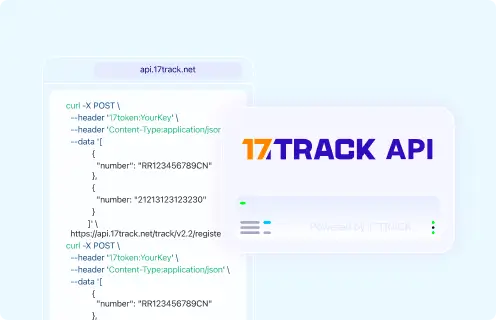
17TRACK APIRegister and track carrier tracking numbers through 17TRACK.
View all details for 17TRACK API
Provider17TRACK.
Order/tracking coverageCarrier tracking numbers supported by 17TRACK, not private merchant order numbers.
Authentication/access17token header with your 17TRACK API key.
Webhook/batch capabilityUse current 17TRACK API documentation for endpoints and integration options.
Current documentation17TRACK API documentation
Important limitationUse a carrier tracking number; if you only have an order number, first retrieve the carrier number from the merchant.

FAQ

Basic FAQs

1. How do I track my aftership order?

Use the merchant order email or account to find the carrier tracking number, then track it on the merchant page, the carrier site, AfterShip Track, or 17TRACK. AfterShip is usually the tracking technology provider, not the seller of your item.

2. Is AfterShip the company delivering my package?

Usually no. AfterShip provides tracking and post-purchase software, while the carrier or last-mile provider physically handles delivery.

3. Where do I find my AfterShip tracking number?

Look in the shipping confirmation email, SMS, merchant order page, branded tracking page, or return label. If the page only shows an order number, ask the merchant for the carrier tracking number.

4. Can I track with only an order number?

Usually you can use an order number only inside the merchant or marketplace system. 17TRACK needs a carrier tracking number to show logistics events.

5. What should I do if there is no tracking number?

Check whether the order is still processing, preorder, backorder, or waiting for seller handoff. Contact the merchant or seller if the stated handling period has passed or the order should already have shipped.

6. Why is my tracking number not updating?

Tracking may not update until the carrier scans the parcel or publishes a new event. If the latest status is only label created, the merchant or seller may still need to hand the parcel to the carrier.

7. How long does AfterShip delivery take?

There is no single AfterShip delivery time for shopper orders because AfterShip is not the carrier. Use the merchant’s delivery estimate and the carrier’s latest tracking events.

8. What if tracking says delivered but I did not receive it?

Check the mailbox, porch, parcel locker, front desk, household members, neighbors, photo, and proof-of-delivery details first. Then contact the carrier for delivery evidence and the merchant or marketplace for resolution options.

9. Can I track a return with 17TRACK?

Yes, if you have the return carrier tracking number and the carrier is supported. An RMA or return case number alone is not enough for 17TRACK package tracking.

10. How do I check my refund status?

Check the merchant return portal, order page, marketplace refund center, or original payment method. 17TRACK can show return parcel movement but cannot confirm whether a refund has been approved or posted.

Expert FAQs

11. Why does my store tracking page say AfterShip if I bought from another brand?

The merchant may use AfterShip to power its tracking page or notifications. The store still owns the order relationship, while the carrier owns the delivery scans.

12. Who is responsible when a seller provides tracking but the carrier has no scans?

The seller or merchant is usually responsible until the carrier accepts the parcel. Ask for proof of handoff or corrected tracking, and escalate through the marketplace if the seller misses its required handling window.

13. What if one order has multiple tracking numbers?

Track each shipment separately because split packages can use different warehouses, carriers, and delivery dates. A delivered scan for one package does not prove that all items in the order arrived.

14. Can AfterShip or 17TRACK change my delivery address?

No, not for a shopper order. Contact the merchant before shipment or the carrier after carrier acceptance, subject to the carrier’s address-change rules.

15. Does a delivered return mean my refund is approved?

No. Delivered return tracking only shows the return parcel reached a location; refund approval may depend on merchant receipt, inspection, return policy, and payment processing.

16. Can I use the AfterShip API to track any store order number?

No public API should be assumed to track any merchant order number without the merchant’s integration and authorization. For 17TRACK, use a carrier tracking number rather than a private order ID.

17. What happens when a cross-border parcel changes carriers?

The origin carrier, logistics partner, customs process, and destination carrier may publish events at different times. Look for destination handoff or a new last-mile tracking number before contacting the destination carrier.

18. Should I contact AfterShip support for a missing package?

For a retail purchase, contact the merchant or marketplace first and the carrier for delivery investigation. AfterShip support is mainly for merchants and developers using AfterShip products.

Tracking API

// 17TRACK API example for registering a carrier tracking number.
// Use the carrier tracking number, not an AfterShip-powered store order number,
// payment ID, invoice number, return authorization, or merchant reference.

POST https://api.17track.net/track/v2.4/register
Headers:
  17token: YourKey
  Content-Type: application/json

Body:
[
  {
    "number": "TRACKING_NUMBER"
  }
]

// Example with curl:
curl -X POST "https://api.17track.net/track/v2.4/register" \
  -H "17token: YourKey" \
  -H "Content-Type: application/json" \
  -d "[{\"number\":\"TRACKING_NUMBER\"}]"

Sources & References

17TRACK is an independent tracking platform and is not affiliated with aftership.
Loading