logo of Lazada

Lazada Order Tracking

https://www.lazada.com

Enter a tracking number that can be used for shipment tracking to check the logistics history of your Lazada order.

About Lazada

Lazada is a Southeast Asia ecommerce marketplace and shopping platform. It lists products sold by Lazada-operated retail channels and by third-party sellers, so tracking can involve Lazada order pages, seller handling, fulfillment partners, cross-border logistics, and the final-mile carrier.

Profile field Verified summary
Official nameLazada
Official websitehttps://www.lazada.com
Brand typeMarketplace and ecommerce retail platform.
Primary shopping regionSoutheast Asia, through country-specific Lazada sites and apps.
Order tracking pageLazada account order details in the local Lazada website or app.
Marketplace modelOrders may be handled by Lazada retail operations, marketplace sellers, Lazada fulfillment, seller self-shipping, or logistics partners depending on the item and region.

Brand Entity & Order Ownership

Entity / order party Role in the order
Lazada platformDisplays the order, seller information, payment status, delivery progress, return requests, and customer support entry points.
View all details for Lazada platform
What it controlsMarketplace account pages, order records, platform rules, customer service workflows, and eligible refund or return cases.
What it cannot controlEvery physical carrier scan, every seller packing delay, customs decisions, or a recipient being available at delivery.
Why it matters to trackingThe Lazada order page is usually the first place to confirm whether a shipment exists and whether the order was split.
Buyer accountHolds private order details, delivery address, messages, returns, vouchers, and payment-related information.
View all details for buyer account
What it controlsThe buyer can check orders, open help requests, message the seller when available, request cancellation or return when eligible, and keep evidence.
What it cannot controlThe buyer cannot force a carrier scan, approve their own refund, or change some order details after seller processing has started.
Why it matters to trackingPrivate Lazada order data is not visible to 17TRACK; the buyer must retrieve tracking details from Lazada first.
Seller or merchantLists the item and may prepare, pack, hand over, or self-ship the order depending on the fulfillment model.
View all details for seller or merchant
What it controlsProduct availability, seller preparation time, item condition, seller-provided shipment information, and some seller responses.
What it cannot controlPlatform refund approval after escalation, final-mile carrier routing, or official Lazada account access.
Why it matters to trackingIf a marketplace seller has not handed over the parcel, carrier tracking may not show scans even when the Lazada order is created.
Fulfillment partyMay be Lazada fulfillment, a seller warehouse, a cross-border logistics provider, or a partner sorting network.
View all details for fulfillment party
What it controlsWarehouse handover, sorting, shipping label creation, and parcel routing before the final-mile carrier receives the parcel.
What it cannot controlBuyer payment approval, refund decisions, or all downstream carrier exception events.
Why it matters to trackingA shipment may show internal Lazada progress before a public carrier tracking number becomes useful outside Lazada.
Carrier / last-mile carrierTransports the parcel and records pickup, transit, out-for-delivery, delivery attempt, delivered, or exception scans.
View all details for carrier or last-mile carrier
What it controlsPhysical movement scans, proof of delivery when offered, redelivery instructions where available, and depot handling.
What it cannot controlSeller dispatch timing, Lazada refund eligibility, order cancellation, or marketplace dispute outcomes.
Why it matters to tracking17TRACK can show carrier events only when a carrier-recognized tracking number and scan data are available.
Payment / refund channelProcesses payment capture or refund movement according to Lazada and payment-provider workflows.
View all details for payment or refund channel
What it controlsRefund posting to wallet, card, bank, or other eligible payment method after Lazada or seller approval.
What it cannot controlCarrier delivery scans or whether a returned parcel has physically arrived unless that data is shared into the case.
Why it matters to trackingReturn parcel tracking and refund status are related but not the same event.
17TRACK relationshipIndependent tracking platform that helps follow available carrier tracking numbers across supported carriers.
View all details for 17TRACK relationship
What it controlsTracking display, carrier auto-detection when possible, multi-carrier event aggregation, and tracking API registration for carrier numbers.
What it cannot controlPrivate Lazada order records, seller messages, address changes, refunds, returns approval, or carrier delivery decisions.
Why it matters to trackingUse 17TRACK after you have a usable carrier tracking number; use Lazada for account-only order actions.

Quick Answer

To track a Lazada order, sign in to your local Lazada account or app, open the order details, and check the shipment or order status. If Lazada shows a carrier tracking number, you can paste that number into 17TRACK or the carrier website.

QuestionDirect answer
How do I track my Lazada order?Use Lazada order details first, then use 17TRACK when a carrier tracking number is available.
Where is the tracking number?Look in the order detail page, shipment detail, delivery notification, email, SMS, or app notification. Some early-stage orders may show only an order number.
What if there is no tracking?Check whether the seller has shipped, whether the parcel is still being prepared, and whether the order was split into separate shipments.
Who should I contact?Contact Lazada or the seller through the order page for order and refund issues; contact the carrier for delivery-attempt details when the carrier is identifiable.
Pro Tip: 17TRACK can help track available carrier tracking numbers and may identify the carrier automatically, but it cannot access private Lazada order details, change your address, cancel an order, approve a refund, or contact the seller for you.

How to Track Lazada Orders

Start with Lazada because it knows the marketplace order, seller, payment, shipment split, and return case. Use external tracking after Lazada exposes a carrier-recognized tracking number.

Tracking Path Comparison

Tracking pathUse when
Official account / My OrdersYou bought the item using your own Lazada account.
View all details for official account tracking
Identifier neededLazada account login and the relevant order.
What you can seeOrder status, shipment progress, seller, delivery address, estimated delivery information where shown, return options, and help entries.
Best next stepOpen the order, choose the shipment or tracking detail, and check whether the order has multiple packages.
Important limitationAccount-only events may not be visible on a carrier site or 17TRACK until a public tracking number and carrier scans exist.
Official order email or SMSYou need a quick link or do not have the app open.
View all details for Lazada email or SMS tracking
Identifier neededMessage sent to the email address or phone number used for the order.
What you can seeOrder confirmation, shipment notification, delivery update, or link back to Lazada.
Best next stepUse the official link only after checking the sender and domain; then sign in if prompted.
Important limitationDo not share one-time passwords or payment information through suspicious messages.
17TRACKLazada shows a carrier tracking number or you received one from the seller or notification.
View all details for 17TRACK tracking
Identifier neededCarrier tracking number, not just the Lazada order number.
What you can seeAvailable carrier events such as accepted, in transit, out for delivery, delivered, exception, or return scans.
Best next stepPaste the carrier number into 17TRACK and compare the latest scan with Lazada order details.
Important limitation17TRACK cannot open Lazada cases, see private item details, or prove refund approval.
Carrier websiteThe carrier name is shown and you need proof of delivery, delivery-attempt details, or local redelivery options.
View all details for carrier website tracking
Identifier neededCarrier tracking number and sometimes recipient postcode or phone verification depending on carrier rules.
What you can seeCarrier scan history, delivery attempt, pickup location, or proof of delivery where the carrier provides it.
Best next stepUse Lazada support if the carrier scan conflicts with the marketplace order or the seller sent the wrong item.
Important limitationThe carrier usually cannot approve Lazada refunds or seller disputes.
Seller or message centerA marketplace seller has not shipped, provided unclear tracking, or needs item-specific handling.
View all details for seller message tracking
Identifier neededLazada order and seller name.
What you can seeSeller responses about stock, packing, handover, or item-specific issues.
Best next stepKeep conversation records and escalate through Lazada if the seller does not resolve the issue within the platform process.
Important limitationDo not move payment or dispute resolution outside Lazada if the issue concerns a Lazada order.
Guest / gift routeYou are not the account holder, received the item as a gift, or someone else ordered it for you.
View all details for guest or gift tracking
Identifier neededOfficial order link, tracking number, or help from the purchaser; access depends on what Lazada exposes for that order.
What you can seeUsually only shipment information shared by the purchaser or notification, not full private order information.
Best next stepAsk the purchaser for the carrier tracking number or to contact Lazada from their account.
Important limitation17TRACK cannot verify gift ownership or access the buyer account.
App notificationsYou use the Lazada app and want order, shipment, delivery, return, or voucher notifications.
View all details for Lazada app notifications
Identifier neededLazada app login and device notification permissions.
What you can seeOrder updates and support prompts when Lazada pushes them for your account.
Best next stepOpen the notification inside the app and compare it with the order detail page.
Important limitationNotification timing can differ from carrier scan timing.

Typical official tracking steps: sign in to the local Lazada site or app, open your account order list, select the order, open shipment or order status, find the carrier and tracking number if provided, and check whether one order has been split into multiple packages.

Order Numbers, Tracking Numbers and Where to Find Them

A Lazada order number identifies your purchase inside Lazada. A carrier tracking number identifies a parcel inside a logistics network. They are not interchangeable.

Identifier & Tracking Number Guide

Identifier typeWhere users find it
Lazada order numberOrder confirmation email, app order list, or order detail page.
View all details for Lazada order number
Looks like / exampleUse a masked example such as LAZ-ORDER-#######; actual formats vary by Lazada country and system.
Who issues itLazada order system.
Can 17TRACK use it?Usually no. Use it inside Lazada to locate the order, then find a carrier tracking number if available.
What it can and cannot proveIt proves the marketplace order record, but not that the parcel is in carrier custody.
Shipment / package numberShipment detail page when the order is split or partially shipped.
View all details for shipment or package number
Looks like / exampleMasked platform package reference such as PKG-####-####; format is not a public carrier standard.
Who issues itLazada or fulfillment system.
Can 17TRACK use it?Only if it is also a carrier-recognized tracking number; otherwise no.
What it can and cannot proveIt separates packages in one order, but may not show public carrier history.
Carrier tracking numberShipment detail, carrier field, seller message, shipping email, SMS, or app notification.
View all details for carrier tracking number
Looks like / exampleMasked examples: AB123456789CD or 1234 5678 9012; actual format depends on the carrier.
Who issues itCarrier, logistics partner, or shipping-label system.
Can 17TRACK use it?Yes, when the number belongs to a carrier supported by 17TRACK and the carrier has available events.
What it can and cannot proveIt can show carrier custody events, but it does not prove refund approval or item correctness.
Internal delivery IDMay appear in Lazada logistics screens or notifications for some shipments.
View all details for internal delivery ID
Looks like / exampleMasked example such as LEX-####-#### when shown by the platform; do not assume a universal format.
Who issues itLazada logistics or a partner system when applicable.
Can 17TRACK use it?Only if the identifier is accepted as a carrier tracking number by a supported carrier.
What it can and cannot proveIt may identify a delivery inside Lazada, but it may not work on public carrier sites.
Return tracking numberReturn request page, return label, drop-off receipt, pickup confirmation, or carrier receipt.
View all details for return tracking number
Looks like / exampleMasked carrier return example: RTN123456789 or 9876 5432 1098.
Who issues itReturn carrier, drop-off partner, or return-label system.
Can 17TRACK use it?Yes, if it is a carrier-recognized return tracking number supported by 17TRACK.
What it can and cannot proveIt can show that the return parcel moved, but it does not decide inspection or refund approval.
Return authorization / return request IDLazada return center or order return details.
View all details for return authorization ID
Looks like / exampleMasked example: RMA-####### or RETURN-CASE-####.
Who issues itLazada return workflow.
Can 17TRACK use it?No, unless it is separately also a carrier tracking number.
What it can and cannot proveIt identifies a return case, not parcel movement.
Seller referenceSeller message, invoice, package insert, or merchant system notification.
View all details for seller reference
Looks like / exampleMasked example: SELLER-REF-####.
Who issues itThird-party seller or merchant system.
Can 17TRACK use it?Usually no. Ask the seller or Lazada order page for a carrier tracking number.
What it can and cannot proveIt may help the seller identify fulfillment, but it is not public logistics proof.
Gift or shared order linkShared by the purchaser or in a gift-related notification where Lazada provides one.
View all details for gift or shared order link
Looks like / exampleOfficial Lazada link, not a number; use only trusted HTTPS Lazada domains.
Who issues itLazada or the purchaser sharing order information.
Can 17TRACK use it?No. 17TRACK needs a tracking number, not a private order link.
What it can and cannot proveIt may show limited delivery data, but it does not grant full buyer account rights.

Fulfillment, Sellers and Carriers

The carrier that delivers a Lazada package varies by order, country, seller, item type, fulfillment model, and delivery option. Do not assume that all Lazada orders use the same carrier or tracking format.

Fulfillment & Carrier Relationship

Fulfillment modelWho ships it
Lazada retail or platform-managed orderLazada or a platform fulfillment partner may handle warehouse processing and handover.
View all details for Lazada platform-managed fulfillment
Typical carriers or delivery networkCarrier varies by country, route, delivery service, and logistics partner.
Who updates trackingLazada systems and the carrier as scans become available.
Who handles delivery issuesLazada support for order cases; carrier for local delivery attempt details when identifiable.
What the customer should check firstOrder detail page, shipment status, and whether a separate carrier tracking number is shown.
Third-party seller self-shippingThe marketplace seller prepares the item and may choose or use an approved logistics path.
View all details for seller self-shipping
Typical carriers or delivery networkCarrier varies by seller, region, item size, and delivery option.
Who updates trackingSeller creates or provides shipment data; carrier updates movement after receipt.
Who handles delivery issuesSeller for dispatch questions; Lazada for platform cases; carrier for delivery scans.
What the customer should check firstSeller dispatch status, tracking validity, and messages inside Lazada.
Lazada fulfillment for marketplace sellerThe seller’s inventory may be processed through Lazada or partner fulfillment facilities when applicable.
View all details for Lazada fulfillment of seller orders
Typical carriers or delivery networkPlatform or partner logistics network varies by country and service.
Who updates trackingFulfillment system and carrier scan systems.
Who handles delivery issuesLazada support is usually the primary channel for order-level problems.
What the customer should check firstPackage-level status and whether all items were shipped together.
Cross-border marketplace orderSeller, export logistics, customs, line-haul provider, import sorting, and final-mile carrier may all be involved.
View all details for cross-border Lazada order
Typical carriers or delivery networkCarrier chain varies by origin, destination, customs route, and final-mile partner.
Who updates trackingMultiple systems may update at handover points; some events may be delayed until arrival scans.
Who handles delivery issuesLazada for order case and seller responsibility; carrier for local final-mile proof where available.
What the customer should check firstLatest milestone, customs-related notes, estimated delivery window, and whether the number changed after handover.
Pickup point or collection optionParcel is routed to an eligible pickup location when such option is offered for the order and region.
View all details for Lazada pickup point orders
Typical carriers or delivery networkLocal logistics or pickup partner varies by market.
Who updates trackingCarrier or pickup partner posts arrival and collection status through Lazada where integrated.
Who handles delivery issuesLazada support for order problems; pickup point for collection verification according to local process.
What the customer should check firstPickup code, collection deadline where shown, location address, and required identification.
Digital goods or servicesNo physical parcel may be shipped.
View all details for digital Lazada orders
Typical carriers or delivery networkNot applicable for purely digital delivery.
Who updates trackingLazada order system or seller fulfillment status, not a parcel carrier.
Who handles delivery issuesLazada or the seller through the digital order support path.
What the customer should check firstEmail, app messages, voucher code, account entitlement, or seller instructions.

Tracking Statuses and Meanings

Lazada status, seller status, carrier scan, return status, and refund status describe different parts of the order lifecycle. A shipment can be delayed even when the order remains active.

Status Quick Lookup

Status shownLifecycle stage
Pending / payment processingPayment and order confirmation.
View all details for pending payment
What it usually meansLazada is confirming payment or order creation.
Who is responsible nowBuyer, Lazada, and payment provider.
What happens nextOrder may move to processing or be cancelled if payment is not completed according to the platform process.
What the customer should doCheck payment method and Lazada notifications; do not expect carrier tracking yet.
Processing / preparingSeller or warehouse handling.
View all details for processing or preparing
What it usually meansThe item is being confirmed, packed, or prepared for handover.
Who is responsible nowSeller, warehouse, or fulfillment party.
What happens nextA shipment may be created and a tracking number may appear.
What the customer should doWait for shipment creation; contact seller or Lazada if preparation exceeds the order’s displayed timeline.
Shipped / handed overShipment created or parcel moving to carrier custody.
View all details for shipped or handed over
What it usually meansA shipping label or shipment has been created; the carrier may or may not have scanned the parcel yet.
Who is responsible nowSeller, fulfillment party, and carrier during handover.
What happens nextFirst carrier scan appears after pickup or sorting.
What the customer should doTry 17TRACK once a carrier number is shown; allow for initial scan delay.
In transitCarrier movement, sorting, line-haul, cross-border, or final-mile transfer.
View all details for in transit
What it usually meansThe parcel is moving between facilities or countries.
Who is responsible nowCarrier chain and logistics partners.
What happens nextArrival, customs, local sorting, or out-for-delivery scan.
What the customer should doMonitor the latest scan and compare with the displayed delivery window.
Out for deliveryFinal-mile delivery attempt.
View all details for out for delivery
What it usually meansThe local courier is attempting delivery or has loaded the parcel for route delivery.
Who is responsible nowLast-mile carrier and recipient availability.
What happens nextDelivered, delivery attempted, failed delivery, pickup-ready, or rescheduled event.
What the customer should doKeep phone available, check delivery instructions, and monitor carrier updates.
DeliveredCarrier marks delivery complete.
View all details for delivered
What it usually meansThe carrier recorded delivery to the address, pickup point, front desk, locker, or authorized recipient depending on route rules.
Who is responsible nowCarrier for delivery proof; buyer and Lazada support for not-received case handling.
What happens nextOrder may close unless a problem, return, or refund case is opened.
What the customer should doCheck delivery location, household, front desk, neighbors, photos, and carrier proof before escalating.
Pickup readyParcel available at a collection point when applicable.
View all details for pickup ready
What it usually meansThe parcel arrived at a pickup location and awaits collection.
Who is responsible nowPickup partner and recipient.
What happens nextCollected, expired, returned to sender, or issue reported.
What the customer should doBring required ID and pickup code where requested; check the Lazada app for collection instructions.
Exception / failed deliveryAddress, recipient, customs, route, weather, capacity, or carrier issue.
View all details for delivery exception
What it usually meansThe parcel needs action, redelivery, clarification, or additional processing.
Who is responsible nowCarrier, buyer, seller, or Lazada depending on exception type.
What happens nextRedelivery, pickup, return to sender, or case escalation.
What the customer should doRead the latest event, check address and phone, contact carrier if identifiable, and open Lazada help if unresolved.
Return / refund processingAfter-delivery service, return logistics, inspection, or payment refund.
View all details for return or refund processing
What it usually meansA return or refund case is active, or a return parcel is being transported.
Who is responsible nowBuyer, Lazada, seller, carrier, and payment provider depending on stage.
What happens nextReturn received, inspection, approval, rejection, refund posting, or further evidence request.
What the customer should doTrack the return parcel separately and monitor refund status in Lazada.

Delivery Time and Delay Factors

Lazada delivery estimates are order-specific. Use the estimated delivery information shown in your Lazada order, because timing depends on the local site, seller, stock, shipping option, carrier, and destination.

Delivery Time & Delay Factors

Scenario/serviceTypical timing source
Domestic marketplace orderEstimated delivery shown on Lazada order detail and local shipping page.
View all details for domestic Lazada delivery
What can delay itSeller preparation, warehouse capacity, local carrier load, address issues, weather, holidays, or failed delivery attempt.
When tracking may updateAfter shipment creation, pickup, sorting, and final-mile scans.
Who to contact firstLazada order help if the order is beyond the displayed timeline; carrier for active out-for-delivery problems.
Important caveatEstimated dates are not the same as guaranteed delivery unless Lazada explicitly states a guarantee for the specific order.
Cross-border orderLazada order estimate plus customs and international logistics milestones.
View all details for cross-border delivery timing
What can delay itExport processing, line-haul capacity, customs checks, import handover, and final-mile reassignment.
When tracking may updateUpdates may be sparse between export departure and destination arrival.
Who to contact firstLazada for marketplace order issues; final-mile carrier if the parcel has arrived locally and carrier is identifiable.
Important caveatCustoms-related timing depends on authorities and required information; 17TRACK cannot clear customs.
Third-party seller orderSeller handling time and Lazada estimated delivery shown for the item/order.
View all details for third-party seller timing
What can delay itSeller stock confirmation, late handover, incorrect tracking upload, or seller packaging issues.
When tracking may updateAfter seller hands the parcel to the logistics network.
Who to contact firstSeller through Lazada for pre-shipment issues; Lazada if seller response is not sufficient.
Important caveatA seller marking an item shipped does not always mean the carrier has scanned it.
Pre-order, backorder, or stock-dependent itemProduct page, order detail, and seller or Lazada notification.
View all details for stock-dependent Lazada orders
What can delay itInventory arrival, seller preparation, or platform cancellation rules if stock is unavailable.
When tracking may updateOnly after the product is ready for shipment.
Who to contact firstSeller or Lazada order help, depending on who provides the availability update.
Important caveatDo not expect carrier tracking before physical fulfillment begins.
Split shipmentPackage-level shipment details inside Lazada.
View all details for Lazada split shipments
What can delay itDifferent sellers, warehouses, carriers, item sizes, or stock locations.
When tracking may updateEach package updates independently.
Who to contact firstLazada order help for missing item within an order; seller if item-specific.
Important caveatOne package delivered does not prove that every item in the order was delivered.
Pickup point or collectionLazada app pickup notice and local pickup partner instructions.
View all details for Lazada pickup timing
What can delay itRouting to collection point, capacity, pickup code issue, or location operating process.
When tracking may updateWhen the parcel arrives at the pickup location and when collected or expired.
Who to contact firstLazada help for order issue; pickup partner for collection verification when instructed.
Important caveatCollection requirements and deadlines vary by local service.
Large, high-value, or restricted itemOrder detail, seller information, and local delivery rules for the product type.
View all details for special Lazada deliveries
What can delay itSpecial handling, recipient verification, scheduling, product restrictions, or additional carrier handling.
When tracking may updateAt scheduled handling points or after carrier appointment events.
Who to contact firstLazada or seller for order-specific handling instructions.
Important caveatDo not assume standard parcel timing for special goods.

Common Problems and Next Steps

Use the latest Lazada order status and the latest carrier scan together. If they conflict, keep screenshots and escalate through the order page instead of relying on a single status label.

Problem & Next Step

Problem shownCheck first
No tracking numberOrder status, seller preparation, and whether shipment has been created.
View all details for no Lazada tracking number
Likely causeThe order is not shipped, the seller has not handed it over, or Lazada has not exposed a carrier number.
Immediate actionWait for shipment update and check messages from Lazada or seller.
When to escalateWhen the order exceeds the displayed handling or delivery timeline.
Who to contactSeller for pre-shipment questions; Lazada for platform case.
Tracking number not workingNumber copied exactly, carrier selected correctly, and first carrier scan exists.
View all details for Lazada tracking number not working
Likely causeToo early, wrong identifier, internal delivery ID, carrier not recognized, or seller entered an incorrect number.
Immediate actionTry 17TRACK auto-detection and the named carrier website; verify the number in Lazada.
When to escalateIf the number remains invalid after carrier handover should have happened.
Who to contactLazada or seller for number correction; carrier only if the carrier recognizes the number.
Shipped but no scansWhether “shipped” means label created or parcel accepted by carrier.
View all details for shipped but no scans
Likely causeCarrier has not picked up, pickup scan delayed, internal sorting not public, or seller handover is pending.
Immediate actionMonitor Lazada and carrier tracking for the first accepted scan.
When to escalateWhen there is no movement beyond the expected Lazada timeline.
Who to contactSeller or Lazada before carrier acceptance; carrier after acceptance.
Package stuckLatest scan location, date, cross-border handover, and estimated delivery window.
View all details for stuck Lazada package
Likely causeSorting backlog, line-haul gap, customs, final-mile transfer, or scan delay.
Immediate actionCheck both Lazada and 17TRACK for newer events and wait for next hub scan if still within timeline.
When to escalateWhen the parcel is beyond the Lazada displayed delivery window or shows an exception requiring action.
Who to contactLazada for order case; carrier for local scan investigation where available.
Delivery attemptedAttempt reason, phone availability, address, and redelivery or pickup instructions.
View all details for delivery attempted
Likely causeRecipient unavailable, access issue, wrong contact, cash-on-delivery issue where applicable, or address problem.
Immediate actionFollow Lazada or carrier redelivery instructions and keep phone available.
When to escalateIf repeated attempts fail or the parcel is being returned.
Who to contactCarrier for redelivery details; Lazada if order may return or dispute is needed.
Address problemShipping address in the order and latest carrier exception.
View all details for Lazada address problem
Likely causeIncomplete address, unreachable phone, building access restriction, or post-shipment address change not allowed.
Immediate actionCheck whether Lazada or carrier allows correction for that shipment stage.
When to escalateIf the carrier cannot deliver or returns the parcel.
Who to contactLazada support and the carrier where carrier rules permit contact.
Customs holdCross-border status, requested information, and carrier or Lazada notice.
View all details for customs hold
Likely causeImport processing, inspection, missing information, duties, restricted goods, or documentation review.
Immediate actionFollow official Lazada or carrier instructions and provide only requested information through trusted channels.
When to escalateIf no instructions are shown and the status remains unresolved beyond the displayed delivery window.
Who to contactLazada support for marketplace order; carrier or customs broker if Lazada directs you there.
Delivered but not receivedDelivery location, family, front desk, neighbors, parcel photo, proof of delivery, and carrier event.
View all details for delivered but not received
Likely causeDelivered to safe place, front desk, household member, pickup point, wrong address, premature scan, or delivery error.
Immediate actionCheck nearby areas, building management, household members, neighbors, delivery photo, and carrier proof before opening a case.
When to escalateIf the parcel cannot be found after checking local delivery evidence and the carrier event still conflicts with reality.
Who to contactLazada order help or seller through Lazada; carrier for proof of delivery when available. Refund is not automatic.
Split shipment missing itemPackage list, item-to-package mapping, and whether another package is still in transit.
View all details for split shipment missing item
Likely causeSeparate sellers, warehouses, or packages; partial delivery; packing error.
Immediate actionCheck every shipment under the order and photograph package contents if an item is missing from a delivered parcel.
When to escalateIf all packages show delivered but an item is missing.
Who to contactLazada and the seller with package photos and order details.
Seller did not shipSeller handling status and Lazada cancellation or help options.
View all details for seller did not ship
Likely causeStock issue, seller delay, operational issue, or order cancellation workflow pending.
Immediate actionMessage seller if available and check Lazada cancellation or help prompts.
When to escalateWhen seller misses the platform timeline or does not respond.
Who to contactLazada support through the order page.
Wrong, lost, or damaged itemPhotos, packaging, invoice, carrier damage note, and Lazada return/refund eligibility.
View all details for wrong lost or damaged Lazada item
Likely causeSeller packing error, warehouse error, carrier damage, or delivery loss.
Immediate actionKeep all packaging and take clear photos or video evidence before starting a return or refund request.
When to escalateAs soon as you discover the issue and within the Lazada return or dispute flow available for the order.
Who to contactLazada return/refund center or seller through Lazada; carrier only for delivery damage evidence if needed.
Return not updating or refund pendingReturn tracking, drop-off receipt, return case status, and refund method.
View all details for return not updating or refund pending
Likely causeReturn carrier has not scanned, return not received, inspection pending, seller dispute, or payment provider posting time.
Immediate actionTrack return parcel separately and monitor refund status inside Lazada.
When to escalateIf the return parcel is delivered but refund status does not progress according to the Lazada case instructions.
Who to contactLazada support with return case ID, return tracking, and drop-off proof.

Returns, Exchanges and Refunds

Start returns and refunds from the Lazada order page or return center. 17TRACK can help follow a return parcel if you have a carrier return tracking number, but it cannot decide whether Lazada or the seller will approve a refund.

Returns & Refunds

ScenarioWhere to start
Return requestLazada order details or official return/refund center for the relevant local site.
View all details for Lazada return request
Who can start itUsually the buyer account holder, subject to item eligibility and local Lazada rules.
Identifier neededOrder number, item, reason, photos if needed, and account login.
Return shipping/trackingFollow the return method shown by Lazada; keep label, pickup, or drop-off proof.
Refund timing dependencyDepends on return receipt, inspection, seller/platform decision, and payment method.
Important limitationEligibility, deadline, and method vary by item, seller, country, and reason.
Exchange or replacementOrder after-sales options if exchange or replacement is offered for that item.
View all details for Lazada exchange or replacement
Who can start itBuyer account holder, when Lazada and seller offer the option.
Identifier neededOrder number, item, reason, evidence, and account access.
Return shipping/trackingReturn and replacement shipments may have separate tracking numbers.
Refund timing dependencyIf replacement is not possible, Lazada may route the case to refund according to the order workflow.
Important limitationDo not ship items back outside the official Lazada process unless instructed by Lazada.
Cancel orderOrder detail page if cancellation is still available.
View all details for Lazada order cancellation
Who can start itBuyer account holder before the order reaches a stage where cancellation is no longer available.
Identifier neededOrder number and account login.
Return shipping/trackingNo return tracking if cancelled before shipment; if already shipped, return workflow may be required.
Refund timing dependencyDepends on cancellation approval and payment method.
Important limitation17TRACK cannot cancel a Lazada order.
Return parcel trackingReturn label, carrier receipt, Lazada return details, or 17TRACK if a carrier return number is available.
View all details for Lazada return parcel tracking
Who can start itBuyer who has initiated a return and has shipment proof.
Identifier neededReturn tracking number, return request ID, and drop-off or pickup proof.
Return shipping/trackingTrack the return parcel separately from the original delivery parcel.
Refund timing dependencyRefund may wait for return receipt and inspection even if the return parcel is in transit.
Important limitationA delivered return scan is not the same as a refund approval notice.
Refund statusLazada refund case or order refund page.
View all details for Lazada refund status
Who can start itBuyer through Lazada when eligible; Lazada or seller may need to review.
Identifier neededOrder number, refund case ID, payment method, and evidence if requested.
Return shipping/trackingRelevant only if the refund depends on a return parcel.
Refund timing dependencyPayment method, bank or wallet processing, seller response, inspection, and platform approval.
Important limitation17TRACK cannot see payment posting status.
Gift returnPurchaser’s Lazada account unless Lazada provides a limited gift return route for that order.
View all details for Lazada gift return
Who can start itUsually the purchaser with account access.
Identifier neededOrder number, item details, and return reason.
Return shipping/trackingUse Lazada’s return method; share return tracking only with trusted parties.
Refund timing dependencyRefund normally follows the original transaction or Lazada’s order-specific process.
Important limitationGift recipient may not have rights to view payment or refund information.
Third-party seller returnLazada return/refund workflow for that seller order.
View all details for third-party seller return
Who can start itBuyer account holder through Lazada.
Identifier neededOrder number, seller name, item evidence, and return reason.
Return shipping/trackingUse the return path generated by Lazada to preserve marketplace protection.
Refund timing dependencySeller response, Lazada review, return delivery, and inspection.
Important limitationDo not send money or return goods outside Lazada’s process for a Lazada order.
Cross-border returnLazada return instructions for the item and destination.
View all details for cross-border Lazada return
Who can start itBuyer account holder if return is eligible.
Identifier neededReturn request ID, order number, item evidence, and return label or instructions.
Return shipping/trackingInternational return tracking may have handover gaps and different return addresses.
Refund timing dependencyReturn receipt, customs, inspection, seller or platform approval, and payment processing.
Important limitationReturn eligibility and shipping responsibility vary by local policy and item category.

Customer Service and Escalation

Use official Lazada help pages, the order detail page, the app, and seller messaging where available. Avoid relying on unverified phone numbers or social posts for order-specific issues.

Customer Service

ChannelBest for
Lazada Help CenterGeneral order, shipping, returns, refunds, account, and marketplace help articles.
View all details for Lazada Help Center
Where to accessCountry-specific Lazada Help Center, usually linked from the local Lazada site or app.
Information to prepareOrder number, tracking number, account email or phone, seller name, latest status, and screenshots.
Who should use itBuyers needing official process guidance before opening a case.
Important limitationHelp articles may vary by country and do not replace the order-specific case page.
Order detail help entryOrder-specific missing package, late delivery, cancellation, return, refund, or item problem.
View all details for Lazada order detail help
Where to accessLocal Lazada website or app under My Orders and the relevant order.
Information to prepareOrder number, package number, item photos, delivery evidence, return label, and refund case ID if applicable.
Who should use itThe buyer account holder.
Important limitationSomeone who is not the account holder may not be able to view or escalate private order details.
Lazada app chat or support assistantGuided help, case routing, and order-related support from the mobile app.
View all details for Lazada app support
Where to accessLazada app account or help section; exact labels vary by market.
Information to prepareOrder screenshots, latest tracking event, delivery address, photos, invoice, and return proof.
Who should use itBuyers who need account-authenticated help.
Important limitationAvailability and channel names can differ between Lazada countries.
Seller messagingPre-shipment, stock, wrong item, product-specific question, or seller-provided tracking problem.
View all details for Lazada seller messaging
Where to accessOrder detail page, seller page, or Lazada message center where available.
Information to prepareOrder number, seller name, item SKU or product name, tracking number, photos, and conversation history.
Who should use itBuyer with seller-specific questions before or during fulfillment.
Important limitationKeep communication inside Lazada to preserve records and avoid off-platform payment or return risks.
Carrier supportDelivery attempt, proof of delivery, pickup location, or local redelivery question when the carrier is known.
View all details for carrier support
Where to accessOfficial carrier website or contact path shown by the carrier or Lazada order detail.
Information to prepareCarrier tracking number, recipient name, delivery address, phone number, and latest scan.
Who should use itRecipient needing local delivery evidence or redelivery instructions.
Important limitationThe carrier usually cannot approve Lazada refunds, returns, or seller disputes.
17TRACK support and tracking toolsChecking available carrier events for a tracking number and using multi-carrier tracking tools.
View all details for 17TRACK support scope
Where to access17TRACK tracking website or API documentation for business integration.
Information to prepareCarrier tracking number and carrier name if known.
Who should use itBuyers, sellers, and support teams who need independent carrier tracking visibility.
Important limitation17TRACK is not Lazada and cannot edit orders, refund payments, or contact sellers.

Seller, Marketplace and Buyer Responsibility

Because Lazada is a marketplace, responsibility can change as the order moves from seller preparation to carrier transportation to Lazada after-sales review.

Marketplace Responsibility

IssueBuyer action
Seller has not shippedCheck order timeline, message seller when available, and use Lazada cancellation or help options if overdue.
View all details for seller has not shipped
Platform roleShows order status and provides cancellation or escalation workflows.
Seller roleConfirms stock, packs item, and hands it over.
Carrier roleNo role until parcel is received.
Evidence to keepOrder status, seller messages, and displayed delivery timeline.
Seller provided wrong trackingCompare Lazada, carrier, and 17TRACK results; ask seller or Lazada to correct or investigate.
View all details for wrong tracking from seller
Platform roleMaintains order case and may review tracking mismatch.
Seller roleProvides the correct shipment information.
Carrier roleShows whether the number belongs to a real parcel and destination where visible.
Evidence to keepTracking screenshots, seller messages, and order detail.
Item not receivedCheck delivery proof and open a Lazada order help case if local checks fail.
View all details for Lazada item not received
Platform roleReviews buyer report, seller response, and delivery evidence through platform process.
Seller roleMay provide shipment proof or respond to the case.
Carrier roleProvides delivery scan or proof where available.
Evidence to keepPhotos of delivery area, carrier scan, proof of delivery request, and conversation records.
Item not as describedPhotograph the item, packaging, label, and product page differences; start Lazada return/refund request.
View all details for item not as described
Platform roleProvides return/refund process and evidence review.
Seller roleResponds to product issue or return request.
Carrier roleUsually limited to transport unless damage occurred in transit.
Evidence to keepProduct photos, package label, invoice, listing screenshots, and unboxing evidence if available.
Return disputeUse Lazada case center and submit return tracking, photos, receipts, and seller conversation.
View all details for Lazada return dispute
Platform roleReviews return case according to local Lazada policy.
Seller roleMay inspect returned item or dispute condition.
Carrier roleShows return parcel movement and delivery to return location.
Evidence to keepReturn label, drop-off receipt, return tracking, item condition photos, and case ID.
Delivery scan conflictPreserve carrier and Lazada screenshots, check address and proof, then escalate through Lazada.
View all details for delivery scan conflict
Platform roleCompares order evidence and support case information.
Seller roleMay confirm dispatch and shipment data.
Carrier roleProvides scan history and proof of delivery where possible.
Evidence to keepProof of non-receipt, delivery photo conflict, building logs, and latest carrier events.
Refund after delivery failureWait for Lazada case or return-to-sender status and follow refund instructions in the order page.
View all details for refund after delivery failure
Platform roleDetermines refund handling based on delivery failure and order rules.
Seller roleMay receive returned parcel or respond to refund case.
Carrier roleShows failed delivery and return-to-sender scans.
Evidence to keepFailed delivery event, return-to-sender tracking, case ID, and payment method record.

Brand App, Notifications and Delivery Options

Lazada offers account and app-based order visibility. Delivery options vary by country, product, seller, and logistics availability, so use the options shown during checkout and in the order detail page.

App, Notifications and Delivery Options

FeatureUse case
Lazada mobile appManage orders, delivery updates, returns, refunds, seller messages, and help requests.
View all details for Lazada mobile app
Where to enableInstall the official Lazada app for your country and sign in.
When it appearsAfter account login and order creation.
What it can changeMay allow order help actions, returns, cancellation options, or delivery-related prompts when available.
LimitationsFeatures differ by local Lazada market and order eligibility.
Email and SMS notificationsReceive order confirmation, shipment, delivery, and return updates.
View all details for Lazada email and SMS notifications
Where to enableAccount contact details and notification settings where offered.
When it appearsDuring order milestones such as confirmation, shipment, delivery, or return.
What it can changeCan alert you to action needed, but usually does not replace the order detail page.
LimitationsMessages can be delayed, filtered, or impersonated; use official Lazada links only.
Delivery instruction or address optionsProvide address details or delivery preferences where Lazada or carrier supports them.
View all details for delivery instructions
Where to enableCheckout, address book, order page, or carrier page if available for that shipment.
When it appearsBefore shipment or during final-mile delivery depending on service.
What it can changeMay help delivery access or contact, but not every shipment can be changed after processing.
LimitationsPost-shipment address changes may be restricted.
Pickup point or collectionCollect an eligible order at a pickup location instead of home delivery.
View all details for pickup or collection options
Where to enableCheckout or delivery option selection where Lazada offers it for the item and address.
When it appearsOnly for eligible routes and products.
What it can changeChanges final delivery location to collection point when selected and confirmed.
LimitationsCollection code, ID rules, and deadline vary by location and partner.
Cash-on-delivery related delivery handlingFor orders where COD is available and selected, delivery completion may require payment at receipt.
View all details for COD delivery handling
Where to enableCheckout only if COD is offered for the item, seller, address, and local Lazada rules.
When it appearsAt checkout and delivery attempt.
What it can changeCarrier may need payment confirmation at delivery.
LimitationsCOD availability is not universal and failed payment or unavailability can affect delivery.

Business, Seller or Developer API

Lazada sellers and partners should use official Lazada seller or open platform resources for marketplace order operations. For independent carrier tracking, use 17TRACK API with carrier tracking numbers, not Lazada private order numbers.

Developer/API Comparison

OptionPrimary use
Lazada Seller CenterSeller order management, fulfillment actions, product operations, and marketplace account workflows.
View all details for Lazada Seller Center
ProviderLazada.
Order/tracking coverageSeller orders and logistics actions available to the authenticated seller account.
Authentication/accessSeller account access and local marketplace requirements.
Webhook/batch capabilityUse official seller resources for current capabilities; do not assume availability without documentation.
Current documentationOfficial Lazada Seller Center and seller help resources.
Important limitationBuyer account privacy and seller permissions restrict what each account can access.
Lazada Open PlatformMarketplace API integration for authorized sellers, ISVs, or partners where available.
View all details for Lazada Open Platform
ProviderLazada Open Platform.
Order/tracking coverageAuthorized marketplace data according to Lazada API scopes, seller permissions, and regional availability.
Authentication/accessDeveloper application, authorization, and official Lazada Open Platform process.
Webhook/batch capabilityRefer to the current Lazada Open Platform documentation for supported APIs and event capabilities.
Current documentationOfficial Lazada Open Platform documentation.
Important limitationDo not use buyer-facing order numbers as carrier tracking numbers; API access is permissioned.
17TRACK Tracking APIRegister and query carrier tracking numbers for shipment visibility across supported carriers.
View all details for 17TRACK API
Provider17TRACK.
Order/tracking coverageCarrier tracking events for submitted tracking numbers.
Authentication/access17TRACK API token using the 17token header.
Webhook/batch capabilityRefer to official 17TRACK API documentation for current endpoints and integration options.
Current documentation17TRACK API documentation.
Important limitationIt does not retrieve Lazada private order details or authorize seller actions.

FAQ

Basic FAQs

1. How do I track my Lazada order?

Sign in to your local Lazada account or app, open My Orders, select the order, and check the shipment or tracking detail; if a carrier tracking number is shown, you can also track it with 17TRACK.

2. Where do I find my Lazada tracking number?

Look in the Lazada order detail page, shipment detail, shipping email, SMS, app notification, or seller message; early orders may show only an order number until shipment is created.

3. Can I track a Lazada order number on 17TRACK?

Usually no, because a Lazada order number identifies the purchase inside Lazada, while 17TRACK needs a carrier tracking number that belongs to a logistics provider.

4. What should I do if my Lazada order has no tracking number?

Check whether the seller has shipped and whether the order has been split into packages; if the order is overdue, use Lazada order help or seller messaging inside the platform.

5. Why is my Lazada tracking number not updating?

Tracking may not update until the carrier scans the parcel, and cross-border shipments can have gaps between handovers; compare Lazada status, 17TRACK, and the carrier website before escalating.

6. How long does Lazada delivery take?

Use the delivery estimate shown in your Lazada order because timing depends on country, seller, stock, delivery option, carrier, destination, and cross-border processing.

7. What if Lazada says delivered but I did not receive the package?

Check the delivery location, household, front desk, neighbors, pickup point, delivery photo, and carrier proof first, then open a Lazada order help case if the parcel cannot be found.

8. How do I track a Lazada return?

Open the Lazada return case and use the return label, pickup record, drop-off receipt, or carrier return tracking number; 17TRACK can help only when the return number is carrier-recognized.

9. Where can I check my Lazada refund status?

Check the refund or return case inside Lazada, because refund progress depends on approval, return receipt, inspection, seller response, and payment-provider processing.

10. How do I contact Lazada about an order?

Use the official Lazada Help Center, the app support entry, or the help option inside the specific order; prepare your order number, tracking number, seller name, photos, and latest tracking event.

Expert FAQs

11. Who is responsible when a Lazada marketplace seller has not shipped?

The seller is usually responsible for stock and handover before carrier acceptance, while Lazada provides the order record, cancellation options, and escalation process if the seller misses the platform timeline.

12. Why does one Lazada order have multiple tracking numbers?

A Lazada order can be split because items come from different sellers, warehouses, countries, or package sizes, so each shipment may have its own carrier, tracking number, and delivery date.

13. Can a Lazada internal delivery ID be tracked outside Lazada?

Only sometimes, because an internal delivery ID may work only inside Lazada logistics unless it is also accepted by a public carrier tracking system supported by 17TRACK.

14. Why do cross-border Lazada orders have long tracking gaps?

Cross-border orders can pass through export, line-haul, customs, import sorting, and final-mile handover, and not every partner publishes scans at every stage.

15. Does a delivered return tracking scan mean my Lazada refund is approved?

No, a delivered return scan only shows parcel movement; Lazada or the seller may still need to receive, inspect, approve, and process the refund through the payment channel.

16. Can a gift recipient track a Lazada order?

A gift recipient can track only information shared by the purchaser or carrier, because full order, payment, return, and refund controls usually remain with the buyer account holder.

17. Should sellers use Lazada API or 17TRACK API for tracking?

Use Lazada Seller Center or Lazada Open Platform for authorized marketplace order operations, and use 17TRACK API for independent carrier tracking after you have carrier tracking numbers.

18. What should I do if Lazada and the carrier show different statuses?

Keep screenshots of both Lazada and carrier events, check which update is newer, and escalate through Lazada if the conflict affects delivery, return, or refund rights.

Tracking API

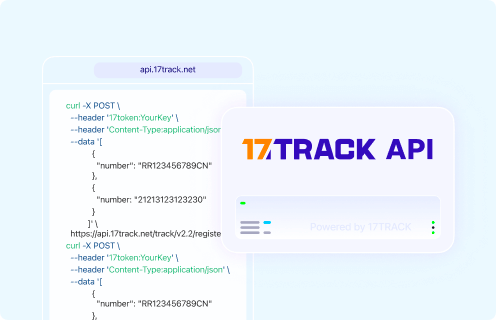
POST https://api.17track.net/track/v2.4/register

Headers:
17token: YourKey
Content-Type: application/json

Body:
[
  {
    "number": "TRACKING_NUMBER"
  }
]

Note:
Use the carrier tracking number from Lazada shipment details, the carrier, or the seller.
Do not submit a Lazada order number, payment reference, invoice number, return case ID, or private marketplace ID unless it is also a carrier-recognized tracking number.

Sources & References

17TRACK is an independent tracking platform and is not affiliated with Lazada.
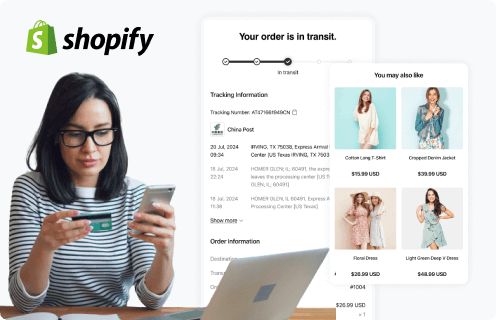
Use the 17TRACK Shopify APP to track your Lazada packages.
An order tracking App built for Shopify sellers, keeping track of Lazada packages.Get started
Use the 17TRACK API to track your Lazada packages.
Lazada tracking API makes auto track & trace and webhook push a breeze.Start a free trial
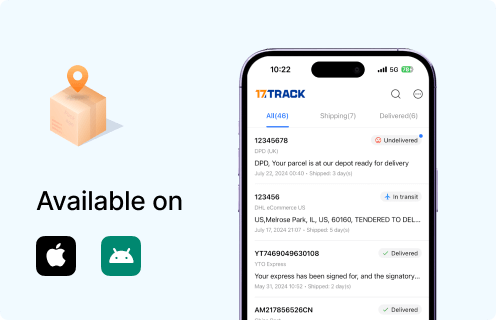
Use the 17TRACK API to track your Lazada packages.
Get real-time notifications on Lazada delivery updates.Download now
Loading