S

StockX

https://stockx.com/

Enter a tracking number that can be used for shipment tracking to check the logistics history of your StockX order.

About StockX

StockX is an online marketplace for buying and selling products such as sneakers, apparel, electronics, collectibles and accessories. The official website is https://stockx.com/. StockX orders are marketplace transactions: a buyer purchases through StockX, a seller ships eligible physical goods into the StockX process, StockX authentication or verification may occur, and a carrier delivers the package to the buyer when shipment tracking is available.

Brand Entity & Order Ownership

Entity / order partyRole in the order
StockX marketplaceHosts buying, selling, order history, authentication workflow and customer support routes.
View all details for StockX marketplace
What it controlsAccount order display, marketplace rules, authentication status, payment and refund case handling through official channels.
What it cannot controlEvery carrier scan timing, weather, customs processing or building-level delivery access after carrier handoff.
Why it matters to trackingStockX is the first place to confirm whether the order is still waiting for seller shipment, authentication or final outbound delivery.
Buyer accountStores order details, email address, shipping address and order notifications.
View all details for buyer account
What it controlsAccess to purchase history, order status, official messages and support case context.
What it cannot controlSeller shipment speed, authentication result, carrier network movement or refund approval.
Why it matters to trackingWithout the buyer account or official emails, StockX may not expose private order data to another person.
Seller or merchantLists the item and ships sold items into the StockX process when required.
View all details for StockX seller
What it controlsProviding the sold item to StockX according to seller obligations and using the seller-side shipping flow.
What it cannot controlStockX authentication decisions, buyer refunds, final-mile delivery or 17TRACK events.
Why it matters to trackingEarly buyer status can remain limited until the seller ships and StockX receives or processes the item.
Fulfillment partyStockX facilities and related logistics partners process authenticated items and outbound shipments.
View all details for fulfillment party
What it controlsAuthentication workflow, packaging handoff and final shipment preparation when the order enters StockX fulfillment.
What it cannot controlCarrier route changes, delivery attempts, customs decisions or address access conditions.
Why it matters to trackingA StockX order can be legitimate before a carrier tracking number becomes active.
Carrier or last-mile carrierTransports the package and publishes transport scans when a trackable shipment exists.
View all details for carrier or last-mile carrier
What it controlsPickup scans, transit scans, delivery attempts, proof of delivery and service exceptions.
What it cannot controlStockX account status, authentication, seller compliance or payment refunds.
Why it matters to tracking17TRACK and carrier websites depend on carrier tracking events, not on the private StockX order record.
Payment/refund channelProcesses charges, credits or refund posting after StockX approves or triggers a transaction action.
View all details for payment and refund channel
What it controlsPayment authorization, settlement and bank or wallet posting behavior.
What it cannot controlPackage scans, item authenticity decisions or carrier delivery exceptions.
Why it matters to trackingA delivered or returned scan is not the same as refund approval or payment posting.
17TRACK relationshipIndependent package tracking platform for supported carrier tracking numbers.
View all details for 17TRACK relationship
What it controlsCarrier detection and display of available tracking events from supported logistics networks.
What it cannot controlStockX orders, addresses, sellers, returns, refunds, authentication or delivery instructions.
Why it matters to trackingUse 17TRACK after you have a carrier tracking number; use StockX for private order and support actions.

Quick Answer

To track a StockX order, sign in to your StockX account or use the official StockX app, open your buying or order activity, select the order, and check whether StockX shows an order status, shipment status, carrier name or tracking number.

If you have a carrier tracking number, you can track it on the carrier website or with 17TRACK. 17TRACK can help identify supported carriers and show available scan events, but it cannot view private StockX order details, modify an address, contact a seller, approve a return or issue a refund.

Quick Tracking Decisions

QuestionDirect answer
Where do I start?Start in StockX order details because the order may still be before final carrier handoff.
Where is the tracking number?Check StockX order details, shipping emails, app notifications and carrier links once the shipment is created.
What if there is no tracking?The order may be waiting for seller shipment, authentication or outbound shipment creation; keep checking StockX status.
Who should I contact?Contact StockX for order, authentication, refund and account issues; contact the carrier for active delivery events; use 17TRACK only for tracking visibility.

How to Track StockX Orders

Use StockX first for order lifecycle status, then use a carrier tracking number with 17TRACK or the carrier when shipment tracking becomes available.

Tracking Path Comparison

Tracking pathUse when
Official account / Buying activityYou are the buyer and can sign in to StockX.
View all details for official account tracking
Identifier neededStockX account login and the relevant order.
What you can seeOrder status, payment/order context, authentication progress when displayed, shipment information when available.
Best next stepOpen the order, look for shipment or tracking fields, and confirm whether the item is still before carrier handoff.
Important limitationPrivate order details are not visible to 17TRACK or to someone who only has a gift item.
Official order email or SMSYou received a purchase, shipment or delivery notification from StockX.
View all details for StockX order email or SMS
Identifier neededEmail address or phone tied to the account; tracking link if included.
What you can seeOrder reference, status link, carrier link or delivery update depending on notification type.
Best next stepUse the official link, then copy only the carrier tracking number to 17TRACK if available.
Important limitationA phishing email can mimic order updates; verify domain and sign in directly if unsure.
17TRACKYou already have a carrier tracking number.
View all details for 17TRACK tracking
Identifier neededCarrier tracking number, not the StockX order number.
What you can seeAvailable scans such as label created, in transit, out for delivery, delivered or exception.
Best next stepCompare the latest carrier event with StockX order status before opening a support case.
Important limitation17TRACK cannot determine authentication status or refund eligibility.
Carrier websiteStockX or a notification names the carrier.
View all details for carrier website tracking
Identifier neededCarrier tracking number and sometimes destination postal code for proof details.
What you can seeCarrier-specific scans, delivery attempt notes, proof of delivery or redirect options when offered.
Best next stepUse the carrier for delivery access questions and StockX for order or refund issues.
Important limitationThe carrier cannot authenticate an item or change StockX marketplace decisions.
Seller or marketplace support routeThe issue involves seller shipment, failed sale, authenticity, wrong item or marketplace resolution.
View all details for seller or marketplace support route
Identifier neededStockX order number, account email and screenshots of current status.
What you can seeOfficial case handling and status explanations from StockX.
Best next stepUse StockX Help Center or order-detail support instead of asking the carrier about seller obligations.
Important limitationStockX buyers normally do not manage direct private shipping negotiations with the seller.
Guest/gift order routeSomeone else bought the item or you only received the package as a gift.
View all details for guest or gift route
Identifier neededTracking link from the buyer or carrier tracking number; StockX may require the buyer account for private order data.
What you can seeCarrier scans if you have the tracking number, but not necessarily StockX account details.
Best next stepAsk the purchaser to share the carrier tracking number or contact StockX from the purchasing account.
Important limitationGift recipients may not be able to request order changes, refunds or account-level support.
StockX app notificationsYou use the StockX mobile app and have notifications enabled.
View all details for StockX app notifications
Identifier neededSigned-in app account and notification permissions.
What you can seeOrder, selling and shipment-related alerts depending on account activity and region.
Best next stepOpen the app alert and verify the order status inside the app.
Important limitationNotifications can lag or be disabled; the account order page is the authoritative starting point.

Official tracking steps: sign in to StockX, open buying or order activity, select the order, review the status, look for shipment or tracking details, copy the carrier tracking number if shown, and check whether the order has more than one shipment or update source.

Order Numbers, Tracking Numbers and Where to Find Them

A StockX order number identifies your marketplace purchase inside StockX. A carrier tracking number identifies a package in a carrier network and is the identifier 17TRACK can use.

Identifier & Tracking Number Guide

Identifier typeWhere users find it
StockX order numberOrder confirmation email, StockX buying activity or order detail page.
View all details for StockX order number
Looks like / exampleStockX-ORDER-####, shown here as a masked example only.
Who issues itStockX order system.
Can 17TRACK use it?No, not for carrier tracking.
What it can and cannot proveIt proves the purchase exists in StockX records, but it does not prove carrier custody or delivery.
Shipment/tracking numberStockX shipment notification, order details or carrier link after shipment creation.
View all details for StockX shipment tracking number
Looks like / exampleCarrier-specific masked format such as 1Z #### #### #### #### or 9### #### #### #### #### ##.
Who issues itThe shipping carrier or logistics service used for that shipment.
Can 17TRACK use it?Yes, when the carrier and tracking format are supported.
What it can and cannot proveIt can show package scans; it cannot prove refund approval or authenticity outcome.
Carrier tracking numberCarrier website link, shipping email, label details or StockX status page when shown.
View all details for carrier tracking number
Looks like / exampleVaries by carrier, region and service; examples should be masked unless officially published.
Who issues itCarrier or logistics partner.
Can 17TRACK use it?Usually yes for supported carriers.
What it can and cannot proveIt proves a shipment record exists; early label creation does not always mean carrier pickup.
Internal delivery IDNot publicly confirmed as a standard StockX buyer tracking format.
View all details for StockX internal delivery ID
Looks like / exampleNo official public format confirmed for general buyer use.
Who issues itCould be internal marketplace or logistics systems if used.
Can 17TRACK use it?No unless it is also a supported carrier tracking number.
What it can and cannot proveInternal references do not independently prove public carrier movement.
Return tracking numberReturn label, carrier drop-off receipt or return instructions if StockX authorizes a return shipment.
View all details for return tracking number
Looks like / exampleCarrier-specific masked tracking number.
Who issues itCarrier or label provider.
Can 17TRACK use it?Yes when supported by 17TRACK.
What it can and cannot proveIt shows return package movement but not refund approval or inspection result.
Return authorization / RMAStockX support case or return instructions when a return is accepted.
View all details for return authorization
Looks like / exampleCase- or authorization-style reference, masked as RMA-####.
Who issues itStockX support or return workflow.
Can 17TRACK use it?No, use the return carrier tracking number instead.
What it can and cannot proveIt links to an authorized case but does not show package movement.
Gift/order linkForwarded email or shared tracking link from the purchaser.
View all details for gift or order link
Looks like / exampleOfficial StockX or carrier URL shared by the buyer.
Who issues itStockX, the carrier or the buyer who forwards it.
Can 17TRACK use it?Only if it contains a carrier tracking number.
What it can and cannot proveIt may help the recipient see shipping progress but may not grant account support rights.
Seller referenceSeller-side StockX sale activity, not normally a buyer carrier tracking input.
View all details for StockX seller reference
Looks like / exampleSale or listing reference masked as SELL-####.
Who issues itStockX seller system.
Can 17TRACK use it?No, unless it is replaced by a carrier tracking number.
What it can and cannot proveIt may identify seller activity but not buyer delivery progress.
Marketplace order IDStockX account, confirmation email or support case.
View all details for marketplace order ID
Looks like / exampleMasked marketplace purchase reference.
Who issues itStockX.
Can 17TRACK use it?No for package tracking.
What it can and cannot proveIt helps StockX support locate the order; it cannot replace carrier scans.

Fulfillment, Sellers and Carriers

StockX fulfillment is not the same as a conventional retailer warehouse shipment. Many physical items move from the seller to StockX for authentication or verification before StockX-related outbound delivery to the buyer.

Fulfillment & Carrier Relationship

Fulfillment modelWho ships it
Marketplace seller to StockXSeller ships the sold item according to StockX seller instructions.
View all details for seller to StockX fulfillment
Typical carriers or delivery networkCarrier varies by seller instructions, region, item type and StockX process.
Who updates trackingSeller-side carrier and StockX status updates.
Who handles delivery issuesStockX for marketplace case context; carrier for active package events.
What the customer should check firstBuyer should check StockX order status rather than asking for the seller’s inbound label.
StockX authentication / verificationStockX processes the item before eligible outbound delivery.
View all details for StockX authentication stage
Typical carriers or delivery networkNo public carrier movement may be visible while the item is inside processing.
Who updates trackingStockX order system.
Who handles delivery issuesStockX support handles authentication or processing questions.
What the customer should check firstCheck whether the order is authenticated, pending, delayed or replaced by another marketplace outcome.
StockX outbound shipment to buyerStockX or its logistics partner hands the package to a carrier.
View all details for StockX outbound shipment
Typical carriers or delivery networkCarrier varies by order, destination, facility, item type and delivery option; use the carrier named in your order.
Who updates trackingCarrier updates scans; StockX may mirror selected shipment status.
Who handles delivery issuesCarrier handles delivery attempt details; StockX handles order support and claims route.
What the customer should check firstCheck latest carrier event, delivery address, proof of delivery and StockX order messages.
Cross-border shipmentStockX logistics and carriers may move items across borders depending on buyer, seller and inventory location.
View all details for cross-border StockX shipment
Typical carriers or delivery networkCarrier and customs route vary by country and service.
Who updates trackingExport carrier, import carrier, customs broker or last-mile carrier depending on handoff.
Who handles delivery issuesCarrier for customs or delivery scans; StockX for order-level help.
What the customer should check firstCheck whether the latest event is customs, handoff, exception or delivery attempt.
Store pickup / pickup pointNo broadly confirmed StockX buyer store-pickup model for standard marketplace orders.
View all details for StockX pickup options
Typical carriers or delivery networkIf a carrier offers pickup or access-point delivery, it is controlled by that carrier and local service availability.
Who updates trackingThe carrier updates pickup-ready or held-at-location events.
Who handles delivery issuesCarrier for pickup access; StockX for order-level problems.
What the customer should check firstUse the named carrier’s delivery management options only when the carrier allows it.
Digital goods or service orderNot a standard carrier-tracked StockX package scenario.
View all details for digital or non-package StockX order
Typical carriers or delivery networkNo carrier network applies unless a physical shipment exists.
Who updates trackingStockX account or service workflow, if applicable.
Who handles delivery issuesStockX support.
What the customer should check firstCheck order type and whether any physical shipment was created.

Tracking Statuses and Meanings

Read StockX order status and carrier package status separately. An order can be confirmed inside StockX before a public carrier tracking number exists.

Status Quick Lookup

Status shownLifecycle stage
Pending / order placedPayment and marketplace order confirmation.
View all details for pending StockX order
What it usually meansStockX has order activity but the item may not have entered the next shipping step.
Who is responsible nowStockX marketplace system and the seller, depending on stage.
What happens nextSeller shipment or marketplace processing should progress.
What the customer should doMonitor StockX order details and payment notifications.
Processing / seller shippedSeller-to-StockX or internal processing stage.
View all details for processing StockX order
What it usually meansThe order is not necessarily in the final buyer delivery carrier network yet.
Who is responsible nowSeller, inbound carrier or StockX processing depending on displayed status.
What happens nextStockX may receive and authenticate the item before outbound shipment.
What the customer should doWait for StockX order status or outbound tracking before using 17TRACK.
Authenticating / verifiedStockX authentication or verification workflow.
View all details for StockX authentication status
What it usually meansThe item is being checked or has passed a StockX process before final shipment.
Who is responsible nowStockX.
What happens nextOutbound shipment may be created if the order continues successfully.
What the customer should doUse StockX support for authentication questions; carrier tracking may not exist yet.
Shipped / label createdOutbound shipment setup or carrier label stage.
View all details for shipped or label created
What it usually meansA shipment record may exist, but the first carrier pickup scan may appear later.
Who is responsible nowStockX logistics until carrier acceptance, then carrier.
What happens nextCarrier pickup, origin scan or facility movement.
What the customer should doTrack the carrier number after scans begin and check StockX for order messages.
In transitCarrier transport stage.
View all details for in transit StockX package
What it usually meansThe package has carrier movement or is between scans.
Who is responsible nowCarrier or logistics handoff partner.
What happens nextArrival scan, customs event, destination facility or delivery route.
What the customer should doWatch the latest event and destination; contact the carrier for route-specific delivery questions.
Out for deliveryLast-mile delivery stage.
View all details for out for delivery StockX package
What it usually meansThe package is assigned for local delivery that day or in the carrier’s next delivery cycle.
Who is responsible nowLast-mile carrier.
What happens nextDelivered, attempted, held or exception scan.
What the customer should doCheck building access, delivery instructions available through the carrier and secure delivery location.
DeliveredCarrier delivery scan.
View all details for delivered StockX package
What it usually meansThe carrier recorded delivery at the address, pickup point or allowed delivery location.
Who is responsible nowCarrier for proof details; StockX for order-level claim route.
What happens nextIf not found, evidence review may be needed.
What the customer should doCheck all delivery locations, household members, front desk, neighbors, photos and proof of delivery before escalating.
Exception / delayed / attemptedCarrier or address problem stage.
View all details for StockX delivery exception
What it usually meansThe carrier encountered access, address, weather, customs, damage, hold or routing issue.
Who is responsible nowCarrier for scan detail; StockX for marketplace support if order resolution is needed.
What happens nextReattempt, pickup, return to sender or support investigation.
What the customer should doFollow carrier instructions and preserve screenshots for StockX support.
Return / refundPost-delivery, exception or support resolution stage.
View all details for StockX return or refund status
What it usually meansA return shipment, claim, cancellation, failed authentication outcome or refund process may be involved.
Who is responsible nowStockX support, carrier and payment channel depending on stage.
What happens nextReturn scan, item review, refund approval or payment posting.
What the customer should doTrack the return package separately and check StockX for refund decision status.

Delivery Time and Delay Factors

StockX delivery timing depends on seller shipment, StockX authentication or verification, outbound carrier service, region, customs and delivery access. Treat estimated dates as estimates unless StockX states a specific guarantee for your order.

Delivery Time & Delay Factors

Scenario/serviceTypical timing source
Domestic buyer orderStockX order details and carrier estimated delivery after shipment.
View all details for domestic StockX delivery
What can delay itSeller shipment, authentication workload, carrier pickup, weather, address access or peak season.
When tracking may updateAfter label creation, carrier pickup, facility scans or delivery route assignment.
Who to contact firstStockX before carrier handoff; carrier after active scans.
Important caveatNo universal delivery-day promise should be assumed across all products and regions.
Cross-border orderStockX order status, carrier tracking and customs or import events.
View all details for cross-border StockX delivery
What can delay itExport processing, customs holds, duties, handoff gaps, local holidays or last-mile carrier changes.
When tracking may updateAt export, import, customs release or final-mile handoff.
Who to contact firstCarrier for customs scan meaning; StockX for order or billing questions.
Important caveatCustoms timing is outside 17TRACK and StockX’s direct scan control.
Seller has not shippedStockX order status and seller workflow, not public carrier tracking.
View all details for seller shipment delay
What can delay itSeller action, failed seller shipment or marketplace processing.
When tracking may updateOnly after a carrier label or shipment scan exists.
Who to contact firstStockX support through official order/help channels.
Important caveat17TRACK cannot see seller obligations before carrier tracking begins.
Authentication delayStockX order status.
View all details for authentication delay
What can delay itItem review, facility processing or issue resolution.
When tracking may updateOutbound carrier tracking may update after StockX completes the relevant processing step.
Who to contact firstStockX support.
Important caveatCarrier sites cannot explain authentication-stage timing.
Split or separate shipmentsStockX order details and each carrier tracking number.
View all details for split StockX shipments
What can delay itDifferent sellers, facilities, carriers or authentication timelines.
When tracking may updateEach shipment updates independently.
Who to contact firstStockX for missing item context; carrier for the specific tracking number.
Important caveatDo not assume all items share one tracking number.
High-value or signature-sensitive deliveryCarrier tracking and delivery management options.
View all details for high-value StockX delivery
What can delay itSignature requirements, secure access, failed attempt, hold or pickup rules.
When tracking may updateAt attempted delivery, held, pickup-ready or delivered scan.
Who to contact firstCarrier for appointment or access options if offered.
Important caveatDo not override delivery security instructions unless the carrier and StockX allow it.
Holiday or peak seasonStockX notices, carrier estimates and tracking events.
View all details for peak season StockX delivery
What can delay itHigher marketplace volume, carrier capacity, weather and facility backlogs.
When tracking may updateLess frequently during facility or line-haul movement.
Who to contact firstCarrier after active scans; StockX if the order status itself is overdue or unclear.
Important caveatEstimated arrival dates can shift without a refund automatically becoming due.

Common Problems and Next Steps

Most StockX tracking problems come from using the wrong identifier, checking before carrier handoff, or mixing StockX order status with carrier package status.

Problem & Next Step

Problem shownCheck first
No tracking numberStockX order stage and shipment emails.
View all details for no StockX tracking number
Likely causeSeller shipment, authentication or outbound label has not reached a trackable step.
Immediate actionMonitor StockX order details and notification settings.
When to escalateEscalate if StockX status is inconsistent, overdue per official guidance, or support instructions say to contact them.
Who to contactStockX.
Tracking number not workingConfirm it is the carrier tracking number, not the StockX order number.
View all details for StockX tracking number not working
Likely causeLabel not scanned yet, wrong carrier selected, copied spaces or an internal order reference.
Immediate actionPaste the number into 17TRACK and the named carrier site; remove extra characters.
When to escalateEscalate after reasonable scan time has passed or StockX shows conflicting shipment data.
Who to contactCarrier for scan issue; StockX for order-data mismatch.
Order says shipped but no scansWhether the carrier shows label created only.
View all details for shipped with no scans
Likely causeLabel created before carrier pickup or delayed origin scan.
Immediate actionWait for the first physical scan and compare StockX status.
When to escalateEscalate if there is no movement beyond the carrier’s normal update pattern or StockX advises contact.
Who to contactStockX first if pickup is unclear; carrier after acceptance scan.
Package stuckLatest scan location and stage.
View all details for stuck StockX package
Likely causeLine-haul gap, customs, facility backlog, missed scan or weather disruption.
Immediate actionCheck carrier alerts, service area notices and StockX order messages.
When to escalateEscalate when tracking passes carrier investigation thresholds or StockX support guidance.
Who to contactCarrier for network event; StockX for order-resolution route.
Delivery attemptedCarrier notice, access problem and pickup instructions.
View all details for delivery attempted
Likely causeNo access, signature issue, closed business, unsafe location or address problem.
Immediate actionFollow carrier reattempt or pickup instructions and preserve notices.
When to escalateEscalate if the carrier is returning the package or cannot correct the issue.
Who to contactCarrier first; StockX if return or claim is needed.
Address problemStockX shipping address and carrier exception text.
View all details for StockX address problem
Likely causeIncomplete address, access code missing, carrier unable to deliver or local restriction.
Immediate actionDo not assume StockX can change an address after shipment; check carrier options and contact StockX if needed.
When to escalateEscalate immediately if the carrier shows return to sender.
Who to contactCarrier for delivery correction if allowed; StockX for account/order impact.
Customs holdCarrier customs event and any request for information.
View all details for StockX customs hold
Likely causeImport review, duty/tax processing, missing information or broker handoff.
Immediate actionFollow carrier or customs instructions and keep all payment or document records.
When to escalateEscalate if the carrier requests sender action or StockX billing/order support is required.
Who to contactCarrier or customs broker first for customs event; StockX for order support.
Delivered but not receivedDelivery location, household, front desk, neighbors, photo and proof of delivery.
View all details for delivered but not received
Likely causeAlternate drop point, building reception, neighbor delivery, premature scan, theft or misdelivery.
Immediate actionCheck all likely locations, ask building staff and neighbors, review carrier proof, then contact StockX with evidence.
When to escalateEscalate promptly if proof conflicts with your address or the package cannot be located.
Who to contactCarrier for proof details; StockX for order claim route. A refund is not automatic.
Split shipment missing itemWhether each item has a separate status or tracking number.
View all details for split shipment missing item
Likely causeSeparate sellers, separate authentication timing or separate outbound packages.
Immediate actionCompare each order line and shipment reference.
When to escalateEscalate if StockX shows all items delivered but an item is missing.
Who to contactStockX with order number, package photos and tracking events.
Seller did not shipStockX order status and official buyer notifications.
View all details for seller did not ship
Likely causeSeller non-compliance or marketplace cancellation/replacement process.
Immediate actionDo not create a carrier claim; use StockX support if the order stalls.
When to escalateEscalate according to StockX support guidance for delayed seller shipment.
Who to contactStockX.
Wrong item / damaged packagePackaging, label, item photos, authentication tag if present and delivery scan.
View all details for wrong or damaged StockX item
Likely causeShipping damage, fulfillment issue, item dispute or delivery handling problem.
Immediate actionPhotograph outer box, label, contents and damage before disposing of packaging.
When to escalateEscalate immediately through StockX Help Center and follow any evidence window stated by StockX.
Who to contactStockX for item/order issue; carrier if StockX directs a carrier claim.
Return not updatingReturn carrier receipt and return tracking number.
View all details for return not updating
Likely causeDrop-off scan delay, wrong return label, carrier handoff or return not authorized.
Immediate actionTrack the return carrier number and keep the drop-off receipt.
When to escalateEscalate if the return is not accepted into carrier tracking or StockX cannot match it.
Who to contactCarrier for return scans; StockX for return case status.
Refund pendingStockX refund status, return receipt and payment method.
View all details for StockX refund pending
Likely causeRefund not approved yet, item review pending, payment processor posting time or support case still open.
Immediate actionCheck StockX messages and your payment account; do not rely on 17TRACK for refund status.
When to escalateEscalate if StockX confirms refund but your payment channel does not show expected posting.
Who to contactStockX first, then payment provider if StockX confirms issuance.

Returns, Exchanges and Refunds

StockX is a marketplace with specific rules for sales, authentication outcomes, buyer issues and support cases. Return tracking shows package movement; refund status depends on StockX approval, return processing and the payment channel.

Returns & Refunds

ScenarioWhere to start
Return requestStockX Help Center or order support route.
View all details for StockX return request
Who can start itThe buyer account holder or authorized support contact.
Identifier neededStockX order number, account email, reason and evidence.
Return shipping/trackingUse only the label or instructions StockX provides if a return is authorized.
Refund timing dependencyDepends on authorization, return receipt, review and payment posting.
Important limitationDo not send items back without official instructions.
ExchangeStockX support guidance for the specific order issue.
View all details for StockX exchange
Who can start itBuyer account holder.
Identifier neededOrder number, item details and support case evidence.
Return shipping/trackingIf a replacement or return path exists, StockX will define shipment steps.
Refund timing dependencyDepends on StockX resolution; marketplace items may not behave like retail exchanges.
Important limitationDo not assume size or preference exchanges are available for every completed marketplace sale.
Cancel orderStockX order support if cancellation is still possible under official rules.
View all details for StockX cancellation
Who can start itBuyer account holder or StockX if marketplace process fails.
Identifier neededOrder number and account verification.
Return shipping/trackingNo return tracking applies if no shipment exists.
Refund timing dependencyDepends on cancellation approval and payment processing.
Important limitationMarketplace purchases may become difficult or impossible to cancel after acceptance or processing.
Return label trackingCarrier tracking number on the authorized return label.
View all details for StockX return label tracking
Who can start itThe person who received StockX return instructions.
Identifier neededReturn tracking number and case reference.
Return shipping/trackingTrack on carrier site or 17TRACK after drop-off scan.
Refund timing dependencyRefund does not depend only on delivery scan; StockX may need to process the returned item.
Important limitation17TRACK cannot verify whether the return contents were accepted.
Refund statusStockX account, support messages and payment method.
View all details for StockX refund status
Who can start itStockX after a valid resolution, cancellation or return event.
Identifier neededOrder number, refund case ID if provided and payment method.
Return shipping/trackingReturn tracking may be supporting evidence only.
Refund timing dependencyStockX decision plus payment provider posting behavior.
Important limitationA delivered return scan is not the same as a completed refund.
Gift returnPurchaser’s StockX account or support case.
View all details for StockX gift return
Who can start itUsually the buyer account holder, unless StockX provides another authorized route.
Identifier neededOrder number, buyer email or support authorization.
Return shipping/trackingUse authorized return label if provided.
Refund timing dependencyRefund normally follows the original order/payment resolution path.
Important limitationGift recipients may not have refund rights without purchaser involvement.
Third-party seller disputeStockX marketplace support, not direct off-platform negotiation.
View all details for StockX seller dispute
Who can start itBuyer or seller through their StockX account, depending on dispute type.
Identifier neededOrder or sale reference, screenshots, item photos and tracking records.
Return shipping/trackingOnly if StockX gives a return route.
Refund timing dependencyMarketplace investigation and payment processing.
Important limitation17TRACK cannot decide seller fault.
Cross-border returnStockX support instructions and carrier return tracking.
View all details for StockX cross-border return
Who can start itAuthorized account holder following StockX instructions.
Identifier neededOrder number, return authorization and customs or carrier documents if required.
Return shipping/trackingTrack export, import and delivery scans separately from refund status.
Refund timing dependencyReturn delivery, import processing, inspection and payment posting.
Important limitationCustoms events can delay return visibility and are not refund approval.

Customer Service and Escalation

Use official StockX support routes for account, marketplace, authentication, refund and seller-process questions. Use the carrier for live delivery access and proof-of-delivery questions after tracking is active.

Customer Service

ChannelBest for
StockX Help CenterOrder status, shipping, returns, refunds, account and marketplace-policy questions.
View all details for StockX Help Center
Where to accesshttps://help.stockx.com/
Information to prepareOrder number, account email, item name/size, tracking number, screenshots and latest event.
Who should use itBuyers, sellers and account holders.
Important limitationUse official pages for current contact options; do not rely on unverified phone numbers.
StockX order detailsPrivate order status, shipment link and case context.
View all details for StockX order details support
Where to accessSign in at https://stockx.com/ and open buying or selling activity.
Information to prepareOrder number, shipment status, payment method type and support screenshots.
Who should use itBuyer or seller account holder.
Important limitationSomeone without the account may not receive private order details.
StockX appMobile order review, notifications and account support access.
View all details for StockX app support
Where to accessOfficial StockX mobile app from recognized app stores.
Information to prepareSigned-in account, notification screenshot and order details.
Who should use itMobile buyers and sellers.
Important limitationApp alerts are not a replacement for official support decisions.
Carrier supportDelivery attempt, proof of delivery, hold, pickup or local route issue after carrier tracking is active.
View all details for carrier support
Where to accessThe official website of the carrier named in your StockX tracking details.
Information to prepareCarrier tracking number, destination postal code, delivery address and proof event.
Who should use itRecipient or buyer when local delivery action is needed.
Important limitationCarrier cannot approve StockX refund or authentication claims.
Payment providerRefund posting after StockX confirms a refund has been issued.
View all details for payment provider escalation
Where to accessYour bank, card issuer or wallet account.
Information to prepareRefund confirmation, transaction ID, amount and dates.
Who should use itAccount holder for the payment method.
Important limitationContact StockX first if refund approval itself is unclear.
Pro Tip: Before contacting StockX, prepare the StockX order number, carrier tracking number, seller or sale context, account email, shipping address, latest tracking event, photos of package and item, invoice or receipt, return label and refund case ID if one exists.

Seller, Marketplace and Buyer Responsibility

Because StockX is a marketplace, the seller, StockX, carrier and buyer have different responsibilities. Tracking only proves package events; it does not decide seller fault, authenticity, return approval or refund entitlement.

Marketplace Responsibility

IssueBuyer action
Seller has not shippedCheck StockX status and use StockX support; do not file a carrier claim before shipment exists.
View all details for seller has not shipped
Platform roleApplies marketplace rules and communicates status.
Seller roleMust ship according to seller obligations.
Carrier roleNo role until a shipment enters the carrier network.
Evidence to keepOrder page screenshot and notification history.
Wrong tracking or no buyer trackingAsk StockX support to review order shipment details.
View all details for wrong StockX tracking
Platform roleDisplays official shipment details when available.
Seller roleMay provide inbound shipment to StockX but not necessarily buyer-facing tracking.
Carrier rolePublishes scans for valid carrier numbers.
Evidence to keepCopied tracking number, carrier result and StockX order screen.
Item not receivedCheck delivery proof first, then contact StockX with carrier evidence.
View all details for item not received
Platform roleReviews order issue through official support route.
Seller roleUsually not the final-mile delivery contact after StockX outbound shipment.
Carrier roleProvides delivery scan and proof details.
Evidence to keepProof of delivery, photos, address confirmation and messages.
Item not as describedKeep item, packaging and evidence; contact StockX before shipping anything back.
View all details for item not as described
Platform roleHandles marketplace and authentication-related resolution.
Seller roleSeller responsibility is handled through StockX rules, not off-platform negotiation.
Carrier roleRelevant only if shipping damage is involved.
Evidence to keepPhotos of item, box, label, authentication materials and order page.
Return disputeTrack the return and keep official authorization and drop-off receipt.
View all details for StockX return dispute
Platform roleDetermines return acceptance and refund resolution.
Seller roleMay be part of marketplace resolution depending on issue.
Carrier roleShows return package movement and delivery.
Evidence to keepReturn label, tracking number, receipt and photos before packing.
Delivery scan conflictCollect carrier proof and StockX order screenshots before escalation.
View all details for delivery scan conflict
Platform roleReviews claim context if delivery data conflicts with order issue.
Seller roleUsually not involved in final-mile scan proof.
Carrier roleOwns scan timestamps and proof-of-delivery records.
Evidence to keepCarrier screenshots, proof photo, address proof and communication history.
Refund after delivery failureFollow StockX claim route and separate carrier investigation from refund approval.
View all details for refund after delivery failure
Platform roleDetermines order resolution under marketplace rules.
Seller roleMay be limited once StockX outbound shipment has occurred.
Carrier roleProvides delivery-failure, lost-package or return-to-sender events.
Evidence to keepTracking history, case ID, carrier claim reference and payment records.

Brand App, Notifications and Delivery Options

StockX provides account and app-based order visibility. Delivery management features such as pickup, hold, redirect, signature handling or proof details depend on the carrier named for the shipment and local service availability.

App, Notifications and Delivery Options

FeatureUse case
StockX account notificationsFollow buying, selling and order status updates.
View all details for StockX account notifications
Where to enableStockX account settings, email preferences or app settings where available.
When it appearsDuring order, shipment, selling or account events.
What it can changeHow quickly you see status changes.
LimitationsNotifications do not change carrier scans or StockX decisions.
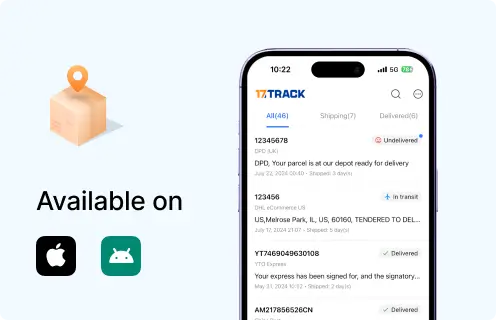
StockX mobile appCheck orders and alerts on mobile.
View all details for StockX mobile app
Where to enableInstall official StockX app and sign in.
When it appearsWhen the account has active orders, bids, asks or sales.
What it can changeAccount visibility and notification delivery.
LimitationsThe app cannot force carrier pickup or delivery.
Email/SMS shipment linksOpen official order or carrier tracking updates.
View all details for StockX email or SMS links
Where to enableAccount contact settings and notification permissions.
When it appearsWhen StockX sends transaction or shipment messages.
What it can changeAccess to order or tracking link.
LimitationsVerify sender legitimacy before clicking links.
Carrier delivery managementHold, pickup, redirect, proof or delivery instructions when offered by carrier.
View all details for carrier delivery management
Where to enableOfficial carrier website or app using the tracking number.
When it appearsAfter carrier tracking is active and service supports changes.
What it can changeMay change delivery instructions, pickup or hold options if allowed.
LimitationsSome shipper restrictions or high-value shipments may block changes.
17TRACK notificationsMonitor supported carrier tracking events outside the StockX account.
View all details for 17TRACK notifications
Where to enable17TRACK app or supported tracking tools after adding a carrier tracking number.
When it appearsWhen carrier events are available to 17TRACK.
What it can changeTracking visibility only.
LimitationsDoes not send instructions to StockX, seller or carrier.

Business, Seller or Developer API

Current public official StockX buyer order tracking API documentation is not confirmed for general public use. Sellers should use official StockX seller/account tools. For package tracking automation, 17TRACK API can register carrier tracking numbers only.

Developer/API Comparison

OptionPrimary use
StockX public order tracking APICurrent public official order tracking API not confirmed.
View all details for StockX public order tracking API
ProviderStockX, if officially provided to approved partners.
Order/tracking coverageNot confirmed for public buyer order tracking.
Authentication/accessDo not scrape private accounts; use only official access if granted.
Webhook/batch capabilityNot confirmed publicly for general use.
Current documentationUse StockX official support or partner documentation if you have access.
Important limitationDo not assume unofficial endpoints are stable, permitted or privacy-compliant.
StockX seller/account toolsManage selling activity, shipments and account workflow inside StockX.
View all details for StockX seller tools
ProviderStockX.
Order/tracking coverageSeller-side sale and shipping workflow visible after sign-in.
Authentication/accessStockX account authentication.
Webhook/batch capabilityNot confirmed as a public general tracking API.
Current documentationStockX Help Center seller articles and account interface.
Important limitationSeller references are not carrier tracking numbers for 17TRACK.
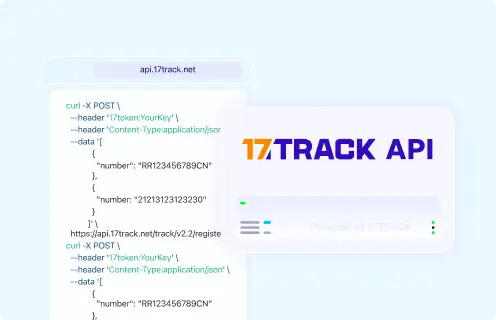
17TRACK Tracking APIRegister carrier tracking numbers and retrieve supported carrier tracking events.
View all details for 17TRACK API
Provider17TRACK.
Order/tracking coverageCarrier tracking number coverage, not StockX private order data.
Authentication/access17token API key.
Webhook/batch capabilityRefer to current 17TRACK API documentation for supported functions.
Current documentationhttps://api.17track.net/en/doc
Important limitationRequires carrier tracking number, not StockX order number.

FAQ

Basic FAQs

1. How do I track my StockX order?

Sign in to your StockX account, open your buying or order activity, select the order, and use the carrier tracking number with the carrier or 17TRACK when carrier tracking is available.

2. Where do I find my StockX tracking number?

Look in StockX order details, shipment emails, app notifications or the carrier link after StockX creates or displays the outbound shipment.

3. Can I track StockX with an order number?

You can use the StockX order number with StockX support and account pages, but 17TRACK needs a carrier tracking number to show package events.

4. Why does my StockX order have no tracking number yet?

The order may still be waiting for seller shipment, StockX authentication or outbound label creation, so check the StockX status before expecting carrier scans.

5. Why is my StockX tracking number not updating?

Tracking may not update until the carrier receives or scans the package, and gaps can occur during line-haul, customs or facility processing.

6. How long does StockX delivery take?

StockX timing varies by seller shipment, authentication, outbound carrier, region, customs and delivery access, so use the estimate shown in your StockX order and carrier tracking.

7. What should I do if StockX says delivered but I did not receive it?

Check all delivery locations, household members, front desk, neighbors and carrier proof first, then contact StockX with the order number and delivery evidence.

8. Can 17TRACK track a StockX return?

Yes, 17TRACK can track a StockX return package if you have a supported carrier return tracking number, but it cannot show whether StockX approved the refund.

9. Where can I check StockX refund status?

Check StockX account messages, support case updates and your payment method because refund status is separate from carrier tracking.

10. How do I contact StockX about a missing order?

Use the StockX Help Center or order-detail support route and prepare your order number, account email, carrier tracking number, delivery proof and photos if relevant.

Expert FAQs

11. Why does StockX tracking differ from a normal retailer?

StockX is a marketplace, so many items move from seller to StockX for authentication before final outbound delivery to the buyer, creating stages before carrier tracking appears.

12. Does the StockX seller choose the final carrier?

The seller may ship into the StockX process, but the final buyer-facing carrier can depend on StockX logistics, destination, item type and carrier availability.

13. Can a StockX order have more than one tracking number?

It can happen when items, sellers or fulfillment paths differ, so check each StockX order line and track each carrier number separately.

14. Can I track the seller’s shipment to StockX as a buyer?

Buyers should rely on StockX order status because seller inbound tracking may not be exposed as buyer-facing final delivery tracking.

15. What happens if StockX authentication delays the package?

Carrier tracking may not start or may remain unchanged while StockX processes the item, so use StockX support for authentication-stage questions.

16. How do cross-border StockX tracking handoffs work?

A cross-border StockX package may show export, customs, import and last-mile events from different logistics parties, and tracking gaps can occur during handoff.

17. Can a gift recipient get StockX tracking without the buyer account?

A gift recipient can track with a shared carrier tracking number, but private StockX order details and refund actions may require the purchaser’s account.

18. Is there a public StockX tracking API for my store system?

A current public official StockX buyer order tracking API is not confirmed; use official StockX tools for account activity and 17TRACK API only for carrier tracking numbers.

Tracking API

POST https://api.17track.net/track/v2.4/register

Headers:
17token: YourKey
Content-Type: application/json

Body:
[
  {
    "number": "TRACKING_NUMBER"
  }
]

Note:
Use the carrier tracking number for a StockX shipment or return.
Do not send the StockX order number, payment ID, invoice number or internal marketplace reference as the tracking number.

Sources & References

17TRACK is an independent tracking platform and is not affiliated with StockX.
Loading