About Flipkart
Flipkart is an India-focused online marketplace and retail platform at flipkart.com. Orders may involve Flipkart, a marketplace seller, a fulfillment or logistics partner, a carrier, the buyer account and the payment or refund channel.
Brand Entity & Order Ownership
| Entity / order party | Role in the order |
|---|
| Flipkart platform | Shows the order, seller, payment, delivery promise and support options inside the account or app. |
View all details for Flipkart platform| What it controls | Account order display, cancellation or return workflows where eligible, customer support routes and platform policy handling. |
|---|
| What it cannot control | Every carrier scan timing, every seller dispatch action or delivery events outside its logistics visibility. |
|---|
| Why it matters to tracking | The official order page is the first place to confirm whether an item is packed, shipped, split, cancelled, returned or refunded. |
|---|
|
| Buyer account | Holds order history, delivery address, invoice, cancellation, return and support access. |
View all details for buyer account| What it controls | The buyer can view eligible details, request help, initiate eligible returns, and provide evidence. |
|---|
| What it cannot control | The buyer cannot create carrier scans, force dispatch, or approve refunds independently. |
|---|
| Why it matters to tracking | Without the purchasing account or authorized order communication, private order details may not be accessible. |
|---|
|
| Seller or merchant | Lists and sells products on the marketplace; may be responsible for dispatch readiness and item condition. |
View all details for seller or merchant| What it controls | Product listing accuracy, packed item, seller-side dispatch obligations and seller responses where Flipkart routes the case. |
|---|
| What it cannot control | Platform refund approval, carrier network events, or buyer account authentication. |
|---|
| Why it matters to tracking | A marketplace order can be delayed before carrier pickup if seller processing is incomplete. |
|---|
|
| Fulfillment party | Warehouse, seller location or logistics facility that hands the shipment to a delivery network. |
View all details for fulfillment party| What it controls | Packing, handover readiness, labeling and shipment split operations. |
|---|
| What it cannot control | Buyer refund status or every last-mile delivery attempt after handover. |
|---|
| Why it matters to tracking | Tracking may not update until a shipment is created and scanned by the delivery network. |
|---|
|
| Carrier or last-mile carrier | Moves the parcel and creates transport scans such as picked up, in transit, out for delivery or delivered. |
View all details for carrier or last-mile carrier| What it controls | Parcel movement, delivery attempts, proof-of-delivery data where provided and return movement scans. |
|---|
| What it cannot control | Product replacement, marketplace refund decisions or seller disputes. |
|---|
| Why it matters to tracking | 17TRACK and carrier websites depend on carrier-recognized tracking events, not only the Flipkart order number. |
|---|
|
| Payment or refund channel | Processes payment capture and refund settlement after Flipkart or the eligible party approves a refund. |
View all details for payment or refund channel| What it controls | Settlement back to the original payment method or eligible wallet/bank route according to official process. |
|---|
| What it cannot control | Physical return transit or seller inspection outcome. |
|---|
| Why it matters to tracking | A return delivered scan is not the same as refund approval or bank settlement. |
|---|
|
| 17TRACK relationship | Independent parcel tracking platform for carrier tracking numbers when carrier data is available. |
View all details for 17TRACK relationship| What it controls | Tracking-number lookup, carrier auto-detection and consolidated shipment event display where supported. |
|---|
| What it cannot control | Flipkart account data, seller contact, address edits, cancellations, returns, claims or refunds. |
|---|
| Why it matters to tracking | Use 17TRACK after you have a carrier-recognized tracking number, not as a replacement for Flipkart account support. |
|---|
|
Quick Answer
To track a Flipkart order, sign in to Flipkart, open Orders or My Orders, choose the order, and review the order status or shipment tracking shown there. If Flipkart provides a carrier tracking number, you can also track that number on 17TRACK or the carrier website.
Find the order number in the Flipkart order page, invoice, confirmation email or SMS. A Flipkart order number identifies the purchase inside Flipkart; it is not always a carrier tracking number.
Pro Tip: 17TRACK can help track available carrier tracking numbers and may auto-detect a carrier, but it cannot view private Flipkart order details, change an address, contact a seller, cancel an order, start a return or issue a refund.
How to Track Flipkart Orders
The official Flipkart account or app is the most complete route because it connects the purchase, seller, shipment, cancellation, return and refund workflow.
Tracking Path Comparison
| Tracking path | Use when |
|---|
| Official account / My Orders | You are the buyer or can access the buying account. |
View all details for Official account / My Orders| Identifier needed | Registered phone, email or account login; order number helps support locate the case. |
|---|
| What you can see | Order status, shipment status, seller, invoice, eligible cancellation, return or support options. |
|---|
| Best next step | Open the order, check whether items are split, then copy any carrier tracking number if shown. |
|---|
| Important limitation | Only the authorized account can access private order information. |
|---|
|
| Official order email or SMS | You received Flipkart notifications but are not already in the app. |
View all details for official order email or SMS| Identifier needed | Order link, order ID, registered phone or email; avoid sharing OTPs or passwords. |
|---|
| What you can see | Confirmation, shipment notifications, estimated delivery information and official links when provided. |
|---|
| Best next step | Use only official Flipkart links or open the app manually to avoid phishing. |
|---|
| Important limitation | An email may not include a carrier number for every shipment. |
|---|
|
| 17TRACK | You have a carrier-recognized tracking number from Flipkart, seller or carrier communication. |
View all details for 17TRACK| Identifier needed | Carrier tracking number, not the Flipkart order number unless the same value is recognized by a carrier. |
|---|
| What you can see | Available carrier scan events, transit milestones and delivery events where the carrier supplies data. |
|---|
| Best next step | Compare the latest carrier scan with Flipkart order status before escalating. |
|---|
| Important limitation | 17TRACK cannot authenticate into Flipkart or reveal hidden marketplace order details. |
|---|
|
| Carrier website | Flipkart or the seller shows the carrier name and tracking number. |
View all details for carrier website| Identifier needed | Carrier tracking number and sometimes destination phone or PIN code depending on carrier workflow. |
|---|
| What you can see | Carrier scans, delivery attempts, proof-of-delivery information where available and local depot notes. |
|---|
| Best next step | Use carrier support for delivery attempt or address-access problems, and Flipkart for order or refund problems. |
|---|
| Important limitation | A carrier may not see marketplace refund or replacement decisions. |
|---|
|
| Seller or marketplace support route | A third-party seller has not shipped, sent a wrong item or the item is not as described. |
View all details for seller or marketplace support route| Identifier needed | Order number, seller name, invoice, photos and latest tracking event. |
|---|
| What you can see | Official contact or issue resolution options available from the order details page. |
|---|
| Best next step | Open Help Centre or the order-level issue flow rather than contacting unrelated channels. |
|---|
| Important limitation | Seller access and escalation routes depend on Flipkart’s current order workflow and policy eligibility. |
|---|
|
| Guest, gift or other-person order route | You received the package as a gift or someone else placed the order. |
View all details for guest, gift or other-person route| Identifier needed | Official order link, tracking number, invoice or the buyer’s help; Flipkart may require account verification. |
|---|
| What you can see | Only information included in the notification, shipment link or carrier tracking page. |
|---|
| Best next step | Ask the purchaser to share the carrier tracking number or contact Flipkart from the buying account. |
|---|
| Important limitation | Private payment, refund and account details generally remain with the purchaser. |
|---|
|
Official steps: sign in to Flipkart, open the Orders or My Orders area, select the order, review Order Status or shipment tracking, check whether the order was split into multiple shipments, and copy any carrier tracking number shown for external tracking.
Order Numbers, Tracking Numbers and Where to Find Them
A Flipkart order number identifies the purchase inside Flipkart. A shipment or carrier tracking number identifies a parcel in a delivery network. 17TRACK normally needs the carrier tracking number.
Identifier & Tracking Number Guide
| Identifier type | Where users find it |
|---|
| Flipkart order number | Order page, invoice, confirmation email or SMS. |
View all details for Flipkart order number| Looks like / example | Clearly fictional example: OD################ |
|---|
| Who issues it | Flipkart order system. |
|---|
| Can 17TRACK use it? | Usually no, unless the same value is also recognized by a carrier, which should not be assumed. |
|---|
| What it can and cannot prove | It proves a purchase reference in Flipkart; it does not prove carrier custody or delivery. |
|---|
|
| Shipment or tracking number | Order tracking page after dispatch, shipment notification, or seller-provided update. |
View all details for shipment or tracking number| Looks like / example | Fictional example: TRK123456789IN |
|---|
| Who issues it | Carrier, logistics partner, seller shipping system or Flipkart logistics workflow. |
|---|
| Can 17TRACK use it? | Yes when it is a carrier-recognized number supported by available tracking data. |
|---|
| What it can and cannot prove | It can show parcel movement; it cannot prove product correctness or refund approval. |
|---|
|
| Carrier tracking number | Carrier page link, Flipkart order details or delivery notification when exposed. |
View all details for carrier tracking number| Looks like / example | Format varies by carrier; use the exact value shown by Flipkart or the carrier. |
|---|
| Who issues it | The delivery carrier or logistics network. |
|---|
| Can 17TRACK use it? | Often yes if carrier data is supported and the parcel has entered tracking flow. |
|---|
| What it can and cannot prove | It proves carrier-level scan history; it does not identify the full marketplace order by itself. |
|---|
|
| Marketplace order ID | Flipkart order detail, invoice or support case. |
View all details for marketplace order ID| Looks like / example | May be the same order reference shown in Flipkart account; do not infer a fixed public format. |
|---|
| Who issues it | Flipkart marketplace systems. |
|---|
| Can 17TRACK use it? | No in most cases; use it with Flipkart support. |
|---|
| What it can and cannot prove | It links buyer, seller and product in Flipkart; it does not create carrier scans. |
|---|
|
| Return tracking number | Return pickup or return shipment page after a return is created. |
View all details for return tracking number| Looks like / example | Varies by return logistics partner; copy the exact value shown in the return flow. |
|---|
| Who issues it | Return carrier, pickup partner or Flipkart return workflow. |
|---|
| Can 17TRACK use it? | Yes only if it is a carrier-recognized return tracking number. |
|---|
| What it can and cannot prove | It can show return movement; it does not confirm refund approval or inspection result. |
|---|
|
| Return authorization or case ID | Return request, help case or customer service communication. |
View all details for return authorization or case ID| Looks like / example | Fictional example: RET-CASE-###### |
|---|
| Who issues it | Flipkart support or return workflow. |
|---|
| Can 17TRACK use it? | No; it is a service reference, not a carrier tracking number. |
|---|
| What it can and cannot prove | It proves a return or support request exists; it does not show parcel movement. |
|---|
|
| Gift or shared order link | Message from purchaser or official notification if provided. |
View all details for gift or shared order link| Looks like / example | A secure Flipkart link or carrier link; avoid unofficial shortened links from unknown senders. |
|---|
| Who issues it | Buyer, Flipkart notification system or carrier. |
|---|
| Can 17TRACK use it? | No; extract the carrier tracking number if available. |
|---|
| What it can and cannot prove | It may provide limited visibility; it may not authorize refunds or address changes. |
|---|
|
Fulfillment, Sellers and Carriers
Carrier varies by order, region, seller, item type, service availability and delivery option. Do not assume one fixed Flipkart carrier for all purchases.
Fulfillment & Carrier Relationship
| Fulfillment model | Who ships it |
|---|
| Marketplace seller order | Seller prepares the item; shipping may be arranged through Flipkart-enabled logistics or another available route. |
View all details for marketplace seller order| Typical carriers or delivery network | Carrier varies by order, region, seller and product category. |
|---|
| Who updates tracking | Flipkart order system and the carrier or logistics network after shipment creation and scans. |
|---|
| Who handles delivery issues | Carrier for delivery events; Flipkart support for order-level resolution and marketplace escalation. |
|---|
| What the customer should check first | Seller name, order status, shipment status and latest carrier scan. |
|---|
|
| Platform-managed fulfillment | A Flipkart-linked fulfillment or logistics workflow handles packing, handover or delivery coordination. |
View all details for platform-managed fulfillment| Typical carriers or delivery network | May involve internal or partner logistics depending on availability; check the order page. |
|---|
| Who updates tracking | Flipkart and logistics scan systems. |
|---|
| Who handles delivery issues | Flipkart support is usually the primary order-level route; carrier can help with active delivery attempt issues when identifiable. |
|---|
| What the customer should check first | Official tracking timeline and any delivery instructions or missed-attempt notes. |
|---|
|
| Split shipment | Multiple sellers, warehouses or packages ship parts of one order separately. |
View all details for split shipment| Typical carriers or delivery network | Each shipment can have its own tracking number and delivery network. |
|---|
| Who updates tracking | Each shipment’s carrier and Flipkart order page. |
|---|
| Who handles delivery issues | The issue owner depends on which package is missing, delayed or damaged. |
|---|
| What the customer should check first | Item-by-item shipment status before reporting a missing item. |
|---|
|
| Large, fragile or high-value item | Special handling or partner delivery may apply depending on item and location. |
View all details for large, fragile or high-value item| Typical carriers or delivery network | Varies; the order page is the reliable source for appointment, verification or delivery notes. |
|---|
| Who updates tracking | Flipkart, partner logistics or specialist delivery provider. |
|---|
| Who handles delivery issues | Flipkart support for order resolution; carrier or delivery partner for local delivery coordination. |
|---|
| What the customer should check first | Delivery requirements, proof of identity or item-specific instructions shown in the order. |
|---|
|
| Digital product or service | No physical carrier if the item is fulfilled digitally or by service activation. |
View all details for digital product or service| Typical carriers or delivery network | Not applicable for purely digital fulfillment. |
|---|
| Who updates tracking | Flipkart order or service activation system, not a parcel carrier. |
|---|
| Who handles delivery issues | Flipkart support or the service provider depending on the product. |
|---|
| What the customer should check first | Email, SMS, app notification and order details for activation or redemption instructions. |
|---|
|
Tracking Statuses and Meanings
Order status, shipment status, carrier scan, return status and refund status are related but not the same. Use the table to decide who currently owns the next action.
Status Quick Lookup
| Status shown | Lifecycle stage |
|---|
| Pending or order placed | Order confirmation and payment validation. |
View all details for pending or order placed| What it usually means | Flipkart has recorded the order, but shipment may not exist yet. |
|---|
| Who is responsible now | Flipkart, payment channel and seller workflow depending on order state. |
|---|
| What happens next | Seller or fulfillment preparation begins if payment and stock checks pass. |
|---|
| What the customer should do | Wait for confirmation or use Flipkart order help if payment or order confirmation looks inconsistent. |
|---|
|
| Processing or preparing shipment | Seller or warehouse handling before carrier acceptance. |
View all details for processing or preparing shipment| What it usually means | The package may be packed or labeled, but carrier scans may not appear yet. |
|---|
| Who is responsible now | Seller, warehouse or fulfillment party. |
|---|
| What happens next | Shipment handover and tracking number creation or first pickup scan. |
|---|
| What the customer should do | Check the estimated delivery date and cancellation eligibility in the order page. |
|---|
|
| Shipped | Shipment created or handed to logistics. |
View all details for shipped| What it usually means | A parcel record exists; carrier events may appear after pickup or processing. |
|---|
| Who is responsible now | Fulfillment party and carrier transition. |
|---|
| What happens next | In-transit scans or hub processing. |
|---|
| What the customer should do | Copy any tracking number and verify scans on Flipkart, carrier page or 17TRACK. |
|---|
|
| In transit | Carrier movement between origin, hub and destination areas. |
View all details for in transit| What it usually means | The parcel is moving or being processed in the logistics network. |
|---|
| Who is responsible now | Carrier or logistics partner. |
|---|
| What happens next | Destination hub, out-for-delivery scan or exception. |
|---|
| What the customer should do | Monitor latest scan and compare with estimated delivery date. |
|---|
|
| Out for delivery | Last-mile delivery attempt is expected. |
View all details for out for delivery| What it usually means | The package is assigned for delivery in the destination area. |
|---|
| Who is responsible now | Last-mile carrier or delivery partner. |
|---|
| What happens next | Delivered, attempted delivery, rescheduled or exception scan. |
|---|
| What the customer should do | Keep phone reachable and check address access or delivery instructions in Flipkart if available. |
|---|
|
| Delivered | Carrier has recorded delivery. |
View all details for delivered| What it usually means | The carrier marked the shipment as delivered to the address, recipient, pickup point or allowed delivery location. |
|---|
| Who is responsible now | Carrier for proof of delivery; Flipkart for order-level issue resolution. |
|---|
| What happens next | If not received, investigate delivery location and open an order issue promptly. |
|---|
| What the customer should do | Check doorstep, security desk, family, neighbor, delivery photo or proof, then contact Flipkart from the order page. |
|---|
|
| Exception or failed attempt | Delivery problem, address issue, access issue or operational delay. |
View all details for exception or failed attempt| What it usually means | The parcel needs action or another delivery attempt may be scheduled. |
|---|
| Who is responsible now | Carrier for transport issue; buyer may need to provide access or verification. |
|---|
| What happens next | Reattempt, hold, return to seller or support intervention. |
|---|
| What the customer should do | Check delivery notes, keep phone reachable, and use Flipkart help if the status does not resolve. |
|---|
|
| Return or refund status | After cancellation, return request, pickup, inspection or refund processing. |
View all details for return or refund status| What it usually means | The item or payment is in the after-sales workflow, not normal outbound delivery. |
|---|
| Who is responsible now | Return carrier, Flipkart, seller inspection or payment channel depending on step. |
|---|
| What happens next | Pickup, return transit, receipt, inspection, approval and payment settlement as applicable. |
|---|
| What the customer should do | Track return shipment separately and check refund status in Flipkart, not only on carrier tracking. |
|---|
|
Delivery Time and Delay Factors
Use the delivery estimate shown at checkout and in the Flipkart order page. There is no single public delivery time that applies to every Flipkart order, seller, city, product and service option.
Delivery Time & Delay Factors
| Scenario/service | Typical timing source |
|---|
| Standard domestic delivery | Checkout estimate and order details. |
View all details for standard domestic delivery| What can delay it | Seller processing, carrier capacity, address reachability, weather, local restrictions or peak demand. |
|---|
| When tracking may update | After shipment creation, pickup scan, hub scan or last-mile event. |
|---|
| Who to contact first | Flipkart order help if the promise is missed or order-level action is needed. |
|---|
| Important caveat | The estimate is not the same as a universal guarantee for every situation. |
|---|
|
| Third-party seller order | Seller and item-specific order estimate on Flipkart. |
View all details for third-party seller order| What can delay it | Seller dispatch delay, stock issue, wrong tracking upload or pickup delay. |
|---|
| When tracking may update | Only after seller or logistics partner creates and scans the shipment. |
|---|
| Who to contact first | Flipkart order help or the seller route shown by Flipkart. |
|---|
| Important caveat | Seller delay before pickup may not appear on carrier tracking. |
|---|
|
| Split shipment | Item-level shipment estimates in order details. |
View all details for split shipment| What can delay it | Different sellers, warehouses, cities or carriers for each item. |
|---|
| When tracking may update | Separately for each package. |
|---|
| Who to contact first | Flipkart with the specific missing or delayed item selected. |
|---|
| Important caveat | One delivered item does not prove all items in the order were delivered. |
|---|
|
| Pre-order, out-of-stock or special handling | Product page and order details. |
View all details for pre-order or special handling| What can delay it | Inventory availability, supplier readiness, appointment scheduling or verification. |
|---|
| When tracking may update | After the item becomes dispatch-ready and shipment is created. |
|---|
| Who to contact first | Flipkart order help if the displayed timeline changes unexpectedly. |
|---|
| Important caveat | Before dispatch, carrier tracking may have no record. |
|---|
|
| Cross-border or import scenario | Order-specific estimate if the item is sold with cross-border handling. |
View all details for cross-border or import scenario| What can delay it | International handover, customs review, documentation, destination last-mile handoff or restricted items. |
|---|
| When tracking may update | At origin processing, export, import, customs release or local delivery handover. |
|---|
| Who to contact first | Flipkart for marketplace order support; carrier for identifiable customs or delivery events. |
|---|
| Important caveat | Do not assume all Flipkart orders are cross-border; many are domestic India deliveries. |
|---|
|
Common Problems and Next Steps
Start with the order page, then use carrier tracking when a carrier number exists. Escalate through Flipkart when the issue concerns seller performance, refunds, returns, wrong items or account data.
Problem & Next Step
| Problem shown | Check first |
|---|
| No tracking number | Whether the order is still processing or preparing shipment. |
View all details for no tracking number| Likely cause | Shipment not created, seller not dispatched, or carrier number not exposed. |
|---|
| Immediate action | Monitor Flipkart order status and email/SMS notifications. |
|---|
| When to escalate | When the order misses the official estimate or Flipkart shows a help option. |
|---|
| Who to contact | Flipkart order help, not 17TRACK. |
|---|
|
| Tracking number not working | Exact number, carrier name and whether pickup scan exists. |
View all details for tracking number not working| Likely cause | New label, wrong carrier, typo, internal reference, or no first scan. |
|---|
| Immediate action | Copy the number again from Flipkart and try carrier auto-detection on 17TRACK. |
|---|
| When to escalate | If Flipkart says shipped but tracking remains invalid beyond normal carrier activation. |
|---|
| Who to contact | Flipkart for order record; carrier if the number is recognized by that carrier. |
|---|
|
| Shipped but no scans | Whether the status means label created or actual carrier pickup. |
View all details for shipped but no scans| Likely cause | Carrier has not scanned the parcel, data sync delay or seller handover pending. |
|---|
| Immediate action | Wait for first carrier event while checking Flipkart status. |
|---|
| When to escalate | When delivery estimate is at risk or the order page provides an issue route. |
|---|
| Who to contact | Flipkart first because the carrier may not yet have custody. |
|---|
|
| Package stuck | Latest scan location and delivery estimate. |
View all details for package stuck| Likely cause | Hub backlog, route transfer, weather, address issue or missing scan. |
|---|
| Immediate action | Check both Flipkart and carrier tracking for newer events. |
|---|
| When to escalate | When the estimate is missed or tracking shows exception without resolution. |
|---|
| Who to contact | Carrier for movement issue; Flipkart for order-level remedy. |
|---|
|
| Delivery attempted | Attempt note, phone reachability and address access. |
View all details for delivery attempted| Likely cause | Recipient unavailable, address access problem, security gate issue or phone unreachable. |
|---|
| Immediate action | Follow the order or carrier instructions for reattempt if available. |
|---|
| When to escalate | If repeated attempts fail or the parcel is being returned. |
|---|
| Who to contact | Carrier for delivery coordination; Flipkart if reattempt options are not available. |
|---|
|
| Address problem | Address in order details and any restriction on edits after shipment. |
View all details for address problem| Likely cause | Incomplete address, wrong PIN code, unreachable location or shipment already locked. |
|---|
| Immediate action | Check if Flipkart offers address correction or contact support from the order page. |
|---|
| When to escalate | Before the parcel is returned or after a failed delivery scan. |
|---|
| Who to contact | Flipkart; carrier may have limited authority to change address. |
|---|
|
| Delivered but not received | Doorstep, mailbox, reception, family, neighbor and proof of delivery. |
View all details for delivered but not received| Likely cause | Safe-place delivery, reception handoff, neighbor handoff, incorrect scan or misdelivery. |
|---|
| Immediate action | Check delivery locations, household members, security desk, delivery photo or proof, then document the issue. |
|---|
| When to escalate | Promptly through Flipkart order help if the package cannot be found. |
|---|
| Who to contact | Flipkart for order case; carrier for proof-of-delivery details when identifiable. |
|---|
|
| Split shipment missing item | Item-level package status and whether another shipment is still in transit. |
View all details for split shipment missing item| Likely cause | Separate parcel, different seller, packing error or delayed shipment. |
|---|
| Immediate action | Match each item with its shipment tracking before filing a missing-item claim. |
|---|
| When to escalate | When the specific item is delivered-but-missing or its package misses the estimate. |
|---|
| Who to contact | Flipkart with order number, item name, photos and package label evidence. |
|---|
|
| Wrong, lost or damaged item | Photos, packaging, invoice, seller name and delivery status. |
View all details for wrong, lost or damaged item| Likely cause | Seller picking issue, transit damage, package tampering or carrier exception. |
|---|
| Immediate action | Keep packaging and take photos before starting the issue flow. |
|---|
| When to escalate | Immediately through eligible return, replacement or help options. |
|---|
| Who to contact | Flipkart order help; carrier only for transport evidence if needed. |
|---|
|
| Return not updating or refund pending | Return tracking, pickup confirmation and refund status inside Flipkart. |
View all details for return not updating or refund pending| Likely cause | Return pickup not scanned, return in transit, inspection pending or payment settlement pending. |
|---|
| Immediate action | Separate return parcel tracking from refund approval status. |
|---|
| When to escalate | When Flipkart’s return or refund page indicates delay or provides support. |
|---|
| Who to contact | Flipkart for refund; return carrier for pickup or transit scan issues. |
|---|
|
Returns, Exchanges and Refunds
Return eligibility, replacement options and refund workflow depend on the product, seller, policy shown on the product/order page and the current order status. Return tracking and refund status are separate.
Returns & Refunds
| Scenario | Where to start |
|---|
| Cancel before shipment | Order details if the cancellation option is available. |
View all details for cancel before shipment| Who can start it | Buyer account holder. |
|---|
| Identifier needed | Order number and account login. |
|---|
| Return shipping/tracking | Not applicable if the order is cancelled before dispatch. |
|---|
| Refund timing dependency | Depends on Flipkart approval and payment channel settlement. |
|---|
| Important limitation | Cancellation may not be available after a certain fulfillment stage. |
|---|
|
| Return request | Order details, product return option or Help Centre flow. |
View all details for return request| Who can start it | Buyer account holder when the item is eligible. |
|---|
| Identifier needed | Order number, item, reason, photos if requested and account verification. |
|---|
| Return shipping/tracking | Pickup or return shipment may receive a separate return tracking number. |
|---|
| Refund timing dependency | Depends on pickup, return transit, inspection, approval and payment route. |
|---|
| Important limitation | Eligibility varies by product and seller policy shown by Flipkart. |
|---|
|
| Replacement or exchange | Eligible order-level return or replacement option. |
View all details for replacement or exchange| Who can start it | Buyer where Flipkart provides an eligible replacement or exchange flow. |
|---|
| Identifier needed | Order number, item, reason and evidence if requested. |
|---|
| Return shipping/tracking | Original return and replacement shipment may have separate tracking events. |
|---|
| Refund timing dependency | May not involve refund if replacement completes; price difference rules depend on the order flow. |
|---|
| Important limitation | 17TRACK cannot approve exchange or replacement requests. |
|---|
|
| Return package tracking | Return page, pickup notification, carrier page or 17TRACK if a carrier number exists. |
View all details for return package tracking| Who can start it | Buyer after a return is accepted or scheduled. |
|---|
| Identifier needed | Return tracking number or pickup reference. |
|---|
| Return shipping/tracking | Shows pickup, movement and return delivery scans when available. |
|---|
| Refund timing dependency | Refund may wait for return receipt, validation or seller/platform approval. |
|---|
| Important limitation | Return delivered is not automatically the same as refund completed. |
|---|
|
| Gift or other-person return | Purchaser’s Flipkart account or official support route. |
View all details for gift or other-person return| Who can start it | Usually the buyer account holder; recipient access may be limited. |
|---|
| Identifier needed | Order number, invoice, buyer account verification or official shared link. |
|---|
| Return shipping/tracking | Available after an eligible return is created. |
|---|
| Refund timing dependency | Refund normally returns through the eligible payment/refund route for the order. |
|---|
| Important limitation | Gift recipient may not control refund destination. |
|---|
|
Customer Service and Escalation
Use official Flipkart Help Centre, app, account order details and order-level support routes. Do not rely on unverified phone numbers found on search results or social posts.
Customer Service
| Channel | Best for |
|---|
| Flipkart Help Centre | Order issues, returns, refunds, delivery problems and account help. |
View all details for Flipkart Help Centre| Where to access | Flipkart Help Centre |
|---|
| Information to prepare | Order number, product name, seller name, registered phone or email, tracking number and latest event. |
|---|
| Who should use it | Buyer account holder or authorized user. |
|---|
| Important limitation | Support options can depend on order status and eligibility. |
|---|
|
| Order details page | Most precise route for a specific shipment, cancellation, return or refund. |
View all details for order details page| Where to access | Sign in at Flipkart and open Orders or My Orders. |
|---|
| Information to prepare | Order number, item, shipment status, screenshots, photos and invoice. |
|---|
| Who should use it | The account that placed the order. |
|---|
| Important limitation | 17TRACK cannot access this private account area. |
|---|
|
| Flipkart app | Mobile order tracking, notifications and support entry points. |
View all details for Flipkart app| Where to access | Official Flipkart mobile app from recognized app stores. |
|---|
| Information to prepare | Account login, order ID, tracking number and device notification access if needed. |
|---|
| Who should use it | Buyers who prefer mobile tracking and support. |
|---|
| Important limitation | App notifications may not replace carrier-level tracking for every shipment. |
|---|
|
| Carrier support | Recognized tracking number, delivery attempt, proof of delivery or local delivery access issue. |
View all details for carrier support| Where to access | Official website or verified contact route of the carrier shown on the order or tracking page. |
|---|
| Information to prepare | Carrier tracking number, destination address, phone, latest scan and delivery attempt note. |
|---|
| Who should use it | Recipient or buyer when the parcel is in carrier custody. |
|---|
| Important limitation | Carrier cannot approve marketplace refunds or replacements. |
|---|
|
| 17TRACK support context | Understanding carrier tracking display for a tracking number. |
View all details for 17TRACK support context| Where to access | 17TRACK |
|---|
| Information to prepare | Carrier tracking number and carrier name if known. |
|---|
| Who should use it | Anyone with a valid carrier tracking number. |
|---|
| Important limitation | 17TRACK is not Flipkart, the seller or the carrier and cannot intervene in the order. |
|---|
|
Seller, Marketplace and Buyer Responsibility
Because Flipkart is a marketplace, responsibility can shift between seller, platform, carrier and buyer at different points in the order lifecycle.
Marketplace Responsibility
| Issue | Buyer action |
|---|
| Seller has not shipped | Check estimate and use Flipkart order help if dispatch is delayed. |
View all details for seller has not shipped| Platform role | Shows order status and provides available cancellation or support route. |
|---|
| Seller role | Prepare and hand over the item. |
|---|
| Carrier role | No role until shipment is handed over or scanned. |
|---|
| Evidence to keep | Order page, estimated delivery date and seller name. |
|---|
|
| Wrong tracking or no scans | Verify the number from Flipkart and compare with carrier or 17TRACK. |
View all details for wrong tracking or no scans| Platform role | Maintains order record and support escalation. |
|---|
| Seller role | May need to correct shipment information if seller-managed. |
|---|
| Carrier role | Validates whether the number exists and has scans. |
|---|
| Evidence to keep | Tracking screenshots, order ID and carrier message. |
|---|
|
| Item not received | Check delivery locations, proof of delivery and open order help promptly. |
View all details for item not received| Platform role | Reviews the order case and remedy route. |
|---|
| Seller role | May be involved if fulfillment or item issue is seller-related. |
|---|
| Carrier role | Provides delivery scan and proof where available. |
|---|
| Evidence to keep | Photos, security desk statement, tracking timeline and delivery proof details. |
|---|
|
| Item not as described or damaged | Preserve packaging and file through the eligible return or help flow. |
View all details for item not as described or damaged| Platform role | Applies marketplace return and replacement workflow. |
|---|
| Seller role | Responsible for accurate listing and proper item condition as applicable. |
|---|
| Carrier role | May provide transit damage evidence. |
|---|
| Evidence to keep | Unboxing photos, product photos, invoice, outer packaging and labels. |
|---|
|
| Refund after delivery failure | Follow Flipkart refund status, not only carrier return tracking. |
View all details for refund after delivery failure| Platform role | Determines eligible refund process and status display. |
|---|
| Seller role | May confirm return receipt or item condition depending on workflow. |
|---|
| Carrier role | Returns the parcel and updates return scans. |
|---|
| Evidence to keep | Return-to-sender scans, refund case ID and order status screenshots. |
|---|
|
Brand App, Notifications and Delivery Options
Flipkart provides account, app, email and SMS-based order visibility. Available delivery controls vary by order and should be checked in the order page.
App, Notifications and Delivery Options
| Feature | Use case |
|---|
| Flipkart app order tracking | Track purchases, view order details and access support on mobile. |
View all details for Flipkart app order tracking| Where to enable | Install official Flipkart app and sign in. |
|---|
| When it appears | After placing an order in the account. |
|---|
| What it can change | May provide faster access to order-level actions when eligible. |
|---|
| Limitations | Does not guarantee that every carrier scan is visible outside the app. |
|---|
|
| Email and SMS notifications | Receive order confirmation, shipping and delivery updates. |
View all details for email and SMS notifications| Where to enable | Use registered contact details in Flipkart account and keep them current. |
|---|
| When it appears | At order confirmation, shipment or delivery milestones when Flipkart sends notifications. |
|---|
| What it can change | Helps you act quickly on delivery attempts or account issues. |
|---|
| Limitations | Notifications may be delayed, filtered or not include a carrier tracking number. |
|---|
|
| Delivery instruction or reschedule option | Manage delivery when Flipkart or carrier exposes the option for the order. |
View all details for delivery instruction or reschedule option| Where to enable | Order details, delivery notification or carrier route if available. |
|---|
| When it appears | Usually near delivery attempt or after a failed attempt. |
|---|
| What it can change | May help coordinate reattempt or access instructions. |
|---|
| Limitations | Not available for every shipment; some changes may be restricted after dispatch. |
|---|
|
Business, Seller or Developer API
Flipkart has seller-facing resources, but a current public official buyer order tracking API for arbitrary customer orders is not confirmed here. Use official seller documentation only if you are an approved seller or partner.
Developer/API Comparison
| Option | Provider |
|---|
| Flipkart seller resources | Flipkart Seller Hub or official seller platform. |
View all details for Flipkart seller resources| Order/tracking coverage | Seller-specific order and fulfillment management after approved seller access. |
|---|
| Primary use | Marketplace selling, catalog, order processing and seller operations. |
|---|
| Authentication/access | Seller account approval and official seller login. |
|---|
| Webhook/batch capability | Use only what current official seller documentation provides. |
|---|
| Current documentation | Flipkart Seller Hub |
|---|
| Important limitation | Not a public lookup API for any buyer’s private order. |
|---|
|
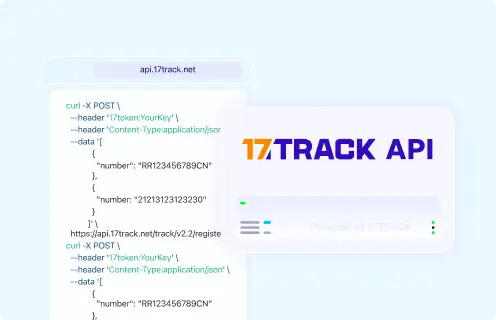
| 17TRACK Tracking API | 17TRACK. |
View all details for 17TRACK Tracking API| Order/tracking coverage | Carrier tracking numbers registered to the 17TRACK API, where carrier data is available. |
|---|
| Primary use | Merchant systems, support tools and post-purchase tracking workflows. |
|---|
| Authentication/access | 17token API key. |
|---|
| Webhook/batch capability | See the official 17TRACK API documentation for current options. |
|---|
| Current documentation | 17TRACK API Documentation |
|---|
| Important limitation | Uses tracking numbers, not Flipkart order numbers, payment references or invoice numbers. |
|---|
|
FAQ
1. How do I track my Flipkart order?Sign in to your Flipkart account, open Orders or My Orders, choose the order, and view the order or shipment tracking shown there.
2. Where is my Flipkart tracking number?Look in the Flipkart order details, shipment notification, invoice-related communication or SMS/email update; it may appear only after dispatch.
3. Can I track Flipkart with an order number on 17TRACK?Usually no; a Flipkart order number identifies the purchase inside Flipkart, while 17TRACK normally needs a carrier tracking number.
4. What should I do if Flipkart shows no tracking number?Check whether the order is still processing or preparing for shipment, then wait for dispatch or use Flipkart order help if the delivery estimate is missed.
5. Why is my Flipkart tracking number not updating?Tracking may not update until the carrier scans the parcel, or it may be delayed by hub processing, data sync or an incorrect carrier selection.
6. How long does Flipkart delivery take?Use the estimate shown at checkout and in your order details because timing depends on item, seller, location, availability and delivery option.
7. What if Flipkart says delivered but I did not receive it?Check the doorstep, building reception, family members, neighbors and any proof of delivery, then contact Flipkart through the order help flow if it is still missing.
8. How do I track a Flipkart return?Open the return in your Flipkart order details and use any return tracking number with the carrier or 17TRACK if it is a carrier-recognized number.
9. Where do I check Flipkart refund status?Check refund status inside Flipkart, because 17TRACK can show return parcel movement but cannot decide whether a refund is approved or settled.
10. How do I contact Flipkart about an order?Use the official Help Centre, Flipkart app or order details page, and prepare the order number, seller name, tracking number and evidence.
11. Who is responsible when a Flipkart marketplace seller has not shipped?The seller or fulfillment workflow is usually responsible before carrier handover, while Flipkart provides the order status and escalation route.
12. Can one Flipkart order have multiple tracking numbers?Yes, a single order can be split by item, seller, warehouse or package, so each shipment may have its own status and tracking number.
13. Does a carrier delivered scan mean Flipkart approved my refund?No; a delivered or return-delivered scan is a logistics event, while refund approval depends on Flipkart, seller inspection and payment processing.
14. Can a gift recipient track a Flipkart order?Only with information shared by the purchaser or a carrier tracking number; private account, payment and refund details generally remain with the buyer account.
15. Does Flipkart provide a public order tracking API?A current public official buyer order tracking API is not confirmed here; approved sellers should use official Flipkart seller resources, while 17TRACK API works with carrier tracking numbers.
Tracking API
POST https://api.17track.net/track/v2.4/register
Headers:
  17token: YourKey
  Content-Type: application/json

Body:
[
  {
    "number": "TRACKING_NUMBER"
  }
]

Important:
Use the carrier tracking number from Flipkart, the seller, or the carrier.
Do not use a Flipkart order number, payment reference, invoice number, return case ID, or private account ID as the tracking number unless it is also a carrier-recognized tracking number.
Sources & References
17TRACK is an independent tracking platform and is not affiliated with Flipkart.