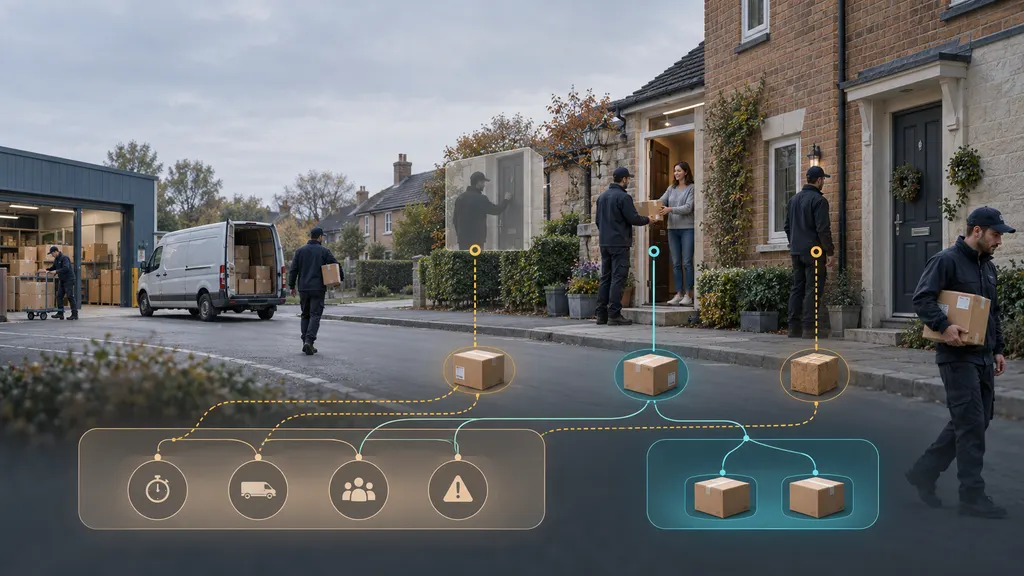
What Is Post-Purchase Software? How Small Business Choose
Post-purchase software helps a small business manage what happens after a customer places an order. Depending on the product, it may support shipment tracking, delivery updates, branded order-status pages, customer notifications, returns, or the connections between these activities. The right choice is not the platform with the longest feature list. It is the one that removes the most expensive post-purchase problem without adding more operational work than a small team can handle.
For a small ecommerce business, that usually means starting with a specific customer or operations problem: too many tracking questions, unclear delivery communication, manual returns, fragmented carrier data, or a lack of visibility after an order leaves the warehouse. This guide explains the software category, the main types of tools, how to compare them, and how to validate a purchase before committing.

What post-purchase software does
The post-purchase period begins after checkout and continues through fulfillment, delivery, possible support interactions, and returns. Software in this category creates a digital layer around those activities. It may pull shipment events from carriers, display order status to buyers, send updates, organize return requests, or pass information into an ecommerce platform, help desk, warehouse system, or customer data platform.
The term is broad. A parcel-tracking tool, an order-communication platform, and a returns-management system can all be described as post-purchase software, but they solve different problems. A business should therefore define the workflow it wants to improve before comparing vendors.
- Tracking and visibility: Aggregates shipment events and presents a current or latest-known status.
- Customer communication: Helps send order, dispatch, delay, or delivery notifications through supported channels.
- Order-status experience: Provides a page or interface where customers can check an order without contacting support.
- Returns management: Organizes return requests, approvals, labels, exchanges, refunds, and reverse-logistics steps, depending on the product.
- Integration and data movement: Connects stores, carriers, logistics systems, and internal tools through an app, API, or other supported integration.
These capabilities are related but not interchangeable. A tracking product may not manage refunds. A returns product may not replace a carrier-data service. An API may provide building blocks rather than a ready-to-use customer interface.
Why small businesses consider it
Post-purchase work often becomes difficult before a company has enough volume to hire a dedicated operations team. Staff may check several carrier websites, answer repetitive where-is-my-order questions, copy tracking numbers into customer emails, and handle return requests from a shared inbox. The business may still be small, but the workflow is already distributed across multiple systems.
Software can help when the cost of manual coordination is visible. Useful signals include a rising volume of delivery-status questions, inconsistent messages about delays, customers using the wrong support channel for returns, or employees spending time reconciling order and tracking data. These are operational symptoms, not proof that a particular product will solve the problem. A proposed tool should be tested against the actual workflow.
The customer-experience benefit also depends on accurate underlying data. A polished tracking page cannot compensate for missing carrier events, incorrect tracking numbers, or fulfillment processes that do not update the store. Post-purchase software improves communication and coordination; it does not control the carrier’s physical delivery performance.
The main types of post-purchase software
Shipment tracking and delivery communication
These tools are designed for order visibility. Common evaluation questions include which carriers and shipment types are supported, how often tracking events are refreshed, how exceptions are represented, and whether customers can see status without contacting support. Businesses shipping internationally should also examine how the product handles multiple carriers, handoffs, local delivery events, and tracking formats.
17TRACK is one example of a tracking-focused solution. Its official tracking service presents parcel tracking across supported carriers, while its Shopify app listing is aimed at ecommerce merchants. The relevant question for a small business is not simply whether a service tracks parcels, but whether its supported carriers, store connection, customer-facing experience, and operational controls match the business’s shipment profile.
Returns-management software
Returns tools focus on the reverse side of the order journey. Depending on the product and configuration, they may provide a returns portal, rules for eligibility, return-label workflows, exchange options, status updates, or reporting. Before selecting one, define the business policy first. Software cannot resolve an unclear return window, an inconsistent refund process, or an uncertain responsibility for return shipping.
17RETURNS is a relevant example for an ecommerce business specifically evaluating return operations. The official 17RETURNS product page describes its position in returns management, and its Shopify app listing provides a starting point for checking store compatibility. A merchant should still verify the current workflow, supported actions, and implementation requirements for its own policy before purchasing.
Post-purchase engagement platforms
Some platforms focus on messages and customer engagement after checkout. They may connect order data with email, SMS, help-desk, loyalty, or marketing workflows. These products can be useful when a business wants to coordinate delivery communications with broader customer journeys, but they may be more than a small team needs if the immediate problem is only shipment visibility.
Tracking APIs and infrastructure
An API is generally intended for a business that wants to build or control its own experience. It can be appropriate when the company has developers and needs tracking data inside a custom storefront, order-management system, mobile app, or internal dashboard. It is less suitable when the team wants a ready-made tracking page with minimal technical work.
17TRACK provides a tracking API overview and developer documentation. Those resources are more relevant to a technical owner than to a merchant seeking a plug-and-play workflow. The selection decision should include authentication, request limits, supported data, event handling, error behavior, implementation effort, and ongoing maintenance. These details should be confirmed in the documentation and during a technical test.
How small businesses should choose
1. Define the problem in operational terms
Write down the event that triggers the need for software and the result the team wants. For example, the trigger might be an order receiving a carrier exception. The desired result might be that the buyer receives a clear update, the support team can see the same status, and an employee knows when escalation is needed.
A useful problem statement includes the current workaround, the people involved, the systems used, and the cost of failure. Avoid starting with a feature such as branded tracking page or automation. Start with the work that currently causes delay, confusion, or avoidable contact.
2. Choose the product category before comparing vendors
Separate the primary need from adjacent needs. If the main issue is customers asking for tracking information, begin with tracking and communication tools. If return requests are scattered across email, begin with returns management. If the business needs to place shipment events inside a proprietary system, investigate APIs.
One platform may cover several stages, but broader scope does not automatically mean better fit. A small company should be cautious about paying for modules it will not operate or maintain.
3. Check the integration path
Confirm how orders enter the system, how tracking numbers are matched, how updates return to the store, and what happens when an order is split or partially fulfilled. Also check whether the tool supports the ecommerce platform, warehouse or fulfillment partner, carriers, and customer-service system that the business actually uses.
Ask for a clear answer to practical questions: Is installation self-service? Does the connection require custom development? Can staff export data? What happens if an integration fails? Can the business remove the tool without losing access to its order records? Documentation is more useful here than broad marketing claims.
4. Evaluate carrier and geographic fit
Carrier support should be tested against real shipping lanes, not a generic carrier logo list. Check the exact carriers, services, countries, and shipment types used by the business. International merchants should test customs-related status changes, last-mile handoffs, and shipments that move between postal and commercial networks.
Also examine how the product handles incomplete or conflicting events. A system that displays the latest known event should not be treated as a guarantee of physical location or delivery time. The business needs a clear process for exceptions and stalled tracking.
5. Compare the customer experience
Place a test order and follow the journey as a buyer. Check whether the tracking page is understandable on a phone, whether the order number and carrier information are clear, and whether delay messages explain what the customer can do next. If notifications are configurable, identify who controls the wording, timing, sender identity, and language.
Do not judge the experience only from a screenshot. Test a normal delivery, a delayed shipment, a failed delivery attempt, and a return. These scenarios reveal whether the product supports the moments that generate the most support work.
6. Measure the total operating cost
Price is only one part of the decision. Include implementation time, required development, staff training, message charges, usage-based fees, carrier or API limits, support costs, and the effort required to maintain rules and integrations. If pricing is not publicly stated, request a written quote that explains the billing unit and what happens when order volume changes.
Small businesses should also consider reversibility. A short pilot, exportable data, documented configuration, and a clear cancellation process reduce the risk of adopting a tool that becomes difficult to remove.
A practical pre-purchase test
Before signing a long-term contract, create a small test set using real or safely anonymized orders. Include different carriers, domestic and international shipments where relevant, partial fulfillments, a delay, an exception, and a return. Give the same test to the people who will use the system: an operations employee, a support agent, and a technical or store administrator if those roles are separate.
Score each workflow against the outcome rather than the number of features. Can staff find the current status quickly? Can the customer understand it without contacting support? Can the business change a notification or return rule without technical help? Is there a usable escalation path when data is missing? How much manual work remains?
Document what was tested and what was not. Carrier support, integrations, pricing, and product behavior can change, so a trial result should be treated as a point-in-time validation rather than a permanent guarantee. The final agreement should specify the services, limits, support expectations, data handling, and cancellation terms that matter to the business.
Common mistakes to avoid
- Buying before defining the workflow: A feature-rich platform may leave the original bottleneck untouched.
- Assuming carrier coverage is universal: Support varies by carrier, service, country, and shipment type.
- Treating tracking as a delivery guarantee: Software reports available events; it does not control transportation.
- Ignoring exception cases: A normal delivery test says little about delays, customs holds, or failed attempts.
- Choosing an API without technical ownership: An API can create implementation and maintenance work.
- Automating unclear policies: Return and refund rules should be settled before they are encoded.
- Evaluating only the buyer-facing page: Staff workflows, data quality, permissions, and support are equally important.
When a small business may not need dedicated software
Dedicated software is not automatically necessary. A low-volume business with one store, one carrier, few support requests, and a simple return policy may be able to manage post-purchase work with its ecommerce platform, carrier tools, and documented internal procedures. The decision should change when manual work becomes repetitive, errors become costly, or customers cannot get reliable answers.
A staged approach is often sensible. Start with the most visible bottleneck, measure the result, and add returns automation, broader integrations, or API development only when the next problem justifies it. This keeps the system aligned with the business rather than turning post-purchase operations into another source of complexity.
FAQ
Is post-purchase software the same as order-tracking software?
No. Order tracking is one part of the category. Post-purchase software can also include customer notifications, delivery-exception workflows, returns management, integrations, and other activities after checkout.
What should a small business automate first?
Start with the task that consumes the most repeatable manual effort or creates the most customer friction. For many merchants this is shipment-status communication, but a business with disorganized returns may get more value from a returns workflow.
Does a tracking platform improve delivery speed?
Not directly. It can improve visibility and communication, helping the business and customer respond to issues, but it does not control the carrier’s route, capacity, customs process, or delivery performance.
Should a small business choose an app or an API?
Choose a ready-made app when the team needs a usable workflow with limited development. Consider an API when the business has technical ownership and needs shipment data inside a custom system or experience. The implementation and maintenance burden should be part of the comparison.
How can a business verify carrier support?
List the actual carriers, services, countries, and shipment types used by the business. Then confirm each one in official documentation or a product trial, and test real status scenarios rather than relying only on a general coverage statement.
What should be included in a software trial?
Use normal deliveries, delays, exceptions, partial fulfillments, and returns where applicable. Test the workflow from the perspectives of operations staff, customer support, the buyer, and the technical administrator. Record manual steps, missing data, configuration limits, and the result of each scenario.