UPS Tracking Statuses: from Label Created to Delivery Exceptions
UPS tracking statuses describe where a shipment is in the carrier’s network, but they do not all mean the same thing. “Label Created” usually means the sender has submitted shipment information and produced a label; it does not necessarily mean UPS has received the parcel. Later updates such as “On the Way,” “Out for Delivery,” “Delivered,” and “Exception” provide progressively more useful information about movement, delivery, or a problem that may require attention.

This guide explains the most common UPS tracking messages, what each one normally indicates, what the recipient or shipper should do next, and when a status deserves follow-up. The exact wording and event sequence can vary by service, destination, and the information available to UPS.
How to read a UPS tracking timeline
A UPS tracking page is an event history rather than a minute-by-minute location feed. Each scan records an operational event, such as label creation, package acceptance, arrival at a facility, departure from a facility, or an attempted delivery. A package can continue moving even when the visible status has not changed for several hours or, in some cases, longer.
The most useful details are usually the current headline status, the latest scan location, the scan date and time, the estimated delivery date if one is shown, and any exception message. The destination time zone and local operating conditions can affect how the timeline appears.
| Status | What it usually means | Recommended next step |
|---|---|---|
| Label Created | Shipment information was submitted or a label was generated. UPS may not yet have scanned the parcel. | Allow time for the first physical scan; contact the seller if no movement appears after the seller’s stated dispatch window. |
| We Have Your Package | UPS has recorded possession or a physical handling event. | Continue monitoring the next facility or transit scan. |
| On the Way | The package is moving through the UPS network toward its destination. | Compare the latest scan with the estimated delivery date. |
| Out for Delivery | The package has been assigned to a delivery route or is expected to be delivered that day. | Make access arrangements and check for a later delivery or attempt scan. |
| Delivered | UPS has recorded a completed delivery event. | Check the delivery location and delivery details before reporting a missing parcel. |
| Exception | An event may delay, redirect, or otherwise affect the planned delivery. | Read the specific exception detail and follow the requested action. |
UPS tracking statuses explained
Label Created
This is often the first visible UPS update. The sender has created a shipping label and transmitted shipment data to UPS. The parcel may still be at the sender’s warehouse, waiting for pickup, or moving to a UPS access point without a recorded acceptance scan.
“Label Created” is therefore not proof that the package has physically entered the UPS network. For a newly placed order, the next step is usually to wait for the seller’s stated handling period and the first UPS scan. If the status remains unchanged beyond that period, the recipient should ask the seller whether the parcel was handed to the carrier. The seller is normally better positioned to verify dispatch, correct an address, or start a carrier inquiry.
We Have Your Package
This message generally indicates that UPS has recorded a physical event involving the shipment. It may follow pickup, acceptance at a facility, or another operational scan. The status does not necessarily mean the package is close to the recipient; it only establishes that UPS has more than label information available.
Scan frequency can vary. A package may move between facilities without a public scan at every handoff, particularly when it is traveling between regions or countries. A short period without a new event is not automatically evidence of loss.
On the Way
“On the Way” indicates movement through the UPS network. The tracking history may show departure and arrival scans at sorting facilities, regional hubs, or other locations. The most recent scan is not always the package’s current physical location because an in-transit shipment can be traveling after the last recorded event.
Use the estimated delivery date as a planning reference, not as an unconditional guarantee. Service level, origin and destination, weekends, holidays, customs processing, weather, and operational disruptions can all affect the timeline. If the package is still within the expected delivery window, monitoring the official UPS tracking page is usually the appropriate first action.
Out for Delivery
“Out for Delivery” normally means the shipment has reached the local delivery operation and is scheduled for a delivery attempt. It is reasonable to prepare for delivery, but the status does not guarantee that the package will arrive at a particular hour or that the attempt will succeed.
Access problems, an incorrect address, a closed business, a signature requirement, or route disruption can result in a later exception or attempted-delivery notice. If the package is not delivered that day, check the timeline again for a new estimated date, an attempt message, or instructions from UPS.
Delivered
“Delivered” means UPS has recorded the shipment as delivered. The tracking details may provide additional information, such as a delivery time or a location description. The exact information available can depend on the service and destination.
If the package is marked delivered but cannot be found, first check the entrance, porch, mailbox area, reception desk, mailroom, building management, household members, and nearby safe locations. Confirm that the address in the order is correct and allow a short period for a delivery scan to become visible. If the parcel remains missing, contact the seller or shipper and use the carrier’s support process. The shipper may need to provide purchase, address, and package details for an investigation.
Exception
An “Exception” is a broad category, not a single diagnosis. The detailed message is more important than the headline. Possible causes can include an address issue, a delivery attempt, a request for additional information, severe weather, a damaged package, a customs-related hold, or another event affecting the planned route. The precise reason should be taken from the UPS tracking record rather than inferred from the word “Exception” alone.
Some exceptions require the recipient to act, while others are informational and may clear through normal operations. Read the event date, location, and instructions. If UPS requests address clarification, provide it through an official UPS channel or contact the shipper. If the message refers to customs, duties, or documentation, the responsible party may depend on the shipment terms and destination rules. Do not send sensitive information through an unverified message or link.
What to do when a UPS status stops changing
A stagnant tracking timeline should be assessed against the shipment’s expected service window, not a fixed number of hours that applies to every parcel. Start with these checks:
- Confirm the tracking number. Compare the number in the order confirmation with the number entered on the official UPS page. A single incorrect character can produce a different result or no result.
- Read the latest event carefully. A facility name, exception description, attempted-delivery note, or customs instruction may explain the apparent lack of movement.
- Check the seller’s handling time. A “Label Created” message may reflect preparation rather than carrier possession.
- Compare the date with the delivery estimate. A package can remain in transit while still being within the expected window.
- Contact the right party. The recipient can ask UPS about available tracking information, while the shipper may be required to correct shipment data or open a formal inquiry.
For cross-border shipments, allow for events outside the domestic delivery route. Export processing, import clearance, duties, documentation, and handoffs can affect both timing and the number of visible scans. A missing scan does not by itself prove that the shipment is lost, delayed, or held by customs.
UPS tracking for online orders and customer support
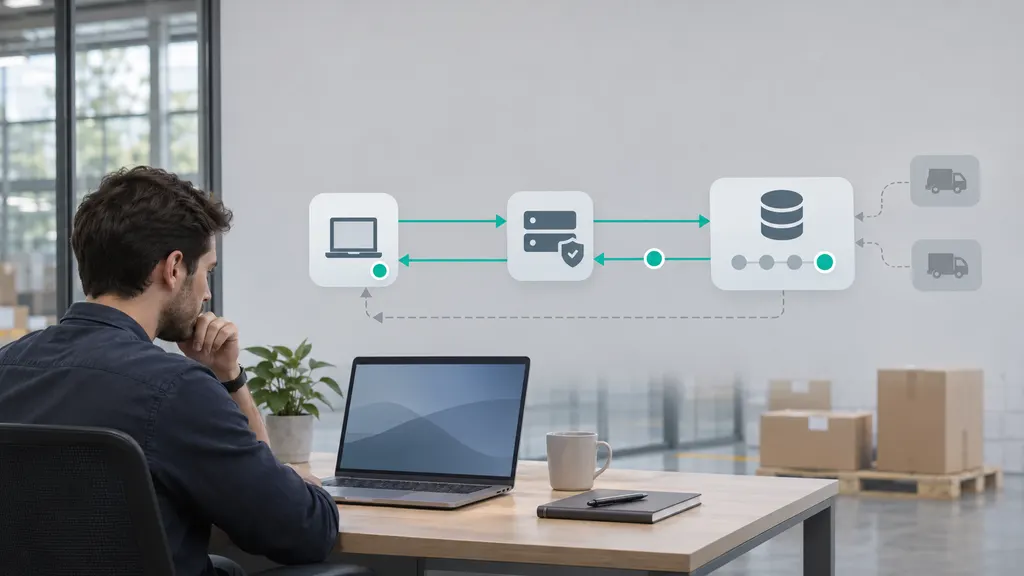
For ecommerce operations, a carrier status should be treated as a customer-service signal, not just a technical label. “Label Created” may indicate that an order has been packed or that only shipping data has been generated. “Out for Delivery” can trigger a delivery-day notification, while “Exception” may call for proactive outreach before the buyer contacts support.
Merchants should map carrier events to customer-facing messages carefully. Avoid promising a delivery date when UPS has supplied only an estimate, and explain that a tracking event may appear after the physical movement occurred. A useful order-status workflow records the tracking number, carrier, latest event, event time, destination, promised or estimated date, and any action already taken.
Customers who monitor shipments from several carriers can use a neutral multi-carrier tracking service such as 17TRACK tracking to organize shipment events in one place. The carrier’s own tracking page remains the authoritative source for UPS-specific instructions, exception details, and service actions. A tracking aggregator should supplement, not replace, the original carrier record.
When should you contact UPS or the seller?
Contact the seller first when the order is still at “Label Created” beyond the promised dispatch period, when the address may be incorrect, or when a formal investigation may require the shipper. Contact UPS through its official support channels when the tracking page provides a clear recipient action, a delivery-management option, or a service-specific question that the seller cannot answer.
Escalate promptly when the package is marked delivered but cannot be located, when an exception requests information, when the estimated date has passed without a meaningful update, or when repeated delivery attempts have occurred. Keep the order number, tracking number, shipping address, purchase date, and relevant screenshots available. Do not publish personal information in a public tracking forum.
FAQ
Does “Label Created” mean UPS has the package?
Not necessarily. It usually confirms that shipment information and a label were created. A physical UPS acceptance or handling scan may not have occurred yet.
How long can a UPS package stay on “On the Way”?
There is no single duration that applies to every shipment. Transit time depends on service, route, destination, operating conditions, and possible customs processing. Compare the latest event with the estimated delivery date and investigate if the expected window passes without a meaningful update.
What should I do if UPS says “Out for Delivery” but nothing arrives?
Check the tracking page later for a delivery scan, attempted-delivery notice, or exception. Also check building reception areas and other authorized delivery locations. If the package remains undelivered, contact the seller or UPS using official support information.
Is a UPS “Exception” always a serious problem?
No. “Exception” is a general category. Some events are resolved through normal operations, while others require an address correction, documentation, or recipient action. The detailed event text determines the next step.
What should I do if a package is marked delivered but is missing?
Verify the address, check likely delivery locations and nearby authorized recipients, and review the delivery details. If the package cannot be found, notify the seller and contact UPS through its official process. The shipper may need to support the investigation.