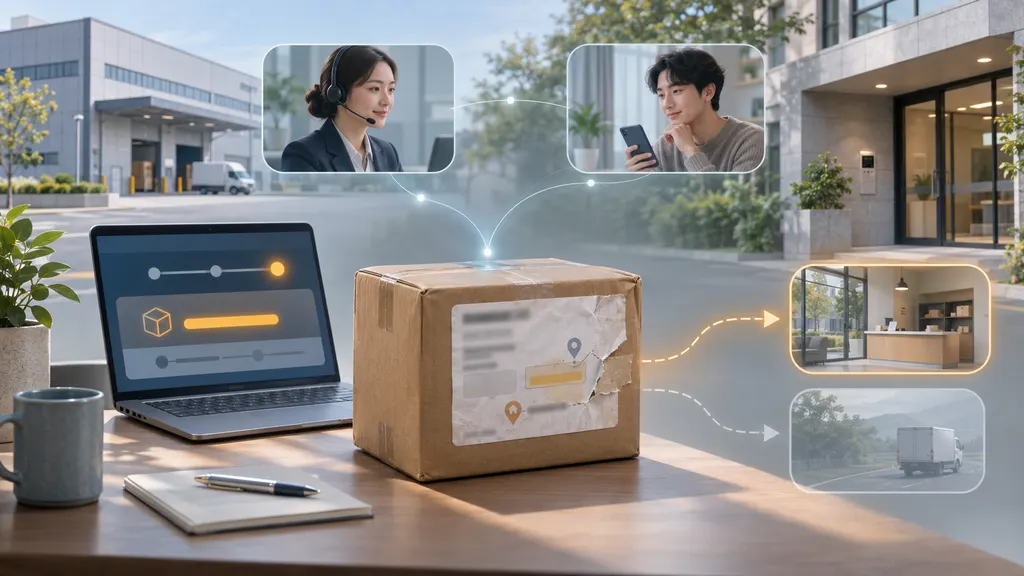
How to Get the Latest Shipment Status via API without Waiting for a Webhook
To get the latest available shipment status without waiting for a webhook, send an authenticated request to your tracking provider’s shipment-query API. Use the response to update your application immediately, then keep webhooks enabled for subsequent changes. The important distinction is that a query usually retrieves the provider’s latest stored tracking information; it does not necessarily trigger a new carrier check.
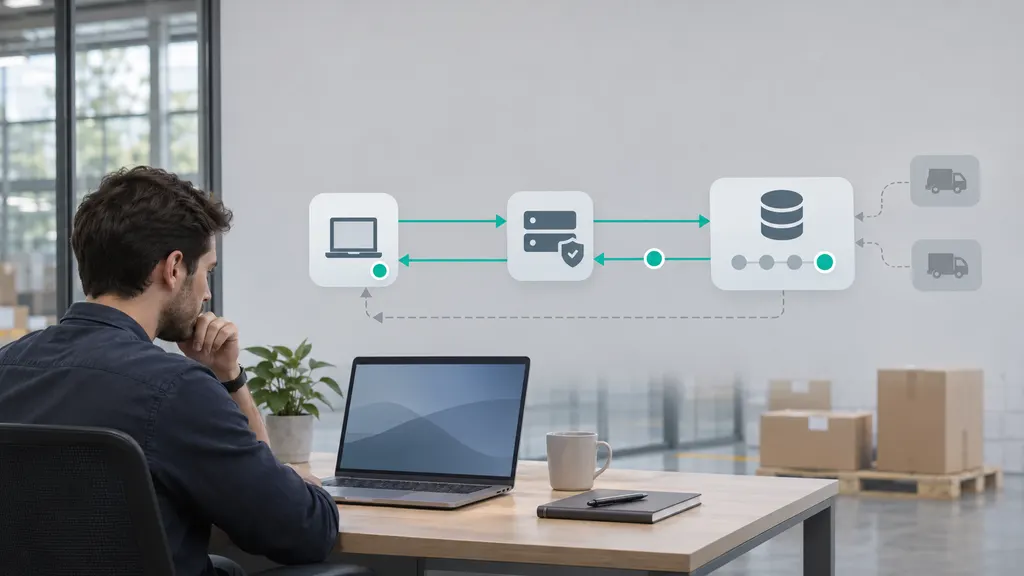
This approach is useful when a customer opens an order page, a support agent needs an update, or your system needs to recover from a missed notification. A reliable implementation combines on-demand queries, clear freshness indicators, and safeguards against duplicate or out-of-order updates.
Decide what “latest shipment status” means
Before choosing an endpoint, distinguish between three operations that can sound similar but produce different results.
| Operation | What it does | What it does not establish |
|---|---|---|
| Read your own database | Returns tracking information your application already holds. | Whether the provider has received a newer update. |
| Query the tracking API | Retrieves information available through the provider’s query operation. | Whether a new carrier lookup occurred during that request. |
| Request a tracking refresh | Requests another upstream check, if the provider offers that operation. | That the carrier has a new scan or that the refresh completes synchronously. |
Use a query when you need an answer now. Investigate a refresh operation only when you need the provider to attempt another upstream check. Do not assume that adding a cache-busting parameter, repeating a request, or sending an HTTP cache-control header will force a carrier to supply new information.
Shipment visibility has several stages: the carrier records an event, the tracking provider obtains it, and your application receives or retrieves it. A direct API request can bypass waiting for notification delivery, but it cannot eliminate delays earlier in that chain.
Check the query contract before writing code
The developer integrating the tracking service owns this workflow. Start with the provider’s current documentation, not an endpoint copied from an old integration example. Confirm these details:
- Shipment identity: Does the query accept a tracking number, an internal shipment ID, or a tracking number combined with a carrier identifier?
- Registration requirements: Must the shipment be registered before it can be queried?
- Authentication: Which header or authentication mechanism is required?
- Response meaning: Does the operation return stored information, initiate collection, or return a job to check later?
- Result handling: Can a successful HTTP response contain a shipment-level failure or a pending result?
- Usage constraints: What rate limits, batch limits, and account-specific restrictions apply?
- Freshness fields: Which timestamps represent carrier events, provider updates, and response generation?
For a 17TRACK integration, the Tracking API is the relevant product rather than a consumer tracking page or a storefront tracking interface. Use the official API documentation to confirm the tracking-information query operation, authentication, request fields, and response structure for your integration. Treat querying and webhook handling as separate application paths that update the same shipment record.
Avoid hard-coding assumptions about refresh behavior or query frequency. Those details need to match the operation and service terms you actually use.
Build an on-demand lookup through your backend
A practical design is to expose an authenticated endpoint in your own application. The browser requests a shipment update from that endpoint; your server checks authorization, decides whether a provider query is necessary, and returns a normalized result.
The following route is an example of an endpoint you would create in your application. It is not a 17TRACK endpoint or a provider request specification.
GET /api/orders/{order_id}/shipment-statusUse the order identifier to look up the shipment on the server. Do not let a caller retrieve another customer’s tracking history simply by replacing a tracking number in a request. Keep the provider API credential on your backend rather than in browser JavaScript or a mobile application bundle.
A request flow you can implement
- Authorize access. Confirm that the customer or staff member may view the order.
- Resolve the shipment. Read the stored tracking identifier and carrier information, where applicable.
- Check local freshness. If a recent successful query already exists, reuse it according to your application’s freshness policy.
- Query the provider when needed. Use the documented operation and a bounded request timeout.
- Validate the result. Check both the HTTP outcome and the shipment-level result.
- Merge the information. Apply the same normalization and reconciliation rules used for webhook events.
- Return status and freshness. Include the latest event time and your last successful provider-check time when available.
The local freshness policy is an engineering decision, not a statement about carrier update frequency. Choose it using your interface requirements, provider limits, shipment volume, and observed query usefulness. A customer repeatedly clicking an update button should not create an unrestricted stream of upstream requests.
Normalize the response without inventing freshness
Your application can return a stable internal format even when provider response structures differ. This illustrative object is your own application contract, not an actual provider payload:
{
  "shipment_id": "internal-shipment-id",
  "status": "in_transit",
  "latest_event_at": null,
  "provider_updated_at": null,
  "last_successful_query_at": null,
  "retrieval_state": "success",
  "source": "provider_query"
}
Populate each timestamp only when its meaning is known. The time your server received a response belongs in your query metadata; it must not be presented as the time the parcel moved. If the provider does not supply a provider-update timestamp, leave that field absent or null rather than substituting another timestamp.
For the customer interface, separate the messages: “Latest carrier event” describes shipment activity, while “Tracking checked” describes your application’s retrieval activity. That distinction prevents an unchanged scan from appearing newly recorded.
Keep API queries and webhooks from overwriting each other
Once both mechanisms are active, the same event may arrive through a query and a webhook. They may also finish in a different order than they started. A query launched first can complete after a webhook has already supplied newer information.
Do not use last-response-wins logic. The most recently received payload is not necessarily the most recent shipment state.
- Share one update pipeline. Send query results and webhook payloads through the same validation, normalization, and persistence functions.
- Deduplicate events. Prefer a documented event identifier. If none exists, build a carefully defined fingerprint from available fields such as event time, status, location, and description.
- Use ordering fields with known semantics. A documented revision or sequence is more useful than assuming arrival time represents event order.
- Preserve history. A newly received event can fill a historical gap without changing the current shipment summary.
- Allow corrections. Statuses are not a universal linear ladder. Follow documented correction behavior instead of permanently rejecting every apparent backward transition.
When event ordering is uncertain, retain the original payload and its provenance for investigation. Do not resolve ambiguity by manufacturing an event timestamp or assuming that all carrier timestamps share the same timezone.
Handle missing data and failed requests differently
An empty result, an unchanged result, and a failed request should not produce the same customer message.
The query succeeds but the status has not changed
Keep the existing shipment status and update the last successful query time. Do not generate a new shipment event merely because another lookup completed. If the customer needs more detail, show the existing event history and explain that no newer tracking event was returned.
The shipment has no tracking information yet
Check whether registration is required, whether the identifier and carrier are correct, and how the provider represents pending collection. A lack of events does not by itself prove that the tracking number is invalid or that the parcel is lost. Preserve the provider’s distinction between an unknown identifier, a registered shipment awaiting information, and a request that could not be processed.
The provider request times out or fails
If you have a previous valid status, return it with an explicit indication that the latest check did not succeed. Keep the earlier successful-query timestamp unchanged. A network error is not a delivery exception and should not change the parcel’s business status.
Use bounded retries with backoff and jitter for appropriate transient failures. Do not repeatedly retry invalid credentials or malformed requests. Where a response supplies Retry-After, interpret it according to the provider’s contract and HTTP semantics. The HTTP specification permits that value to be expressed as a delay in seconds or an HTTP date.
Multiple requests arrive for the same shipment
Coalesce concurrent lookups so they can share one upstream request. Apply limits by account and shipment, and prevent an automatic retry from multiplying across several application layers. Where batching is supported, inspect each shipment’s result rather than treating the whole batch as successful because the HTTP request completed.
Use polling as a controlled fallback
Without webhooks, scheduled polling can keep your database updated, but it requires an explicit operating policy. Decide which shipments remain eligible, how failures affect the schedule, and when routine polling stops.
For most integrations, a hybrid design is a sensible starting point: webhooks handle background changes, on-demand queries serve interactive requests, and reconciliation jobs check records that need attention. This is an architectural recommendation, not a guarantee that it minimizes cost for every account.
- Prioritize active shipments and records with unresolved retrieval errors.
- Avoid querying every historical shipment on each scheduled run.
- Define how completed shipments are handled, including any correction window your business requires.
- Track how often queries find genuinely new information.
- Investigate webhook delivery problems instead of masking them with increasingly frequent polling.
Monitor provider request latency, unsuccessful queries, rate-limit responses, and differences between queried data and webhook-fed records. Separately monitor the age of the latest carrier event. Successful API responses can coexist with tracking information that has not changed.
Test the workflow before release
A successful request is only the first test. Verify the situations that can otherwise create misleading status updates:
- A webhook arrives while an on-demand query is still running.
- Two customers or staff sessions request the same shipment simultaneously.
- The provider returns HTTP success but reports a shipment-level error.
- A request fails after your application already holds valid tracking information.
- An event lacks a timezone or contains an unfamiliar status code.
- A carrier correction changes a previously displayed result.
- A user attempts to access a shipment belonging to another account.
Your release criterion should be that the application returns the best known shipment information, explains its freshness accurately, and does not corrupt that information when requests fail or arrive out of order.
FAQ
Does querying the API force the carrier to scan or update a parcel?
No. Retrieving tracking information cannot cause a physical scan. Whether a request triggers an upstream lookup depends on the documented operation. Even a supported refresh can return unchanged information if the carrier has no newer event.
Can I use API queries without configuring webhooks?
If the provider supports the required query workflow, you can build an integration around on-demand requests or polling. Confirm registration and query requirements first. Your application will then be responsible for deciding when to check, controlling request volume, and detecting changes.
How often should I poll shipment status?
There is no universal interval. Choose a schedule that fits your provider’s limits, your shipment volume, and the business value of finding updates sooner. Measure how often polling returns new events, then adjust rather than assuming that frequent requests produce fresher carrier data.
Why does the API return information I already received through a webhook?
Both paths can expose the same underlying shipment record. A webhook delivers a notification, while a query retrieves information on demand. Receiving the same event through both is not necessarily an error; your application should deduplicate it.
Should the update button say “Refresh tracking”?
Only if that wording accurately describes the operation. If the button retrieves stored provider data, “Check for updates” is clearer. Show the last carrier event separately from the time your application last completed a successful check.
Sources
- 17TRACK Tracking API — official product reference for the tracking API integration discussed in this guide.
- 17TRACK API documentation — reference for provider-specific operations, authentication, request fields, and response handling.
- RFC 9110, Section 10.2.3: Retry-After — defines the HTTP header’s delay-seconds and HTTP-date forms.