How to Use Shipment Tracking APIs to Send Proactive Delivery Notifications
To send proactive delivery notifications with a shipment tracking API, connect each package to its order, ingest tracking updates, translate those updates into customer-relevant events, and trigger messages through your email, SMS, or app notification service. Put a durable queue and duplicate checks between incoming tracking data and outgoing messages so repeated or delayed updates do not produce confusing alerts.
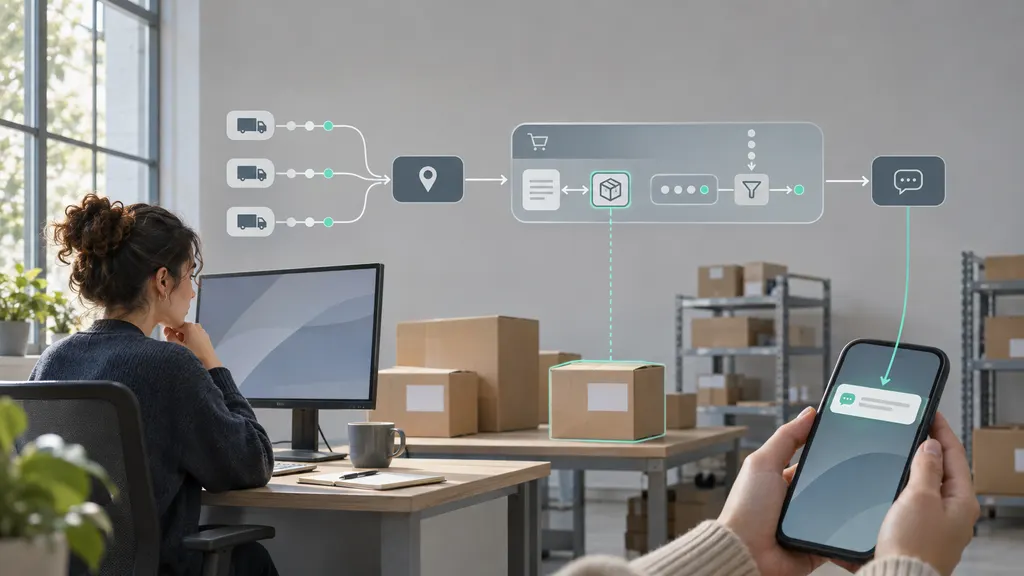
This guide is for developers and ecommerce operations teams building that workflow. The goal is not to forward every carrier scan. It is to tell customers when something meaningful changes, what that change means, and whether they need to act.
Design the notification workflow before connecting the API
A shipment tracking API supplies tracking information; your application decides how to use it. Treat shipment visibility and customer communication as separate responsibilities, even if your chosen service offers both.
A practical architecture has six stages:
- Order association: connect a tracking number and carrier identifier, where required, to an internal shipment record.
- Tracking registration: submit or register the shipment according to the provider’s integration requirements.
- Update ingestion: receive webhook callbacks, retrieve updates through API requests, or combine both approaches.
- Event processing: validate, normalize, deduplicate, and evaluate incoming events.
- Notification decision: choose whether to notify, whom to contact, and which channel and template to use.
- Message delivery: send the notification and record the messaging service’s response.
Keep customer contact information in your own order or messaging system unless the integration genuinely requires sharing it. A tracking service generally does not need the customer’s email address merely for your application to associate a tracking event with an order.
1. Confirm the integration contract
Before writing the receiver, check the provider’s documentation for authentication, shipment registration, carrier identification, supported update methods, response formats, request limits, and error handling. For webhook integrations, also check how callbacks are authenticated, what response acknowledges receipt, and how unsuccessful deliveries are handled.
For a 17TRACK implementation, start with the 17TRACK Tracking API page and its official API documentation. Use the documented contract for your integration rather than treating the illustrative field names in this guide as 17TRACK request or response fields. Confirm callback setup, security requirements, and account-specific limits before implementation.
Choose your update method according to the integration contract:
- Webhooks: use callbacks when supported and suitable for your infrastructure. They let your application process updates when the provider sends them, without repeatedly requesting the same shipment.
- Polling: retrieve tracking information on a schedule when callbacks are unavailable or unsuitable. Keep the schedule within documented request limits.
- Combined approach: use callbacks for normal processing and selective API retrieval to reconcile shipments whose updates appear stale, if the provider supports that workflow.
Do not promise customers instant notifications simply because you use webhooks. Your application cannot report a carrier event before the upstream tracking data makes it available.
2. Build a shipment record that survives real orders
Use an internal shipment ID as the primary reference, not the tracking number alone. An order can contain several packages, and tracking numbers should not be assumed to be globally unique forever.
A useful internal record includes:
- Internal order ID and shipment ID.
- Tracking number and carrier identifier, when known.
- The provider’s shipment reference, if supplied.
- Current normalized status and latest meaningful event.
- Carrier event time, including its timezone or offset when available.
- The time your system received the update.
- A reference to the customer’s communication preferences.
- Notification history and any active exception workflow.
Store event time separately from receipt time. A scan that happened earlier may arrive after a newer scan. If your application sorts only by arrival order, it can mistakenly change a delivered shipment back to in transit.
For split orders, connect notifications to the affected package. “One package from your order has arrived” is more accurate than “Your order has arrived” when another package is still moving.
3. Map tracking events to customer decisions
Carrier descriptions are operational data, not ready-made customer messages. Build a normalization layer that preserves the original event while assigning an internal category your notification rules can understand.
The following categories are suggested application concepts, not a universal API status vocabulary:
| Internal category | Notification decision | Messaging boundary |
|---|---|---|
| Shipment information received | Send a preparation update only if useful. | Do not imply physical carrier possession from label creation alone. |
| In transit | Consider notifying on the first meaningful movement. | Suppress routine facility scans unless they change the customer’s next step. |
| Out for delivery | Notify when a supported event indicates this status. | Do not turn the status into a guaranteed arrival time. |
| Delivery attempt or pickup required | Send an actionable notification. | Include deadlines or collection instructions only when verified. |
| Delivery exception | Assess the cause and whether the customer needs to act. | Do not describe every exception as a lost parcel. |
| Delivered | Send a package-level confirmation. | Do not invent a recipient, delivery location, or proof of delivery. |
Preserve uncertainty. An unrecognized event should enter a review or fallback path rather than being forced into the nearest familiar category. Keep the raw description available to support staff for troubleshooting.
4. Receive updates without losing or duplicating work
Your webhook endpoint should validate the request, durably save the accepted update, and return the acknowledgment required by the provider. Perform message generation asynchronously rather than waiting for an email or SMS service during the callback request.
Implement the provider’s documented callback verification method. Do not invent a signature header or assume that every provider uses the same authentication scheme. Also enforce HTTPS, request size limits, payload validation, and appropriate access controls.
A simplified processing flow looks like this. These are application-level operations, not a working SDK example:
receive callback
  verify request using documented provider mechanism
  validate payload
  persist accepted payload and enqueue processing atomically
  return documented acknowledgment

process queued update
  find internal shipment
  normalize relevant events
  ignore already-processed events
  evaluate chronology and state transition
  create notification job if policy permits
  commit state and job together

send notification job
  check recipient preferences and suppression rules
  submit message to messaging service
  record result and retry only when appropriate
The atomic steps matter. If your application saves a status change but crashes before creating the notification job, the customer may never receive the alert. A transactional outbox is one design option: save the state change and pending job in the same database transaction, then let a worker dispatch the job.
Handle unknown shipment references explicitly. Quarantine them for investigation or reconciliation instead of guessing which customer should receive a notification.
5. Add duplicate protection and chronological checks
Design the receiver to tolerate repeated callbacks and worker retries. Prefer a stable provider event identifier when one is documented. Otherwise, create a deterministic event fingerprint from suitable fields, such as the internal shipment ID, event code, event time, and location. Test that fingerprint against actual payloads before relying on it.
Event deduplication and notification suppression solve different problems. Deduplication stops the same event from being processed twice. Suppression prevents several distinct scans from generating essentially the same customer message.
Define a notification identity around the business event. A delivery confirmation might use the shipment ID and delivered milestone. A delivery attempt may need an attempt-specific identity because a later attempt can be a genuinely new event.
For out-of-order updates, compare event timestamps and evaluate allowed state transitions. Do not assume that a callback contains only a new scan; check whether its documented structure represents an individual event, a snapshot, or a history. Route contradictory updates to reconciliation rather than silently discarding all corrections.
6. Write messages that explain what happens next
Each notification should state the relevant package, the confirmed change, and the customer’s next step. Include a secure tracking link and a recognizable order reference. Avoid exposing full addresses or unnecessary personal information in SMS messages and lock-screen previews.
For example:
- Out for delivery: “Your package for order {order_reference} is out for delivery. Follow its progress here: {tracking_link}.”
- Delivery attempted: “The carrier reported a delivery attempt for your package. Check the tracking page for available next steps: {tracking_link}.”
- Delivered: “The carrier marked your package for order {order_reference} as delivered. View the available delivery details: {tracking_link}.”
Render placeholders only from validated data. If a delivery estimate is available and suitable for display, label it as an estimate. If it is missing, omit it rather than inventing a date.
For exceptions, distinguish a shipment problem from a customer task. A disruption may require only an explanation; a verified address issue may require action. Do not send customers to a payment or document-upload page based solely on untrusted free-text tracking content.
Choose channels using customer preferences, channel permissions, urgency, and applicable rules. Review consent, opt-out, and quiet-hour requirements for the jurisdictions and messaging channels you use. Keep delivery-service notifications separate from promotional campaigns rather than assuming the same permissions cover both.
7. Define what happens when tracking goes quiet
Proactive communication should cover missing progress as well as new events, but silence alone does not prove a shipment is delayed or lost.
Create a stale-tracking rule using the service level, route, last meaningful event, and any supported delivery estimate. Set thresholds from your operating data and support process rather than applying one universal waiting period to every shipment.
When that rule triggers, check for missed processing, reconcile with the tracking source where supported, and decide whether to open an internal support task. If you notify the customer, use wording that reflects what you know: “We have not received a new tracking update” is different from “Your package is lost.”
Assign an owner to unresolved exceptions. A notification system that repeatedly announces a problem without creating a route to resolution can increase customer frustration.
8. Test the full path before enabling automatic sends
Run the workflow in a shadow mode first: ingest real or approved test events, generate proposed notifications, and inspect the results without contacting customers.
- Replay an identical callback and confirm that it does not create another message.
- Process an older transit event after a delivered event and inspect the resulting state.
- Test missing timestamps, unknown statuses, and malformed payloads.
- Simulate a database failure before acknowledgment and a worker failure after persistence.
- Test messaging timeouts, including an uncertain response where the service may already have accepted the message.
- Confirm that split shipments produce package-specific wording.
- Check opted-out recipients, invalid contact details, and quiet-hour handling.
- Verify that tracking links do not expose another customer’s order information.
Monitor accepted callbacks, processing failures, queue age, notification jobs, duplicate suppression, and messaging outcomes. Measure processing latency from your system’s receipt time separately from the age of the carrier event. That distinction helps identify whether a slow notification came from upstream data availability or your own pipeline.
Start with a small set of well-understood milestones. Expand the rules only after support and operations teams agree that the messages are accurate, actionable, and worth receiving.
FAQ
Does a shipment tracking API send emails or SMS messages automatically?
Not necessarily. Tracking data access and customer messaging are separate capabilities. Check the service’s documented scope. In a custom integration, your application can process tracking updates and send notifications through a separate messaging service.
Should I notify customers about every tracking scan?
Usually not. Prioritize meaningful milestones and events that require action. Several facility scans can represent normal transit without changing what the customer needs to know. Keep the detailed history on the tracking page.
Can I guarantee delivery notifications in real time?
You can set and monitor a processing target after your system receives an update. You cannot guarantee when a carrier will record or publish a scan. Describe the service in terms that reflect that dependency.
How can I prevent duplicate delivery messages?
Use persistent event deduplication, a separate notification identity for each business milestone, and transactional job creation. Where your messaging service supports idempotency, use it as another safeguard. An in-memory duplicate check alone will not survive restarts or multiple workers.
What should happen if the carrier corrects a delivered status?
Preserve both events and reconcile the shipment’s state. If the correction materially affects the customer, send a clear correction or route it to support according to your policy. Do not make delivered status permanently irreversible simply to simplify the code.
Sources
The following official resources are the implementation references for the 17TRACK integration discussed above. The internal schema, notification rules, and processing flow in this guide are architectural recommendations, not quoted API contracts.
- 17TRACK Tracking API — official starting point for evaluating the API integration.
- 17TRACK API documentation — reference for provider-specific request formats, authentication, tracking operations, and integration requirements.