How to Track a Gofo Package: Number Formats, Statuses, and Not-Found Fixes
To track a Gofo package, copy the tracking number from your shipping confirmation or order page and enter it on the carrier tracking page linked by the seller. You can also try a multi-carrier tracker such as 17TRACK Tracking. If the number is not found, first check that you copied the shipment tracking number rather than the order number, then check whether the seller has actually handed the package to the carrier.
Find the right number before you search
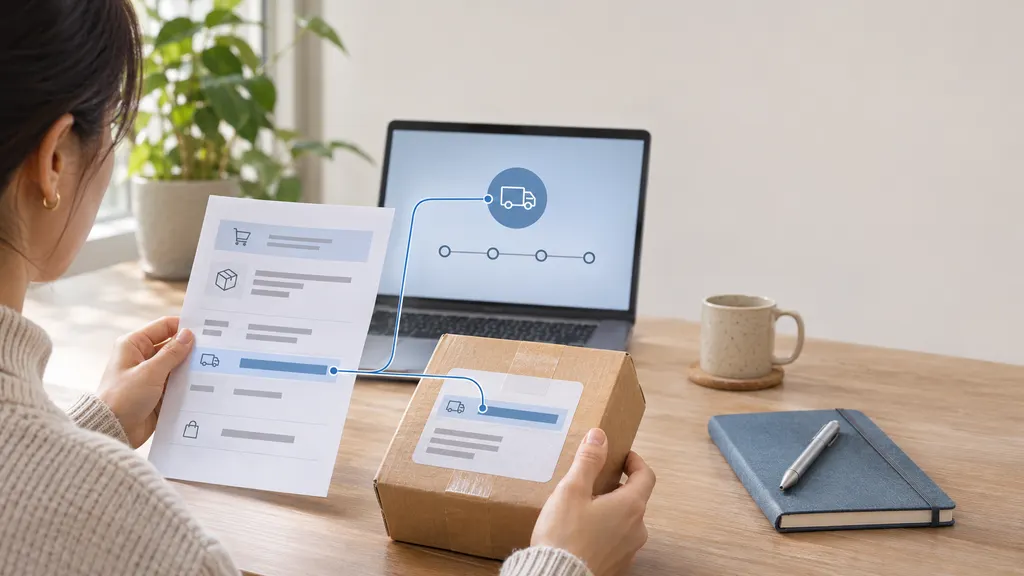
The most common tracking mistake happens before anyone opens a tracking page: an order confirmation contains several identifiers, and only one may be the carrier tracking number. Your order number identifies a purchase in the seller’s system. A tracking number identifies a shipment in a carrier’s tracking system. A reference number, return authorization, or payment ID may serve a different purpose again.
Start with the seller’s shipping email or the shipment section of your account. Look for a field labeled “tracking number,” “shipment number,” or “carrier tracking.” If the order contains multiple items or was shipped in separate parcels, it may have more than one tracking number. Check which items belong to the Gofo shipment before assuming that one result covers the whole order.
A clickable “Track package” button can be useful, but note where it leads. A seller’s order-status page may display its own summary rather than a direct carrier scan history. If that page also shows a tracking number, copy the number so you can check the carrier record separately.
How to track a Gofo package
- Copy the tracking number exactly. Preserve any letters and leading zeroes. If you copy from an email or PDF, remove surrounding spaces and punctuation that are not part of the number.
- Use the tracking link supplied with the shipment. When the seller identifies Gofo as the carrier and provides a carrier link, that link is the most direct place to check the shipment record.
- Try an independent tracking view if needed. Enter the same number on 17TRACK. If the service asks you to choose a carrier, select Gofo when available rather than relying on automatic detection.
- Read the event details, not just the headline. Look at the latest event’s description and location, if provided, and compare it with earlier scans. This helps distinguish a newly created label from a parcel that is already moving.
- Save the number and check again when there is a reason to. A new scan, a change in delivery estimate, or an update from the seller is more informative than repeatedly refreshing an unchanged record.
For a Gofo shipment, the carrier’s own tracking record is the sensible starting point when you need to ask about a scan or a delivery attempt. A multi-carrier view can be convenient when you are following several parcels, but a difference between two displays does not by itself prove that either shipment record is wrong. Check the event text and its update time before drawing a conclusion.
What does a Gofo tracking number look like?
There is no need to identify a Gofo package by memorizing a sample prefix or a fixed character count. Tracking identifiers can vary by shipment or service, and a number that looks unfamiliar is not automatically invalid. The reliable test is whether the identifier came from the shipment details and produces a record for the expected parcel.
If you are unsure which string to enter, compare the labels around it. A tracking number is usually presented beside a carrier name or a tracking link. An order number often appears on the purchase receipt and may still work on the seller’s website, even though a carrier tracker cannot recognize it. Avoid altering an identifier to make it resemble an online example: adding or removing letters, spaces, or digits can turn a valid number into a not-found result.
Be especially careful when copying characters from images. The letter O and the digit 0, or the letter I and the digit 1, can be hard to distinguish. Copy-and-paste is preferable when the original text is selectable. If you must type the number, compare it against the source one character at a time.
How to read the status without overinterpreting it
Tracking pages do not always use identical status wording. Treat the descriptions below as explanations of common shipment stages, not as a definitive list of Gofo’s exact status labels.
- Label created or shipment information received: Shipping details have been submitted, but this status alone does not establish that the carrier has physically received the parcel. Ask the seller about the handoff if the record does not progress.
- Accepted or picked up: A carrier event indicates that the package has entered its network. Check the event time and location before estimating how far it has traveled.
- In transit or processing: The parcel has a movement or facility-related update. A gap between public scans does not, on its own, establish that the parcel is lost.
- Out for delivery: The package is in a delivery stage. It is not the same as a confirmed delivery; watch for the next event if it does not arrive.
- Delivery attempted or exception: The planned delivery did not proceed normally. Read the accompanying detail for an address, access, or other instruction rather than assuming every exception requires the same response.
- Delivered: The tracking record reports delivery. If you cannot find the package, check the delivery details and reasonable drop-off locations, then contact the seller or carrier through the channels associated with the shipment.
The latest status tells you what has been reported, not everything that has happened since that event. In particular, a delivery estimate is not proof that a package will arrive at a specific hour, and “out for delivery” should not be treated as “delivered.” If a status seems contradictory, compare its timestamp with the prior events before contacting support.
Why does Gofo tracking say “not found”?
A not-found message means the service you searched could not return a matching tracking record at that point. It does not, by itself, tell you that the order is fraudulent or that the package is lost. Work through the checks in an order that can actually narrow down the cause.
- Verify the identifier. Reopen the shipping confirmation and check that you entered the shipment tracking number, not the order or payment number. If there are several shipments, test the number attached to the relevant parcel.
- Check the carrier assignment. Use the carrier named in the seller’s shipment details. If a multi-carrier tracker selects a different carrier automatically, try selecting Gofo manually when that option is offered.
- Check whether the shipment has been handed over. A seller may share a tracking number after creating shipment information but before a carrier event appears. If the order only says a label was created, ask the seller whether and when it handed over the parcel.
- Retry with a clean copy. Remove accidental spaces or characters added when copying the number. Do not remove letters or digits that appear to be part of the original identifier.
- Compare the seller link and the tracker result. If one page recognizes the number and another does not, use the recognized record to confirm the carrier and shipment details. A mismatch between tracking interfaces is a reason to verify the source, not to invent a new number format.
If the seller says the package has been handed to Gofo but neither the linked carrier page nor a second tracking view recognizes the number, ask the seller to confirm the exact identifier and carrier. Send the order number as a reference, along with a screenshot or the wording of the error. The seller can check whether it supplied the right shipment details; a tracking website cannot correct a number that was entered incorrectly in an order notification.
What to do when tracking stops updating
First identify the last meaningful event. A record that has never moved past “label created” calls for a different question than one that shows acceptance and later movement. In the first case, ask the seller to confirm the handoff. In the second, note the last scan, its location if shown, and any delivery estimate before requesting an update through the shipment’s support channel.
A lack of new public scans is not enough to diagnose a lost package. Some movement may not appear as a separate customer-facing event. Still, do not ignore an overdue delivery or an exception notice. Check any instructions in the latest status and any messages from the seller. If a promised delivery window has passed, contact the seller with the tracking number, the last visible event, and the expected delivery information shown on your order.
If tracking says “delivered” but the package is missing, verify that you are looking at the correct shipment and delivery address. Check places where parcels are normally left at your address and ask anyone who may have accepted it. If it remains missing, report the discrepancy promptly through the seller’s or carrier’s support process. Do not share your full address or other sensitive order details on a public tracking forum.
FAQ
Can I track a Gofo package with my order number?
Usually, a carrier tracking field expects a shipment tracking number, not the seller’s order number. Your order number may help the seller find the purchase and provide the correct tracking details.
Does “label created” mean Gofo has my package?
Not necessarily. It can mean shipment details were prepared. Look for a later acceptance or pickup event, or ask the seller to confirm the handoff.
Why does one tracking page show an update while another does not?
Tracking interfaces may display or refresh shipment information differently. Confirm that both pages are using the same number and carrier, then compare event descriptions and timestamps. For a question about a specific carrier scan, start with the carrier-linked record supplied for your shipment.
What if I have two Gofo tracking numbers for one order?
The order may have been split into separate parcels. Check the seller’s shipment details to see which items and tracking number belong together. Do not assume a delivered status for one number means every item has arrived.
Who should I contact if the number is still not found?
Contact the seller first to verify the carrier, the exact tracking number, and whether the parcel was handed over. Include your order reference and the error message. If the carrier has already recognized the shipment, its support channel may also be able to explain a specific tracking or delivery event.
Sources
- 17TRACK Tracking — tracking entry point referenced in the instructions.
- 17TRACK official website — background on the consumer package-tracking service.