Home Depot Tracking Status: What each Order Update Means and What Comes Next
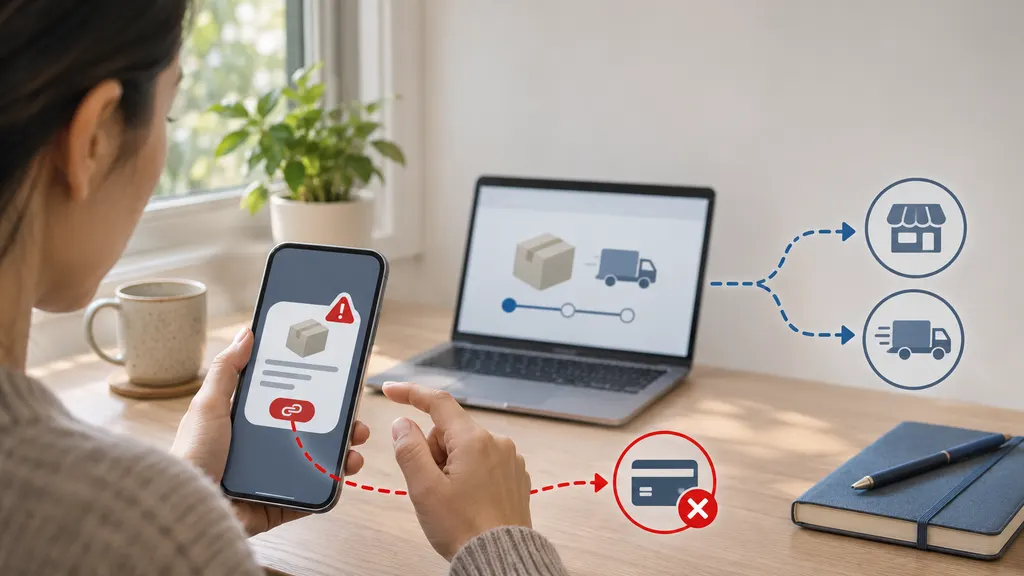
A Home Depot order update tells you which stage of fulfillment an item has reached, but it does not always tell you where a package is right now. “Processing” generally means the order is being prepared; “shipped” means it has entered a delivery process; “out for delivery” means delivery is expected on the carrier’s current route; and “ready for pickup” means the store says you can collect it. The next step depends on how you chose to receive the item: check your Home Depot order details for order-level changes, use the carrier’s tracking link for a shipped package, or follow the pickup instructions for a store order.

Status wording can differ by item, delivery method, and the page or message you are viewing. Treat the explanations below as a guide to what an update usually signals, not as a promise that every Home Depot order follows the same sequence.
First, check which part of the order the update describes
Before interpreting a status, look at the item beside it. A single purchase may contain products with different fulfillment methods or separate delivery updates. One item marked “shipped” does not necessarily mean the rest of the order has left, and a pickup notification for one item does not automatically mean every item is ready.
Three details make an update more useful: the affected item, the delivery or pickup method, and the latest estimated date or instructions shown with that item. Your Home Depot order information is the starting point for checking those details. If a package has a carrier name and tracking number, its carrier tracking page can then provide more specific movement updates. Keep the order number for questions about the purchase and the tracking number for questions about an individual shipment; they serve different purposes.
What common Home Depot order statuses mean
Order placed or order received
This is an acknowledgment that the order was submitted or recorded. It is not, by itself, confirmation that an item has been packed, handed to a carrier, or made available at a store. Check the item details for the chosen fulfillment method and any estimated date. If the order does not appear where you expect it, compare the order number and email address in your confirmation before submitting another order.
Processing or preparing your order
Processing is an order-level stage: the item is being prepared for the next step. For a shipped item, that next step may be a shipment confirmation or tracking number. For pickup, it may be a ready-for-pickup notice. For a scheduled delivery, it may be an updated appointment or delivery instruction. The status alone does not identify a package’s location or guarantee that a carrier has collected it.
What to do: review the estimated date shown for that item and wait for the next applicable update if the date has not passed. If the date changes or the order remains unresolved beyond the information shown in your order details, contact Home Depot with the order number and item name rather than relying on the status label alone.
Backordered or unavailable
A backorder or availability-related message indicates that the item cannot move through the expected fulfillment step as originally planned. It does not tell you when stock will become available unless the order details provide an updated estimate. Check the affected item, not just the overall order, and look for any revised date or action requested from you. If timing matters for a project, ask Home Depot about the specific order before assuming the original date still applies.
Shipped or on the way
“Shipped” signals progress toward delivery, but the exact handoff point is clearer when a carrier tracking number and events are available. A newly issued tracking number may not immediately display scans. Likewise, “on the way” does not necessarily mean the vehicle carrying your package is approaching your address; it may describe an earlier stage in transit.
Open the tracking link associated with the item and read the latest dated carrier event. Distinguish a label or shipment-information event from a physical movement scan. If carrier events have not appeared, revisit the tracking page later and compare it with the estimate in your Home Depot order details. If the order is described as shipped but no usable tracking information appears and the expected delivery information becomes concerning, ask Home Depot to clarify that shipment’s status.
Out for delivery
This usually means the delivery provider expects to attempt delivery on its current route. It is a useful near-term signal, not a guarantee of a particular arrival time or successful delivery. Check for any delivery instructions, access issues, or signature-related information shown in your order or carrier tracking details. If the day ends without a delivery update, review the latest carrier event before reporting a missing package; the route or delivery estimate may have changed.
Delivered
A delivered status reports that the delivery provider or order system has recorded completion. Start by checking the delivery location and any proof or notes available in the carrier record, then look around the expected drop-off area and confirm whether someone at the address accepted the item. If your purchase contains multiple shipments, verify which item or tracking number was marked delivered.
If the item is still missing, save the order number, tracking number, delivery date shown, and any delivery notes before contacting Home Depot. Do not treat a delivered scan for one box as proof that every item in a multi-item order arrived.
Ready for pickup and picked up
“Ready for pickup” is the update to act on for a store-pickup item. Follow the instructions in the pickup notification or order details, including the listed store and any collection requirements. An order confirmation or a processing status is not a substitute for a ready notice. Check each item if your order contains more than one.
“Picked up” indicates the pickup has been recorded as complete. If you have not collected the item, check whether another authorized person may have done so and contact the store or Home Depot with your order details. A carrier tracking page will not resolve a dispute about a store pickup.
Delayed or canceled
A delay means the previously expected next step or date may no longer apply. Read the updated item details for a revised estimate or a request for action. The reason and remedy cannot reliably be inferred from the word “delayed” alone.
“Canceled” means the affected order or item is not expected to continue through fulfillment. Confirm whether the notice applies to the entire purchase or only one item. For questions about payment, a replacement purchase, or an unexpected cancellation, use Home Depot’s customer-service channels and provide the order number. A cancellation update by itself does not establish when a payment adjustment will appear.
Home Depot status versus carrier status: which should you trust?
Use each source for the question it can answer. Home Depot’s order details are the better place to identify what you bought, which items are affected, whether pickup is ready, and whether the order has been changed or canceled. Once an item has a carrier tracking number, carrier events are better suited to answering where that particular shipment was last scanned and whether a delivery attempt was recorded.
The two views may update at different times. A retailer page can still show a broad “shipped” status while the carrier lists several transit events. Conversely, an order page may show a tracking number before the carrier displays a movement scan. Neither difference, on its own, proves a parcel is lost. Match the item and tracking number first, then check the most recent timestamp in each view.
If you have a valid carrier tracking number and want another way to view its tracking events, 17TRACK’s parcel tracking page may be useful. It does not replace Home Depot’s order details for pickup readiness, order changes, or purchase-specific customer service. An order number alone should not be assumed to work as a parcel tracking number.
What to do when an update stops making sense
- Identify the exact item. Note its name, fulfillment method, and whether another item in the order has a different status.
- Read the latest dated event. For a shipped package, compare the order page with the carrier’s tracking record. A recent event is more informative than a broad status label displayed elsewhere.
- Check the current estimate. Look for a changed delivery date, pickup instruction, or notice asking you to act. Do not rely only on the date in an older confirmation message.
- Choose the right contact. Ask Home Depot about order changes, item availability, pickup, cancellation, or a delivery problem tied to the purchase. If a carrier tracking page shows a specific delivery exception, its details may help you describe the issue.
- Bring the identifiers. Keep the Home Depot order number, affected item, tracking number if one exists, and screenshots or dates of conflicting updates. This helps distinguish an order problem from a shipment problem.
For purchase-specific assistance, start with Home Depot’s official site and its customer-service options. Avoid guessing that a shipment is lost solely because a tracking label was created but no later event is visible; report the actual sequence of updates and the delivery estimate you were given.
FAQ
Why does my order say shipped when the tracking number shows no movement?
An order-level shipped update and a carrier’s first visible tracking event need not appear at the same time. Check that the number belongs to the correct item, look for a label or shipment-information event, and revisit the carrier page. If the estimated delivery information passes without clarification, contact Home Depot with both the order and tracking numbers.
Can I pick up my order when it says processing?
Do not assume so. Processing describes preparation, while a ready-for-pickup notification is the clearer signal to follow. Check the affected item and the store listed in your pickup instructions before traveling.
Why is only part of my order delivered?
Items can have separate fulfillment updates. Check each item’s status and, for shipped items, each tracking number. A delivered event may apply to one shipment rather than the entire purchase. If the order details indicate that a missing item should have arrived in the delivered shipment, contact Home Depot with the item and shipment details.
What if tracking says delivered but I cannot find the package?
Check the carrier’s delivery notes and the expected drop-off area, and ask others at the address whether they accepted it. Verify the delivered event belongs to the missing item. If it remains unaccounted for, contact Home Depot with the order number, tracking number, and recorded delivery details.
Is my Home Depot order number the same as a tracking number?
No. The order number identifies the purchase. A carrier tracking number, when provided, identifies a shipment for tracking purposes. Use the order details to find the shipment associated with the item you are checking.
Sources
- The Home Depot official website — starting point for order information and customer-service options.
- 17TRACK parcel tracking — reference for the optional parcel-tracking tool discussed above.