Best Buy Order Status Tracking: What each Status Means and What Happens Next
A Best Buy order status tells you which part of fulfillment is underway, but it does not always tell you where a package is. An order that is being prepared has not necessarily shipped; a shipped order may still be traveling with a carrier; and a pickup order is not ready to collect until Best Buy says it is ready. Start with your order details, then use carrier tracking, pickup instructions, or delivery appointment information when those become available.
The exact wording shown on an order can vary by fulfillment method and by the stage of an individual item. Treat the explanations below as a guide to what to check next, not as a promise that every Best Buy order will display the same labels.
Where to check your Best Buy order
Use the order information in your Best Buy account or the order link in your confirmation email. If you checked out as a guest, Best Buy also provides a guest order lookup. Check that you are viewing the correct order number and, for an order with multiple items, the correct item. Different items can have different pickup dates, shipment details, or delivery arrangements.
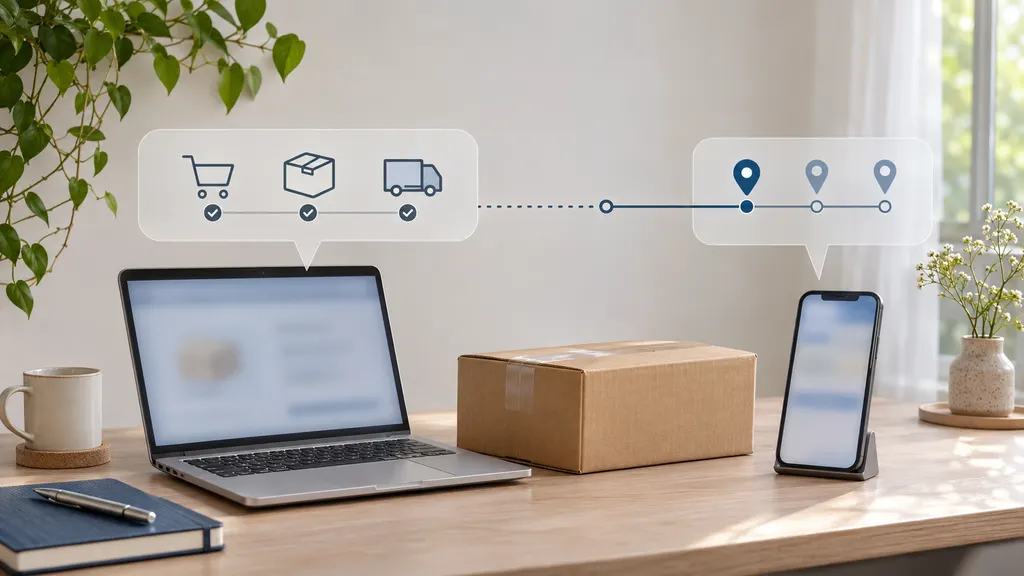
There are three useful layers of information. The Best Buy order page shows the retailer’s fulfillment status and any actions available on the order. A carrier tracking page, when a tracking number has been issued, shows package scans and the carrier’s delivery progress. For an item requiring an appointment, scheduled-delivery details may be more useful than a parcel-tracking number. These sources answer related but different questions; a carrier scan does not replace Best Buy’s instructions about an order change or store pickup.
What common order statuses mean
Read the status alongside the fulfillment method: shipping, store pickup, or scheduled delivery. Status labels may change, and some orders move through intermediate steps without showing every one to the customer.
| Status or message you may see | What it generally means | What to do next |
|---|---|---|
| Order placed or received | Best Buy has recorded the purchase, but fulfillment is not yet complete. | Review the items, address or pickup store, and the estimate shown in the order details. Do not assume a carrier has the item. |
| Preparing, processing, or getting ready | The order is being handled before shipment or pickup readiness. | Look for a later shipping confirmation or pickup-ready notice. Check the order page for any available change or cancellation options. |
| Shipped or on its way | A shipment has been arranged or dispatched. A tracking number may appear, but the first carrier scan can follow later. | Open the tracking link and check its latest event and delivery estimate. |
| Ready for pickup | The store has marked the item ready to collect. | Follow the pickup notice for the store location, identification requirements, and any pickup deadline stated for your order. |
| Out for delivery | The carrier or delivery provider indicates a delivery attempt is expected as part of its current route. | Check the latest tracking or appointment details. This status is not a guarantee of a particular arrival time. |
| Delivered or picked up | The relevant system records the package as delivered or the store order as collected. | If you cannot locate the item, check the delivery details or pickup record and report the issue through the appropriate support channel. |
| Delayed, canceled, or action needed | The original fulfillment plan has changed, ended, or needs your attention. | Read the specific message in your order details or email; the status alone may not explain the cause or available remedy. |
These are plain-language interpretations, not an exhaustive list of Best Buy’s on-screen status labels. If the message on your actual order is more specific, follow that message rather than a general definition.
What happens next for a shipped order
After a shipping confirmation, look for a tracking number and the named carrier in the order details. The retailer’s status can change before the carrier displays its first physical scan. A message indicating that a label was created, for example, does not by itself establish that the carrier has received the package. The most useful next event is a carrier acceptance or movement scan.
Once scans appear, the carrier’s page is usually the better place to check transit events, delivery attempts, and the most recent delivery estimate. Read the event description as well as the headline status. A package in transit is not necessarily on a vehicle for delivery that day, while “out for delivery” still leaves room for a changed route or an unsuccessful attempt.
If tracking has not updated, first confirm that the number belongs to the item you are waiting for. For a multi-item order, a shipment notification may cover only one item. Then check whether the carrier page shows only a label or shows a received-package scan. If the estimated delivery date has passed or the information conflicts with Best Buy’s order page, contact Best Buy through its official support options with the order number and tracking number. The order page is the appropriate starting point for questions about the purchase; the carrier’s tracking page provides evidence about package movement.
What happens next for store pickup or scheduled delivery
Store pickup: An order confirmation is not a pickup-ready notice. Wait until the order details or notification says the item is ready, then check which store is listed and follow the instructions in that notice. This matters if you placed multiple orders, changed your plans, or ordered several items with different readiness dates. If the item is not ready when expected, check the current order details before making a trip.
Scheduled delivery: Large or specially handled items may be associated with a delivery appointment rather than ordinary parcel scans. In that case, check the appointment information in your order and any related messages for the current date, time window, or instructions. A status indicating that an order is being prepared does not establish that a delivery appointment has been completed or that the item is on a vehicle. If the appointment information is missing or changes, use the support option associated with the order rather than trying to interpret a parcel-tracking status that may not apply.
The practical distinction is simple: a pickup customer is waiting for permission to collect the item; a parcel customer is waiting for shipment and carrier movement; a scheduled-delivery customer is waiting for confirmed appointment details and completion of the delivery. Choosing the right information source avoids unnecessary trips and misleading tracking checks.
When a status seems wrong
Before reporting a problem, compare the item-level details, the latest email, and any carrier or appointment information. They may have been updated at different points in the process. Keep the order number, item name, tracking number if one exists, and the exact wording of the unexpected status handy.
- Marked delivered, but nothing is there: Check the delivery location, any carrier delivery notes, and other people who could have received the package. If it remains missing, report it promptly through the carrier’s and Best Buy’s relevant support paths. Do not treat a delivered scan as proof that you personally received the item.
- Pickup is pending, but you expected it to be ready: Look for an actual pickup-ready notification and verify the store and item. If the expected readiness information has passed or changed, ask Best Buy about the order before traveling.
- One item arrived, but the order is not complete: Check each item separately. An order containing multiple products can have different fulfillment steps, so the delivery of one package does not establish that every item has arrived.
- The order shows canceled or asks for action: Read the accompanying explanation and check your email for instructions. A general status cannot tell you whether you need to place a new order, update information, or take another step.
If you want to change or cancel an order, use the options displayed in your Best Buy order details or contact Best Buy. Do not infer eligibility from a status label alone: the available options can depend on how far fulfillment has progressed and on the particular order. Similarly, questions about a refund or replacement require the order’s actual instructions, not a shipping scan.
A quick way to interpret your next update
Ask two questions: Who has the item now? and What event am I waiting for? Before shipment, Best Buy’s order details are the primary source. During parcel transit, carrier scans explain physical movement while Best Buy remains the source for purchase-related actions. For pickup, the decisive event is the ready-for-pickup notice. For scheduled delivery, it is the appointment information and subsequent delivery confirmation.
If none of those sources answers your question, avoid guessing from a single word such as “processing.” Open the full order details and use the official contact options shown there. That gives support the item-level context needed to investigate the right stage of the order.
FAQ
Why does my Best Buy order say shipped when the tracking number has no updates?
The retailer’s shipment update and the carrier’s first scan are separate events. Check whether the carrier page says only that shipment information was received or shows a physical acceptance scan. If there is still no useful update after the delivery estimate passes, use your order number and tracking number when contacting Best Buy.
Can I pick up my order as soon as I receive the order confirmation?
No. An order confirmation means the purchase was recorded; it is not the same as a ready-for-pickup notice. Wait for the pickup instruction associated with the correct item and store.
Why do items in the same order have different statuses?
They may be fulfilled separately. Check each item’s shipment, pickup, or delivery details rather than assuming the order has one shared physical journey.
What should I do if tracking says delivered but I cannot find the package?
Review the carrier’s delivery details and the address, check likely delivery locations and with anyone who could have accepted it, then report the missing item through the relevant carrier and Best Buy support channels. Keep the order number and tracking details available.
Is the estimated delivery date guaranteed?
Do not treat an estimate as proof that the item has been delivered or will arrive at a precise time. Check the most recent order, carrier, or appointment update. If the estimate has passed, use the order’s support options to ask about the next step.