Departed Gofo Regional Hub: Where Your Package Goes Next and When
“Departed Gofo Regional Hub” means a tracking event indicates your package has left a Gofo sorting facility. Its next recorded stop may be another hub, a facility closer to your delivery address, or a delivery station. The message does not mean the package is out for delivery, and it cannot establish a delivery time on its own. Check the next scan and any delivery estimate shown in your tracking details before making plans.
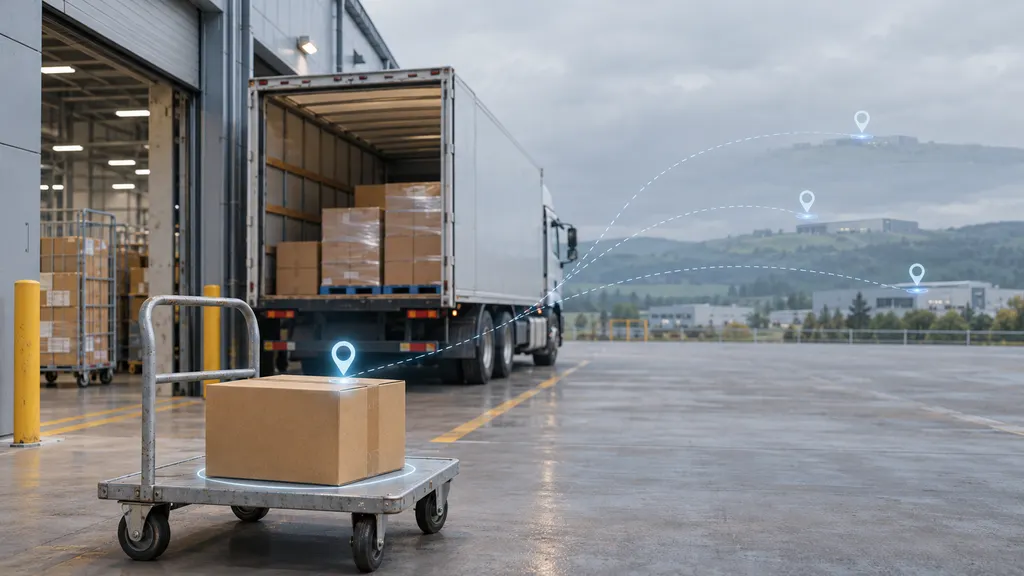
What the departure scan tells you—and what it does not
A regional hub is a point in a parcel network where shipments are sorted and directed toward their next destination. A departure event indicates that the package has moved on from that facility in the tracking record. It is a progress update, not a confirmation that the parcel is near your home.
The most useful detail is the event’s location. If the hub is far from your address, the package may still need to travel through another sorting facility. If it is near your area, the next recorded stop could be a local delivery facility. Neither possibility is guaranteed: the route depends on how the shipment is handled, and the tracking message usually does not reveal the full route in advance.
Also distinguish the time of an event from the time you first see it. Tracking systems can display an update after the underlying movement occurred. If the status appears to have been unchanged for a while, open the event history and look at the timestamp and location of the last actual scan rather than relying only on the date you refreshed the page.
Where does the package go next?
After a regional-hub departure, the next visible event commonly reflects one of several stages. The package may be recorded at another hub for further sorting, at a facility serving the destination area, or at a delivery station preparing parcels for local routes. In some cases, you may see a transfer or an “in transit” update before a location-specific arrival appears.
These are possible tracking paths, not a promised sequence. A package can pass through a facility without every internal step appearing in customer-facing tracking. An arrival scan may also appear later than the physical arrival. That is why the absence of an immediate “arrived” update does not, by itself, prove the package has stopped moving.
Read the next status for its meaning, not just its order. “Arrived at facility” confirms a recorded arrival at a named location. “Out for delivery” is a more direct indication that the parcel has been assigned to a delivery route. “Delivered” should be checked against the delivery details, especially if you cannot find the parcel. A generic “in transit” message is less precise: it confirms a tracking update but may not identify where the package is at that moment.
When should you expect the next update or delivery?
The departure scan alone cannot support a reliable number of hours or days. The next update depends on the distance to the next facility, the route, the way scans are reported, and whether any interruption occurs. Likewise, leaving a regional hub does not establish that delivery will happen today or tomorrow.
If tracking shows an estimated delivery date, treat it as an estimate and compare it with later events. An estimate is more useful than guessing from a hub departure, but it can change as new information enters the tracking system. If no estimate is shown, wait for a destination-area arrival or an out-for-delivery event before drawing a firm conclusion about delivery timing.
A practical way to interpret the situation is to ask three questions:
- Where was the departure recorded? A hub near the destination suggests a different remaining journey from one far away, although either route may include more stops.
- What is the latest event timestamp? This tells you when the last recorded movement occurred, not merely when you checked tracking.
- Has a newer status changed the delivery expectation? A delivery estimate, exception notice, or out-for-delivery scan matters more than an older hub event.
Do not assume a package is late solely because you have not seen the next scan. Assess it against the latest delivery estimate and any service information supplied with the shipment. If an expected delivery date has passed with no meaningful update, it is reasonable to seek a shipment-specific answer.
How to check the next step without misreading the tracking
Start with the tracking number from your order confirmation or shipping notification. Check it on the tracking page supplied by the sender or carrier, and review the complete event history rather than only the headline status. Confirm that you are viewing the correct shipment if your order contains multiple packages.
You can also enter the number on the 17TRACK tracking page to check whether it returns tracking events for your gofo shipment. If you use more than one tracking view, compare the event timestamps and descriptions; differently worded status labels do not necessarily represent different physical movements. For a shipment-specific delivery commitment or an investigation, the sender and the carrier handling the parcel are the appropriate contacts.
Pay particular attention to an exception message. Unlike an ordinary gap between scans, an exception may identify an issue that needs attention. Follow the instructions attached to that event rather than applying a generic waiting period. If a notice asks you to verify delivery information, use the carrier or seller’s official contact route instead of a link in an unexpected message.
When should you contact someone?
There is no universal time threshold that makes a regional-hub departure “stuck.” A lack of new scans becomes more concerning when the delivery estimate has passed, an exception appears, or the shipment’s movement is inconsistent with information the sender has given you. The right next step depends on which of those conditions applies.
- The estimated delivery date has not passed: Continue checking for the next event. A departure message alone usually does not call for intervention.
- The estimated date has passed and tracking has not progressed: Contact the seller or sender with the tracking number and last event details. If the carrier offers shipment inquiries, you can ask it to review the parcel’s status as well.
- Tracking shows an exception or a request for action: Read the notice carefully and use an official channel to resolve the specific issue.
- Tracking says “delivered,” but you cannot find the package: Check the delivery details and the location where parcels are normally left, then report the discrepancy promptly to the seller or carrier. A hub-departure explanation no longer applies once a delivery event has appeared.
When contacting support, provide the tracking number, the date and location of the last recorded event, the expected delivery date if one was provided, and the delivery address associated with the order. This gives the person handling the inquiry a clearer starting point than saying only that the package has not arrived.
Common mistakes to avoid
Reading “departed” as “out for delivery.” These refer to different stages. A parcel leaving a sorting hub may still need additional transport and processing before a local delivery route is assigned.
Assuming every transfer will have an immediate public scan. Customer-facing tracking is an event history, not a continuous location feed. A gap between events can leave the precise current location unclear.
Treating a hub’s name as proof of the final route. The location helps you interpret the journey, but it does not guarantee the next stop or establish when the driver will arrive.
Using the first status on an order page without opening the details. A short headline may omit a newer event, an exception, or a changed estimate. The full tracking history is more useful for deciding whether to wait or ask for help.
In short, “Departed Gofo Regional Hub” is a sign of recorded progress between facilities. The next scan will tell you more about where the package went; a delivery estimate or an out-for-delivery event will tell you more about when to expect it.
FAQ
Does “Departed Gofo Regional Hub” mean my package is coming today?
No. It means the package has a recorded departure from a hub. It may still be traveling between facilities. Look for a current delivery estimate or an out-for-delivery update for a better indication of delivery timing.
Why is there no new scan after the package left the hub?
The next customer-visible event may not appear until the package reaches another scan point, and updates may not display immediately. Check the last event timestamp and the delivery estimate. If the estimate has passed without progress, contact the seller or carrier for a shipment-specific check.
Can the package go to another regional hub?
Yes. A departure from one hub does not mean the next stop must be your local delivery station. Another sorting facility may be part of the route.
What if the next update is “out for delivery”?
That is a more specific delivery-stage update than a hub departure. Review the tracking page for any estimated delivery information, but do not treat the status as proof that delivery has already been completed.
Who can tell me exactly where the package is right now?
The public tracking history shows recorded events, not necessarily a live location. If the displayed information is insufficient and your delivery estimate has passed—or an exception appears—ask the seller or the carrier handling the shipment to investigate using your tracking number.
Sources
- 17TRACK Tracking — tracking-number lookup referenced in the checking steps.
- 17TRACK — official parcel-tracking service information.