Steam Deck Shipment Status: How to Check Your Order and Track Delivery
To check your Steam Deck shipment status, sign in to the Steam account used for the purchase and open your purchase history. Select the Steam Deck order to review its status and any shipping details. Once a carrier tracking number is available, use the link provided with the order or shipment email to track delivery. If you cannot find a tracking number yet, check the order status first: an order confirmation does not necessarily mean the package has shipped.
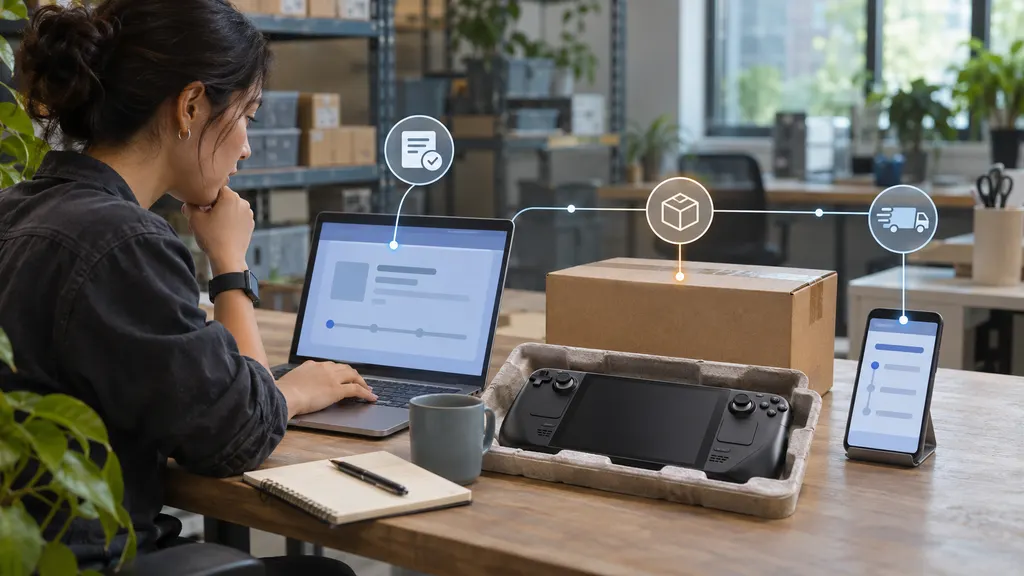
Check your Steam Deck order in Steam
The purchaser’s Steam account is the starting point for an order-status question. Open Steam purchase history while signed in to the account that placed the order, then find and select the relevant purchase. If you use more than one Steam account, check the account that received the order confirmation rather than assuming the order is missing.
Look for the distinction between the purchase record and shipment information. The purchase record helps you confirm which order you are viewing. Shipping information, when available, helps you follow the physical parcel. If the order page does not yet provide a carrier or tracking number, there may be no parcel-level movement to check. Return to the order later rather than entering a Steam order number into a carrier tracking form; order numbers and carrier tracking numbers serve different purposes.
Your email is a useful second checkpoint. Search the inbox associated with your Steam account for the order confirmation and any later shipment message. Check spam or filtered folders if a message is not in the main inbox. For safety, you can also navigate to Steam directly and compare the email with the order shown in your account before opening a tracking link.
Which number should you use to track delivery?
Use the carrier tracking number supplied in the shipment details, not the purchase amount, transaction reference, or Steam order identifier. A tracking number is intended for the carrier’s parcel system. If the order shows a clickable tracking link, that is usually the simplest way to reach the relevant carrier record without guessing which company has the package.
Copy the entire number if you need to enter it manually. A missing character or an extra space can produce a “not found” result that looks like a shipping problem but is only an input error. Do not post your order details, address, or tracking number publicly when asking for help.
Track the package after it ships
When Steam provides a carrier link, open it and check the carrier’s latest scan, estimated delivery information if offered, and any delivery exception or action request. Carrier scans generally tell you where the shipment was last processed; they are not a live map of the parcel. A delivery estimate can also change as the package moves through the network.
If you have a tracking number but no working link, identify the carrier from the shipment information before searching its official site. A multi-carrier tracking service such as 17TRACK Tracking is another way to track a parcel by its tracking number. It can help you view carrier updates, but it does not replace Steam’s order record or the carrier’s own instructions for a delivery issue. If tracking results conflict with what you see in Steam, keep the order details and carrier record separate while you investigate.
Read the status alongside its timestamp and location. “Label created” or similar wording may indicate that shipment information has been sent to a carrier, not that the parcel has received its first physical scan. “In transit” indicates movement through the carrier network but does not, by itself, promise delivery on a particular day. “Out for delivery” means the carrier expects to attempt delivery on that route; it is not the same as “delivered.” Exact status labels vary by carrier, so use the explanation on the carrier’s tracking page when one is available.
What to do when the status does not move
First, establish which stage is stalled. If Steam shows an order but no shipment or tracking details, you are dealing with an order-status question. If Steam shows a tracking number but the carrier has no record yet, you may be seeing a gap between shipment information being issued and the first carrier scan. If the carrier has already scanned the parcel, its tracking history is the best place to examine the last recorded event.
- No order in purchase history: Verify that you are signed in to the purchasing Steam account. Check your confirmation email for the account and transaction details before contacting Steam Support.
- No tracking number: Recheck the Steam order and shipment email. A purchase confirmation alone is not proof that carrier tracking is available.
- Tracking number not found: Confirm the full number and carrier. If the shipment information was recently issued, check again for a first scan rather than assuming the parcel is lost.
- Updates have stopped: Review the date and location of the last scan, the carrier’s current estimate, and any exception notice. A lack of new scans does not identify the cause of a delay.
- Delivery exception or address action: Follow the instructions shown by the carrier, but confirm any unexpected payment or personal-information request through official channels before responding.
There is no single waiting period that applies to every carrier, destination, and shipment stage. If an expected delivery date has passed, the carrier reports a problem, or the order information appears incorrect, contact the party that can act on that part of the process. The carrier can explain its scan history and available delivery options. Steam Support is the appropriate route for questions about the purchase, the shipment information attached to it, or an unresolved Steam Deck order. You can start at Steam Support while signed in to your account.
If tracking says delivered but you do not have the Steam Deck
Begin with the carrier’s delivery record. Confirm that the tracking number belongs to your Steam Deck shipment and check the recorded delivery date, location, and any delivery notes or proof available through the carrier. Look in the usual secure delivery areas at your address and ask other household members whether they accepted the parcel. If a building has a reception desk or package room, check there as well.
If the parcel is still missing, report the issue promptly through the carrier’s official support channel and contact Steam Support about the order. Keep your Steam purchase details, tracking number, carrier status, and any correspondence together so you can describe the issue clearly. Avoid making a public post containing your address or order information. A “delivered” scan establishes what the carrier recorded; it does not, on its own, resolve a dispute about whether you received the package.
A quick way to choose your next step
Use Steam purchase history to establish whether you are looking at the right order and whether shipment information has appeared. Use the carrier tracking record once you have a carrier tracking number and need to follow the parcel. Use Steam Support when the order itself needs attention or a delivery problem remains unresolved. Keeping those three tasks separate makes it easier to explain what has happened and to reach the right source of help.
FAQ
Can I track a Steam Deck with my Steam order number?
Start with the order number in Steam purchase history to locate your purchase. To follow the physical package in a carrier tracking system, use the carrier tracking number shown in the shipment details or email. An order number is not necessarily a carrier tracking number.
Why does my Steam Deck order have no tracking number yet?
The order may not yet have shipment information available. Check its status in the purchasing Steam account and look for a separate shipment message. If the information appears inconsistent or you need help with the order, use Steam Support.
Why does the carrier say my tracking number is invalid?
Check that you copied the complete number and selected the carrier identified in the shipment details. If the number was just issued, the carrier may not yet show a first scan. If the problem persists, review the tracking link in your Steam shipment information and ask Steam Support about an apparently incorrect number.
Can 17TRACK show my Steam Deck order status?
17TRACK can be used to check parcel tracking with a carrier tracking number. It cannot serve as the authoritative record of your Steam purchase. For the order’s status, sign in to Steam; for a carrier delivery issue, consult the carrier’s tracking record and instructions.
What should I do if the delivery estimate changes?
Check the newest carrier event and any exception message rather than relying only on the original estimate. If the parcel misses the updated estimate or the carrier requests action, follow up with the carrier. Contact Steam Support if you also need help with the underlying order.