Delivery Attempted but I Was Home: How to Dispute and Arrange Redelivery
If tracking says “delivery attempted” but you were home, contact the delivery carrier to dispute the scan and arrange the next delivery or collection. First, save the tracking event, check for a delivery notice, and confirm whether the parcel is scheduled for another attempt or awaiting instructions. You do not need to resolve the complaint before asking how to get your package.
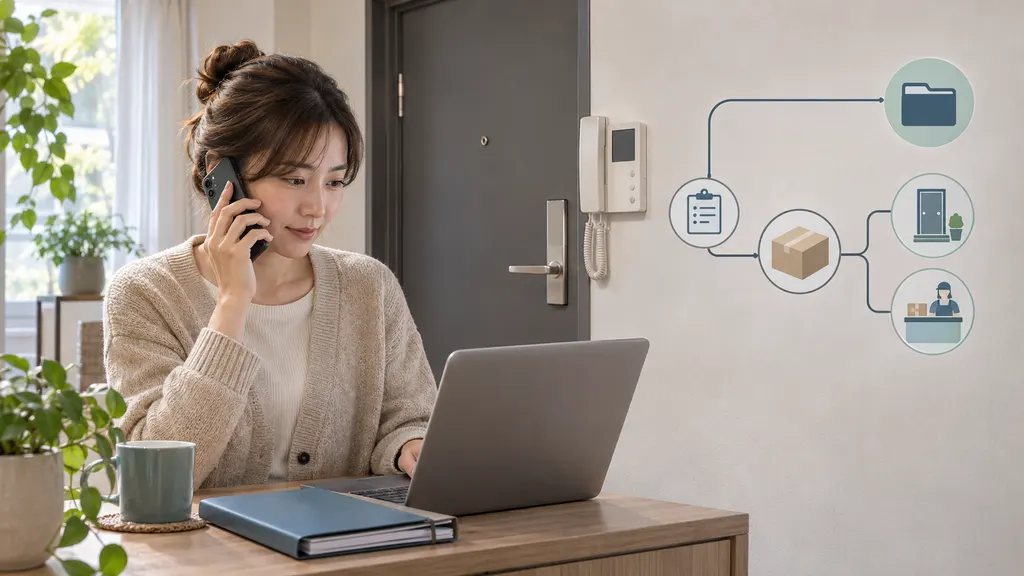
Handle this as two separate requests: review the disputed attempt and confirm a practical way to receive the parcel. A complaint alone may not create a redelivery booking, and a redelivery request may not trigger a review of what happened.
What an attempted-delivery status actually tells you
An attempted-delivery event means the carrier’s tracking system recorded an unsuccessful delivery attempt. It does not, by itself, establish whether the driver reached your door, rang the correct bell, encountered an access problem, or used the correct delivery location.
Being home and being reachable at the delivery point are not always the same thing. A locked building entrance, a faulty intercom, an unstaffed reception desk, or an unclear apartment number can prevent a handover even when someone is inside. A mistaken or inaccurate scan is also possible. Treat these as possibilities to investigate, not conclusions about the driver’s conduct.
Read the full event description rather than only the headline. “Recipient unavailable,” “no access,” “business closed,” and “collection required” point to different next steps. If the message is instead “delivered,” use the carrier’s missing-delivered-package process rather than relying on redelivery instructions.
Check these details before contacting support
- Open the carrier’s own tracking page. Use the tracking number from your order confirmation. For an international shipment, identify the local carrier responsible for the final delivery; the original shipping company may not control the doorstep attempt.
- Save the event. Take a screenshot showing the tracking number, status, event time, and any instructions. Note when you first saw the update, especially if the displayed attempt time seems inconsistent with what happened.
- Look for a notice. Check your mailbox, front door, building entrance, reception desk, and relevant email or app messages. A notice may contain a reference number or instructions that are not visible in the tracking summary.
- Check the delivery address. Compare the order details with the full street address, apartment or suite number, postal code, and recipient name. If something is wrong, ask the carrier or seller which corrections are permitted.
- Check access and household information. Ask whether anyone heard a bell, spoke to a driver, or received a notice. In a shared building, ask reception or building management whether a courier visited.
- Read the next-action instructions. Look for an automatic retry, a redelivery request option, a collection location, or a stated deadline. Do not assume another attempt is already booked.
If tracking shows a collection or return deadline, prioritize securing the parcel. You can continue disputing the attempt after requesting an available delivery or pickup option. Ask whether the complaint affects the deadline; do not assume it pauses anything.
How to dispute the attempt without delaying your package
Contact the carrier responsible for the last-mile delivery
Use the carrier’s official website, app, or published customer-service contact details. Explain the discrepancy in factual terms: you were at the address, the tracking event says an attempt occurred, and you did not hear a bell or receive a notice, if that is accurate.
Avoid starting with an accusation that the driver lied. You usually cannot establish the cause from a tracking event alone. A precise account gives support something useful to investigate and keeps the conversation focused on getting your parcel delivered.
Have the tracking number, recipient name, address, event time, and notice reference ready. Share personal information only through the carrier’s verified support channels, not in public social-media comments.
Ask for an operational review and a delivery plan
Ask support to review any available delivery notes, the reason recorded for the failed attempt, and whether the correct address or entrance was used. Some carriers may have additional internal information, but do not assume photographs, location records, or driver contact details are available or can be released.
Then ask these questions explicitly:
- Where is the parcel now, and is it still assigned for delivery?
- Will another attempt happen automatically, or must I request it?
- Can I book redelivery or collect the parcel instead?
- Are there address, signature, identification, or sender restrictions?
- What is the deadline for taking action before the parcel is returned?
Request a case reference and written confirmation of any agreed next step. A message saying “we have contacted the depot” is not necessarily confirmation that redelivery has been booked.
Use this message template
Hello, tracking number [number] shows an attempted delivery at [time and date], but I was at the delivery address. I did not hear the doorbell or receive a delivery notice [include only if true]. Please review the attempt details and confirm the recorded reason for non-delivery.
My address is [address, including apartment or suite]. Access information is [relevant instructions]. Please also confirm whether another attempt is scheduled or whether I need to request redelivery or collection. What deadline applies before the parcel is returned? Please provide a case reference and confirmation of the next step.
Choose redelivery or collection based on what is actually available
The available options depend on the carrier, service, country, parcel location, and sender’s instructions. Options displayed for one shipment may not be available for another.
Choose redelivery when the access issue can be resolved
Redelivery is a reasonable choice when you can be available and can fix the likely obstacle. Provide concise instructions such as “Apartment entrance is on Oak Street; use buzzer 12.” Avoid instructions that depend on a driver calling your phone unless the carrier has confirmed that this is part of its service.
Before submitting, check the address, selected date, signature requirements, and any displayed conditions. Save the booking confirmation. If the system offers only a date rather than a time slot, do not interpret that as a guaranteed appointment window.
For USPS shipments, the official USPS redelivery tool is a starting point for requesting eligible redelivery. Its Redelivery: The Basics guidance explains the process and relevant conditions. Follow the instructions for your item rather than applying USPS procedures to another carrier.
Choose collection when another doorstep attempt is impractical
Collection can be the more practical option if your building has recurring access problems or you cannot be available. However, first confirm that the parcel is ready to collect. An attempted-delivery scan does not necessarily mean the parcel has already reached a public collection counter.
Verify the location, opening hours, collection deadline, required identification, and whether the notice or tracking reference is needed. If someone else will collect it, ask what authorization is accepted. Do not assume a household member can collect every type of shipment.
Treat safe-place delivery and redirection as conditional options
If offered, consider whether a safe place is genuinely secure and suitable for the parcel. Signature requirements or sender restrictions may prevent unattended delivery. A request to leave the package somewhere is not proof that the carrier has accepted that instruction.
Likewise, changing the address may require sender approval or may not be available once the parcel is in the delivery network. If support says only the sender can authorize the change, contact the seller rather than repeatedly submitting the same request.
What evidence helps when you were home?
Useful evidence is specific, relevant, and limited to what you can actually show. Keep:
- The original tracking screenshot and any later status changes.
- The delivery notice, if one was left.
- Doorbell-camera clips or intercom logs covering the reported attempt time, where lawfully available.
- A brief account of where you were and whether the bell or intercom was working.
- Reception or building-access information relevant to that delivery.
- Support transcripts, case references, and redelivery confirmations.
A camera clip showing no visitor at one entrance can support your account, but it may not cover another entrance or explain an access failure elsewhere. Similarly, the absence of a paper notice does not prove that no attempt occurred. Describe what the evidence shows without overstating it.
Keep original files when possible. Share only the relevant portion through an official channel, and avoid posting footage containing neighbors, access codes, or personal information publicly.
When to involve the seller or escalate the complaint
Contact the seller if the carrier cannot arrange a workable next step, says the sender must authorize action, cannot locate the parcel, or indicates that it is being returned. The seller may need to open a shipment inquiry or discuss the order resolution with you. What they can do depends on the shipping arrangement and applicable consumer rules.
Send a short timeline rather than forwarding disconnected screenshots. Include the attempted-delivery event, your carrier case reference, the steps already requested, and the result you want: delivery, collection, or an appropriate order resolution if delivery cannot be completed.
If a second disputed attempt occurs, request escalation through the carrier’s published complaint process. Ask for review by the team responsible for the local delivery operation and explain what remained unresolved after the first contact. Repeating “I was home” is less useful than identifying that the same entrance, intercom, or scan discrepancy has happened again.
If tracking says “return to sender,” contact both the carrier and seller promptly. Ask whether an interception or hold is still possible, but do not assume a submitted request will stop the return.
Also check any seller, marketplace, or payment-provider dispute deadlines separately. A carrier investigation should not be assumed to extend those deadlines. An unsuccessful delivery attempt alone does not establish a universal right to compensation or a refund.
Avoid redelivery payment scams
A failed-delivery message can be used as a pretext for phishing. Instead of opening an unexpected text-message link, navigate independently to the carrier’s official site and enter the tracking number. Check whether the same delivery issue appears there.
Do not assume every payment request is legitimate—or that every shipment-related charge is fraudulent. If a payment is requested, verify the reason and amount through the carrier’s official channel before providing card details. Never share passwords or one-time security codes with someone claiming they are needed to arrange delivery.
FAQ
Does “delivery attempted” mean the driver definitely came to my door?
No. The status records an unsuccessful attempt, but the public tracking entry alone does not establish exactly where the driver went or what prevented delivery. Ask the carrier to review the event and any available notes.
Will the carrier try again automatically?
That depends on the shipment and carrier’s procedure. Read the tracking instructions and delivery notice. If neither confirms a retry, ask support whether action is required rather than assuming another attempt will happen.
Can I request redelivery without a missed-delivery card?
Check the carrier’s official redelivery process. Some requests can be started using shipment details, while others may require information from a notice or assistance from support. A missing card should be mentioned when you contact the carrier.
Can I collect the parcel immediately after the attempted-delivery scan?
Not necessarily. It may still be with the driver or moving back through the delivery facility. Wait for a ready-for-collection confirmation or ask the carrier to verify the parcel’s location before traveling.
Does filing a complaint stop the parcel from being returned?
Do not assume so. Ask separately for redelivery, collection, or an available hold, and confirm the applicable deadline. Keep the complaint reference and the delivery-arrangement confirmation as separate records.
Sources
The official resources below support the USPS-specific redelivery example. Other carriers’ eligibility rules, collection requirements, and deadlines must be checked against the instructions for the individual shipment.