GoGo Xpress Tracking
Please enter the GoGo Xpress tracking number to check the latest shipping status.
About GoGo Xpress
GoGo Xpress is the carrier name associated with the official tracking page supplied for this guide. Use the official tracking page when you have a GoGo Xpress tracking number and need the carrier’s available shipment events.
| Field | Verified information |
|---|---|
| Official website | GoGo Xpress tracking page |
| Tracking role | The official page accepts shipment tracking information for GoGo Xpress shipments. |
| Independent tracking | 17TRACK aggregates available carrier events and does not transport packages or decide carrier claims. |
Quick Answer
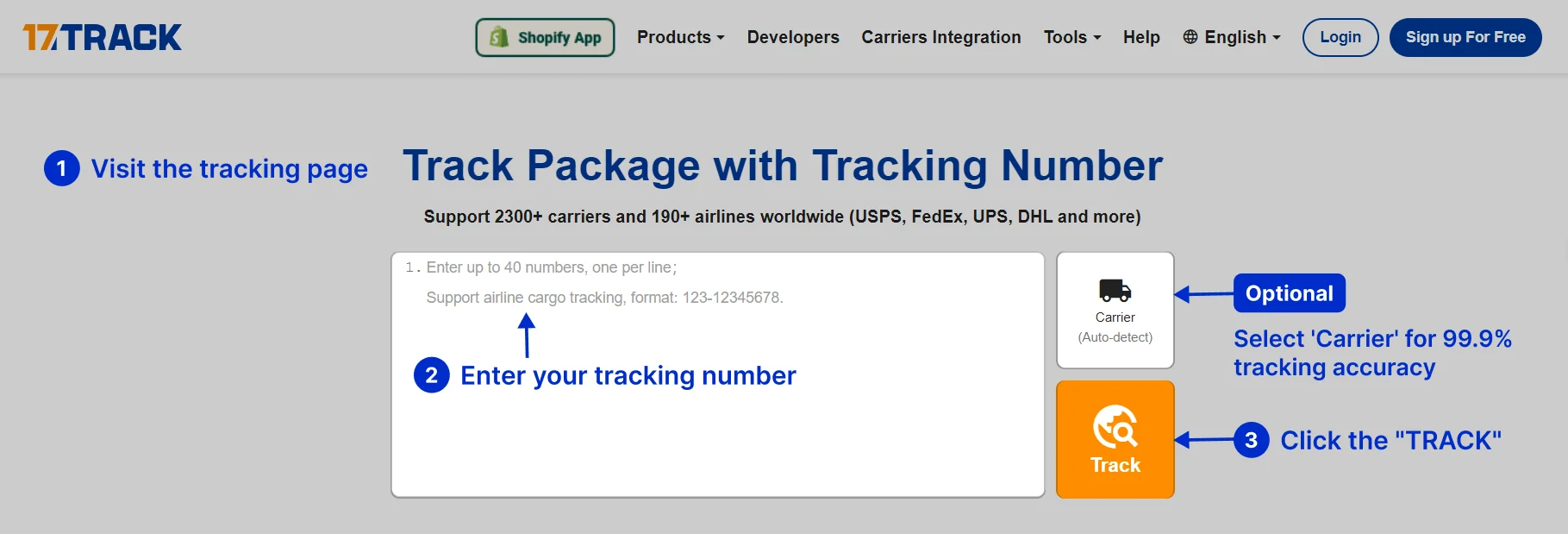
Enter the shipment tracking number on the official GoGo Xpress tracking page or submit it to 17TRACK. If no result appears, check that you copied the tracking number rather than an order number, remove accidental spaces, and allow time for the first carrier scan.
How to Track GoGo Xpress Packages
Use the official page first when you need the carrier’s own tracking result. Use 17TRACK when you want a consolidated view or when a shipment may involve more than one logistics provider.
| Method | Action |
|---|---|
| Official tracking | Open the official GoGo Xpress tracking page, enter the tracking number, and submit the query. |
| 17TRACK | Open 17TRACK, enter the tracking number, and review the available carrier events. |
| No result | Check the characters, distinguish the tracking number from the order number, and ask the seller to confirm the number and handover status. |
| Where to find it | Check the seller’s dispatch email, order page, shipping label, receipt, or delivery message. |
Tracking Number Formats and Examples
A tracking number is a shipment identifier, while an order number identifies a purchase in a seller’s system. The official tracking page should be used to validate the identifier instead of inferring a service solely from its prefix or length.
Tracking Number Format
| Identifier family | Normalized pattern | ||||||
|---|---|---|---|---|---|---|---|
| Carrier shipment identifier | Use the exact alphanumeric identifier supplied by the seller or shown on the shipment label. | ||||||
View all details for carrier shipment identifiers
| |||||||
| Masked example | Use a redacted form such as GX########## when demonstrating a number. | ||||||
View all details for masked examples
| |||||||
Tracking Statuses and Meanings
Tracking events describe the latest recorded shipment activity. A label or electronic record does not by itself prove that the parcel has been physically accepted.
Status Quick Lookup
| Status | What it means |
|---|---|
| Label created | Shipment information exists, but a physical acceptance scan may not yet be present. |
| Accepted or received | A recorded handover or intake event has occurred. |
| In transit | The shipment is moving between processing or delivery locations. |
| Out for delivery | The shipment has been assigned to a delivery route or delivery attempt. |
| Delivered | A delivery event has been recorded; check the delivery location and recipients if the parcel is missing. |
| Exception or return | A delivery or transport issue requires review of the latest event and the sender’s instructions. |
Services and Delivery Times
A tracking page can show shipment progress, but the tracking result alone does not establish a universal delivery promise. Delivery timing depends on the service selected, origin, destination, address quality, operating conditions, and any handover or clearance process.
Service Comparison
| Service information | How to verify it |
|---|---|
| Selected service | Check the seller’s order record, shipping label, or dispatch confirmation. |
| Tracking level | Use the official tracking result to see which events are available for the shipment. |
| Delivery estimate | Treat an estimate as an operational projection rather than a guaranteed arrival date. |
Delivery Time
| Timing factor | Effect on delivery |
|---|---|
| Acceptance time | A shipment may begin moving after intake and processing rather than when an order is placed. |
| Weekends and holidays | Non-operating periods can change the next available processing or delivery event. |
| Address and access | Incomplete details, restricted access, or an unreachable recipient can create an exception. |
Destination Country Delivery Times
| Destination | Guidance |
|---|---|
| Domestic destination | Follow the service estimate supplied for the shipment and the latest official tracking event. |
| International destination | Review the destination carrier, customs status, and local delivery event before estimating arrival. |
Common Tracking Problems and Solutions
Start with the latest event, verify the shipment identifier, and identify whether the sender, carrier, delivery partner, or recipient can take the next action.
Problem & Solution
| Problem or status | Immediate action |
|---|---|
| Invalid number | Copy the number again, remove unintended punctuation, and ask the seller to confirm the shipment identifier. |
| No tracking events | Check whether the shipment has been handed over and allow time for the first scan. |
| No update for several days | Review the last location and event date, then contact the seller or the responsible carrier channel. |
| Delivered but missing | Check the delivery location, household members, reception desk, neighbors, and any delivery evidence before escalating. |
| Address problem or failed delivery | Contact the seller promptly because the sender may control correction, redirection, or a carrier inquiry. |
| Damage or loss | Keep the packaging and contents, take photographs, and ask the sender which inquiry or claim process applies. |
International Shipping, Customs and Carrier Handoffs
For an international shipment, an electronic pre-advice event, physical handover, first destination scan, and customs release are separate events. Arrival in a destination country does not by itself prove that customs clearance is complete.
| Stage | Customer interpretation |
|---|---|
| Origin processing | The shipment is being prepared, accepted, or sorted at origin. |
| Line-haul movement | The shipment is moving between origin and destination processing points. |
| Customs review | Authorities may review the declaration, contents, taxes, or supporting documents. |
| Partner handoff | A destination or last-mile provider may receive responsibility for local delivery events. |
| Final delivery | The local delivery process records an attempt, pickup, return, or delivery event. |
Customer Service
Use the official tracking page as the first reference. For an order-specific issue, contact the seller as well because the seller may need to initiate a carrier inquiry, correction, replacement, or claim.
Customer Service
| Channel | Best use |
|---|---|
| Official tracking page | Check available shipment events. |
| Seller or marketplace | Resolve order records, missing shipment numbers, delivery disputes, replacements, or seller-led claims. |
| 17TRACK | Review available multi-carrier tracking events; operational remedies remain with the responsible party. |
Prepare the tracking number, order number, dispatch date, recipient address, latest scan, service description, item value, and photographs of damage where relevant.
FAQ
Basic FAQs
Enter the tracking number on the official GoGo Xpress website or track it with 17TRACK to view available shipment events.
Check the seller’s dispatch message, order page, shipping label, receipt, or delivery notification.
Usually, an order number identifies the purchase while a tracking number identifies the shipment; use the identifier accepted by the tracking page.
The shipment may still be awaiting its first scan or handover; verify the number and ask the seller to confirm dispatch.
Tracking visibility can pause between scans, during transport, or during a handoff; review the last event and escalate through the seller when the pause is material.
Use the shipment-specific estimate and latest tracking events because timing depends on the selected service, route, address, and operating conditions.
Read the latest exception, check the address and access instructions, and contact the seller promptly for the next delivery or return action.
Check the delivery location, household members, reception desk, neighbors, and any available delivery evidence before contacting the seller.
Preserve the packaging, document the condition, and ask the seller which carrier inquiry or claim process applies to the shipment.
Start with the official GoGo Xpress tracking page and contact the seller for order-specific support or carrier escalation.
Expert FAQs
No; a label or electronic record can precede physical acceptance, so look for an acceptance or received event.
A shipment can involve a logistics or last-mile handoff, so compare the latest event with the carrier named by the seller.
No; arrival at a destination facility and customs release are separate events.
No; 17TRACK displays available tracking data and cannot change shipment instructions or delivery records.
Businesses should review the current 17TRACK API documentation and confirm the required carrier identifier and account access before implementation.
Tracking API
POST https://api.17track.net/track/v2.4/register
17token: YourKey
Content-Type: application/json
[
{
"number": "TRACKING_NUMBER",
"carrier": "CARRIER_CODE"
}
]
# Use the current 17TRACK documentation to confirm the carrier code,
# authentication requirements, quotas, and response model.
# A current public official GoGo Xpress carrier API endpoint is not included here.
Sources & References
- GoGo Xpress tracking page. GoGo Xpress
- 17TRACK API documentation. 17TRACK
17TRACK is an independent tracking platform and is not affiliated with GoGo Xpress.
Track your package
Global express parcel tracking service