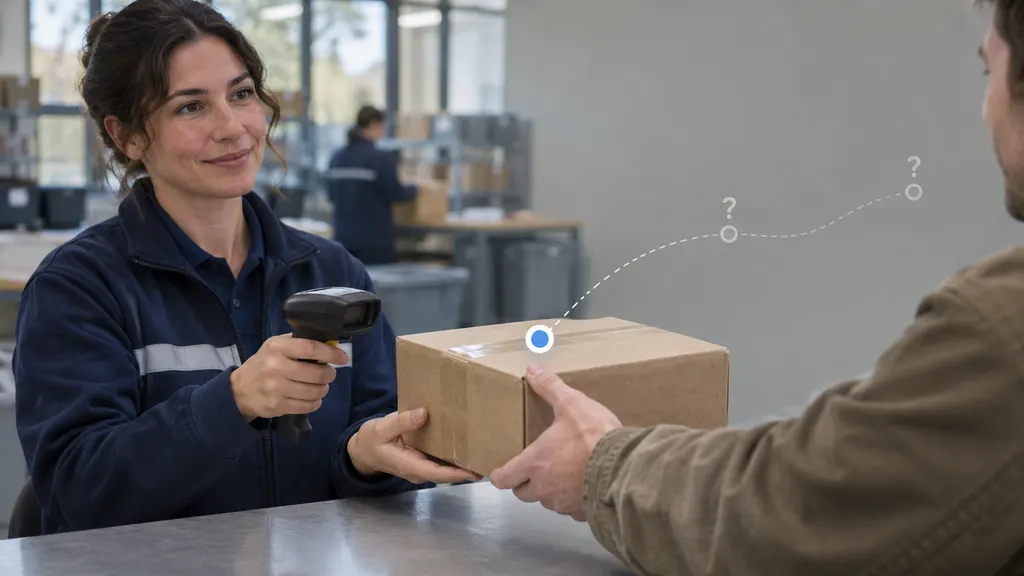
What Time Does Evri Stop Delivering? How to Check Your Delivery Window?
Evri deliveries can continue into the evening, with 8 pm commonly given as the end of its usual delivery period. That is not a guaranteed cut-off for every parcel or service. To find out when yours is likely to arrive, check its latest status on Evri’s tracking page and look for a delivery-day update or estimated time window. Your parcel’s live updates are more useful than a general delivery-hours estimate.

Does Evri stop delivering at 8 pm?
For someone waiting at home, 8 pm is a useful planning reference, not a promise that every courier will finish at exactly that time. A parcel may arrive earlier in the day, later than an estimate, or on another day if the delivery cannot be completed. The relevant question is whether Evri has given your parcel a delivery window and whether its tracking status still indicates delivery is expected today.
It also helps to distinguish a delivery window from a delivery deadline. A window is an estimate intended to help you plan. It can change as the courier’s route progresses or if there is a disruption. An 8 pm reference describes a usual delivery period; it does not mean that a parcel marked “out for delivery” is certain to arrive by 8 pm. Nor does a parcel’s failure to arrive by then, on its own, tell you what happened to it.
Sunday, bank-holiday and retailer-specific arrangements may differ from an ordinary delivery day. Rather than assuming the same hours apply to every shipment, use the date and status shown for your parcel. If you need to make a time-sensitive decision, such as leaving the property or arranging someone to receive the parcel, recheck tracking shortly beforehand.
How to check your Evri delivery window
- Find your tracking details. Look in the dispatch email or message from the retailer or sender. Make sure the number belongs to this parcel, particularly if an order was sent in more than one package.
- Open Evri’s tracking page. Enter the requested tracking details at evri.com/track-a-parcel. Follow any additional identification steps the page requests rather than sharing personal details through an unfamiliar link.
- Read the latest event, not just the headline estimate. Check whether Evri says it has the parcel, expects it on a particular day, or has sent it out for delivery. If a time window is displayed, note both the date and the time.
- Check for a later update. A window shown earlier in the day may be revised. If the displayed window has passed, refresh the official tracking page and check for a new estimate, an attempted-delivery notice or another status change.
- Review messages from the sender and Evri. Delivery updates may also arrive by email or text. Use them alongside official tracking, especially if a message appears to conflict with an older order-page estimate.
If there is no time window, that does not necessarily mean the parcel has stopped moving. It may simply mean a more precise estimate is not available for that shipment at that moment. Avoid inventing a slot from a generic statement such as “due today.” For practical planning, assume the arrival time remains uncertain until Evri supplies a more specific update.
What the tracking status tells you—and what it does not
A retailer’s “dispatched” message usually means the seller has progressed the order for shipping. It is not, by itself, confirmation that a courier is coming to your door today. Similarly, an expected delivery date is a forecast, not proof that the parcel is already on a local delivery route.
“Out for delivery” is a stronger signal: it generally means the parcel has reached the stage where a courier is expected to attempt delivery. Even then, the status does not establish an exact arrival time unless a window is also shown. If the parcel is still marked out for delivery late in the day, check for a newer event before treating the delivery as missed. Tracking systems can also take time to reflect a change on the ground.
An attempted-delivery or delivery-completed status calls for a different response. Read the event details carefully. If delivery was attempted, look for instructions about a further attempt or another available option. If tracking says “delivered” but you cannot find the parcel, check the delivery details, any photo or location information made available, and any place where you have agreed it may be left. Then contact the appropriate support channel if the parcel remains missing. Do not assume a “delivered” scan means it was handed to you personally.
What to do if your delivery window has passed
First, confirm that the window refers to today and to the correct tracking number. An old notification, a different parcel in the same order, or an estimate on a retailer page can easily cause confusion. Next, open Evri tracking directly and look for an updated time, a new date, an attempted-delivery event or a delivery confirmation.
If the status still says “out for delivery,” the most sensible immediate action is to keep checking for an update rather than assuming the parcel is lost. A missed estimate and a missing parcel are not the same thing. If the delivery day ends without a clear outcome, check again for a revised status and use Evri’s help options if the tracking page directs you to them. Keep the tracking number and any relevant notification available when you make an enquiry.
Contact the retailer or sender when the issue concerns your order, the delivery address supplied at checkout, or what should happen if the goods do not arrive. The sender may also be the party best placed to investigate a shipment it arranged. If tracking shows delivery but the parcel is not where the delivery information says it should be, report that discrepancy promptly and describe what you have checked. A precise account of the tracking event is more useful than saying only that the parcel is “late.”
If you cannot wait at home
Check your parcel’s official tracking or delivery messages for any options actually offered for that shipment. Depending on what is available, you may be able to provide delivery instructions or use another delivery arrangement. Do not assume that changing an option after a parcel is out for delivery will take effect immediately; rely on the confirmation shown for your particular request.
If someone else can receive the parcel, share the expected date and any updated window with them. If you have nominated a place for delivery, make sure it is suitable for the item and that you understand the arrangement you selected. For valuable or urgent goods, a broad “due today” estimate is not a sound basis for leaving them unattended or making a tightly timed trip home.
You can also use a parcel-tracking service such as 17TRACK Tracking to keep track of shipments, particularly when you are following parcels from different carriers. For an Evri-specific delivery window, delivery instruction or attempt, however, use Evri’s own updates as the primary reference. A separate tracking view should not be treated as a way to obtain a guaranteed courier arrival time.
FAQ
Does “out for delivery” mean my Evri parcel will arrive today?
It means a delivery attempt is expected, but it is not a guarantee of arrival. Look for any time window and continue checking for later tracking events. If the day ends without a delivery or a clear status change, check again and follow the support options for your parcel.
Why can’t I see a delivery time slot?
A precise window may not be available yet, or one may not be shown for that shipment. Check the latest status rather than assuming a time slot will appear. If the page gives only a date, plan for uncertainty across the delivery day.
Can my Evri delivery window change?
Yes. Treat the displayed window as an estimate and look for updated notifications or tracking events, especially if the original window has passed. A newer parcel-specific update should guide your next step more than an earlier estimate.
What should I do if Evri says my parcel was delivered but I cannot find it?
Check the delivery details available in tracking, including any indicated location or photo, and look in any agreed delivery place. If the parcel is still missing, report the issue through the relevant Evri help route and tell the retailer or sender. Keep the tracking number and the delivery notification.
Should I use the retailer’s estimated date or Evri’s tracking page?
Use the retailer’s estimate to understand the original expectation, but check Evri’s latest parcel-specific tracking for the most relevant delivery-day status or window. If the two disagree, note when each was updated and ask the retailer or sender for help if the discrepancy is not resolved.
Sources
- Evri: Track a parcel — official parcel-tracking entry point for checking delivery updates.
- Evri: Official website — starting point for current delivery and help information.
- 17TRACK: Parcel tracking — information on the optional tracking service mentioned above.