Tracking Event Timestamps and Locations: How to Handle Time Zones and Geocoding
To handle tracking event timestamps and locations reliably, preserve what the carrier reported, convert timestamps to UTC only when their offset or time zone is known, and treat a location label as a description rather than proof of a parcel’s exact position. Keep the original event alongside any normalized time or geocoded location. That gives customers a readable timeline without hiding uncertainty from the people investigating delivery problems.
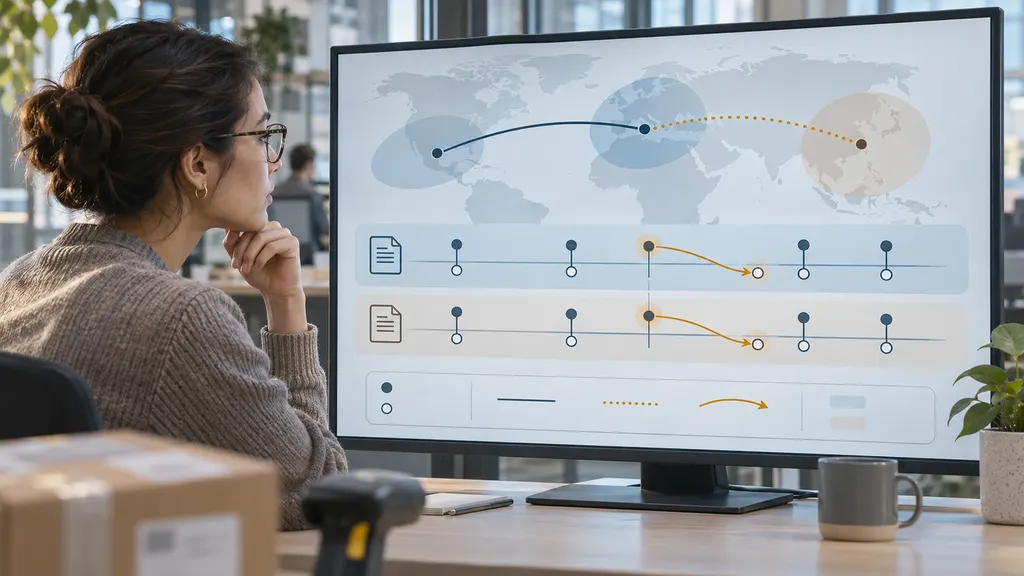
These rules matter most when a shipment crosses time zones, an event arrives late, or a carrier supplies a city name without coordinates. In each case, a clean-looking timeline can be misleading if the underlying data has been interpreted too confidently.
Separate the event from the record of the event
A tracking update may contain several different times. The event time is when the scan or operational step reportedly occurred. The received time is when your system obtained the update. A provider may also report when it created or last changed its record. These fields answer different questions and should not be substituted for one another.
For example, a carrier might send a scan hours after it happened. Sorting the customer’s history by received time would put that older scan at the end, even though it belongs earlier in the journey. Conversely, sorting only by reported event time can conceal the fact that an update arrived late or was corrected. Store both times and decide explicitly which one drives each view.
A practical event record retains the original timestamp string, any supplied UTC offset or time-zone identifier, the normalized UTC instant if one can be established, and the time your system received the record. It should also retain the original location text, any carrier location code, and the source event identifier when available. Normalized fields support consistent processing; original fields let an operator check whether a surprising result came from the carrier or from your transformation.
Normalize time without inventing an offset
RFC 3339 provides a widely used format for timestamps with a UTC offset, such as 2025-01-15T14:30:00+08:00. That example represents the same instant as 2025-01-15T06:30:00Z. If the carrier supplies a valid timestamp with a known offset, convert it to UTC for comparison and storage, while preserving the original representation for audit and display.
An offset and a time zone are not interchangeable. +08:00 describes the offset for one timestamp; a named zone such as Asia/Singapore represents rules used to interpret local times. Where recurring local-time conversion is needed, use an appropriate named zone and maintained time-zone data rather than assuming that a fixed offset applies throughout the year. The IANA Time Zone Database is a standard source of such rules.
When a feed supplies 2025-01-15 14:30 with no offset or zone, do not silently append Z. The value may be a local time at a facility, a time in the carrier’s operating zone, or an undocumented system time. Check the provider’s field definition and, if necessary, confirm its behavior with sample events. Until the interpretation is established, retain the value as an unqualified local timestamp and mark the UTC instant as unknown. A plausible guess is still a guess.
Handle daylight saving transitions explicitly
In places that observe daylight saving time, a local clock time can occur twice when clocks move back, or not occur at all when clocks move forward. A timestamp containing only a local date and clock time may therefore be ambiguous even when the facility’s named time zone is known. A supplied offset, an unambiguous source timestamp, or another authoritative carrier field may resolve it. The event’s place name alone may not.
If an ambiguous or nonexistent local time cannot be resolved, flag it for review rather than choosing an instant merely to complete a timeline. Test conversions around clock changes in the regions your shipments pass through. Time-zone-aware software can help with the conversion, but it cannot recover an offset that the source never supplied.
Display a time zone the reader can understand
UTC is useful for comparing events across systems; it is not always the most useful display for a person checking a parcel. For a customer-facing timeline, a clear default is to show event times in the recipient’s chosen or known display zone and label that zone. A different interface might show each scan in its facility’s local time. Either approach can work, but the interface should not switch between them without saying so.
A label such as “Jan 15, 2:30 PM” is incomplete for an international journey. Add a time-zone label or offset and explain the timeline’s convention, for example, “Times shown in your time zone.” If a timestamp’s zone has not been verified, show the carrier-reported time with an appropriate qualification instead of presenting a converted value as certain.
Do not assume that a later event must have a later clock time as displayed. A flight or ground transfer can move a parcel into a different time zone. If all events have trustworthy UTC instants, sort by those instants for a chronological journey. If some events do not, use a documented fallback and avoid implying precision that the data cannot support. Keep received time available to explain why an older scan appeared only recently.
Geocode location labels conservatively
Tracking locations often describe where an event was recorded: a processing center, a city, a customs facility, or a carrier network node. They do not necessarily identify the parcel’s current position. Geocoding converts a place description into coordinates, but the coordinates may represent a city center or another approximate match rather than the scan site.
Before geocoding, inspect the source field. A carrier facility code can be more useful for internal matching than a loosely formatted place name, but its meaning should be established from the carrier’s documentation or another reliable reference. Preserve the raw label even if you also produce a standardized place. Do not turn “Processed in Paris” into a precise facility pin without evidence identifying that facility.
Location names require context. The same city name may exist in several regions or countries; abbreviations may be carrier-specific; and an airport code may refer to a gateway rather than the final delivery area. Match using the country, administrative region, facility identifier, carrier, and surrounding events where those inputs are available. If multiple plausible places remain, return an unresolved or coarse result instead of selecting one solely because a geocoder ranked it first.
Store a geocoding result with its granularity and provenance. Useful distinctions include an identified facility, a city-level match, a country-level match, and no verified match. If you store coordinates, identify what they represent. The GeoJSON standard, for example, specifies longitude before latitude for geographic coordinates; a reversed pair can place a marker far from the intended location. A valid coordinate format does not, by itself, establish that the coordinate is the parcel’s location.
Display rule: A city-level geocode may support a city label on a map. It should not be rendered as an exact parcel pin or used to claim the parcel visited a particular street address.
Build a timeline that survives imperfect carrier data
Start with a small, explicit processing contract for each source of tracking events:
- Ingest without alteration. Save the original timestamp, location, status, identifiers, and receipt time. Keep later corrections traceable rather than overwriting the only copy of an earlier record.
- Parse according to the source definition. Confirm whether a timestamp includes an offset, is in UTC, or uses a specified local zone. Record the interpretation used to create any normalized UTC value.
- Resolve locations to the supported level. Use documented codes and contextual fields where available. Keep the result separate from the carrier’s original label.
- Order and display deliberately. Use trustworthy event instants for chronological ordering. Label the display zone, and distinguish event time from the time an update reached your system.
- Flag exceptions. Surface unknown time zones, ambiguous local times, conflicting location matches, missing fields, and events that appear out of sequence.
Deduplication also needs care. Two identical-looking status messages may be separate scans, while one scan may be resent with corrected details. Prefer stable source identifiers when available. If you must use a combination of status, time, and location, treat it as a matching rule to validate, not proof that the records describe the same event.
Test the pipeline with realistic edge cases: a cross-border shipment with offsets on both sides, a late-arriving scan, a local time near a daylight saving change, a city name shared by multiple places, and a location with no trustworthy match. Check both the data record and what a customer actually sees. A conversion that passes a technical test can still produce a confusing timeline if the displayed zone is unlabeled.
Know what the timeline cannot tell you
A tracking scan is evidence of a reported event, not continuous live positioning. The last reported facility may not be where the parcel is now, and a gap between scans does not establish where it spent that time. Similarly, geocoding an event location improves display and search only to the extent that the source location is reliable.
When an apparent contradiction matters, inspect the original event before drawing a delivery conclusion. A scan that seems to precede departure may reflect different display zones, delayed ingestion, an ambiguous local time, or a corrected carrier record. If its timestamp cannot be established, say so. The most useful tracking history is not the one with the most precise-looking labels; it is the one that makes supported facts easy to read and uncertain details easy to recognize.
FAQ
Should tracking events be stored in UTC?
Store a UTC instant when the source timestamp can be interpreted reliably, and retain the original timestamp and its supplied offset or zone. If the source gives a local clock time without enough information to identify an instant, do not invent a UTC value.
Why did a new tracking update appear in the middle of the timeline?
The carrier may have sent an earlier event after later events had already arrived, or it may have corrected a record. Compare the reported event time with the time your system received the update before treating the order as an error.
Can the event city be used to infer its time zone?
It may help investigate an event, but it is not a safe universal rule. Place names can be ambiguous, a gateway label may not identify the actual scan site, and a local time near a daylight saving change may still need an offset to be interpreted. Prefer an explicit carrier field or verified source convention.
Does a pin on a tracking map show where my parcel is?
Not necessarily. A pin derived from a city or facility label usually marks a reported event location or an approximate geocoding result. Unless the source supports a more precise claim, it should not be presented as the parcel’s live or exact position.
Sources
- RFC 3339: Date and Time on the Internet: Timestamps — timestamp and UTC-offset notation.
- IANA Time Zone Database — named time zones and their rules.
- RFC 7946: The GeoJSON Format — geographic coordinate representation.
- Python documentation: zoneinfo — examples of time-zone-aware handling of daylight saving transitions and ambiguous local times.