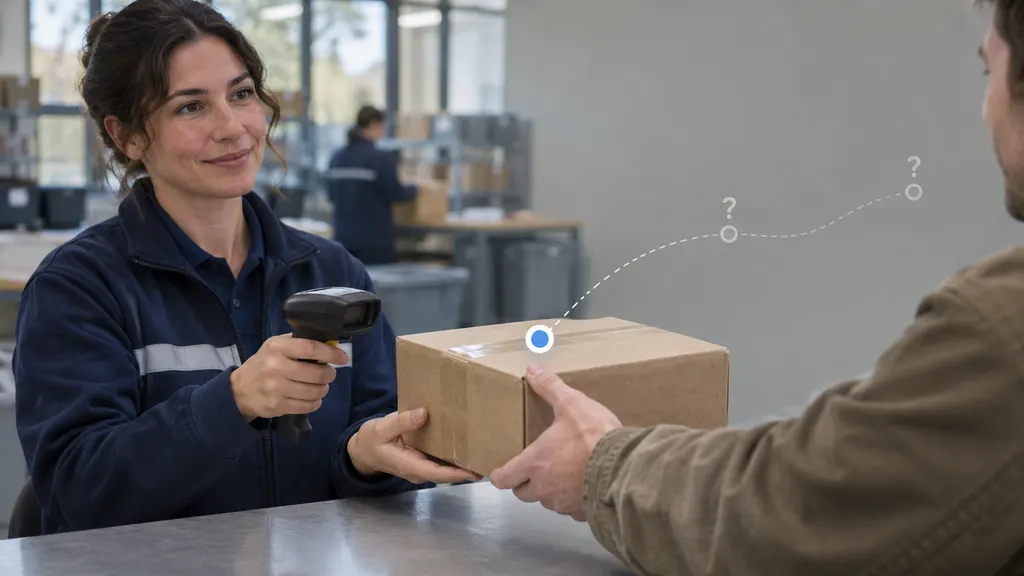
Shipment Tracking API for Cross-Border Sellers: How to Manage Global Deliveries in One Place
Cross-border sellers can manage global deliveries in one place by connecting a shipment tracking API to their order management workflow. The practical goal is not just to collect tracking numbers: it is to match carrier updates to the right orders, preserve visibility when parcels change hands, and give support teams a reliable view of what happened next.

A single tracking view can reduce the need to check separate carrier websites, but it will not make every shipment equally visible. The quality and timing of updates still depend on the carrier, the shipping route, and the information available for each parcel. A useful implementation makes those limits visible rather than presenting a quiet tracking record as proof that nothing is moving.
Start with the decisions the tracking view must support
Before choosing an API, identify who will use the information and what they need to do with it. A support agent handling a “Where is my order?” request needs the latest event, its location if available, and a clear indication of when the record was last checked. An operations manager may need a queue of shipments that have not progressed as expected. A buyer usually needs a simpler explanation of the parcel’s current state and a link to further details.
These are related views of the same shipment, not identical screens. Decide which system owns the order record, which system stores tracking history, and which system sends customer messages. For many sellers, the order management system or ecommerce platform should remain the source of truth for the purchase. Tracking data should enrich that record rather than replace it.
Define success in operational terms. For example, can an agent find the relevant tracking history from an order number? Can the team identify shipments that require investigation without opening each carrier site? Can it tell the difference between a delivered event, a carrier acceptance scan, and an estimated delivery date? These questions are more useful than a broad promise of “real-time visibility,” which may not describe how carriers actually publish updates.
Map the cross-border journey before integrating
An international order may involve a seller, a pickup carrier, a line-haul provider, customs processing, and a last-mile carrier. Tracking references can change along the way, and one provider may describe an event differently from another. The integration therefore needs a durable link between the customer order and all tracking references associated with its shipment.
Build a shipment record with, at minimum, the order identifier, tracking number, known carrier or shipping service, origin and destination countries, date the shipment was created, and the time of the latest tracking update. If your workflow allows multiple parcels per order, model them separately from the start. Otherwise, one delivered parcel can cause an entire order to appear complete while another parcel is still in transit.
Keep the original carrier event alongside any simplified status you display. A normalized label such as “in transit” helps a team review shipments across carriers, but it can hide distinctions that matter during an investigation. The original event text, event time, location when supplied, and source carrier give an agent more context. If an event has no location or the carrier has not supplied a new scan, do not fill that gap with an inferred location.
What to check in a shipment tracking API
For a cross-border seller, API selection should begin with the routes and services the business actually uses. A provider’s general carrier list is a starting point, not proof that a particular shipment type or handoff will produce the events your team needs. Test representative tracking numbers from your own shipping mix, including shipments that move between providers.
- Carrier identification: Check what information the API requires when a tracking number could belong to more than one carrier. Determine how your workflow will handle an incorrect carrier selection.
- Event detail: Examine the original event description, status category, timestamp, location, and delivery information returned for each test shipment. Note which fields are sometimes absent.
- Update delivery: Check whether the product supports the update method your systems need, such as requesting the latest record or receiving event notifications. Confirm the applicable behavior in the current documentation rather than assuming that every API uses the same model.
- Shipment lifecycle: Test registration, duplicate submissions, tracking numbers with no scans yet, carrier handoffs, delivery, and any documented limits on how long tracking continues.
- Integration controls: Review authentication, error responses, request limits, retry guidance, and access to historical events. These details affect both reliability and development effort.
17TRACK’s Tracking API is a relevant option to investigate for a multi-carrier tracking workflow. Its developer documentation is the appropriate place to confirm supported integration methods, request formats, and current requirements before implementation. Evaluate it against your own lanes and tracking samples; the existence of an API does not by itself establish that every carrier event or route will meet your operational needs.
Build one operational view without losing the underlying detail
A useful global tracking dashboard starts with an order-level summary and lets staff open the individual parcel record. Show the latest known status, the last event time, the carrier or service currently associated with the parcel, and a direct path to the event history. If the latest event is old, show its age. “Last updated three days ago” is more actionable than an unqualified “in transit.”
Keep a separate internal field for the date your system last checked or received tracking data. The last carrier event time and the last successful system update answer different questions. A successful API request with no new carrier event confirms that your system checked the record; it does not confirm that the parcel remained stationary.
Use exception queues rather than asking staff to scan every shipment. A queue might flag orders with no first carrier event after the expected handover window, a long gap after an earlier scan, an unsuccessful delivery attempt, or a delivery event that conflicts with a customer report. Set thresholds using your own shipping services and historical patterns. An international route with infrequent scans should not automatically be treated like a local next-day service.
Do not turn every unusual status into an automatic customer alert. Some events are routine for a particular route, while others need human review. Establish which conditions trigger an internal task, which justify a buyer notification, and who can resolve a disputed delivery or missing-parcel case. The tracking API supplies signals; the seller still owns the response process.
Handle handoffs, timestamps, and gaps carefully
Cross-border shipments are especially vulnerable to misleading interpretations at handoff points. A parcel may have a scan from an origin-side provider, followed by a period without a new public event before a destination-side carrier records it. That gap may warrant investigation under your service expectations, but the tracking record alone cannot establish the parcel’s physical location throughout the gap.
Store event timestamps with their time-zone information when it is supplied. For internal reporting, convert them consistently while preserving the source value. Otherwise, events from different countries can appear out of sequence, and agents may misread when a delay began. Also distinguish an event’s occurrence time from the time it became available through your integration.
When a last-mile tracking number becomes available, link it to the original shipment record rather than creating an unrelated shipment in the dashboard. If the relationship cannot be established automatically, provide a way for staff to review and connect the records. The same principle applies to replacement shipments: they may belong to the same customer order, but they should retain separate parcel histories.
Make uncertainty legible to buyers. “The carrier has not provided a new update since [date]” is more accurate than “Your package is stuck” when there is no evidence of an exception. If a carrier reports delivery but the buyer cannot find the parcel, the next step is a delivery investigation, not an automatic assertion that either party is wrong.
Roll out the integration in a controlled sequence
- Collect representative shipments. Include your main origin and destination routes, shipping services, and examples with handoffs, late first scans, delivery attempts, and multiple parcels per order.
- Define a data contract. Specify the fields your systems need, how unknown values are represented, and which original carrier details you will retain.
- Connect a test workflow. Link API tracking records to orders in a non-customer-facing environment first. Check how duplicates, invalid numbers, and temporary API failures appear to staff.
- Set review rules. Agree on exception thresholds, notification triggers, and ownership between support, fulfillment, and engineering.
- Compare against source records. For a sample of real shipments, compare the integrated view with the available carrier tracking history. Investigate mismatched timestamps, missing events, and incorrect order associations.
- Expand gradually. Add more routes and services after the team can explain discrepancies and handle failures. Monitor the integration after launch as shipping partners and workflows change.
During evaluation, ask the API provider to clarify any requirements that are material to your deployment but not clear in public documentation. These may include access to a particular service, the treatment of linked tracking numbers, update frequency, retention, or commercial terms. Record the answers in the implementation plan so the team does not mistake an assumption for a tested capability.
The practical result
“One place” should mean one dependable workflow for finding a shipment, understanding its latest known state, and deciding what to do next. It does not require suppressing carrier-specific detail or pretending that tracking is continuous. For cross-border sellers, the strongest setup combines a multi-carrier API, accurate order-to-parcel matching, visible data gaps, and clear ownership of exceptions. That turns tracking information into an operations tool rather than another page of status labels.
FAQ
Can one tracking API cover every carrier we use?
Do not assume so. Compare the provider’s documented carrier support with your actual shipping services, then test tracking numbers from your most important routes. Confirm how the API handles handoffs and any services that are critical to your business.
What is the difference between an order number and a tracking number?
An order number identifies a purchase in the seller’s system. A tracking number identifies a parcel or shipment reference used in a delivery workflow. One order can have several parcels and tracking numbers, so the integration must preserve the relationship between them.
Why does an international parcel sometimes stop showing updates?
Tracking events are published when participating providers record and share them. A gap can occur during a handoff or another part of the journey without establishing where the parcel is. Review the last verified event, the route, and your service expectations before deciding whether to escalate.
Should buyers see the same statuses as the support team?
Usually they need a simpler view. Buyers benefit from a clear latest status and next step, while support teams may need original event text, timestamps, carrier details, and exception history. Both views should refer to the same underlying shipment record.
Should we use API updates to send every customer notification?
No. Decide which events are meaningful to buyers and verify that the underlying status is sufficiently clear. Keep operational alerts and customer-facing messages separate so a routine scan or ambiguous event does not create unnecessary concern.
Sources
- 17TRACK Tracking API — product information for the API option discussed.
- 17TRACK API Documentation — reference for confirming integration methods and requirements.