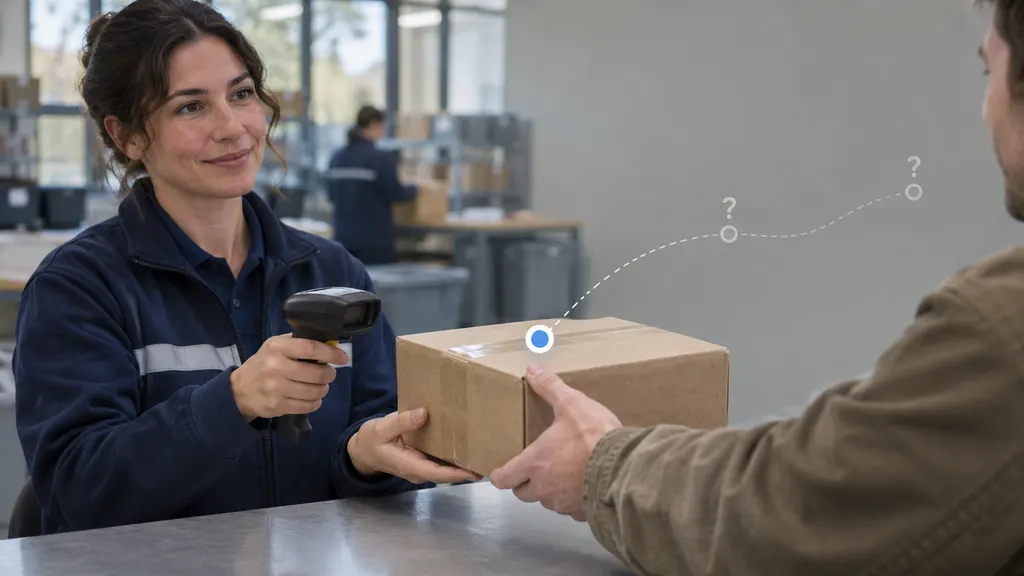
Macy'S Tracking Status: What each Online Order Update Means
A Macy’s online order can show two different kinds of updates: an order status, which describes what Macy’s is doing with your purchase, and a shipping status, which describes what the carrier knows about a package. “Processing” usually means the order is not yet confirmed as shipped; “shipped” means shipment details are available, but the carrier may not have scanned the package yet; and “out for delivery” means the carrier expects a delivery attempt. The exact wording can vary by order and delivery method, so use the order details and any carrier tracking link together rather than treating one label as the whole story.

The most useful first step is to identify what you are tracking. If you have no tracking number, start with your Macy’s order details. If you have a tracking number, check the carrier’s latest scan as well. If an order contains several items, check each item or shipment separately.
Order updates before a package reaches the carrier
These updates describe the purchase and fulfillment process. They do not necessarily tell you where a physical package is.
- Order placed or order received: The order has been submitted. This is not the same as a carrier accepting a package. Check your confirmation and order details for the items, shipping address and selected delivery method.
- Processing or preparing your order: The order is being worked on, but this label alone does not establish that it has left a fulfillment location. If an item has a stated delivery estimate, compare later updates with that estimate rather than assuming that processing should end after a particular number of hours.
- Shipped: Macy’s has moved the order, or an item in it, into the shipping stage. Open the shipment details to see whether there is a carrier and tracking number. A shipped notice and the carrier’s first physical scan may appear at different times.
- Partially shipped: Some items have shipping details while others do not. Follow the shipment associated with each item. A delivered scan for one box does not mean every item in the order has arrived.
- Delayed or backordered: The expected fulfillment of an item has changed or the item is not ready to ship as originally anticipated. Read the item-level message for any revised estimate or available options; a carrier tracking page cannot resolve an item that has not entered shipping.
- Canceled: The affected item or order is no longer proceeding to delivery. Check which items the cancellation covers and look to Macy’s order information or customer service for questions about payment or a replacement purchase.
Not every order will display all these phrases, and an item’s status may differ from the overall order status. The practical question is whether the update concerns an item Macy’s is preparing or a package a carrier is moving. That distinction determines where to look next.
What common package tracking updates mean
Once a tracking number is available, the carrier’s tracking page is usually the best place to interpret movement and delivery scans. Carrier terminology varies, and scans can appear after the event they describe. Read the latest event alongside its location, date and any delivery estimate.
- Label created, shipping information received, or awaiting package: Shipment information exists, but the carrier’s page does not yet show that it has physically received the package. This is an important difference: a tracking number alone is not proof that the box is moving. Check again for an acceptance or pickup scan before treating the shipment as in transit.
- Accepted, picked up, or received by carrier: A carrier event indicates that the package has entered its network. The next scan may be at a processing facility rather than near your address.
- In transit, on the way, or arrived at facility: The package is moving through, or being processed within, the carrier network. A facility scan tells you where it was recorded, not necessarily where it is at the moment you read the update. Gaps between visible scans do not, by themselves, prove the package is lost.
- Out for delivery: The package has reached a stage at which the carrier expects a delivery attempt. It is not a guarantee of delivery by a particular hour. Watch for a later delivered, attempted-delivery or exception update.
- Delivery attempted or notice left: The carrier reports that it could not complete delivery at that attempt. Open the carrier’s event details for the reason and any next step, such as a further attempt or a pickup instruction. Do not assume that every attempted delivery leads to the same outcome.
- Exception or delivery delayed: Something has interrupted the expected progress. The status alone may not explain the cause. Look for an accompanying reason, a revised estimate or instructions from the carrier; if none appear and the estimate has passed, contact the appropriate support team.
- Delivered: The carrier reports that delivery was completed. This confirms a delivery scan, not necessarily that the intended recipient personally accepted the parcel. Check the delivery location information, your address and any available delivery details before reporting it missing.
Which update should you trust when Macy’s and the carrier differ?
Use each source for the question it is best positioned to answer. Macy’s order details identify the purchased items, whether they have entered the shipping stage and whether they were separated into shipments. The carrier’s tracking record describes scans and delivery events for a particular tracking number. An order page might still show a broad label such as “shipped” while the carrier supplies a more specific update such as “out for delivery.” Those statements are not necessarily contradictory.
There is a more meaningful discrepancy when Macy’s shows a shipped item but the carrier shows only “label created.” In that case, you have shipment information, but no visible carrier acceptance scan yet. Recheck the tracking record and the delivery estimate before concluding that the package is stuck. If Macy’s shows multiple tracking numbers, inspect each one: the most recent carrier scan may belong to only one part of the order.
If a carrier page cannot find the number, copy it directly from the shipment details and confirm that you selected the carrier shown there. A newly provided number may not yet have a visible scan. If the number remains unusable or appears to describe a different shipment, Macy’s is the appropriate place to verify which number belongs to your item.
What to do when an update stops changing
Start with the last meaningful event, not just the last time you checked. Note the status, event date, delivery estimate, affected item and tracking number. Then take the action that matches the stage of the order:
- Still processing, with no shipment details: Review the Macy’s item-level order information. If the stated delivery expectation has passed or you need to change or cancel the order, seek guidance from Macy’s. A carrier cannot locate a package for which you have no carrier shipment information.
- Label created, with no acceptance scan: Check the carrier page for a later physical scan and compare the order’s delivery estimate. If the lack of movement becomes a delivery problem, contact Macy’s with the item and order details so it can investigate the fulfillment side.
- Accepted or in transit, but no recent scan: Review the carrier’s latest event and estimate. A period without new public scans is not automatically an exception. If the estimated delivery has passed, use the carrier’s tracking support options; keep the Macy’s order details available in case the retailer also needs to investigate.
- Out for delivery, then no delivery: Wait for the carrier’s next recorded outcome and check for an attempted-delivery notice or updated estimate. “Out for delivery” describes an expected attempt, not a confirmed handoff.
- Marked delivered, but not found: Check the address on the order, the carrier’s delivery details and the places a package could have been left at that address. Ask others at the address or building who might have received it. If it remains missing, report the issue promptly through the carrier or Macy’s support path, as appropriate, and keep the tracking number and delivery event handy.
A screenshot of the order’s item list and the carrier’s latest tracking event can make a support conversation more precise. It also helps prevent a common mix-up: reporting a missing item using the tracking number for a different box.
Special cases: split shipments, pickup orders and returns
Split shipments need item-by-item checking. One order confirmation can cover products that do not travel together. Match each tracking number to the items listed under its shipment before deciding that something is missing. If one package is delivered and another remains in processing, the delivered scan does not settle the status of the unshipped item.
Pickup orders follow a different path. A message that an order is being prepared for pickup or is ready for pickup is not a carrier transit update. Follow the instructions attached to that pickup order rather than searching for a parcel tracking scan. Do not treat “order received” as permission to collect an item; look for a ready-for-pickup confirmation.
Returns can also create tracking confusion. A return label and an outbound delivery use different shipments and may have different tracking numbers. If you have sent an item back, follow the return instructions and the return shipment’s own scans. A carrier scan showing that a return was delivered does not, by itself, explain the status of the retailer’s return review or any refund.
A quick way to read your next update
Ask three questions: Which item does this update cover? Who posted it? What action does it justify? An order-level processing message points you to Macy’s item details. A carrier acceptance scan tells you that a package entered the delivery network. An exception needs its accompanying reason; a delivered scan calls for a check of the reported delivery location. This approach is more reliable than trying to turn every status into a precise arrival time.
If a shipment has passed through more than one carrier, a multi-carrier tracking page such as 17TRACK Tracking may offer another way to look up its tracking number. For questions about what Macy’s has fulfilled, however, start with the Macy’s order details. For a disputed scan or delivery attempt, consult the carrier identified for that shipment. A third-party tracking view cannot change an order, confirm an unshipped item or resolve a missing-delivery claim on its own.
FAQ
Why does my Macy’s order say shipped when tracking says “label created”?
The retailer’s shipment update and the carrier’s physical acceptance scan describe different events. “Label created” means the carrier has shipment information but does not yet display a scan confirming receipt of the package. Check for a later pickup or acceptance event and keep the order’s delivery estimate in view.
Does “in transit” mean my order will arrive today?
No. “In transit” is a broad carrier status for a package moving through its network. Check the carrier’s delivery estimate and subsequent scans. “Out for delivery” is a more specific update, but even that does not guarantee delivery at a particular time.
Why did only part of my order arrive?
The items may have been assigned to separate shipments. Open the Macy’s order details, identify which items belong to the delivered tracking number and look for another shipment or an item still awaiting fulfillment. Contact Macy’s if an item is listed as part of the delivered package but is not there.
What if tracking says delivered but I cannot find the package?
Check the carrier’s delivery details, the shipping address, likely drop-off locations and anyone who may have accepted the parcel. If it is still missing, report it through the relevant carrier or Macy’s support channel and provide the tracking number, order details and reported delivery event.
Can I track a Macy’s pickup order with a shipping number?
A pickup order may not involve a parcel carrier at all. Follow the pickup updates and instructions in your order information. A ready-for-pickup message, rather than a shipping scan, is the update to look for before making the trip.
Sources
- Macy’s official website — starting point for order information and customer support.
- UPS Tracking — carrier tracking and shipment-event details.
- FedEx Tracking — carrier tracking and delivery updates.
- USPS Manage Mail and Packages — USPS tracking and package-management resources.
- 17TRACK Tracking — multi-carrier package tracking.