How to Choose an App to Track International Packages for Your Online Shopping
The best app for tracking international packages is the one that can identify the carriers handling your shipment, show status changes in plain language, and help you distinguish a normal customs or transit delay from a problem that requires action. For most online shoppers, a multi-carrier tracking app is more practical than checking several carrier websites separately, but the right choice depends on shipment coverage, notification quality, privacy, and how much detail you need.
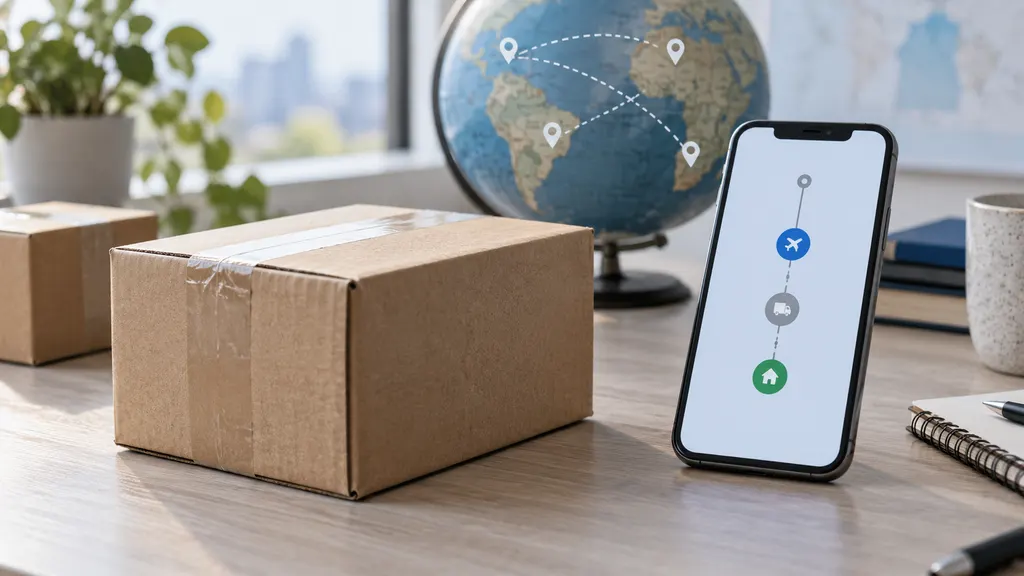
International orders often pass through more than one logistics provider. The seller may use one carrier for export, a postal operator for cross-border movement, and a local delivery company for the final mile. An app should make that handoff easier to follow rather than simply repeat the same tracking number in another interface.
Start with the type of tracking you need
Before installing an app, identify the kind of shipment and tracking experience you expect. Different app categories solve different problems.
- Single-carrier apps: These are useful when most of your orders are shipped by one postal service, express carrier, or regional delivery company. They may provide detailed carrier-specific events, but they are less convenient when your shopping involves several logistics providers.
- Multi-carrier tracking apps: These are designed to recognize tracking numbers from different carriers and bring shipments into one view. They are usually the most convenient option for cross-border shoppers who buy from multiple stores or marketplaces.
- Marketplace or retailer apps: These can be useful for order history and seller communication. Their tracking view may depend on information supplied by the marketplace or merchant, so it may not always show every carrier event.
- Seller-focused post-purchase tools: These are built for merchants that want branded tracking pages, buyer notifications, or order-operations features. They are not always the best fit for an individual consumer who only wants to monitor personal purchases.
For ordinary online shopping, begin with a consumer multi-carrier app unless you know that one carrier handles nearly all of your deliveries. A multi-carrier approach reduces the need to move between websites when a parcel changes hands.
The features that matter most
1. Carrier and service recognition
The app should accept tracking numbers from the carriers and postal operators commonly used by the stores you shop with. International tracking numbers do not all follow the same format, and a parcel can change carriers during its journey. Look for automatic carrier detection, manual carrier selection, and a clear way to correct a mistaken match.
Do not judge coverage only by the number of carriers a provider claims to support. Ask whether the app covers the origin country, destination country, and the service types you actually use. A large international carrier may be supported while a local last-mile operator is not. When comparing apps, test them with tracking numbers from several recent orders rather than relying on a marketing list.
2. Useful event history
A useful tracking timeline should show the latest event, the time or date supplied by the carrier, the location when available, and earlier milestones. It should also make clear when an event comes directly from a carrier and when the app is presenting an interpretation.
International shipping status terms can be confusing. “In transit,” “arrived at destination country,” “customs clearance,” and “out for delivery” describe different stages. The app does not need to predict the future, but it should avoid turning an ambiguous status into an overly confident delivery promise.
3. Notifications you can control
Notifications are valuable when they tell you about a meaningful change, such as a new scan, a customs event, an attempted delivery, or a delivery confirmation. They become frustrating when they repeat unchanged information or arrive without enough context.
Check whether the app allows you to control notification types, quiet hours, email or push delivery, and alerts for individual shipments. A good notification should identify the package and explain what changed. Avoid assuming that an app can provide an alert for an event the carrier has not reported.
4. Shipment organization
If you regularly buy from international stores, organization features can save more time than extra visual design. Useful options may include shipment names, search, archiving, delivery history, and a way to separate active packages from completed ones.
Consider how easily you can add a tracking number from a store email or order page. Manual entry is acceptable for occasional purchases, but it becomes inconvenient when you track several packages each month. If an app supports importing order information or connecting to another service, review exactly what information is shared before enabling it.
5. Privacy and account requirements
A tracking number can reveal information about a shipment, but an app may also request access to email, notifications, contacts, or other account data. Read the app’s privacy policy and permission requests before connecting an inbox or shopping account.
Prefer an app that explains why each permission is needed and lets you remove shipments or close an account. You should not need to provide more personal information than the tracking task requires. Privacy disclosures can change, so check the current policy and app-store information rather than relying on an old review.
How to compare apps before you commit
A short practical test is more reliable than choosing an app from screenshots or a headline claim. Use the following process:
- List your real shipments. Choose several recent or active orders from different stores, countries, and delivery services. Remove or mask personal details when sharing screenshots.
- Enter the tracking numbers. Check whether the app identifies the carrier correctly and whether you can edit the carrier when necessary.
- Compare the timeline. Open the same tracking numbers on the relevant carrier websites. Look for missing events, delayed refreshes, unclear translations, or duplicate scans.
- Test notifications. Confirm what alerts are available and whether they can be disabled for low-value events. Do not pay for a plan before checking that notifications work for your shipment types.
- Review the permissions. Decide whether automatic imports are worth the data access they require. Manual tracking may be the better trade-off for occasional shoppers.
- Check removal and support options. Find out how to delete a shipment, report an incorrect status, contact support, or stop notifications.
Keep the carrier’s own tracking page as a reference during the test. An aggregator can make tracking easier, but the carrier remains the primary source for operational events such as acceptance scans, customs handoffs, delivery attempts, and final delivery records. If the app and carrier page disagree, compare timestamps and check whether one source has refreshed more recently.
Free versus paid tracking apps
Some apps offer basic tracking without payment and reserve additional organization, notification, or automation features for a subscription. The value of a paid plan depends on your shipment volume and the specific feature being charged for.
- Occasional shoppers may need only manual tracking, a clean timeline, and a few notifications.
- Frequent international shoppers may benefit from saved shipments, search, delivery history, and more flexible alerts.
- Professional sellers should evaluate merchant or API products separately. A consumer tracking app is not automatically suitable for order management, customer notifications, or operational reporting.
Do not treat a subscription as evidence of better carrier data. A paid plan may improve convenience or organization, while the underlying shipment events still depend on what the carrier publishes. Check the current pricing and feature terms in the app or provider’s official documentation before subscribing; prices and plan limits can change.
A practical option for multi-carrier shoppers
17TRACK’s consumer app is designed for people who want to track packages from multiple carriers in one place. Its official tracking service also allows users to track packages online without relying on a single carrier website. This makes it a relevant option for cross-border shoppers who receive orders from different stores and logistics providers.
Use it as a convenience layer, not as a replacement for the merchant or carrier when you need to resolve a delivery problem. Before relying on any tracking app, test your own shipment numbers, review the displayed events, and confirm that the notification behavior suits you. If you are a Shopify merchant rather than an individual shopper, 17TRACK also offers a separate Shopify tracking product; that is a different use case from a personal package-tracking app.
What a tracking app cannot tell you with certainty
Tracking data is useful, but it has limits. An app generally cannot guarantee a delivery date unless the responsible carrier provides a reliable commitment for that service. It also cannot remove a customs hold, correct an incomplete address, or make a merchant dispatch an order that has not been handed to a carrier.
A period without a new scan does not automatically mean that a package is lost. International shipments can have gaps while moving between facilities, undergoing customs processing, or waiting for a handoff. If the status remains unchanged beyond the carrier’s stated guidance, contact the seller first or use the carrier’s official support process. Keep the order confirmation, tracking number, and relevant status history available.
A simple decision rule
Choose a multi-carrier app when you buy from several countries, use different delivery services, and want one place to monitor active orders. Choose a carrier-specific app when one carrier handles most of your parcels and you need its detailed service tools. Choose a retailer or marketplace app when order communication and refund support matter more than having a complete cross-carrier timeline.
For most international online shoppers, the final decision should come down to four checks: does it recognize your real tracking numbers, does it present carrier events clearly, does it send controllable notifications, and does its data access feel reasonable? An app that passes those checks is more useful than one with the longest feature list.
FAQ
Can one app track packages from different countries?
Some multi-carrier apps are designed to recognize tracking numbers from different carriers and countries. Coverage is not universal, so test the app with the carriers used by your stores. For an unfamiliar number, compare the result with the seller’s shipping confirmation and the suspected carrier’s official tracking page.
Why does my tracking app show a different status from the carrier?
The app and carrier may refresh at different times, use different event labels, or display information from different parts of the delivery journey. Compare the latest timestamp and the original carrier page. For a delivery dispute or customs issue, use the carrier and seller as the primary contacts.
Does a tracking app guarantee the delivery date?
No. A tracking app normally presents information received from carriers and may provide an estimate where data is available. An estimate is not the same as a guaranteed delivery commitment. Customs processing, weather, address problems, and carrier operations can affect the actual date.
Should I give a tracking app access to my email?
Only if the convenience of automatic shipment importing is worth the requested access. Review the app’s current permission request and privacy policy, and consider adding tracking numbers manually if you prefer to limit data sharing.
What should I do if an international package stops updating?
Check the carrier’s official page, review the last scan and its date, and allow for normal gaps in international movement. If the lack of progress exceeds the carrier’s guidance or the estimated delivery window, contact the seller and then the relevant carrier with the tracking number and order details.