Does Speedx Deliver to Your Door or Mailbox? Where to Look for Packages?
Look for a SpeedX package at your door or another delivery area at your address first, not inside a U.S. Postal Service mailbox. The exact drop-off point can vary by building and delivery instructions. If tracking says “delivered” but you cannot find the package, check the detailed tracking record and search nearby locations before reporting it missing.
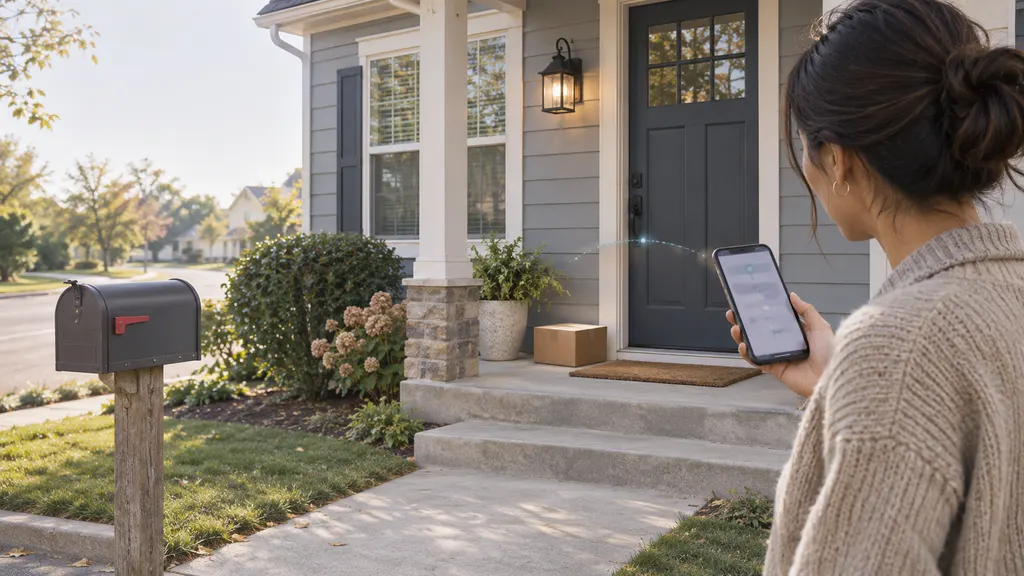
A delivery status confirms what the carrier’s system has recorded; it does not, by itself, tell you which door, desk, or shared area to check. Use any location detail in the tracking record as a clue, then compare it with how packages are normally received at your address.
Door or mailbox: what should you expect?
For a house, start with the front door and any other accessible entrance where a driver might safely leave a parcel. For an apartment, the relevant “door” may be your unit door, a building entrance, or a designated package area. A staffed building may accept deliveries at a reception desk or mailroom. None of these possibilities guarantees where a particular SpeedX shipment was left.
In the United States, a USPS-approved mailbox is different from a porch, a building mailroom, or a package shelf. USPS Domestic Mail Manual rules on customer mail receptacles restrict the use of those mailboxes for items without postage. That is why a SpeedX delivery should not automatically be assumed to be inside your personal USPS mailbox. A building’s parcel room or independently managed locker is a separate place to check; people sometimes call these areas “the mailboxes” even when they mean a shared package area.
If the tracking record specifically mentions a mailbox, read the wording carefully rather than treating it as proof of the physical location. Check whether the shipment history identifies another carrier for the final delivery, and confirm what your building calls its package facilities. If the record remains unclear, ask SpeedX or the seller to clarify the delivery location rather than assuming a particular handoff occurred.
Where to look, in a useful order
Start with the places that fit both the tracking details and your address type. A quick, methodical search is more effective than checking the front step repeatedly.
- Read the full tracking event. Open the detailed shipment history, not just the latest status shown in a shopping app. Look for a delivery location, timestamp, photo, recipient name, or other detail if one is available for your shipment. Do not assume every delivery record includes each of these.
- Check your usual delivery point. At a house, inspect the front door and porch. At an apartment, check the unit door if drivers can access your floor, then the building’s normal package acceptance area.
- Check other reasonable, accessible spots. Look at a side or back entrance, sheltered area, or other location where a parcel could have been set down without blocking access. Do not enter a neighbor’s property or an area you are not authorized to access.
- Ask anyone who accepts packages for you. A household member, receptionist, concierge, or mailroom attendant may have moved or signed for a parcel. Ask about the delivery time and recipient name shown in tracking, if provided.
- Check your building’s package system. If your building uses lockers or sends package notifications, look for a separate access message. Also ask staff whether a parcel was logged under your name, unit number, or the seller’s name.
- Check with nearby neighbors when appropriate. A simple inquiry may resolve a delivery left at the wrong unit or an item accepted as a favor. Avoid sharing your full tracking number publicly.
If you find a parcel that belongs to someone else, do not open it. Contact building staff or the carrier so it can be redirected appropriately.
What a “delivered” scan can and cannot tell you
The word “delivered” is a starting point for your search, not a complete description of what happened at your address. The useful question is whether the record contains a specific location and whether that location matches the building’s actual delivery setup. A note such as “front door” points you toward entrances; a note indicating a reception area points you toward building staff. If there is no location note, you have less information—not proof that the parcel was left at the front door.
Check the entire tracking sequence for context. An attempted-delivery event, an address-related exception, or a later update could change what action you need to take. If the seller’s order page and the carrier’s tracking page appear to disagree, compare the tracking number and the latest event on each page before drawing a conclusion. Status displays can present different amounts of detail.
Also confirm that you are checking the right shipment. An order containing multiple items may generate more than one package and tracking number. A delivery confirmation for one parcel does not establish that every item in the order has arrived. Match the tracking number to the specific item or shipment shown in your order details.
If the package is marked delivered but is missing
After checking the likely locations, save the tracking number, order number, delivery timestamp, and any available delivery detail. If a delivery photo is shown, compare visible features—such as the door, floor, or building entrance—with your address. A photo that does not resemble your property may be useful when reporting a possible misdelivery, but avoid concluding that it proves an error if the image lacks enough context.
Then contact SpeedX through its official website or the support route linked from your shipment information. Give a concise description of the places you have checked and ask for clarification of the recorded drop-off location. If your building controls access or logs packages, ask its staff to check their records as well.
Contact the seller or marketplace if the package remains missing. The seller can review the order and explain the options available for that purchase. Keep your message factual: include the tracking number, delivery status, address confirmation, and the steps you have taken. Do not send payment details or identity documents through an unverified tracking link or a message from an unknown sender.
If the parcel appears damaged, opened, or delivered to an incorrect address, photograph the packaging and preserve any relevant messages or screenshots. Those details may help the carrier or seller investigate. The outcome and any available remedy depend on the shipment and the seller’s process; a delivered scan alone is not a promise of a refund or replacement.
How to avoid looking in the wrong place next time
Before a future delivery, verify the shipping address in the order confirmation, including apartment number, building name, and any address line needed to find your entrance. An omitted unit number can make it harder to identify the intended door even when the street address is correct. If the seller or delivery service offers an option to add instructions, keep them short and practical, such as the name of the staffed reception desk. Check whether instructions can actually be added to that shipment rather than assuming a note in your shopping account will reach the driver.
At a shared building, learn who accepts packages and how residents are notified. Some buildings distinguish between postal mail, carrier parcels, and deliveries left at reception. Knowing that distinction makes “check the mailroom” a more useful instruction: you can ask whether it means your individual mailbox, a parcel shelf, or a staffed desk.
If you track shipments from several carriers, 17TRACK tracking can provide another place to view shipment updates when your tracking number is supported. For a missing SpeedX parcel, however, a tracking view is only an aid to understanding the recorded events. It cannot verify that a package is physically at your door or replace a location inquiry with the carrier, building staff, or seller.
FAQ
Can SpeedX leave a package at my apartment door?
It may be possible for a package to be left at a unit door when the driver can access that area and it is an appropriate delivery point. Do not assume that will happen at every apartment building. Check your tracking details and your building’s usual package location first.
Should I check my USPS mailbox if SpeedX says delivered?
Prioritize the door, package room, reception desk, and other designated parcel areas. A USPS-approved mailbox is subject to postal rules and should not be treated as the default location for a SpeedX delivery. If your tracking record explicitly says “mailbox,” check what that label refers to and ask for clarification if the package is not there.
What if there is no delivery photo?
A missing photo does not tell you where the parcel was left. Use any text in the tracking history, search your address’s normal delivery points, and ask building staff or the carrier for more location detail if you still cannot find it.
What if my order has two tracking numbers but only one package arrived?
Check each tracking number separately and match it to the items listed in your order. One delivered parcel may be only part of the order. If an item is missing from a package that was delivered, tell the seller which items and shipment you received.
Who should I contact first about a missing SpeedX package?
After checking the likely drop-off points, contact SpeedX for clarification of the delivery record and notify the seller if the parcel remains missing. If your building has a mailroom or reception desk, ask staff to check their package log at the same time.
Sources
- United States Postal Service, Domestic Mail Manual, Section 508: Recipient Services — rules concerning customer mail receptacles.
- SpeedX official website — official carrier reference and starting point for carrier contact.
- 17TRACK tracking — shipment-tracking service referenced as an optional way to view updates.