Pandora Order Status "Included in Shipment": What It Means and When Tracking Updates
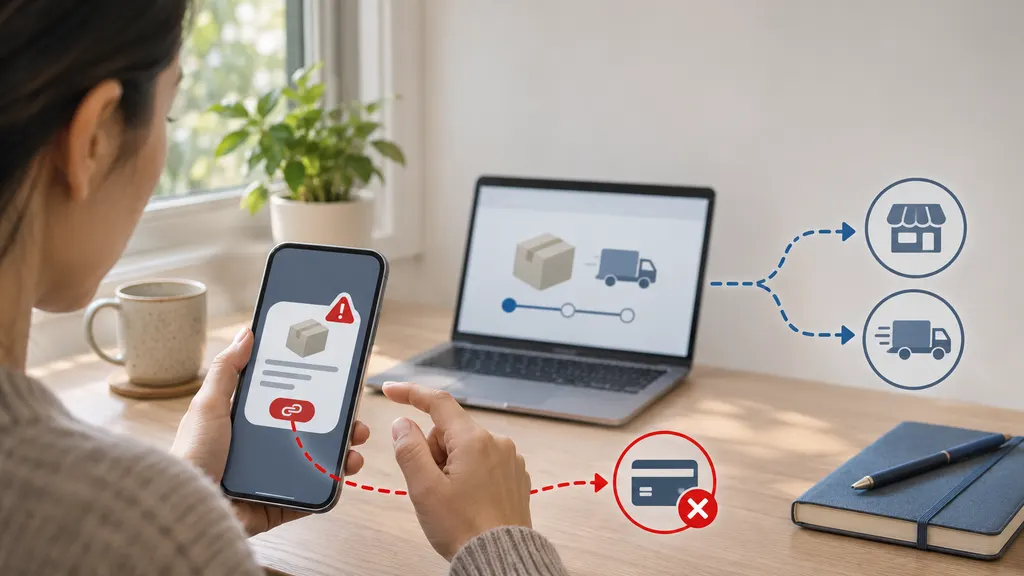
“Included in Shipment” usually means a Pandora order item has been associated with a shipment in the order record. It does not, by itself, confirm that a carrier has collected the parcel or that tracking should already show movement. Check for a dispatch email and tracking number next; carrier updates may appear only after the parcel is scanned.

Pandora’s public-facing order messages can vary by country and ordering channel, and this wording should not be treated as a guaranteed carrier event. The distinction is simple: an order status describes what the seller’s system knows about your purchase, while a tracking event describes information reported during the delivery process.
What “Included in Shipment” tells you—and what it does not
If you see this phrase next to a product, read it as an indication that the item is listed under a shipment associated with your order. That may be useful when an order contains more than one item: it helps you identify which products appear together in the shipment record. It is not the same as a carrier scan, an estimated delivery date, or proof that every item in the order has left the warehouse.
The exact internal event behind the phrase is not publicly established here. In particular, do not assume that “included” means “packed,” “handed to the carrier,” or “out for delivery.” Those are different stages, and an order page may display a shipment entry before the carrier has posted a tracking event you can see.
The most useful next question is not whether the status has changed again, but whether Pandora has supplied a dispatch confirmation, a tracking link, or a tracking number. Those details tell you where to look for delivery updates and whether there is anything to track yet.
When should tracking start updating?
There is no reliable universal interval between “Included in Shipment” and the first tracking update. The sequence depends on when the shipment is prepared, when it is transferred to the delivery service, and when that service records and publishes a scan. A label or shipment record can exist before the parcel has a visible carrier event.
These are different signals to watch for:
- A shipment entry on the order page: The order system shows that an item is associated with a shipment. It may not establish where the physical parcel is.
- A dispatch email or tracking number: You have a reference to check. A new number may initially return no events or a message indicating that tracking details are not yet available.
- A carrier acceptance or movement scan: The tracking page begins to show events reported by the delivery service. This is stronger evidence of physical progress than the order-page phrase alone.
- An out-for-delivery or delivered event: These are later delivery-stage updates. Neither follows automatically from “Included in Shipment.”
Tracking information can also arrive out of order from a shopper’s perspective. An email may reach you before the carrier publishes its first event, or a carrier event may be visible before the retailer’s order page refreshes. If two pages differ, compare their timestamps and the event each page actually describes rather than assuming one of them must be wrong.
How to check your Pandora order without mistaking an order status for tracking
- Open the order details for the correct purchase. Use the order confirmation or the account and order-help options on the official Pandora website for the country where you placed the order. Store and online purchases may have different support paths.
- Check which items appear under the shipment. If you bought several products, do not assume every item is covered by one shipment entry. Compare the product names or quantities shown with your confirmation email.
- Look for a dispatch message and tracking reference. Check the email address used at checkout, including filtered mail folders. Use the tracking link in the genuine order message or copy the number carefully from your order details.
- Check the carrier page when a carrier is named. Its event history can tell you whether it has posted an acceptance or movement update. A number that has no events yet does not, on its own, prove a parcel is lost.
- Keep the order page and tracking page separate in your notes. Record the latest message on each, its timestamp if shown, and the tracking number. This makes a support request more precise if the information remains unclear.
If you have a tracking number but are unsure where to enter it, you can also try 17TRACK’s tracking page. It is an additional place to check tracking information, not a replacement for Pandora’s order records or for contacting Pandora about what “Included in Shipment” means for your specific purchase. If the tracking number is not yet producing carrier events, switching tracking pages cannot create a scan that has not been reported.
What to do in common situations
The status appears, but there is no tracking number
Check the order confirmation and subsequent email first. The order may have a shipment entry without a customer-visible tracking reference yet. If Pandora has provided an estimated dispatch or delivery window for your order, use that order-specific information to judge when to follow up. Avoid treating the appearance of “Included in Shipment” as the start of a fixed tracking countdown.
If you need an update, contact Pandora through the official support channel for your purchase region. Give the order number and the exact status wording. Ask whether a dispatch confirmation has been issued and whether a tracking number is available. Support can address the order record; a carrier generally cannot look up an order using Pandora’s internal status text.
You have a number, but tracking says it cannot be found
First, check for a copying error and confirm you are using the number supplied for this order. If a carrier is identified, try its tracking page. A recently supplied number may not have a visible event yet, but an invalid number or a prolonged absence of information should be checked with Pandora rather than explained away indefinitely as a normal delay.
When contacting support, say whether the number returns “not found,” shows a shipment-information message, or displays an actual scan. Those are different problems. Include the number only through a legitimate support channel, not in a public comment or social-media post.
Tracking has started, then stops changing
Read the last event and its date before taking action. A gap between published scans is not the same as a confirmed delivery failure. Check any delivery guidance supplied for the specific order and carrier. If an expected delivery date has passed, or the tracking page explicitly reports an exception, contact the appropriate support team with the tracking number and last visible event.
For questions about the order, missing items, or whether Pandora actually dispatched a product, start with Pandora. For questions about a parcel after carrier acceptance, the carrier’s tracking details may help you describe the issue. Pandora may still need to resolve an order problem even when a carrier is involved.
Only some items appear in the shipment
Compare the shipment’s item list with the complete order confirmation. Do not infer that a missing item has been canceled or that it is traveling in the same parcel. Look for another shipment entry or a separate communication. If the record does not explain the difference, ask Pandora to confirm the status of the specific item. Have its product description and your order number ready.
When to contact Pandora
Contact Pandora if you need a definite answer about whether a particular item has been dispatched, if a supplied tracking number appears incorrect, or if the delivery information conflicts with what you received. Contact is also appropriate when an order-specific date has passed without the expected update, or when part of the order cannot be accounted for in the shipment details.
A concise support message is more useful than asking only, “Where is my package?” Include your order number, the items affected, the exact “Included in Shipment” wording, any dispatch email date, and the latest tracking result. Ask a specific question such as: “Has this item been handed to the carrier, and is this the correct tracking number?” That separates the seller-side shipment record from the carrier-side scan history.
Use the official Pandora site for your purchase region to find the appropriate order-help route. Do not rely on a support phone number or messaging account found in an unrelated search result without checking that it belongs to Pandora. The order confirmation and the official regional site are better starting points for verifying where to request help.
FAQ
Does “Included in Shipment” mean my Pandora order has shipped?
Not necessarily. It indicates an association with a shipment in the order record, but the phrase alone does not verify carrier collection. Look for a dispatch confirmation and a carrier tracking event before concluding that the parcel is moving.
Why is my tracking number not showing any updates?
A number can be available before a visible carrier event. Check that you entered it correctly and, when a carrier is named, check that carrier’s tracking page. If the number remains unusable or your order-specific delivery guidance suggests a problem, ask Pandora to verify it.
Can “Included in Shipment” apply to only one item in my order?
It may appear alongside particular items or a shipment entry. Compare the listed items and quantities with your confirmation rather than assuming the phrase covers the entire order. Ask Pandora about any item whose status is unclear.
Should I contact Pandora or the delivery carrier?
Contact Pandora for questions about the order record, item allocation, dispatch, or a missing tracking number. Once tracking shows carrier events, the carrier’s page can help with delivery progress. If the issue concerns an undelivered purchase or a mismatch between items ordered and received, Pandora remains an important point of contact.
Will checking a different tracking website make updates appear sooner?
No tracking website can publish a carrier event that has not been made available to it. Another tracking page may help you check a number, but it cannot establish that “Included in Shipment” means the parcel has been collected. Use the carrier’s event history and your Pandora order details for their respective purposes.
Sources
- Pandora US official website. Starting point for official, region-specific order and customer-support information; it is not cited as a published definition of “Included in Shipment.”
- 17TRACK tracking page. Referenced solely as an optional place to check a tracking number.