Cyber Monday Tv Deals 2026: Compare Oled, Mini-Led and Budget Tvs
The best Cyber Monday TV deal in 2026 will be the lowest verified price on a TV that fits your room and viewing habits, not the largest advertised discount. Choose OLED if you prioritize movies and dark-room contrast, mini-LED if you want a bright screen for daytime viewing, or a budget LED/LCD TV if size and everyday streaming matter more than premium picture quality. Specific 2026 offers cannot be confirmed here, so use this guide to compare models and check prices when the sales go live.
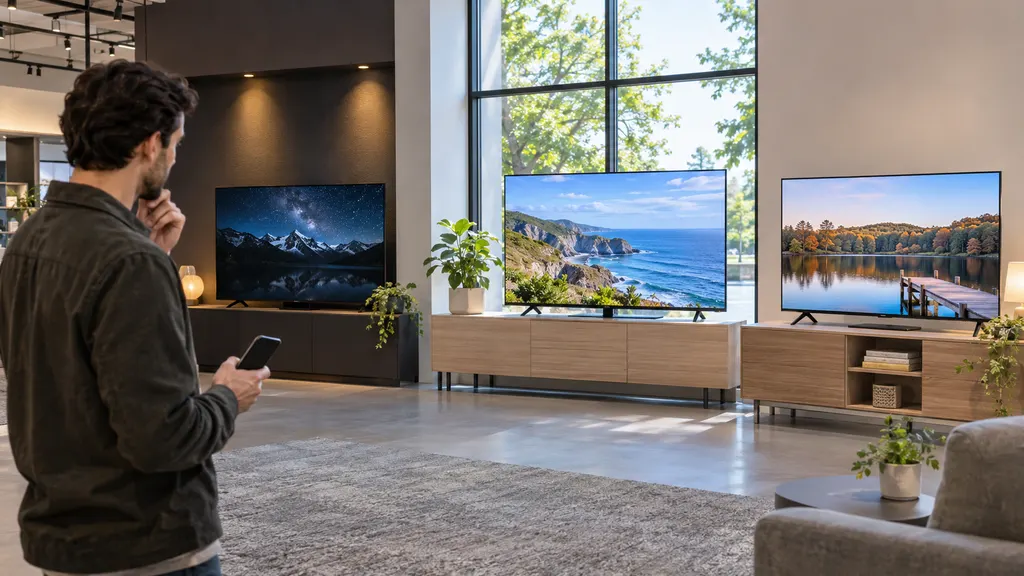
Cyber Monday falls on November 30 in 2026. Before buying, identify the exact model number, check its specifications and independent reviews, and compare its sale price with a price you recorded earlier. A television that is inexpensive for its size may still be a poor fit if it lacks the connections, viewing angles, or picture performance you need.
Start with the room, not the discount
TV technology matters, but the room often determines which differences you will notice. In a dim room, OLED's control over individual pixels makes dark scenes and subtitles look particularly clean. In a sunlit living room, a bright mini-LED model may be easier to watch. If the TV will mainly show news, casual streaming, or children's programs, a well-chosen budget model may be enough.
Measure the available wall or stand space before browsing. Screen size is measured diagonally and does not describe a TV's full width, its feet, or the clearance needed around it. If several people watch from the sides of a wide seating area, look for viewing-angle tests of the specific model. If a window faces the screen, check reflection handling rather than assuming that a brighter specification alone will solve glare.
OLED vs. mini-LED vs. budget TVs
OLED and mini-LED describe different display approaches. OLED pixels produce their own light and can switch off individually. Mini-LED TVs are LCD TVs that use many small LEDs in their backlight; local-dimming zones adjust portions of that backlight. A budget LED/LCD TV may have simpler backlighting or less effective local dimming. These are category descriptions, not guarantees about every model's performance.
| Category | Strongest reason to consider it | What to check before buying |
|---|---|---|
| OLED | Precise dark-scene contrast and no backlight blooming around bright objects | Reflections, brightness in your room, gaming features, and suitability for prolonged static content |
| Mini-LED LCD | A compelling option for bright rooms and impactful HDR when the particular model performs well | Independent brightness tests, blooming, reflections, and off-axis picture quality |
| Budget LED/LCD | A practical route to a suitable screen size at a lower cost | Contrast, HDR performance, viewing angles, ports, software, and stand dimensions |
Choose OLED for controlled lighting and dark-scene detail
OLED is the clearest category choice for a buyer who watches films in a dim room and cares about deep blacks. Because each pixel controls its own light, a bright subtitle need not illuminate the dark area beside it. The trade-off is that an OLED purchase still requires model-level checks: screen reflections, brightness, motion, and connections vary. Anyone expecting to display the same static interface for long periods should also read the manufacturer's image-retention guidance and the retailer's warranty terms rather than assuming that every use case carries the same risk.
Choose mini-LED for a bright shared living room
A good mini-LED LCD can make sense when daylight viewing and bright HDR highlights are priorities. Its backlight cannot control light at the level of each individual pixel, however. Bright objects against black backgrounds may show halos, commonly called blooming. The visibility of blooming varies by TV and by scene. Do not select a mini-LED set solely because the product page mentions a large number of LEDs or dimming zones; compare independent tests of the exact model's brightness, local dimming, and reflections.
Choose a budget TV when the upgrade must stay practical
A lower-cost LED/LCD TV can be the right purchase for a guest room, a first apartment, or viewers who value a larger screen over premium HDR. Keep expectations realistic: an HDR logo indicates compatibility with a format, not that the TV can reproduce bright highlights and dark detail convincingly. Check whether reviews discuss actual HDR performance. Also inspect the remote, operating system, available apps, and number and placement of ports. A cheap set that requires extra equipment to accommodate your devices may not remain the cheapest option.
How to recognize a genuine Cyber Monday deal
Start a shortlist before the sales begin. Record each TV's full model number, screen size, retailer, ordinary selling price, and the features you have verified. The model suffix matters: similar names can refer to different sizes, years, or specifications. When a promotion appears, compare the exact item with your notes instead of treating a percentage-off banner or a claimed list price as proof of savings.
- Confirm the exact product. Match the complete model number on the listing, checkout page, and manufacturer specifications. Check whether the offer is for a new, open-box, or refurbished unit.
- Compare the total cost. Include delivery, installation if needed, a wall mount, and any optional protection plan you actually want. A small price difference may disappear once delivery costs are added.
- Check the seller and terms. Read the return window, return-shipping or collection conditions, and any restrictions on large televisions. Check who provides the warranty and whether the seller is the retailer itself or a marketplace merchant.
- Test the price claim. Compare more than one reputable seller and, where possible, consult a price-history tool. A TV can be worth buying without being at its lowest-ever price, but you should know which claim you are relying on.
- Keep purchase records. Save the order confirmation and a copy of the listing's condition and return terms. The U.S. Federal Trade Commission advises online shoppers to research sellers and understand shipping and return policies before ordering.
Limited stock can make a well-matched TV sell out, but urgency should not replace the specification check. Decide in advance which compromises are acceptable. A lower-priced screen in the wrong size, with too few ports, or with a return policy you cannot use is not a bargain.
Specifications worth checking on every shortlist
Refresh rate and gaming inputs
If you connect a current game console or gaming PC, distinguish the panel's native refresh rate from marketing terms for motion processing. Check whether the exact TV supports the resolution and frame rate you want, as well as variable refresh rate (VRR) and auto low latency mode (ALLM) if you will use them. The HDMI Forum describes these gaming-related capabilities within HDMI 2.1, but the presence of an HDMI 2.1 label alone should not replace a check of the TV's actual supported features and ports. Read model-specific tests for input lag and motion handling.
HDR, reflections, and viewing angles
Look beyond supported HDR format names. Brightness, contrast control, and color reproduction determine how compelling HDR looks in practice. Reflection tests matter if lamps or windows face the screen. Viewing-angle performance matters if people regularly sit away from the center. Independent reviews that measure these qualities can expose differences that a retail specification sheet does not.
Power use, size, and installation
Larger screens and different picture settings can change electricity use. If operating cost matters to you, compare the energy information provided for the specific TVs you are considering rather than assuming that one display category always uses less power. ENERGY STAR provides consumer guidance on televisions and energy efficiency. Finally, confirm the TV's width, stand-foot spacing, weight, and mounting requirements against your furniture or wall setup before checkout.
A decision rule for sale day
Make three shortlists, not one: the OLED models you would buy for dark-room picture quality, the mini-LED models you would buy for a bright living room, and the budget models that meet your minimum requirements. You do not need candidates in all three groups if one category clearly fits your needs. Within the relevant group, discard any model that fails a nonnegotiable requirement such as screen size, acceptable reflections, sufficient HDMI ports, or suitable delivery and return terms.
Then compare the remaining televisions using the final delivered price and credible model-specific reviews. If two sets meet your requirements and their picture-quality differences are unlikely to matter in your room, the lower total price is a sensible choice. If a cheaper set fails a requirement you will encounter every day, paying more for the better-fitting model is more defensible than chasing the larger advertised discount. Without confirmed 2026 listings, no particular television or retailer can responsibly be named the deal to beat.
FAQ
Should I wait until Cyber Monday to buy a TV?
Wait if you can compare a shortlist against prices recorded beforehand and are comfortable with the possibility that a preferred model or size may sell out. Do not assume Cyber Monday automatically has the lowest price for every TV. A suitable offer with clear terms may be a better purchase than waiting for an unverified future discount.
Is OLED always better than mini-LED?
No. OLED is a strong choice for precise dark-scene contrast, while a well-performing mini-LED model may suit a bright room better. Screen reflections, seating arrangement, specific model performance, and price can change the decision.
Is a budget 4K TV good enough for streaming?
It can be. Confirm that it has the apps or external-device connections you need, an acceptable picture in your room, and a size that fits your space. A 4K label describes resolution; it does not establish strong contrast, HDR impact, or motion performance.
Do I need HDMI 2.1 for a new TV?
Not necessarily. It matters most if you plan to use features such as 4K gaming at higher frame rates or VRR with compatible equipment. Check the specific TV's feature and port support rather than treating the connector's marketing label as a complete specification.
What should I verify before placing a sale order?
Match the full model number, seller, product condition, total delivered price, and return terms. Make sure the dimensions and inputs work for your setup. Keep a record of the listing and order details in case you need to resolve a delivery or product issue.