Bring Your Own Carrier Account: What Changes for Rates, Labels, and Billing
Bringing your own carrier account means connecting an existing shipping account to a platform that compares rates or creates labels. You may then see rates associated with your carrier agreement, create eligible labels under your account, and receive shipping charges from the carrier rather than through the platform’s label-purchasing arrangement. None of those changes is automatic in every setup: the platform, carrier, service, and billing configuration determine what actually happens.
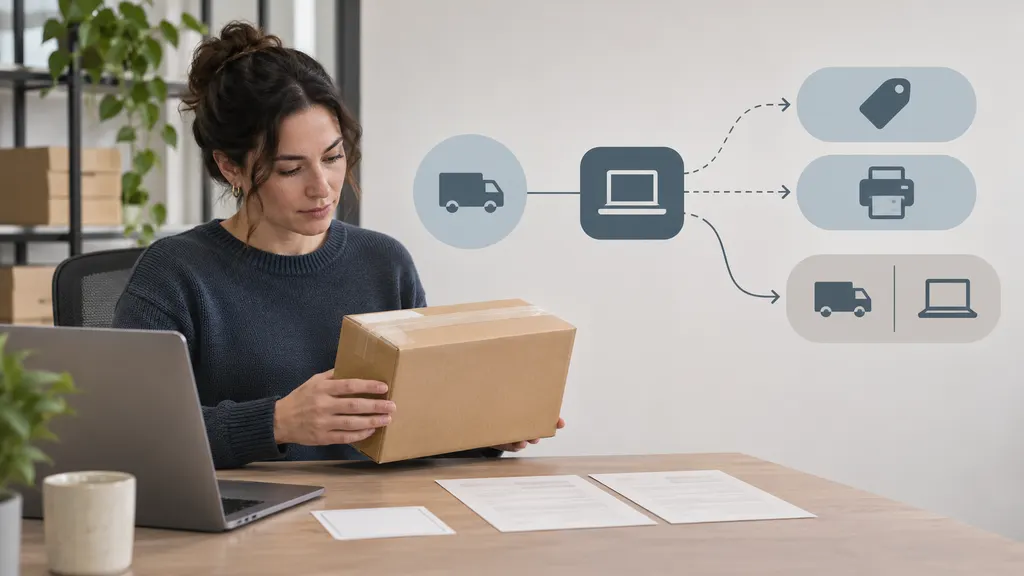
For a merchant or shipping operations team, the practical question is not simply whether an account can be connected. It is whether the connected account changes the rate used to choose a service, the account used to produce the label, and the party responsible for each charge. Those are three separate things to verify.
What “bring your own carrier account” means
A shipping platform may offer labels through its own carrier arrangements, allow you to connect an account you hold with a carrier, or support both methods. With a connected account, the platform generally acts as a tool for requesting rates and creating shipments, while your carrier account supplies some of the commercial and operational terms. The precise division of responsibilities depends on the integration.
Connecting an account does not necessarily make it the default for every shipment. A platform may use different accounts for different carriers, services, warehouses, or shipping rules. It may also display a carrier-account rate alongside a platform-provided rate. If your goal is to route all eligible shipments through your own agreement, check the selection rules as well as the connection itself.
Rates: your agreement may apply, but the displayed quote still needs scrutiny
The main potential benefit of using your own account is access to rates available under your carrier agreement, where the platform and carrier support that arrangement. That does not mean the first rate displayed is necessarily your final shipping cost. Carriers set rates through their own terms, and shipping charges can depend on shipment details and services selected. Carrier resources, including USPS Postal Explorer and FedEx shipping information, are useful starting points for checking service requirements and carrier rules.
Before comparing a connected-account quote with a platform-provided quote, make sure both represent the same shipment and service. Differences in package dimensions, billable weight, pickup location, destination, residential classification, delivery speed, or optional services can make two quotes appear comparable when they are not. Compare the total expected cost, not just the prominent base-rate figure.
Also identify how the platform obtains and presents the rate. Ask whether it requests a live account-specific quote, displays a stored estimate, or applies its own presentation rules. Confirm which charges appear before label purchase and which may be assessed later. A quoted amount and a final carrier invoice can differ if shipment information changes or the carrier applies an adjustment under its terms.
A useful test is to take a small set of representative orders—such as a lightweight domestic parcel, a bulky package, and a shipment requiring an optional service—and price each one through the proposed setup. Record the account, service, package details, displayed charge, and any expected charges not shown. This gives the team a more dependable basis for choosing shipping rules than a single sample label.
Labels: the connected account changes whose credentials and services are used
When a label is created through your carrier account, the carrier must recognize that account for the requested shipment and service. The platform may need account credentials, an authorization flow, or other carrier-specific information. An account connection that succeeds for rate lookup does not, by itself, prove that every desired label workflow will work.
Check the operational details before switching production orders:
- Origin and account eligibility: Confirm which shipping locations, services, and shipment types the account can use through the integration.
- Label data: Check sender and return addresses, package details, customs information where applicable, and any required reference fields.
- Service options: Test the options your team actually uses, such as signature requirements or special handling, rather than assuming an account connection exposes every carrier service.
- Corrections and cancellations: Find out how the platform handles a mistaken label and how the carrier treats a void, refund request, or shipment adjustment.
- Daily workflow: Check whether pickups, manifests, end-of-day processes, and shipment records remain compatible with your existing operations.
The account owner should control who can connect the account, create labels, and change shipping settings. Treat carrier credentials and authorizations as operational access, not as a one-time technical detail. If an employee or service provider no longer needs access, the account owner should know how to remove it.
Do not judge the change solely by whether a test PDF prints. Follow a test shipment from rate selection through label creation, carrier acceptance, tracking, and the eventual charge. That sequence exposes problems a label preview cannot, such as a service that prices correctly but cannot be purchased under the intended account.
Billing: separate the carrier charge from the platform charge
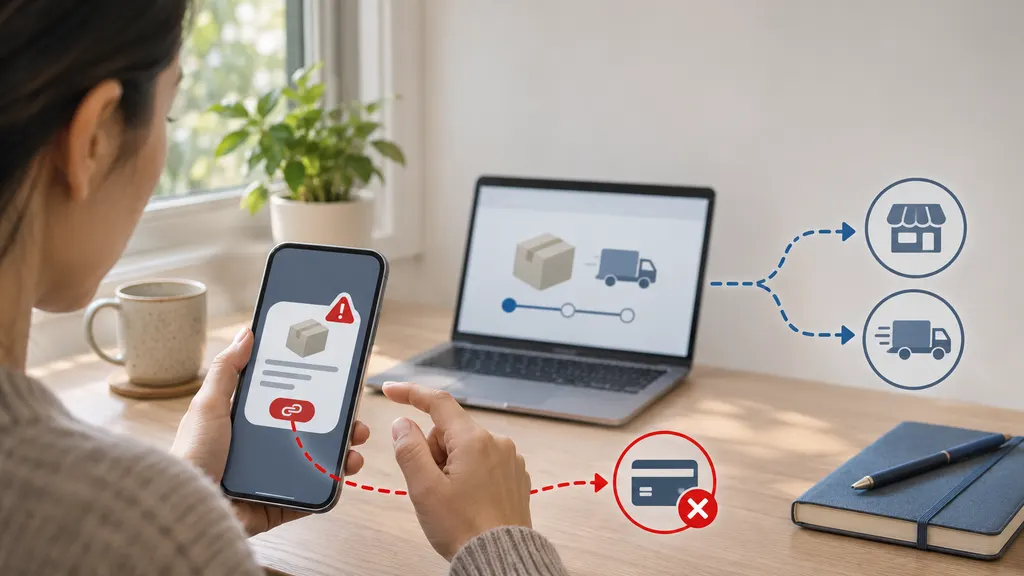
Billing is often the most consequential change. If a shipment is billed to your own carrier account, the carrier may charge you under that account’s payment terms, while the shipping platform may charge separately for software or other services. In another arrangement, a platform may still collect payment for a label even though account information is connected. Do not infer the billing path from a button labeled “Connect account.” Confirm it in the platform’s account terms and in a completed shipment record.
Ask three questions for every label workflow: Who invoices or charges us for transportation? Who charges us for the software or label transaction? Who handles a disputed shipping charge? The answers may differ by carrier and by the method used to create the label.
When the carrier bills you directly, your finance team may need to reconcile carrier invoices against orders created in the platform. Keep a usable link between the order number, label or tracking number, carrier account, quoted amount, and final charge. This matters when investigating adjustments, duplicate labels, credits, or charges that arrive after the order has shipped.
Direct carrier billing also does not guarantee that every cost appears on the day a label is created. The final amount can depend on the carrier’s assessment of the shipment and the terms of your account. For budgeting, treat the label quote as an estimate unless your carrier and platform documentation establish otherwise for the particular service. Give the team responsible for invoices access to the shipment details it will need to investigate differences.
How to decide whether to connect your account
Using your own account is worth evaluating when you already have a carrier agreement you intend to use, need charges assigned to that account, or want shipping activity consolidated under your existing carrier relationship. It is less straightforward if your primary goal is simply to find the lowest displayed label price. Account-specific rates, platform-provided rates, and the final billed amounts need to be compared on equivalent shipments before making that judgment.
Start with a short requirements list, then ask the platform and carrier to confirm the details that determine whether the arrangement works:
- Define the scope. List the carrier, account, shipping origins, destinations, services, and package types you need. Note any shipments that will continue to use another label method.
- Confirm the rate source. Establish whether a displayed quote comes from your account and what charges it includes. Ask how the platform chooses between your account and other available options.
- Confirm label ownership. Verify which account appears on a completed shipment and whether the intended services can be purchased, not merely quoted.
- Confirm who pays whom. Identify carrier transportation charges, platform fees, adjustments, and the process for credits or disputed charges.
- Run an end-to-end pilot. Create a small number of representative shipments, inspect their labels and tracking records, then compare the subsequent charges with the original quotes.
- Document exceptions. Record what staff should do if an account rate is unavailable, label creation fails, or a shipment must be voided and recreated.
Keep the pilot narrow enough to audit but broad enough to cover the services and shipping locations that matter. If one warehouse or service fails, that does not necessarily invalidate the entire account connection; it does mean the affected workflow needs a documented alternative before rollout. Likewise, a successful pilot for one carrier does not establish how another carrier will handle rates or billing.
The decision should rest on an end-to-end result: the right rate was offered for the right service, the label was created under the intended account, and the eventual charge went to the expected party. If any of those outcomes remains unclear, resolve it before routing routine orders through the new setup.
FAQ
Will connecting my carrier account automatically give me lower rates?
No. It may give you access to rates associated with your agreement where supported, but those rates are not automatically lower than every other available option. Compare equivalent services and consider the final billed cost, including any applicable adjustments.
Can I use my account for rates but pay the platform for labels?
That depends on the platform, carrier, and label workflow. Rate lookup, label creation, and payment can be handled differently. Ask the provider to identify the account used on the shipment and the party that collects the transportation charge.
Does a successful account connection mean all my carrier services are available?
No. A connected account may still have restrictions tied to service, origin, shipment type, account eligibility, or integration support. Test the services you intend to use, including any optional features, before changing shipping rules.
What happens if a label is voided or the carrier adjusts a charge?
The process depends on the carrier’s terms and the way the label was purchased. Check where the void or adjustment appears, whether a credit must be requested, and which team is responsible for reconciling the resulting charge.
What should I check on the first invoice after switching?
Match the carrier account, tracking numbers, services, shipment details, and final charges to the orders created during your pilot. Investigate missing shipments, unexpected adjustments, and labels that may have been created through a different payment path.
Sources
- USPS Postal Explorer — official postal standards and related rate information.
- FedEx Shipping — official carrier shipping information and service resources.