USPS Redelivery: How to Reschedule with a Tracking Number or Ps Form 3849
To request USPS Redelivery, go to the USPS Redelivery page and enter either the package’s tracking number or the barcode number on your PS Form 3849 delivery notice. Follow the prompts to confirm the delivery address and select an available redelivery date. If the online request cannot be completed, use the instructions on your notice or contact USPS.
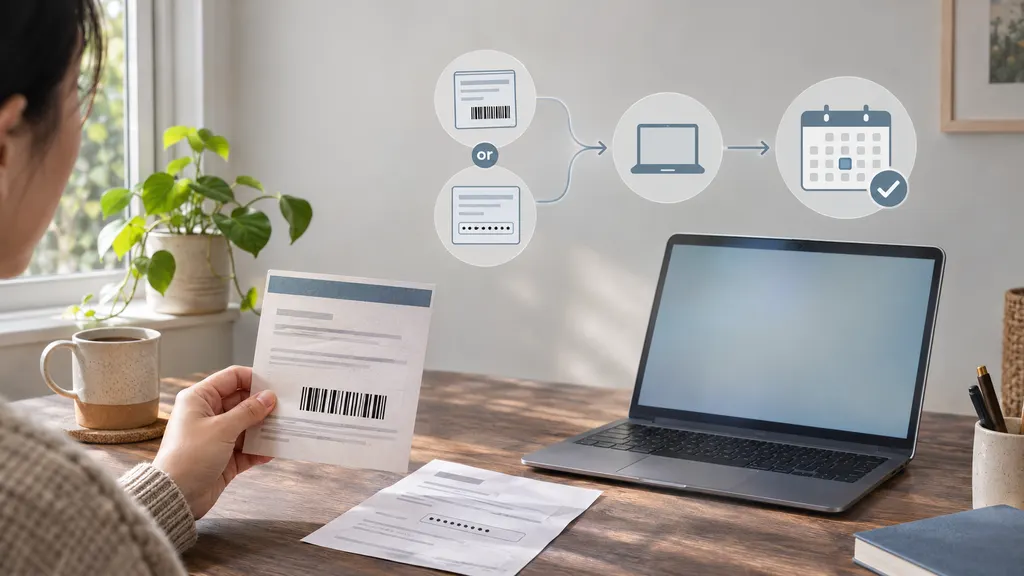
A tracking result and a redelivery request serve different purposes. Tracking tells you what USPS has recorded about the mailpiece; requesting redelivery asks USPS to make another delivery attempt. If you have only seen a “Notice Left” tracking update, check whether a physical notice was left at your address before submitting a request.
What you need before requesting redelivery
USPS may leave PS Form 3849, commonly called a redelivery notice, when it cannot complete a delivery. The notice helps identify the mailpiece and explains what to do next. Depending on the circumstances, it may indicate a delivery requirement, such as a signature, or provide information about pickup.
Gather the following before opening the redelivery form:
- A usable identifier: the tracking number from the shipping label or the barcode number on PS Form 3849. If you have both, keep the notice nearby in case you need to check its details.
- The delivery address: enter the address where USPS attempted delivery, including the apartment or unit number if applicable.
- The notice itself, if available: read it for any instructions about signatures, pickup, or the location where USPS is holding the item.
- A suitable date and recipient: if the mailpiece requires someone to accept or sign for it, choose a date when an eligible person can be present.
Do not assume that every missed package can be handled in exactly the same way. The available choices can depend on the mailpiece and the delivery address. The USPS form and the instructions on your notice are the most useful guides for your specific request.
How to request redelivery with a tracking number
- Check the shipment status. Enter the USPS tracking number on the USPS Tracking page. Confirm that you are looking at the right mailpiece and that its status indicates a delivery attempt or notice, rather than a shipment still on its way.
- Open the official redelivery form. Visit USPS Redelivery. Use the tracking number when prompted for a mailpiece identifier.
- Verify the address. Provide the delivery address requested by the form. Check the street number, ZIP Code, and any apartment or suite number carefully. A valid tracking number does not fix an address entered incorrectly in the request.
- Review the choices offered. Select an available date and provide any instructions the form permits. If you need to be present to receive the item, choose a date that makes that practical.
- Submit and retain the confirmation. Complete the request and keep any confirmation information USPS provides. Later, check USPS Tracking for updates on the mailpiece; do not treat submission of a request as proof that delivery has already occurred.
If the form does not offer a redelivery option, avoid repeatedly submitting the same details without checking the reason. First confirm that the number belongs to the missed item, then check the notice for directions. A tracking page may identify a delivery attempt even when the online form cannot process the request you want.
How to use PS Form 3849 instead
If you received PS Form 3849, look for its barcode number and use that number on the USPS Redelivery page. This is particularly useful when you cannot find the original shipping label or the sender’s tracking message. Be careful not to confuse the barcode number on the notice with a phone number, date, or other printed information.
Read the entire notice before choosing redelivery. It may contain instructions specific to the attempted delivery, including whether the item requires a signature or where it can be picked up. If the notice provides a way to request redelivery by completing and returning the form, follow the printed directions rather than assuming that writing on the form alone creates an online request.
Keep the notice until you receive the mailpiece. If an online request fails or you decide to pick up the item, the information printed on PS Form 3849 can help USPS identify what happened and where the item is being held.
Choosing between another delivery attempt and pickup
Redelivery is convenient if someone can receive the mail at the address and the USPS form offers a suitable date. Pickup may be the more practical choice if you will not be available for another attempt, the notice directs you to collect the item, or an in-person signature requirement is difficult to meet at home.
Before going to a Post Office, check the pickup location and any timing instructions on the notice or in USPS Tracking. Do not assume that the item is ready for pickup immediately after the carrier leaves a notice. Bring the notice if you have it, along with identification and anything else the notice says is required. Requirements can vary with the type of mail and who is authorized to receive it.
A sender or online store may be able to help you locate an order number or tracking number, but USPS controls the redelivery and pickup process. If you are the recipient, direct a scheduling problem to USPS rather than relying on the seller to confirm that a redelivery request was accepted.
If the online request does not work
Start with the most common information checks. Confirm that you entered the identifier for the item USPS attempted to deliver, not a separate order number or a tracking number from an earlier shipping stage. Then compare the address you entered with the address on the shipment, paying attention to unit numbers and ZIP Codes.
Next, check the timing and status. If tracking has not yet reflected the attempted delivery, or the notice has only just been left, the information needed for an online request may not be available to you yet. Conversely, if tracking shows the item has been delivered, returned, or is otherwise no longer awaiting redelivery, a new request may not be appropriate. Check the latest USPS status rather than relying on an older email or notification.
If you still cannot submit the request, follow the contact or pickup instructions on PS Form 3849. You can also use the USPS Contact Us page to find official support options. Have the tracking or notice number, delivery address, and date of the attempted delivery ready. Describe the error you saw instead of assuming it means the package is lost.
Do not wait indefinitely if the notice gives a date by which you must act. How long an item remains available can depend on the mailpiece and its circumstances. Follow the deadline on your notice or ask USPS about the specific item.
After you submit: what to check
Save the request confirmation and continue to check USPS Tracking. The confirmation shows that you completed the request process; subsequent tracking updates show what USPS has recorded about the mailpiece. Those are separate pieces of information, and neither should be substituted for the other.
On the selected date, make sure the address is accessible and that someone who can receive the item is available if necessary. A request for another attempt does not remove signature or other delivery requirements. If you cannot meet a requirement shown on the notice, contact USPS about the options for that item rather than scheduling repeated attempts that cannot succeed.
If the selected date passes without a delivery or a clear update, review the latest tracking status and contact USPS with your confirmation details. Avoid filing a new request for a different date until you understand whether the first one remains active or the mailpiece has moved to pickup, return, or another status.
FAQ
Can I request USPS Redelivery without PS Form 3849?
Yes, the USPS online redelivery form allows you to use a tracking number. You still need to provide the requested delivery details, and the option must be available for the mailpiece. If you have a notice, keep it because it may contain instructions that tracking alone does not explain.
Is the number on PS Form 3849 the same as my tracking number?
They may appear as different identifiers. The USPS Redelivery page accepts a tracking number or the barcode number from PS Form 3849. Enter the number requested by the form and check the notice carefully if you are unsure which printed number to use.
Does a “Notice Left” update mean my package is lost?
No. It indicates that USPS recorded an attempted delivery and left a notice. Check the notice and the current tracking status to determine whether to request redelivery, arrange pickup, or contact USPS for help.
Can I pick up the item instead of scheduling redelivery?
That may be an option, but check the notice or tracking details for the correct pickup location and instructions before making a trip. Bring the notice and appropriate identification when required.
Will my request guarantee delivery on the date I choose?
Submitting a request is not the same as receiving the item. Keep the confirmation, prepare for any signature or acceptance requirement, and use USPS Tracking to follow what happens next. If the attempt does not occur as expected, contact USPS about that specific mailpiece.
Sources
- USPS: Schedule a Redelivery — official redelivery request process and identifier options.
- USPS: Track a Package — official tracking lookup for shipment status.
- USPS: Contact Us — official support options when an online request cannot be completed.