USPS Delivery Times by Zip Code: How to Check Your Route
To check USPS delivery time for a ZIP Code, start with the right tool for your question: use the USPS postage calculator for an estimate before mailing, USPS Tracking for a package already in transit, and USPS Informed Delivery for eligible mail and package updates at your address. A ZIP Code alone cannot tell you the exact time your carrier will reach your street or show a live delivery route.
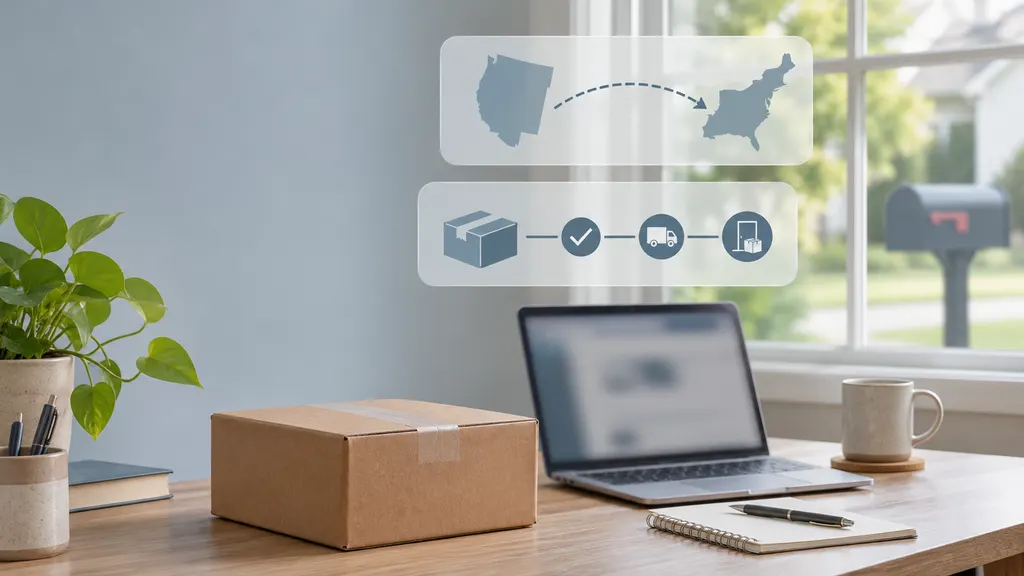
The key distinction is between transit time—how long a shipment may take to reach its destination-and delivery time of day-when a carrier may arrive after the item is ready for local delivery. USPS provides useful information for both, but neither can be reduced to a universal schedule for every address in a ZIP Code.
Choose the check that matches your situation
If you have not mailed the item yet, you need a shipping estimate. If you already have a tracking number, the shipment’s latest status and any displayed expected delivery date are more relevant than a general ZIP-to-ZIP estimate. If you are waiting for ordinary letter mail, package tracking may not apply; Informed Delivery may provide a preview of eligible incoming mail, but it is not a live map of your carrier’s route.
- Planning a shipment: Compare USPS services and estimated delivery timing using the USPS postage calculator. Have the origin and destination ZIP Codes and shipment details ready.
- Waiting for a tracked item: Enter its tracking number on the USPS Tracking page. Read the latest scan before relying on an expected delivery date.
- Checking mail for your household: See whether your address is eligible for USPS Informed Delivery. Its notices are previews and updates, not promises that every pictured piece will arrive at a particular hour.
- Looking up a local Post Office: Use the USPS location finder for office information. A Post Office’s hours do not establish your carrier’s delivery time.
How to estimate delivery between ZIP Codes
- Confirm both addresses. Check the origin and destination ZIP Codes.
- Open the USPS postage calculator. Enter the requested mailing and destination information, including the planned mailing date and package details where applicable.
- Compare the services actually available for that shipment. The result depends on the service selected; a ZIP Code pair by itself is not a shipping estimate.
- Check the meaning of the displayed date or timeframe. Distinguish an estimate from any service-specific guarantee. Review the applicable USPS service terms before making a time-sensitive promise to a recipient.
- Recheck after acceptance. Once USPS has the item, use its tracking record for shipment-specific progress. The original quote cannot account for everything that happens after mailing.
For a useful estimate, account for when the item will actually enter the mailstream. A shipping label created on one day does not, by itself, establish that USPS accepted the item that day. Likewise, a seller’s processing time comes before carrier transit time. If an order page says an item will ship later, do not count the carrier estimate from the purchase date without checking the seller’s stated handling period.
Destination ZIP Code also does not identify a single doorstep or delivery route. Addresses in the same ZIP Code can be served in different sequences, and a shipment may still need local processing after it reaches the destination area. Treat a ZIP-to-ZIP result as a planning tool, not a prediction of the minute a package will arrive.
How to check a package that is already on its way
Find the tracking number in the mailing receipt, shipping confirmation, or sender’s order information, then enter it directly on USPS Tracking. Check both the latest event and its timestamp. A displayed delivery estimate is useful, but a scan describing where the item is now tells you how close it appears to be to the final delivery step.
Read common updates in context:
- Label created or awaiting item: The sender has prepared shipment information, but this status alone does not confirm that USPS has the package.
- In transit: The item is moving through the network or between processing steps. It does not mean the carrier has it on a local delivery route.
- Arrived at a local facility: The package is closer to its destination, but arrival at a facility is not the same as an out-for-delivery scan.
- Out for delivery: The package has reached the local delivery stage. It does not provide a public stop-by-stop route or a reliable appointment time.
- Delivered or delivery attempted: Read the full event details and check the delivery location or notice information shown, rather than relying only on the headline status.
Tracking updates are events, not a continuous GPS feed. There may be a gap between scans, and a predicted date can change as new information becomes available. If a parcel appears stalled, first look at when and where the last event occurred. A recent scan at an intermediate facility calls for a different response than a delivery scan at your address when the parcel cannot be found.
Can you see your USPS carrier’s route or arrival time?
USPS consumer tools do not turn a ZIP Code into a live map of your carrier’s stops. Even an out-for-delivery status should not be read as a countdown to your address. A carrier’s work can vary with mail volume, staffing, weather, access conditions, and other operational circumstances. Previous deliveries at a similar hour may help you plan informally, but they do not establish a dependable daily appointment.
If you need to be present for a particular item, check its USPS tracking details for available delivery or pickup options instead of trying to infer the route. Options depend on the shipment and its status. If a delivery attempt is missed, follow the instructions on the notice or the tracking page. For an urgent mailing that has not yet shipped, select a service based on its stated terms rather than assuming your usual neighborhood delivery time will hold.
Informed Delivery answers a different question. For an eligible residential address, it can show previews of certain incoming letter-size mail and provide package information. A mailpiece preview indicates that an image was captured during processing; it does not supply an exact delivery time. If a previewed piece is not in your mailbox when expected, consult USPS guidance within Informed Delivery before concluding that it is lost.
Why two addresses in the same ZIP Code may have different results
A ZIP Code helps USPS sort and route mail, but it is not a delivery-time slot. The service chosen, when USPS receives the item, and the item’s progress through processing all affect the answer to “When will it arrive?” The final address matters too: a home, apartment building, business, or PO Box may involve different access and delivery arrangements. None of those details can be recovered reliably from a five-digit ZIP Code alone.
It also helps to separate three dates that are often presented together. The mailing date is when the item enters USPS custody; the estimated delivery date is a forecast based on the selected service and shipment information; and the actual delivery date is what the final tracking event records. If you are a shopper comparing a retailer’s arrival promise with USPS tracking, remember that the retailer may include order processing as well as carrier transit in its estimate.
For senders, the practical response is to avoid promising recipients a neighborhood-specific arrival hour. Give them the service selected, the date the shipment was handed to USPS, and the tracking number if the service provides one. For recipients, prioritize shipment-specific tracking over a generic online chart claiming to show delivery hours by ZIP Code.
What to do when the estimate passes or a scan looks wrong
- Verify the address and tracking number. A mistyped number can lead to the wrong record; an incomplete delivery address may create a separate problem.
- Read the complete tracking history. Check whether USPS has accepted the item, whether it is still in transit, or whether delivery was attempted. These situations need different follow-up.
- Check USPS service alerts. If service in the area is affected, an earlier estimate may no longer be useful. The USPS service alerts page is a starting point for reported disruptions.
- If tracking says delivered, check the immediate delivery area. Look at the mailbox, parcel locker, building reception area, and any location specified in the tracking details, where applicable. Ask others at the address whether they accepted it.
- Use the appropriate USPS help path. If the item is still missing or tracking has not resolved your concern, consult USPS Missing Mail guidance and follow the steps relevant to your shipment. Contact the sender when you need shipment details, an address correction, or help with a purchase.
Do not assume that a late package and a missing package are the same problem. A late package may still have recent tracking activity; a package marked delivered but not found calls for checking the stated delivery location promptly. Keep the tracking number and shipment details handy if you contact USPS or the sender.
A practical way to plan around an uncertain arrival
Use the most specific information available at each stage. Before mailing, use the origin and destination ZIP Codes with the planned mailing date, service, and shipment details to compare options. After acceptance, follow the item’s tracking record. On delivery day, treat “out for delivery” as a sign to watch for the item, not as proof of an exact hour. For ordinary mail, use Informed Delivery where eligible, while recognizing that a preview is not a delivery appointment.
This approach is more useful than looking for a universal USPS route schedule. It tells you what USPS can currently confirm, what remains an estimate, and when you have enough information to take action.
FAQ
Does USPS have a delivery-time lookup for my ZIP Code?
USPS offers tools for shipping estimates, tracking, and eligible address-level mail updates. A five-digit ZIP Code alone does not provide the exact time a carrier will reach your address.
Does “out for delivery” mean my package will arrive soon?
It means the item is at the local delivery stage, not that your address is the carrier’s next stop. Check tracking for later updates and avoid treating the status as an appointment window.
Why does a shipping estimate differ from my tracking date?
A pre-shipment estimate is based on information available before or at mailing. Tracking reflects events for the individual item and may display a revised expected delivery date as its journey progresses.
Can Informed Delivery tell me the exact time my letter will arrive?
No. It can provide previews of eligible incoming mail and package updates for eligible addresses, but it does not show a live carrier route or guarantee a time of day.
What should I do if USPS says my package was delivered but I cannot find it?
Check the tracking details for the delivery location, look around the address and any shared mail area, and ask others who might have received it. If it remains missing, follow USPS Missing Mail guidance and contact the sender when appropriate.
Sources
- USPS Postage Price Calculator — shipment inputs and service estimates.
- USPS Tracking — shipment-specific status and delivery updates.
- USPS Informed Delivery — eligible mail previews and package information.
- USPS ZIP Code Lookup — address and ZIP Code lookup.
- USPS Service Alerts — reported service disruptions.
- USPS Missing Mail — steps for locating missing mail and packages.