Usps Api Changes in 2026: Updates, Migration & Alternatives
For teams using the USPS API in 2026, the safest approach is to treat the year as a migration and verification cycle rather than assume that legacy integrations will remain unchanged. USPS has been directing developers toward its newer API environment and developer portal, while the exact availability, authentication requirements, product coverage, and retirement status of individual legacy services must be confirmed in the current USPS documentation. Businesses should audit their existing integration, test the replacement endpoints, and keep a carrier-neutral fallback before changing production traffic.
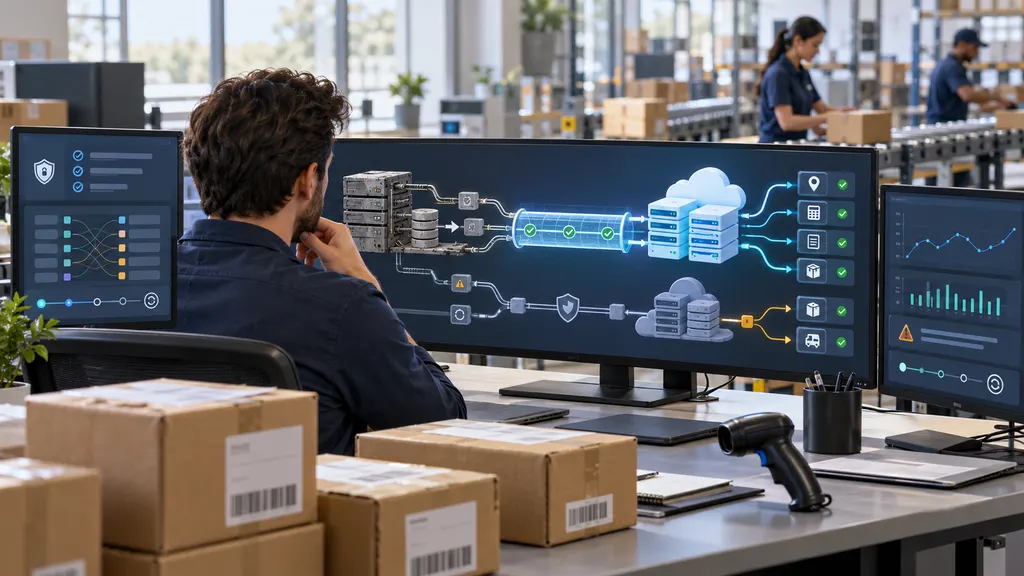
This guide explains what to verify, how to plan a USPS API migration, and when a multi-carrier tracking API may be a better operational choice. It does not assume a universal 2026 shutdown date because USPS service availability and deadlines can change by product and account.
What is changing with the USPS API?
The main issue is the transition from older USPS Web Tools patterns to the newer USPS API platform. A migration can affect more than the endpoint URL. Developers may need to review authentication, account registration, request formats, response schemas, supported services, error handling, and production access requirements.
Older integrations are often embedded in several business processes at once. A checkout system may request rates, a warehouse may create labels, an order-management system may store tracking numbers, and a customer-facing application may retrieve delivery events. These components may not all use the same USPS service or API version. As a result, “migrating the USPS API” is usually a portfolio exercise rather than a single code change.
USPS publishes developer information through its official developer portal and business API pages. Those resources should be treated as the source of truth for current registration rules, available products, credentials, technical documentation, and notices. A blog post or third-party integration guide can help identify risks, but it should not be used to confirm a current USPS deadline.
What to verify before a 2026 migration
1. Identify every USPS API dependency
Start with an inventory of applications, services, and business owners. Look for API calls in checkout code, shipping platforms, warehouse tools, label-generation services, tracking pages, customer-service dashboards, and scheduled jobs. Also search logs and configuration files for USPS hostnames, API keys, XML or JSON request builders, and carrier-specific status mappings.
For each dependency, record the current endpoint, API product, authentication method, request frequency, response format, production owner, and failure behavior. A tracking integration may appear healthy while still relying on an older endpoint that is no longer the preferred path. Inventory work reveals that risk before it becomes a delivery or support problem.
2. Confirm the replacement product
Do not assume that a new USPS endpoint is a one-for-one replacement for every legacy Web Tools operation. Confirm that the required use case is supported, such as tracking, address validation, rates, shipping labels, or another postal workflow. Check whether the replacement API requires a different account relationship, registration process, credential type, or approval step.
The product name also matters. A business that only needs tracking events has a different migration scope from a business that creates labels or calculates postage at checkout. If the official documentation does not clearly confirm a feature, mark it as requiring direct verification instead of describing it as unavailable.
3. Compare request and response behavior
Build a field-level mapping between the current and replacement APIs. Include identifiers, service names, dates, event descriptions, locations, delivery estimates, error codes, and status values. Pay particular attention to fields that appear optional. A field can remain syntactically valid while changing its meaning, formatting, or frequency.
Tracking applications should also test duplicate events, out-of-order scans, missing scans, invalid tracking numbers, delivered parcels, returned mail, and long periods without an update. A migration is not complete merely because a successful request returns a response. The new response must continue to support the decisions made by downstream systems.
4. Review authentication and operational controls
Credentials should be stored outside source code, separated by environment, rotated through a documented process, and limited to the applications that need them. Confirm how the new platform handles authentication failures, expiration, access scopes, rate limits, maintenance, and support escalation. Do not copy old retry logic into the new integration without testing it against the current service rules.
Use timeouts, bounded retries, structured logs, correlation identifiers, and alerts for elevated error rates. A retry storm can make an outage worse, particularly when a tracking job repeatedly requests the same parcel records. Cache results where the business use case permits it, and define how the application behaves when USPS data is delayed or temporarily unavailable.
A practical USPS API migration plan
- Freeze the current baseline. Record representative requests, responses, error cases, latency, and business outcomes from the existing integration. Remove or mask personal information before using samples in development.
- Read the current official documentation. Confirm the relevant product, registration path, credentials, supported operations, data format, and production-access conditions in the USPS developer environment.
- Create a compatibility layer. Keep carrier-specific logic behind an internal interface such as
getTrackingEvents(),validateAddress(), orcreateShipment(). This reduces the number of business systems that must change if an endpoint or carrier is replaced. - Build a field and status mapping. Define how USPS events become internal statuses such as label created, in transit, exception, delivered, or returned. Preserve the original carrier event for customer-service investigation.
- Test with production-like scenarios. Use valid test credentials and approved test methods where available. Test malformed requests, authentication failures, throttling, partial responses, duplicate events, and delayed scans.
- Run a shadow comparison. For a controlled group of shipments, request data from both systems and compare event order, timestamps, identifiers, and downstream actions. Investigate differences instead of automatically treating one response as correct.
- Release gradually. Use feature flags, a small traffic percentage, or a limited merchant and warehouse group. Keep the rollback path available until operational metrics remain stable.
- Retire only after evidence. Remove the old integration after the replacement has passed technical testing, business acceptance, monitoring review, and an agreed retention period for logs and support records.
When a USPS-only integration is not the best design
A direct USPS connection can be appropriate when USPS is the only carrier, the application needs a narrowly defined postal capability, and the team is prepared to own carrier-specific maintenance. It may be less suitable for a retailer that ships through several carriers, operates across countries, or needs one normalized tracking model for many sales channels.
In a multi-carrier environment, a carrier-neutral tracking API can reduce the number of direct integrations and provide a common event model. That does not eliminate all work: the business still needs to validate carrier coverage, data freshness, webhook behavior, usage limits, service-level commitments, privacy terms, and the handling of carrier-specific exceptions.
17TRACK’s official Tracking API page and API documentation are relevant examples for teams evaluating a multi-carrier tracking layer. The appropriate choice depends on the required carriers, countries, event detail, integration method, and commercial terms. A tracking API should not be selected solely because it reduces the number of endpoints in application code.
| Approach | Best fit | Main trade-off |
|---|---|---|
| Direct USPS API | USPS-focused workflows with a team that can manage a carrier-specific integration | The business owns USPS changes, monitoring, mapping, and support coordination |
| Multi-carrier tracking API | Retailers, marketplaces, and platforms that need normalized tracking across carriers | A third party becomes part of the tracking dependency chain and must be evaluated carefully |
| Shipping platform or aggregator | Teams that need broader shipping operations such as rates, labels, and fulfillment workflows | The platform may impose its own account, workflow, pricing, and integration constraints |
| Internal carrier abstraction | Engineering teams seeking long-term control over carrier switching and data models | The company still has to build and maintain each carrier connector |
How to evaluate alternatives without creating a new risk
Ask each provider for documentation that matches the exact workflow. “Tracking support” can mean polling only, webhooks, delivery-event history, estimated delivery dates, or a much smaller set of fields. Confirm whether USPS numbers can be submitted directly, how often updates are refreshed, and how the provider distinguishes an unknown number from a carrier delay.
Run a proof of concept using a representative shipment sample. Include domestic and international movements if those are part of the business, different service levels, delivered and undelivered parcels, returns, and shipments with sparse scans. Measure event completeness, duplicate handling, latency, webhook reliability, error recovery, and the time required to investigate a customer complaint.
Also examine the commercial and operational terms. Verify pricing directly with the provider because plans, quotas, overage rules, and enterprise terms can change. Confirm data-retention practices, support channels, incident communication, access controls, and the process for adding another carrier. Public documentation that does not state a feature should be treated as a question for the vendor, not as proof that the feature does not exist.
Recommended 2026 decision framework
Choose a direct USPS migration when USPS is central to the workflow and the organization needs precise control over postal operations. Choose a multi-carrier layer when the greater problem is fragmented tracking across several carriers, storefronts, or regions. In either case, preserve an internal shipment model and avoid spreading USPS-specific field names throughout the application.
The most resilient design separates four concerns: carrier connectivity, event normalization, business rules, and customer presentation. This separation makes it possible to replace an endpoint without rewriting delivery notifications, warehouse rules, or support tools. It also makes a future carrier addition less expensive.
Before approving production migration, require written answers to five questions: Which USPS product is being used? What is the current authentication and access process? Which fields and statuses are guaranteed? What happens during an outage or rate-limit event? What is the tested rollback plan? If any answer depends on an assumption, the project is not ready for an irreversible cutover.
FAQ
Is USPS definitely shutting down all legacy APIs in 2026?
Do not assume that there is one universal 2026 shutdown date for every USPS API. Availability and retirement conditions can differ by product and account. Check the current USPS developer portal and the relevant official notices for the API your application actually uses.
Can I replace a Web Tools request by changing only the URL?
Usually, that is not a safe migration plan. Authentication, request structure, response fields, service coverage, error handling, and access requirements may change. Use a field-level and behavior-level comparison before redirecting production traffic.
What should a tracking team test first?
Start with authentication, valid and invalid tracking numbers, delivered shipments, delayed scans, duplicate events, event ordering, carrier exceptions, polling or webhook behavior, and downstream customer notifications. These tests expose operational problems that a single successful API call will not reveal.
When should a business consider a multi-carrier tracking API?
Consider one when the business supports several carriers or needs a consistent tracking experience across channels. Compare actual carrier coverage, event detail, update latency, webhooks, support, security, data retention, and commercial terms rather than relying on the provider’s general positioning.
Does using a third-party tracking API remove the need to monitor USPS?
No. A third-party layer can reduce direct integration work, but the business still needs to monitor tracking freshness, error rates, event completeness, and customer-facing outcomes. It should also maintain a documented escalation path for carrier and provider incidents.
Sources
- USPS Developer Portal — official entry point for USPS API products, access, and developer documentation.
- USPS Web Tools APIs — USPS business information about its API and Web Tools environment.
- USPS Web Tools API documentation and welcome page — legacy API reference and related access information.
- 17TRACK Tracking API — official product information for a multi-carrier tracking API option.
- 17TRACK API Documentation — official technical documentation for evaluating integration requirements.