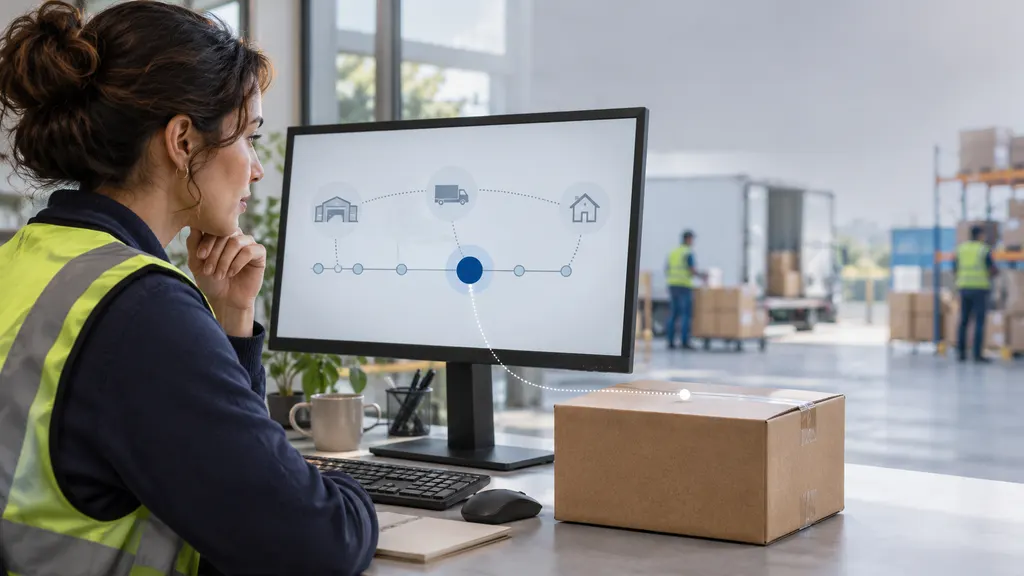
Speedx Out for Delivery: What It Means and What to Do If Nothing Arrives
“Out for delivery” means your SpeedX package has reached a delivery stage, but it does not mean the package has been handed to you. If nothing arrives, check the latest tracking event and your delivery location first. If the status stays unchanged or changes to “delivered” without a package in sight, save the tracking details and contact the appropriate party: SpeedX for delivery information and the seller for help with an order you have not received.

What “out for delivery” does—and does not—tell you
For a recipient, “out for delivery” is a sign to watch for the package, not proof that delivery is complete. The next useful update may confirm delivery, describe an unsuccessful attempt, or show another change in the shipment’s progress. Until that update appears, the tracking page alone cannot tell you exactly when a driver will reach your address.
It also cannot establish that a package has been lost simply because it did not arrive when you expected it. Routes can change, an attempted delivery may need to be recorded, and tracking events may not appear immediately. Rather than relying on the status label by itself, look at the timestamp, any accompanying message, and whether a newer event has appeared.
If the package is needed for a particular occasion, make a backup plan rather than treating “out for delivery” as an arrival guarantee. An estimated date or time shown in an order page is useful for planning, but the current tracking event is the better starting point for investigating what has actually happened.
If the package has not arrived, check these things in order
- Read the complete tracking history. Open the tracking link in your order confirmation or the carrier’s official tracking page. Note the tracking number, the time of the most recent event, and any message about an attempted delivery, address issue, or delivery location. A screenshot is useful if the status later changes.
- Verify the destination on your order. Check the street address, apartment or unit number, and any delivery instructions you entered. If something is wrong, contact the seller and carrier promptly. A tracking page may not offer a way to change an address, and a request to change it may not be possible once delivery is underway.
- Look in ordinary drop-off locations. Check the entrance, porch, mailroom, reception desk, parcel locker, and any secure location normally used at your address. If you live in a managed building, ask staff whether they accepted a package. Do not enter a neighbor’s property or assume a package was left with someone else without checking.
- Allow for a later tracking update. If the status still says “out for delivery” and there is no delivery confirmation, check again later. There is no universal waiting period that applies to every package. The sensible next step depends on how long the status has remained unchanged, the latest message, and whether the order is time-sensitive.
- Ask about the specific shipment if the status remains unresolved. Use SpeedX’s official contact route or the contact details supplied with your order. Provide the tracking number and the exact last status. If you cannot get a clear answer, contact the seller through the order page and ask it to investigate the shipment.
You can also try the 17TRACK tracking page to view tracking information in one place. Treat any tracking view as a way to inspect reported events, not as independent confirmation that a driver has delivered the parcel. If the number is not recognized or two displays differ, return to the tracking link supplied by the seller and ask the carrier or seller to clarify the latest event.
What to do when the status changes
It still says “out for delivery”
Keep the tracking number and last event timestamp handy. If the status persists beyond the delivery period you were expecting, ask SpeedX whether there is a more recent shipment update or a recorded delivery issue. If your order has a deadline or you need a replacement, tell the seller that you have not received the goods. The seller can address the order itself, while the carrier is the appropriate party to ask about a reported delivery event.
Avoid sending several vague messages such as “Where is it?” A useful inquiry states the tracking number, delivery address with any sensitive details shared only through an official channel, last tracking event, and the fact that you have checked the usual delivery locations. Ask what the latest confirmed event is and what action, if any, you need to take.
It says “delivery attempted”
Read the full message before requesting another delivery. Look for a stated reason or instructions about access, an address problem, or a pickup or redelivery step. Check whether your building’s entrance, gate, call box, or reception process could have prevented access. If the explanation does not fit what happened, contact SpeedX with the tracking number and ask what was recorded. Tell the seller if the issue cannot be resolved and the order remains undelivered.
It says “delivered,” but you do not have it
This is a different problem from an unchanged “out for delivery” status. Start by recording the delivery timestamp and any location description or photo shown in tracking. Then check the entrance, mailroom, locker, reception area, and other legitimate delivery spots. Ask household members or building staff whether they accepted it. Give them the delivery time rather than only the package description.
If those checks do not locate it, contact SpeedX and request the delivery details available for that shipment. Ask where it was recorded as delivered and whether any delivery confirmation can be reviewed. Proof of delivery can help explain what a delivery record may contain, but the information available for an individual package depends on what was captured. A “delivered” scan alone does not tell you where the package is now.
Also notify the seller that the order is marked delivered but has not been found. Share what you have checked and provide the tracking number and delivery timestamp. Ask the seller to investigate and explain its next steps for an order reported as not received. Do not assume that a carrier inquiry automatically opens a seller-side claim—or that contacting the seller automatically resolves a carrier-side delivery question.
Who should you contact first?
Contact SpeedX first for a question about a tracking event, such as an unexplained attempted delivery, an unchanged status, or the location recorded at delivery. The carrier is the direct source for clarifying its own scan and any shipment-specific delivery information it can share.
Contact the seller for the outcome of your purchase, especially if the order has not arrived, you need a replacement, or you need to understand the seller’s refund or investigation process. Your order page is also a good starting point when the tracking number is missing or does not work. Depending on the situation, you may need to contact both parties, but describe the same facts consistently to each.
Keep a short record: your order number, tracking number, the address as entered at checkout, screenshots of relevant status changes, and the dates of your inquiries. These details make it easier to distinguish an address mistake, a delayed update, an unsuccessful delivery, and a package marked delivered to a location you cannot identify. Share order and address information only through official support channels.
A simple message you can send
If the tracking status is still “out for delivery,” you can adapt this message: “My order [order number], tracking number [tracking number], has shown ‘out for delivery’ since [date and time shown in tracking], but I have not received it. I checked [relevant delivery locations] and confirmed the address on my order. Could you confirm the latest shipment event and tell me what I should do next?”
If the status says “delivered,” replace the first sentence with the recorded delivery time and add: “I checked the location shown in tracking, my usual drop-off locations, and [building staff or household members, if applicable]. Can you investigate where delivery was recorded and what confirmation is available?” Send the message to SpeedX when seeking delivery details and to the seller when seeking a resolution for the order.
Avoid mistakes that can slow down a resolution
- Do not treat an estimate as a delivery record. An expected arrival and a scan reporting delivery answer different questions.
- Do not report a package as missing solely because “out for delivery” appeared. First check for a newer event and the usual drop-off locations. If the status remains unresolved, follow up with the shipment details.
- Do not wait indefinitely after a “delivered” scan you cannot explain. Make the basic location checks, preserve the tracking details, and notify the carrier and seller.
- Do not use a contact link from an unexpected text without checking it. Open the carrier’s site or your order page independently. Be cautious if a message asks for payment or sensitive information to release a package.
- Do not assume every tracking page updates at the same moment. When displays disagree, compare timestamps and ask for clarification rather than selecting whichever status looks most reassuring.
The practical distinction is straightforward: “out for delivery” calls for monitoring and, if necessary, a shipment inquiry. “Delivered but not received” calls for an immediate location check, a request for delivery details, and notice to the seller. In either case, the most productive next step is tied to the latest recorded event—not to a promised arrival time you can no longer verify.
FAQ
Does “out for delivery” mean my SpeedX package will arrive today?
It indicates that the package has reached a delivery stage, but it is not a guarantee that you will receive it that day. Watch for the next tracking event. If an expected arrival passes without a package or an explanatory update, ask about the specific shipment.
Should I contact the seller or SpeedX if tracking has not changed?
Ask SpeedX about the last tracking event and any known delivery issue. Contact the seller as well if you need help with the undelivered order or the carrier inquiry does not resolve it. Keep both parties informed using the same tracking number and event timestamp.
What if I entered the wrong apartment number?
Contact the seller and SpeedX promptly through their official channels. Give them the correct information and ask whether any change is possible for this shipment. Do not assume an address correction can be made after a package is already in the delivery process.
Can a tracking page tell me exactly where the driver is?
Not from the words “out for delivery” alone. Use only shipment-specific information actually displayed in the official tracking experience. If you need clarification about a delivery event, ask the carrier rather than inferring a driver’s location from the status label.
What should I save if tracking says “delivered” but the package is missing?
Save the tracking number, delivery timestamp, any location description or delivery image available, and your order information. Note which places you checked and whom you contacted. These details give the carrier and seller a clear starting point for investigating.
Sources
- SpeedX official website — starting point for official carrier information and contact options.
- 17TRACK tracking page — package-tracking option discussed in this guide.
- 17TRACK: What Is Proof of Delivery? — background on delivery confirmation records.